Resource Management Buyer’s Guide for Smarter Planning
- What is Resource Management?
- Importance of Resource Management Software
- Resource Management Buyer’s Guide to Find the Best Software
- Best Benefits of Resource Management Software
- 7 Top Features to Look for in a Resource Management System
- Choose the Right Software with Our Resource Management Buyer’s Guide
- FAQs about Resource Management Buyers Guide

Key Highlights:
- This resource management buyers guide helps choose software that solves real operational problems.
- Stop guessing capacity by using tools built for smarter staffing decisions.
- Evaluate scalability, integrations, pricing and adoption before investing in a platform.
Your best consultants are overbooked while others sit idle waiting for assignments. Clients complain about missed deadlines even though your team works overtime constantly. Spreadsheets can’t keep up with the chaos anymore and profitability suffers.
Poor resource management costs agencies thousands in lost billable hours and burned-out talent who quit. You’re guessing at capacity instead of knowing exactly who can take on new client work.
This resource management buyers guide walks you through choosing software that actually solves these problems. You’ll learn which features matter and which are just expensive distractions. Make a confident decision backed by clear criteria instead of falling for the slickest sales pitch.
What is Resource Management?
Resource management is how organizations decide who does what and when they do it. It’s about making sure your team members work on projects that match their skills while your equipment and budget get used wisely. The goal is simple: stop wasting what you already have while delivering client work that actually matters to your business.
Here’s how it actually works in practice. You review upcoming projects while determining the skills and tools each one requires. Then you check who’s available and what they’re good at. You assign people to client projects based on that information. As things change, you shuffle assignments to keep everything moving forward without anyone sitting around or getting buried under too much work.
Key objectives:
- Stop paying for idle time or duplicate efforts that drain project budgets without adding value.
- Get client projects across the finish line when you promised by staffing them properly from day one.
- Spread project workloads so nobody burns out while others twiddle their thumbs waiting for assignments.
- Track where every dollar goes on each project and make sure resource costs don’t spiral beyond client budgets.
- Build a flexible team that can handle whatever client projects throw at you without panic hiring or missed opportunities.
Importance of Resource Management Software
Resource management software has become essential for professional service firms trying to survive in competitive markets. Agencies struggle to track who is working on what. Missed deadlines and frustrated clients often follow.
Recent statistics highlight the critical need:
- Professional services firms saw billable utilization drop to 68.9% in 2024 from 73.2% in 2021, falling below the 75% threshold needed to maintain healthy profit margins according to the SPI 2025 Professional Services Maturity Benchmark.
- The global resource management software market reached $6.8 billion in 2024 and projected growth to $20.1 billion by 2033, reflecting how critical these tools have become for operational efficiency across industries.
- Firms using professional services automation software achieved 10% higher billable utilization rates, 24% higher project margins, and 28% higher EBITDA compared to those relying on manual methods or basic tools.
Resource management software transforms chaotic guesswork into strategic planning that directly impacts your profitability and client satisfaction scores.
Resource Management Buyer’s Guide to Find the Best Software
Let’s explore the critical steps you need to take, along with important considerations, to find the best resource management software that will transform the way you manage your team and projects.
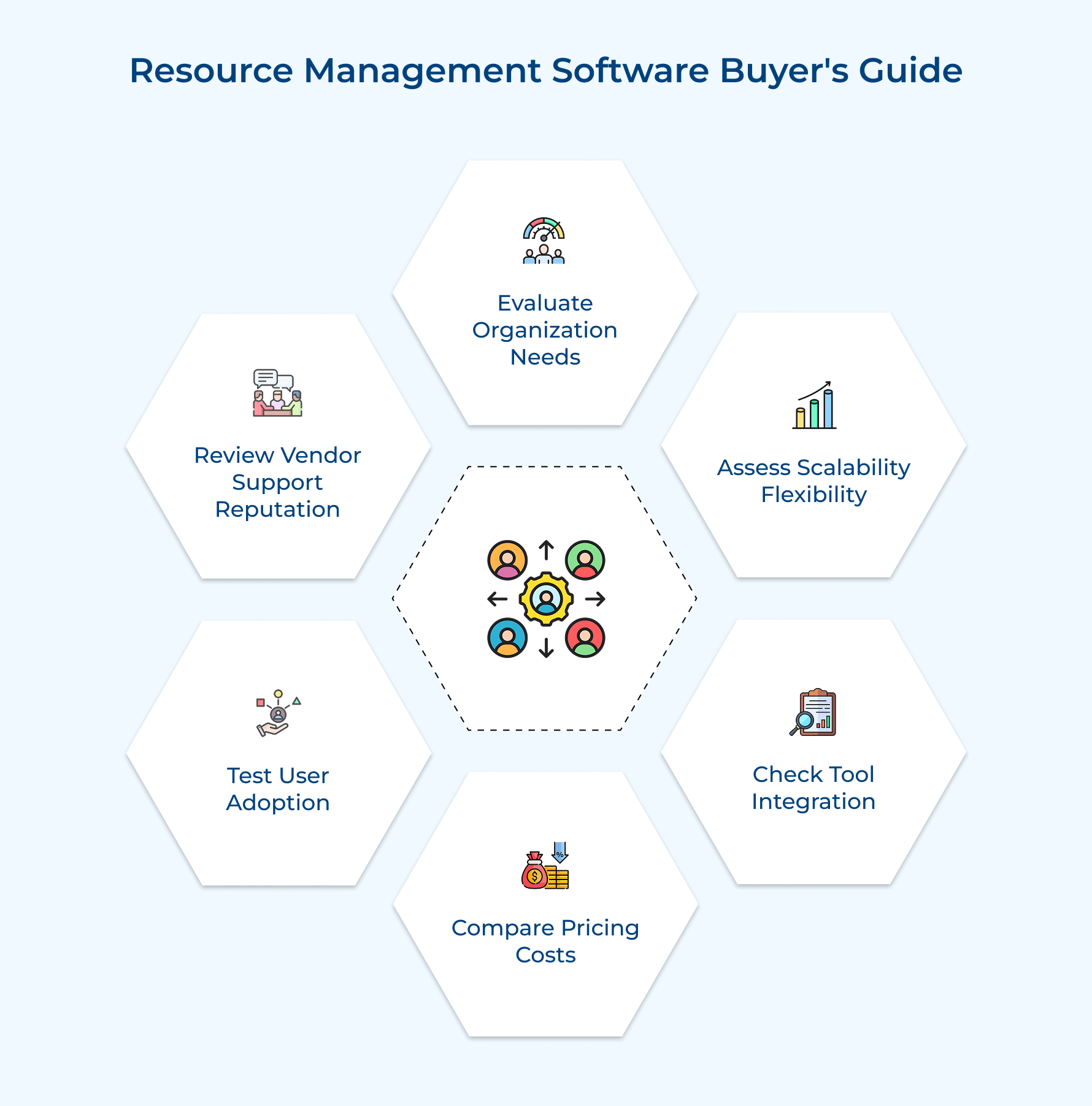
1. Evaluate Your Organization’s Specific Needs
Choosing software without understanding your actual problems wastes money on features you’ll never use. Your selection process should start by documenting exactly where your current resource management approach fails daily. Generic solutions rarely solve specific pain points that make your operations struggle.
Match your organizational requirements against these critical system capabilities:
- Pain point alignment: The software must directly address your biggest frustrations like double-booking or missed billable hours.
- Team capacity: System performance should remain fast whether you have 15 employees today or 150 planned next year.
- Workflow compatibility: Features need to support how your industry actually operates instead of forcing awkward workarounds.
A marketing agency juggling creative teams needs different tools than an engineering consultancy managing technical specialists. Your industry’s unique demands should drive feature priorities rather than flashy demos that look impressive but lack practical value. Evaluate if the platform understands your world or just offers generic project management wrapped differently.
The right software feels purpose-built for organizations like yours instead of requiring constant customization. You should recognize your daily challenges in the solution rather than trying to force-fit your processes into someone else’s vision.
2. Assess Software Scalability and Flexibility
Software that fits your team may struggle when your headcount doubles next year. Real scalability allows the platform to grow alongside your business operations without forcing costly migrations or replacements.
The right system supports expansion smoothly instead of turning into a limitation you eventually outgrow. Growth feels manageable when adding new users doesn’t slow performance or demand structural changes.
Flexible configuration keeps workflows aligned with evolving needs, including smarter workload balancing across teams. Different project types can run side by side, no matter if you manage retainers or fixed-bid engagements at the same time.
Best practices:
- Test the platform with simulated future scenarios like triple your current user count before committing.
- Verify you can modify fields and workflows yourself without submitting vendor support tickets constantly.
3. Check Integration with Existing Tools
Resource management software operates as part of your broader technology ecosystem rather than in isolation. Integration capabilities determine if data flows smoothly between systems or requires manual entry that wastes time. Disconnected tools create information silos that lead to decisions based on incomplete or outdated information.
Your ideal platform should connect seamlessly with these essential systems:
- Project management tools: Automatic sync of task assignments and project timelines with platforms you already use daily.
- Accounting software: Direct flow of time and expense data into your financial systems for billing.
- CRM platforms: Pipeline visibility that feeds capacity planning before deals actually close.
- Communication tools: Notifications and updates pushed to Slack or Teams where your team actually works.
Strong API access matters when you need custom integrations that pre-built connectors don’t cover. The platform should import your existing resource data without forcing you to rebuild years of information. You want systems talking to each other automatically instead of people acting as human data bridges.
4. Compare Pricing Models and Total Cost
Pricing structure impacts your actual software investment more than the advertised monthly rate suggests. Understanding total cost of ownership prevents budget surprises six months after implementation when hidden fees appear. The cheapest option often becomes expensive when you factor in necessary add-ons and scaling costs.
Evaluate how different pricing structures align with your financial planning:
- Per-user pricing works when headcount stays stable but gets expensive during rapid growth phases that agency life demands.
- Flat-rate models provide predictable budgeting but might waste money if you’re paying for capacity you don’t need.
- Tiered plans seem affordable initially until you discover essential features live in expensive premium packages only.
- Implementation costs and training fees can double your first-year investment beyond the quoted subscription price alone.
Consider an agency paying $15 per user monthly for 20 people totaling $3,600 annually. Adding 10 people during growth pushes annual costs to $5,400 without any feature changes. That 50% increase might strain budgets if you didn’t plan for per-user scaling economics.
Does the pricing model penalize success by charging more as you grow? The best arrangements align vendor revenue with your actual value received rather than punishing expansion. Look for structures where costs scale reasonably with the business benefits you’re capturing from the platform.
5. Test User Experience and Adoption Rate
The most powerful software fails if your team refuses to actually use it daily. User experience determines if adoption happens naturally or requires constant nagging from management. Clunky interfaces lead to workarounds where people maintain shadow spreadsheets that defeat your entire investment purpose.
Here’s what drives successful adoption across your entire organization:
- Role-appropriate interfaces: Project managers see different views than executives without forcing everyone through identical complicated dashboards.
- Mobile functionality: Team members can log time and check schedules from phones instead of waiting until desktop access.
- Minimal training needs: New hires start using the system within hours rather than requiring week-long training programs.
Software with steep learning curves creates resistance that undermines your resource management goals entirely. Intuitive design means people accomplish tasks without consulting help documentation or submitting support tickets constantly.
6. Review Vendor Support and Reputation
Software problems don’t wait for business hours and technical issues can halt your entire operation. Vendor support quality determines if the problems get resolved quickly or linger for days disrupting client work. The cheapest platform becomes expensive when poor support costs you billable hours and relationships.
Critical vendor characteristics that separate reliable partners from problem providers:
- Support availability: 24/7 access versus business-hours-only coverage that leaves you stranded during critical issues.
- User feedback: Real experiences from companies similar to yours rather than cherry-picked testimonials on websites.
- Onboarding quality: Dedicated implementation specialists who configure your instance versus generic documentation expecting self-service setup.
A vendor with thousands of satisfied customers in your industry brings proven expertise to common challenges. Check in case the company invests in product development or just maintains legacy code without meaningful improvements.
Best practices:
- Contact current customers directly to ask about their support experiences instead of trusting online reviews alone.
- Test vendor responsiveness during evaluation by asking technical questions and measuring how quickly they respond.
Best Benefits of Resource Management Software
The right software delivers measurable improvements across your entire operation. Here’s what changes when you move beyond spreadsheets and guesswork.
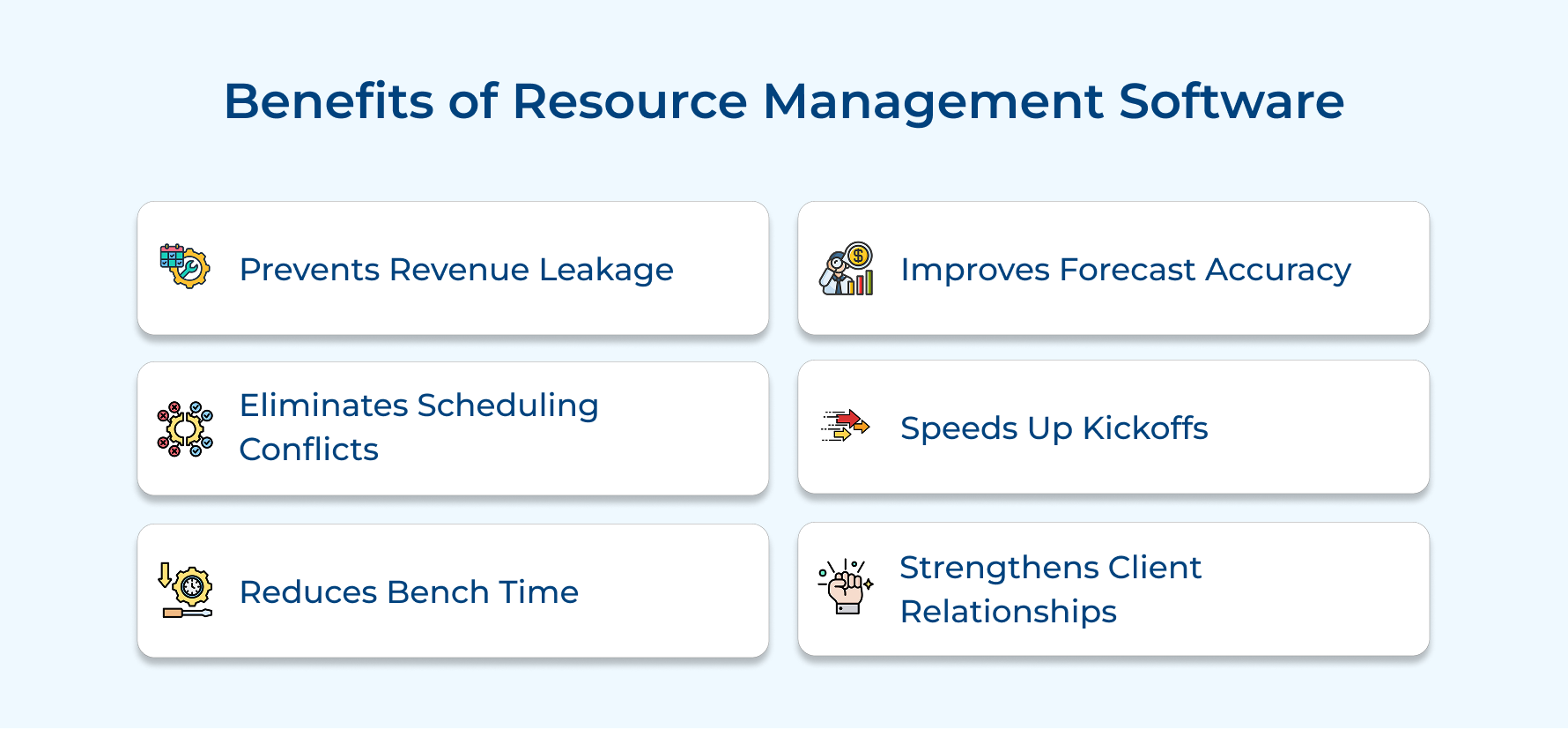
1. Prevents Revenue Leakage
Untracked hours often slip through the cracks and never reach invoices, quietly reducing your earnings. Strong project resource planning, supported by workflow automation, captures every billable minute. Clear workload and capacity views ensure nothing gets missed, helping teams protect revenue that would otherwise disappear over time.
2. Eliminates Scheduling Conflicts
Double-booking key team members creates confusion that affects multiple client timelines at once. Real-time workload as well as capacity views show exactly who is available and when. Project managers can confidently assign work without overload, keeping schedules realistic and clients informed from the very beginning.
3. Reduces Bench Time
Skilled consultants waiting between assignments increase costs without adding value. Smart workflow automation quickly connects available talent to upcoming work. Thoughtful project resource planning keeps utilization steady, ensuring fewer people remain idle and more time is spent delivering meaningful outcomes for clients.
4. Improves Forecast Accuracy
Unclear visibility into future demand often leads to rushed hiring or unexpected skill shortages. Reliable data from project resource planning highlights patterns in workload and capacity views over time. Better insights support smarter vendor selection and stronger decisions from internal teams as well as external solutions providers alike.
5. Speeds Up Project Kickoffs
Searching manually for available talent slows momentum and delays important client work. Automated workflow automation surfaces the right skills instantly across your resource pool. Faster coordination through effective project resource planning allows new initiatives to begin quickly without unnecessary back-and-forth or scheduling confusion.
6. Strengthens Client Relationships
Consistent delivery and transparent timelines shape how clients perceive your reliability. Clear workload and capacity views help teams communicate confidently while avoiding surprises. Strong coordination between internal teams, trusted solutions providers, and thoughtful vendor selection builds lasting confidence while encouraging long-term partnerships.
7 Top Features to Look for in a Resource Management System
Not every platform delivers what agencies actually need for daily operations. Focus on features that solve real problems instead of impressive demos that look good but fall flat in practice.
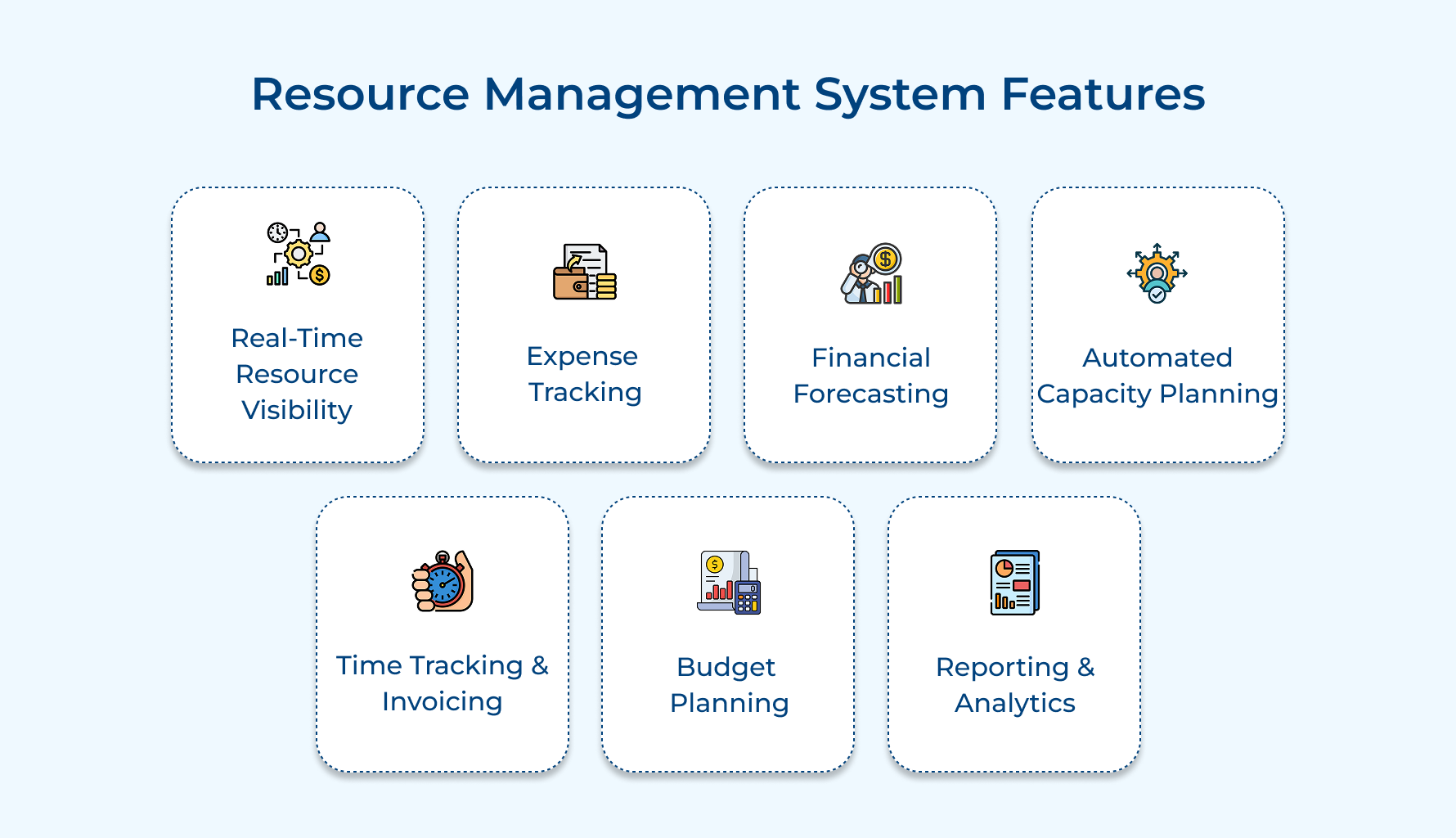
1. Real-Time Resource Visibility
You need instant access to who’s working on what across every active project. Waiting until Monday’s status meeting to discover your lead developer got triple-booked last week creates unnecessary firefighting. Real-time dashboards show capacity, assignments, and availability the moment you open the software.
Here’s what proper visibility should include in your system:
- Capacity alerts: Color-coded indicators that flag overallocation before it becomes a crisis requiring emergency reassignments.
- Hierarchical views: Drill-down capabilities from company-wide overview to individual daily schedules for complete transparency.
- Mobile accessibility: Remote access so project managers can check availability from client meetings or while traveling.
The best systems update automatically when someone logs time or adjusts their schedule. Your resource data stays current without anyone manually updating spreadsheets or sending email chains asking about availability. Decisions happen faster because the information you need is already there waiting.
2. Expense Tracking
Project costs extend far beyond salaries when you factor in travel, software licenses, and subcontractor fees. Missing these expenses in your tracking creates profit margin surprises that catch finance teams off guard. Comprehensive expense capture connects every dollar spent to the specific project that incurred it.
Before committing to any platform, ask yourself these questions:
- Can team members submit expenses directly from their phones with receipt photos?
- Does it automatically categorize expenses and flag ones exceeding approval thresholds?
- Will it integrate with your accounting system to eliminate duplicate entries?
Modern expense tracking goes beyond basic receipt collection and reimbursement workflows. The system should enforce spending policies automatically while making submission easy enough that people actually use it. You get accurate project costs without chasing down missing receipts or reconciling spreadsheets manually.
3. Financial Forecasting
Predicting revenue three months out gets tricky when project timelines shift and resource costs fluctuate. Building financial models in disconnected spreadsheets means your forecasts are outdated the moment someone updates an allocation. Integrated forecasting tools use real resource data to project cash flow and profitability automatically.
The forecasting module should handle these critical scenarios:
- Revenue projection: Automated calculations based on scheduled billable hours and contracted rates across all active clients.
- Cost prediction: Future expense modeling that accounts for planned hires, salary adjustments, and overhead allocation changes.
- Scenario analysis: What-if modeling showing financial impact of winning or losing pipeline deals before they close.
Good forecasting prevents cash flow surprises by showing exactly when payments need to come in. The software connects resource schedules to revenue recognition so finance knows what to expect. You present budget requests backed by data instead of rough estimates that executives immediately question.
4. Automated Capacity Planning
Forecasting gets complicated when juggling dozens of projects with different timelines and team sizes. Manually calculating who you’ll need in three months means building complex spreadsheets that break when anything changes. Automated tools project future capacity needs based on your current pipeline and historical patterns.
Beyond identifying shortages, smart capacity planning helps you spot underutilization before it hurts profitability. The system analyzes trends showing seasonal demand fluctuations you can plan around. You make hiring decisions months in advance instead of scrambling when projects are already starting.
5. Time Tracking and Invoicing
Invoices create gaps where billable time disappears. Team members log hours in one system while billing happens somewhere else entirely. Integrated time-to-invoice workflow ensures every tracked minute flows directly into client bills without manual transfers.
Look for time and invoicing integration that includes these capabilities:
- One-click invoicing: Direct generation from approved timesheets without exporting data or re-entering information across systems.
- Smart rate application: Automatic billing rate assignment based on who worked and specific contract terms negotiated.
- Flexible billing models: Support for progress billing, milestone-based payments, retainer arrangements, and mixed fee structures.
The connection between time tracking and invoicing should be seamless as well as instantaneous. When consultants submit their hours, the system knows immediately what’s billable versus internal. Your invoices go out faster with fewer errors because the data never leaves the platform.
6. Budget Planning
Projects fail financially when initial budgets don’t account for actual resource costs and scope. Creating budgets in isolation from resource planning means your estimates are guesses rather than calculations. Smart budget planning tools use real salary data and historical project performance to build accurate estimates.
Your budget planning should clearly answer these essential questions:
- What will this project actually cost based on the specific people we’re assigning?
- Are we pricing competitively while maintaining our target profit margins?
- How much budget buffer do we need for this client based on past project performance?
Effective budget planning connects directly to resource allocation so estimates reflect reality from day one. The system flags when proposed staffing plans exceed what clients agreed to pay. You enter negotiations knowing exactly what margin you’re protecting instead of discovering problems after work begins.
7. Reporting and Analytics
Measuring in case your resource strategy actually works requires more than anecdotal evidence from project managers. Analytics reveal patterns showing which practices drive profitability and which drain resources without delivering value. Data-driven insights replace gut feelings with facts that guide better business decisions.
Your analytics platform should deliver these critical capabilities:
- Utilization tracking: Real-time visibility into billable versus non-billable hours across individuals, teams, and departments.
- Profitability analysis: Project-level margin tracking that identifies which clients and engagement types deliver the best returns.
- Trend identification: Historical pattern recognition showing seasonal fluctuations, capacity constraints, and efficiency improvements over time.
Comprehensive reporting should track utilization trends, project profitability, and resource efficiency across teams along with time periods. The system identifies which clients consistently run over budget and which project types deliver the best margins.
Choose the Right Software with Our Resource Management Buyer’s Guide
Finding the right resource management software takes time, but the payoff can transform how your entire operation runs. Use this resource management buyers guide to evaluate platforms thoughtfully instead of getting distracted by flashy demos that rarely reflect real-world use.
Focus on your actual needs and pain points rather than long feature lists that only look good on paper. Thorough testing before committing matters, because switching systems later costs far more than choosing carefully upfront. The right platform should feel tailored to how your agency works every single day, not something your team has to work around.
Limit time — not creativity
Everything you need for customer support, marketing & sales.

Neeti Singh is a passionate content writer at Kooper, where he transforms complex concepts into clear, engaging and actionable content. With a keen eye for detail and a love for technology, Tushar Joshi crafts blog posts, guides and articles that help readers navigate the fast-evolving world of software solutions.