How to Create a Resource Utilization Report Easily
- What is a Resource Utilization Report?
- How to Build a Resource Utilization Report in 7 Actionable Steps
- Top 5 Benefits of Resource Utilization Reports
- 4 Essential Components of Resource Utilization Report
- Types of Resource Utilization Reports
- How to Analyze a Resource Utilization Report?
- 6 Effective Best Practices and Tips for Utilization Reporting
- Transform Data into Decisions with Our Resource Utilization Report
- FAQs about Resource Utilization Report

Key Highlights:
- Clear utilization reports reveal capacity gaps, improve staffing decisions and help professional service firms optimize billable resources consistently.
- Accurate resource utilization reports combine time tracking, availability data and reporting formats to support forecasting as well as performance analysis.
- Practical steps turn utilization report data into actionable insights for better planning, profitability and long-term growth.
Most service firms struggle to see where their time and effort actually go. You’re paying salaries, but it’s hard to know who’s overloaded, who’s underused and who’s sitting somewhere in between. That makes staffing decisions feel like educated guesses rather than confident choices.
When you don’t have reliable report data, you might turn down profitable work thinking you’re at full capacity, even though there’s hidden bandwidth. At the same time, a few high performers may be stretched too thin while others don’t have enough meaningful work. Market analysts often point out that this imbalance quietly hurts both revenue and morale.
A well-built resource utilization report cuts through the noise. It shows exactly how hours are being spent and helps you make smarter decisions about staffing, assignments as well as future demand.
What is a Resource Utilization Report?
A resource utilization report tracks how effectively your organizational resources spend their working hours on billable projects and internal tasks. It shows you if resources are overworked or underutilized by comparing their actual work time against their available capacity.
The report pulls data from your time tracking system and calculates what percentage of each resource’s time goes toward productive work. It compares hours logged on projects against total available hours to generate utilization rates. These numbers then help you spot patterns like consistent overtime or resources with too much idle time.
Key objectives of resource utilization reports:
- Balance assignments so no resource is consistently overwhelmed while others have spare capacity.
- Ensure billable hours stay high enough to meet revenue targets and justify resource expenses.
- Spot when you need to hire new resources or when you have the bandwidth to take on additional projects.
- Catch burnout risks early by monitoring which resources are working unsustainable hours week after week.
- Use historical utilization patterns to make better predictions about how long future projects will actually take.
How to Build a Resource Utilization Report in 7 Actionable Steps
Let’s now guide you through the essential steps to create a tool that not only sharpens your resource management but also propels your business toward greater operational success.
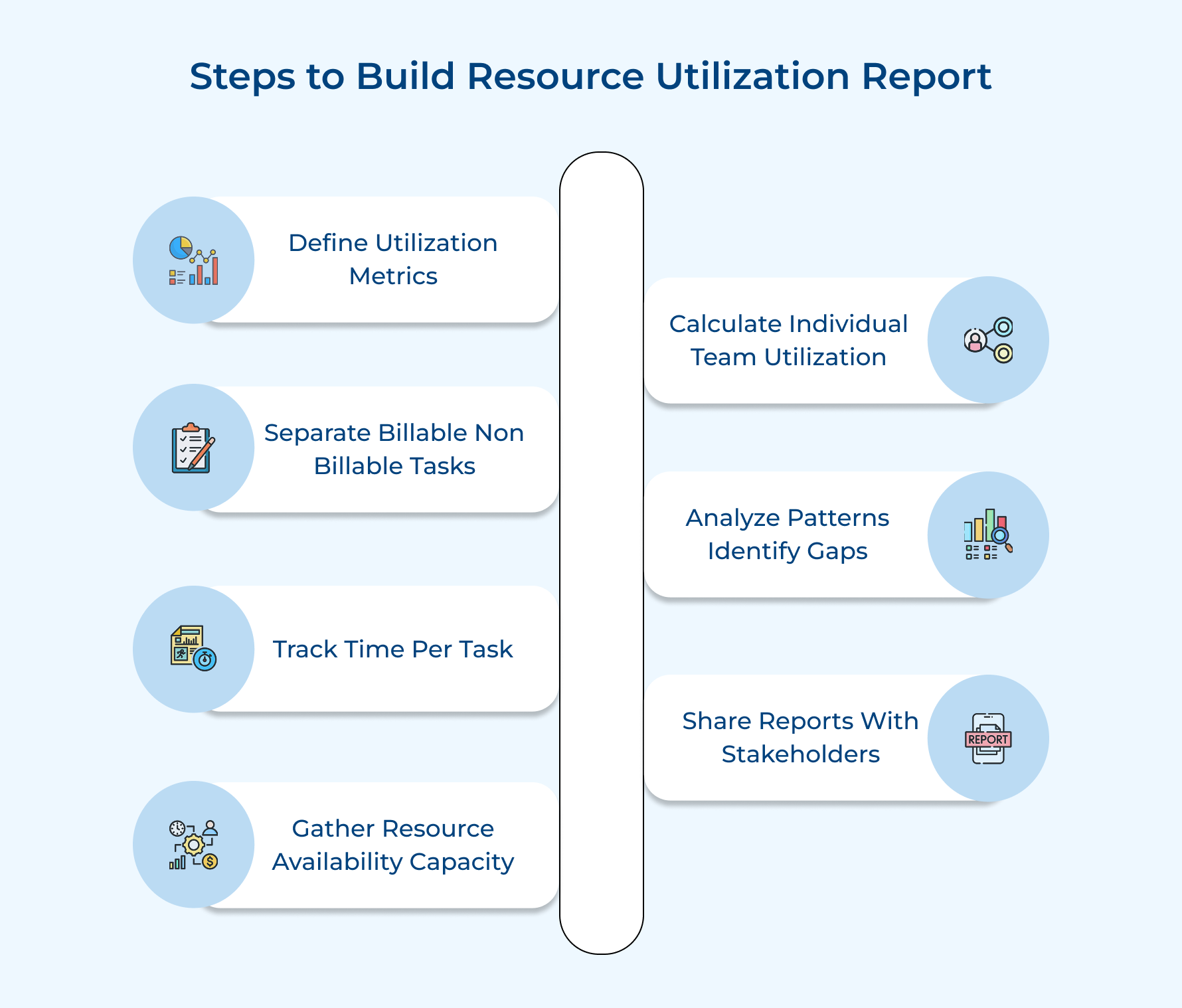
1. Define Your Utilization Metrics Clearly
Define your utilization metrics to establish the foundation for measuring resource performance and give everyone a shared understanding of what “good utilization” actually means.
Here are three effective approaches to establish meaningful metrics that work for your firm.
- Establish target utilization percentages for roles: Set different benchmarks for different positions because a senior consultant’s ideal utilization differs from a junior analyst’s expected rate. Client-facing roles typically target 75-85% utilization while support roles might aim for 60-70% since they need buffer capacity.
- Determine billable versus total hours calculation: Decide if you’ll calculate utilization using a 40-hour week as the denominator or only count actual working days after removing holidays. The formula you choose affects in case 30 billable hours registers as 75% utilization or something higher.
- Set underutilization and overallocation threshold levels: Create warning triggers that alert managers when someone drops below 50% utilization for two consecutive weeks.. These thresholds help you intervene before underutilization becomes a profitability problem or overwork leads to burnout.
Clear metrics transform utilization from a vague concept into something concrete that resources can work toward and managers can measure consistently. When everyone understands the targets you create accountability and make it easier to have productive conversations about workload.
2. Distinguish Between Billable and Non-Billable Tasks
Distinguishing between billable and non-billable work is critical because this categorization directly determines your revenue calculations as well as shows where resources invest their energy. If you misclassify tasks you’ll either overestimate profitability or undervalue important internal activities that keep your firm running.
How do you draw the line between billable and non-billable work in practice? Any task that directly serves a client and was included in your project scope counts as billable time. Everything else falls into the non-billable category including internal meetings even though these activities are necessary.
Here are common examples that fall into each category.
Billable Tasks:
- Client presentations and strategy sessions
- Project deliverable creation and revisions
- Client email correspondence and phone calls
- Research conducted specifically for client projects
Non-Billable Tasks:
- Internal team meetings and status updates
- Administrative work and timesheet completion
- Business development and proposal writing
- Training sessions and skill development activities
Once you understand the distinction you need to implement it consistently by creating tracking codes in your time management system. Train everyone to select the correct classification when logging hours and emphasize that accuracy matters more than making numbers look good.
This leads to the need for clear guidelines on ambiguous tasks that don’t fit neatly into either bucket. For instance, client relationship building over lunch might be billable if it’s with an active project sponsor but non-billable if it’s purely prospecting.
3. Use a Tool to Track Time Spent on Each Task
Using a dedicated tracking tool turns time tracking from “I think I worked on this” into something you can actually trust. Instead of relying on memory or messy spreadsheets, you get clean data showing exactly how people spend their hours. Manual tracking often leaves gaps, makes errors common and makes accurate utilization reporting almost impossible.
When choosing a tracking tool, focus on what will actually work for your team:
- Easy integration with existing systems: The tool should connect with your project management and accounting software so time data flows automatically—no double entry, fewer mistakes.
- Simple, user-friendly interface: If logging time feels painful, people won’t do it. Fewer clicks mean better adoption and more reliable data.
- Flexible reporting options: You should be able to analyze hours using pivot tables, view trends in a visualized graph and link time data to gross revenues for financial insights.
- Mobile access for remote or field teams: Anyone working from client sites should be able to log time from their phone without friction.
Implementation matters just as much as the tool itself. Set clear rules for:
- When time should be logged
- How detailed entries need to be
- How often data is reviewed
Common time-tracking tool options include:
- Integrated project management platforms: Time is logged directly against tasks, making reporting faster and more accurate.
- Standalone time-tracking tools: Focus purely on capturing hours, often with reminders and automation.
- Spreadsheet-based templates: Low-cost and flexible, but heavily manual as well as harder to scale.
When the right tool is in place, time tracking fades into the background. That’s when you start getting dependable data you can actually use to make smarter resourcing and revenue decisions.
4. Collect Resource Availability and Capacity Data
Collecting accurate availability data is what makes your numbers believable. Without it, a System Utilization Report ends up showing theoretical capacity instead of real working hours. That’s how someone appears 60% utilized on paper even though they’re actually working at full capacity due to a reduced schedule.
The goal is to capture the right data without turning it into an admin headache. Focus on a few simple practices:
- Document contracted working hours weekly: Keep a central record of who works full-time, part-time, or on alternative schedules. Update it whenever employment terms change so your high-level metrics stay accurate.
- Account for planned vacation and leave: Connect your time-off system to utilization tracking. Approved leave should automatically reduce available hours, so people aren’t flagged as underutilized during time off.
- Track part-time and reduced-capacity roles separately: Set utilization targets based on actual availability, not a standard 40-hour assumption.
Common challenges show up when schedules change often and no one owns the data. Outdated inputs quickly distort reports and make utilization look unreliable.
To fix this:
- Assign clear ownership for maintaining availability data
- Use lightweight utilization surveys to confirm schedules during busy or changing periods
- Review availability before finalizing each System Utilization Report
When availability data is current, your utilization metrics become something leaders can actually trust and act on.
5. Calculate Individual and Team Utilization Rates
Calculating utilization rates converts raw time data into meaningful percentages that reveal how effectively your resources are being deployed across projects. This step transforms hours logged into actionable insights that help you identify high performers and spot capacity issues.
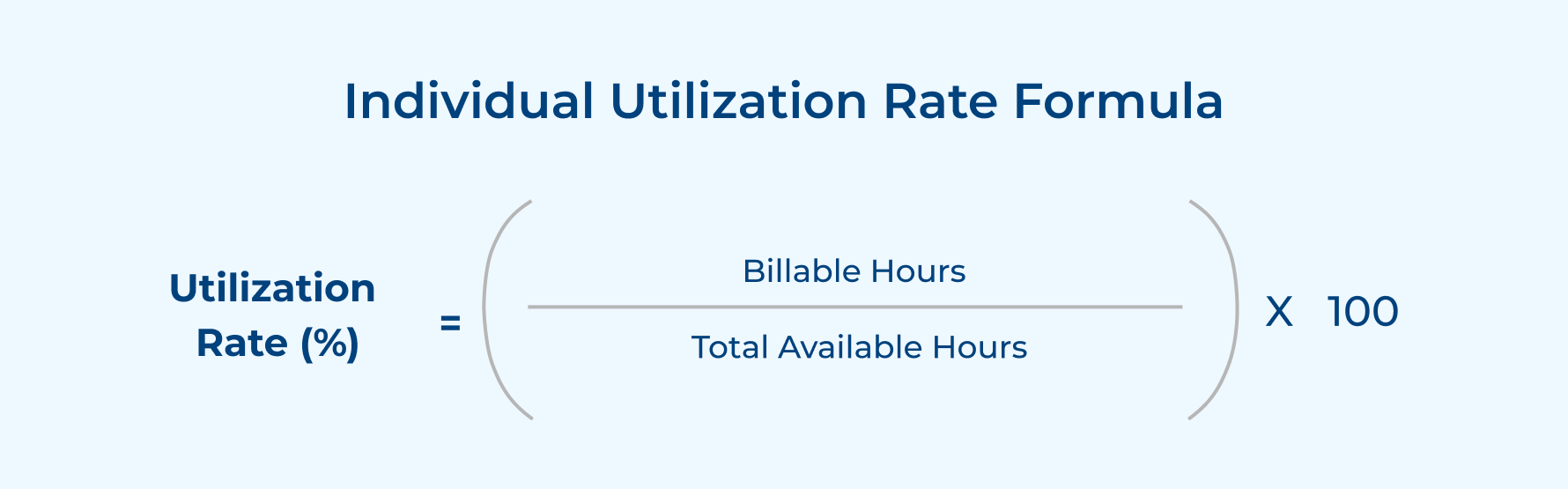
While individual utilization highlights how effectively a single resource’s time is being used, it doesn’t provide visibility into overall team performance. Project delivery depends on how well workloads are balanced across roles, skills and availability. To understand utilization at a broader level and uncover collective capacity gaps, you need to evaluate usage across the entire team.
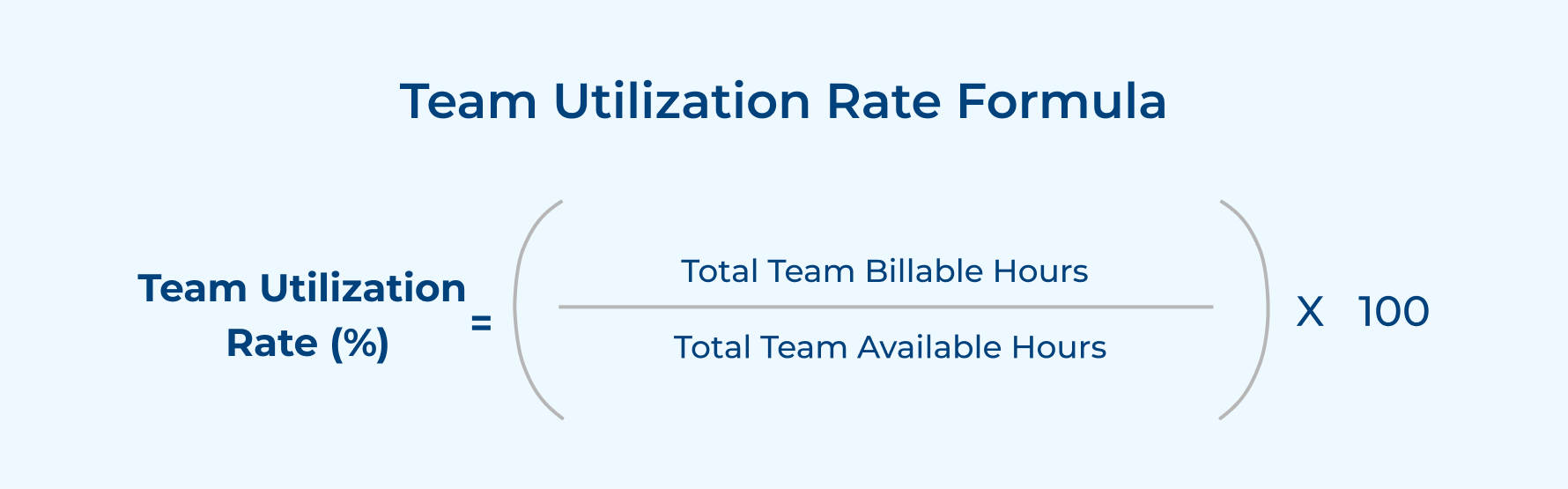
Industry benchmarks vary depending on your service model. Professional services firms typically target 70-80% utilization while agencies often aim for 75-85% since they run leaner operations. Consulting firms may accept 65-75% because senior resources need thinking time between engagements.
Follow these four steps to calculate accurate utilization rates.
- Gather total billable hours from your time tracking system: Pull reports showing all hours logged against billable project codes for each resource.
- Calculate total available hours by multiplying workdays by daily capacity: Take working days in the period and multiply by contracted daily hours minus approved absences.
- Divide billable hours by available hours and multiply by 100: Apply the formula to convert the ratio into a percentage.
- Aggregate individual rates by summing team totals for department views: Add all billable hours for the team and divide by the sum of available hours.
Example Calculation:
Sarah is a consultant who worked in November with the following details:
- Working days in November: 21 days
- Daily contracted hours: 8 hours
- Approved vacation: 2 days
- Billable hours logged: 136 hours
Available hours = (21 working days – 2 vacation days) × 8 hours = 152 hours
Utilization Rate = (136 billable hours / 152 available hours) × 100 = 89.5%
Sarah’s utilization rate of 89.5% exceeds the typical 75-80% target which indicates she’s highly productive but may be at risk of overwork.
6. Analyze Patterns and Identify Resource Gaps
Analyzing utilization patterns helps you spot systemic issues like chronically overworked resources or underutilized team members who could take on additional projects. This step transforms individual data points into strategic insights that inform hiring decisions rather than just showing historical performance.
Use pattern analysis to predict future capacity constraints by examining trends over multiple reporting periods instead of reacting to single-month anomalies. You’ll notice seasonal fluctuations and identify resources whose utilization consistently exceeds healthy levels.
Pro tips:
- Review actual utilization against your established targets monthly to catch deviations early.
- Monitor if certain engagement models consistently produce better utilization rates to inform how you structure future work.
7. Generate Reports and Share with Stakeholders
Generating and distributing utilization reports ensures decision-makers have the data they need to take action on resource allocation. If you skip this step all your data collection efforts become pointless because nobody sees the insights.
Create Visual Dashboards Showing Key Metrics
Visual dashboards transform spreadsheets into charts that stakeholders can quickly understand without technical expertise. Design dashboards to highlight critical metrics like overall firm utilization alongside department breakdowns so executives see both big picture and details.
Schedule Regular Report Distribution to Managers
Regular distribution creates accountability and ensures utilization stays on everyone’s radar rather than becoming an occasional quarterly check-in. Set up automated weekly or monthly report delivery so managers receive fresh data without having to remember.
Present Findings with Actionable Recommendations
Reports become valuable when they include specific recommendations based on the data rather than just displaying numbers. Highlight resources who need more project assignments alongside those who should shed work to maintain sustainable utilization.
Top 5 Benefits of Resource Utilization Reports
Here are six concrete ways these reports improve your organization’s performance.
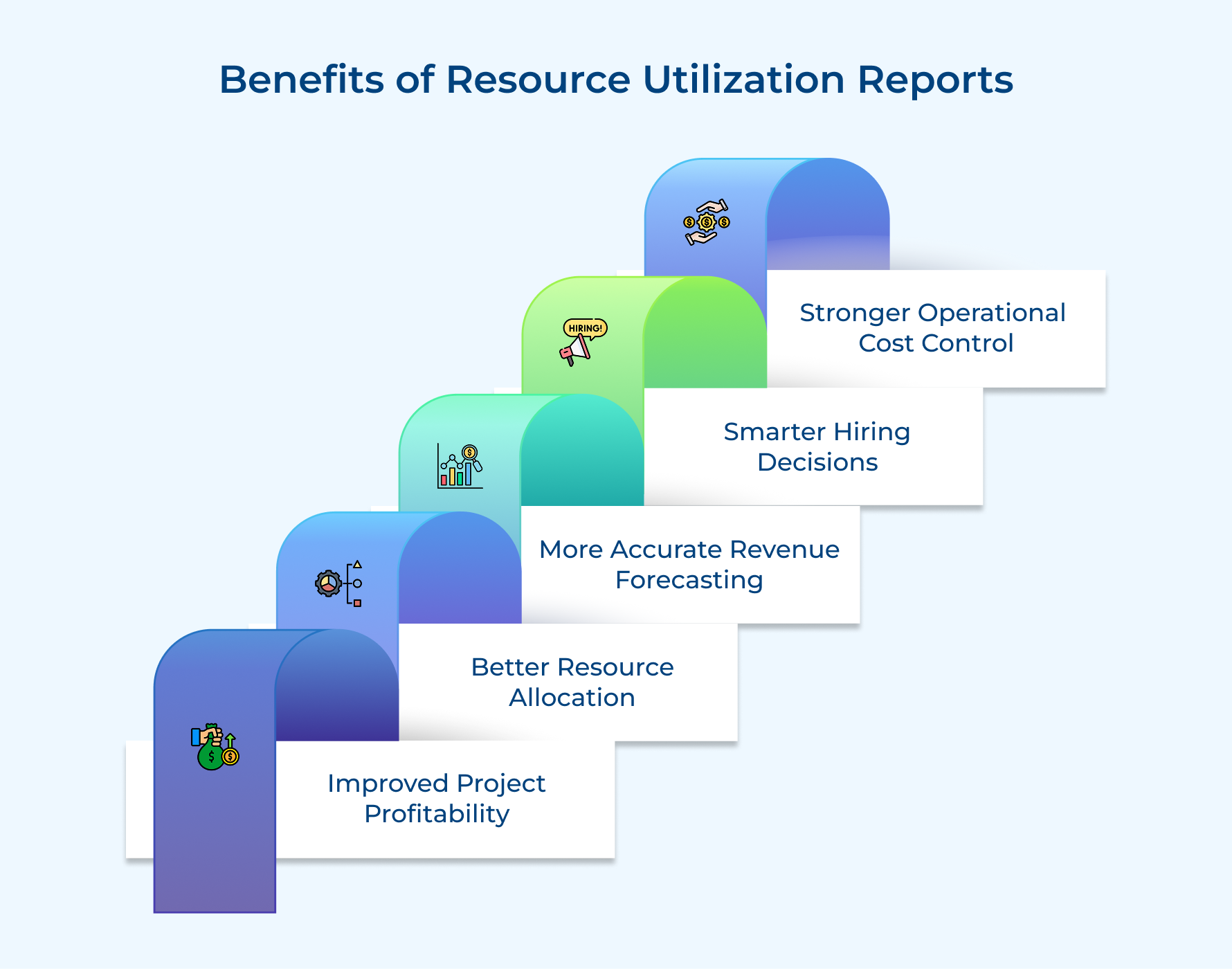
1. Improved Project Profitability
Utilization reports help you see which projects consume a lot of effort without enough return. When you compare usage billed to actual revenue, weak pricing models and low-margin work stand out quickly.
2. Better Resource Allocation
You can clearly see who has real availability and who’s juggling too much work. Instead of guessing, you assign work based on actual capacity, preventing burnout for top performers while making better use of underutilized team members.
3. More Accurate Revenue Forecasting
Past utilization trends give you a realistic view of future billable capacity. This makes forecasts more reliable and helps leadership align sales targets with delivery capability in annual reports.
4. Smarter Hiring Decisions
Utilization data shows if high workloads are a short-term spike or a long-term pattern. That insight prevents rushed hiring during busy months while ensuring you don’t ignore real growth signals that require new roles.
5. Stronger Operational Cost Control
Reports highlight where you’re paying for unused capacity or leaning too heavily on costly contractors. By balancing full-time staff and external resources, you keep costs predictable as well as margins healthier year-round.
4 Essential Components of Resource Utilization Report
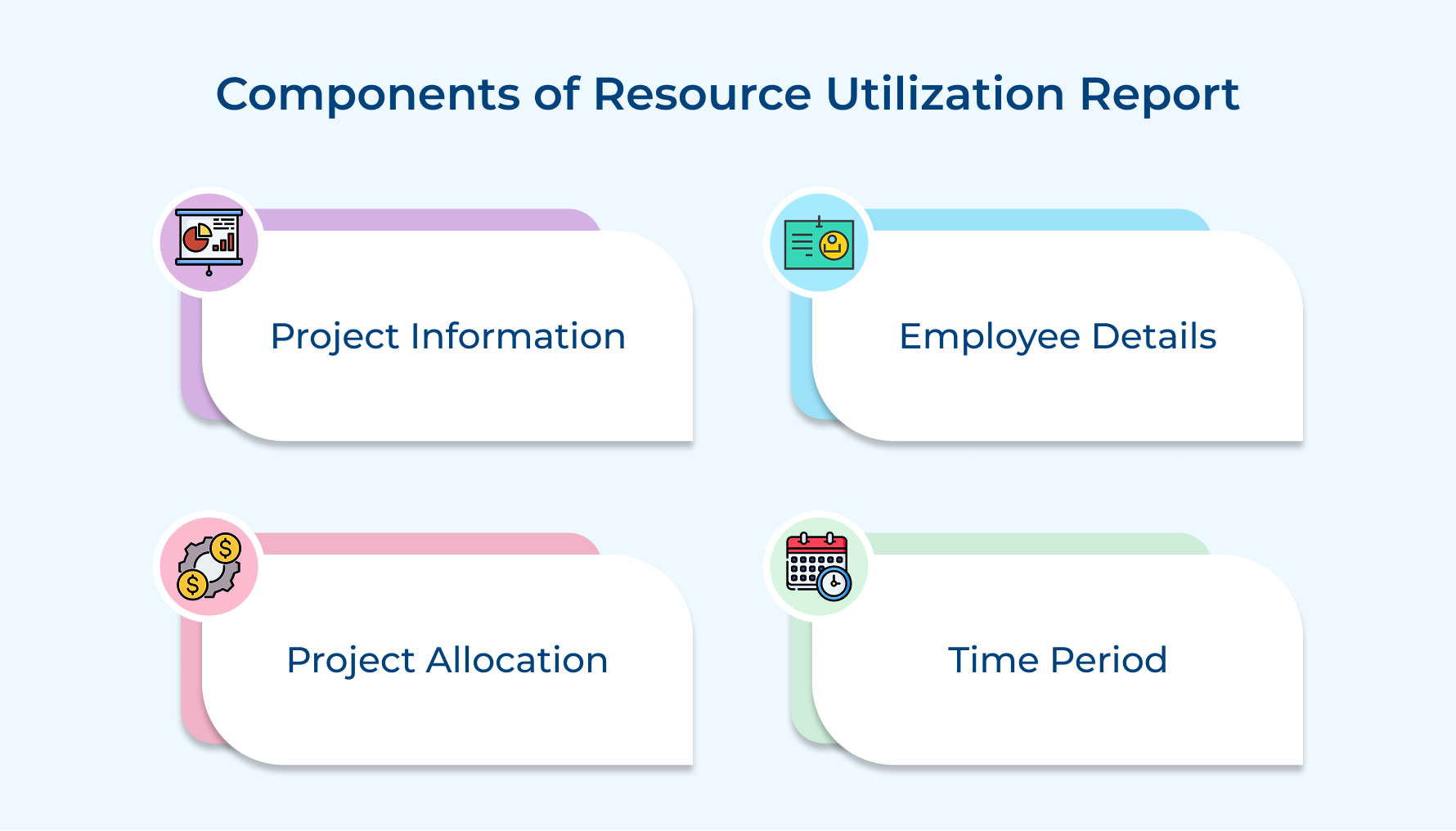
Every resource utilization report relies on four foundational components that work together to give you a complete picture of how resources are being deployed. Understanding these building blocks helps you interpret the data correctly and make better allocation decisions.
1. Project Information
The component captures essential details about each active project including its name and unique identifier code for tracking purposes. It also includes the client name and the project manager responsible so you know who oversees resource decisions.
Beyond basic identifiers this component tracks the project’s current status and whether it’s running on schedule or facing delays. You’ll also see the project type classification which helps you compare utilization patterns across similar engagements and identify trends.
2. Employee Details
The employee details section lists each resource by name along with their role designation and the department or practice area they belong to. It will help you understand what skills and expertise levels are being applied to different projects across your organization.
3. Project Allocation
Project allocation shows how many hours or what percentage of each resource’s time is committed to specific projects. It reveals if someone is assigned to one major project or juggling multiple client engagements simultaneously throughout the reporting period.
The allocation data distinguishes between billable work that generates revenue and non-billable activities like internal meetings or professional development. You can quickly see if resources are spending too much time on administrative tasks instead of client-facing work that drives profitability.
4. Time Period
The time period component defines the specific date range the report covers if that’s weekly snapshots or monthly performance summaries. The timeframe context is crucial because utilization rates fluctuate significantly based on project cycles and seasonal business patterns you need to understand.
Types of Resource Utilization Reports
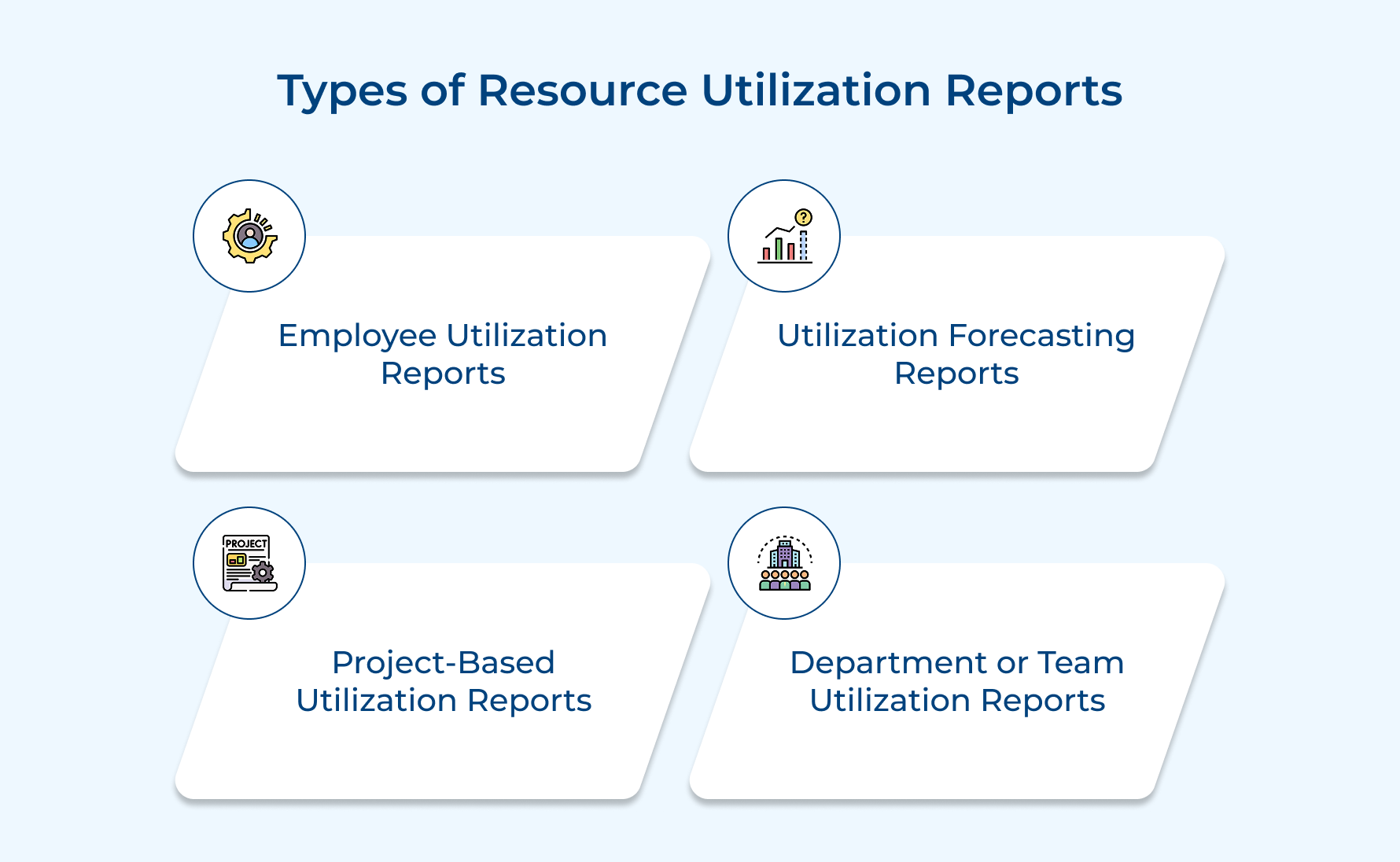
Each report type serves a specific purpose in helping you understand capacity and make informed decisions.
1. Employee Utilization Reports
Employee utilization reports focus on individual resources and show you exactly how each person is spending their available working hours across projects. It breaks down their time between billable client work as well as non-billable activities so you can see who’s contributing to revenue generation and who needs more assignments.
2. Utilization Forecasting Reports
Forecasting reports look ahead instead of backward by projecting future utilization rates based on scheduled project assignments. These reports help you spot capacity problems before they happen so you can take corrective action like hiring contractors or adjusting timelines to maintain balance.
3. Project-Based Utilization Reports
This report organizes data by project rather than by individual resource to show you how effectively each engagement is using its allocated capacity and budget. You can see if a specific project is consuming more hours than originally estimated.
4. Department or Team Utilization Reports
Department-level reports aggregate utilization data across entire practice areas or functional teams to give you a broader organizational view beyond individual contributor performance metrics. You might discover that one team consistently runs at high utilization.
How to Analyze a Resource Utilization Report?
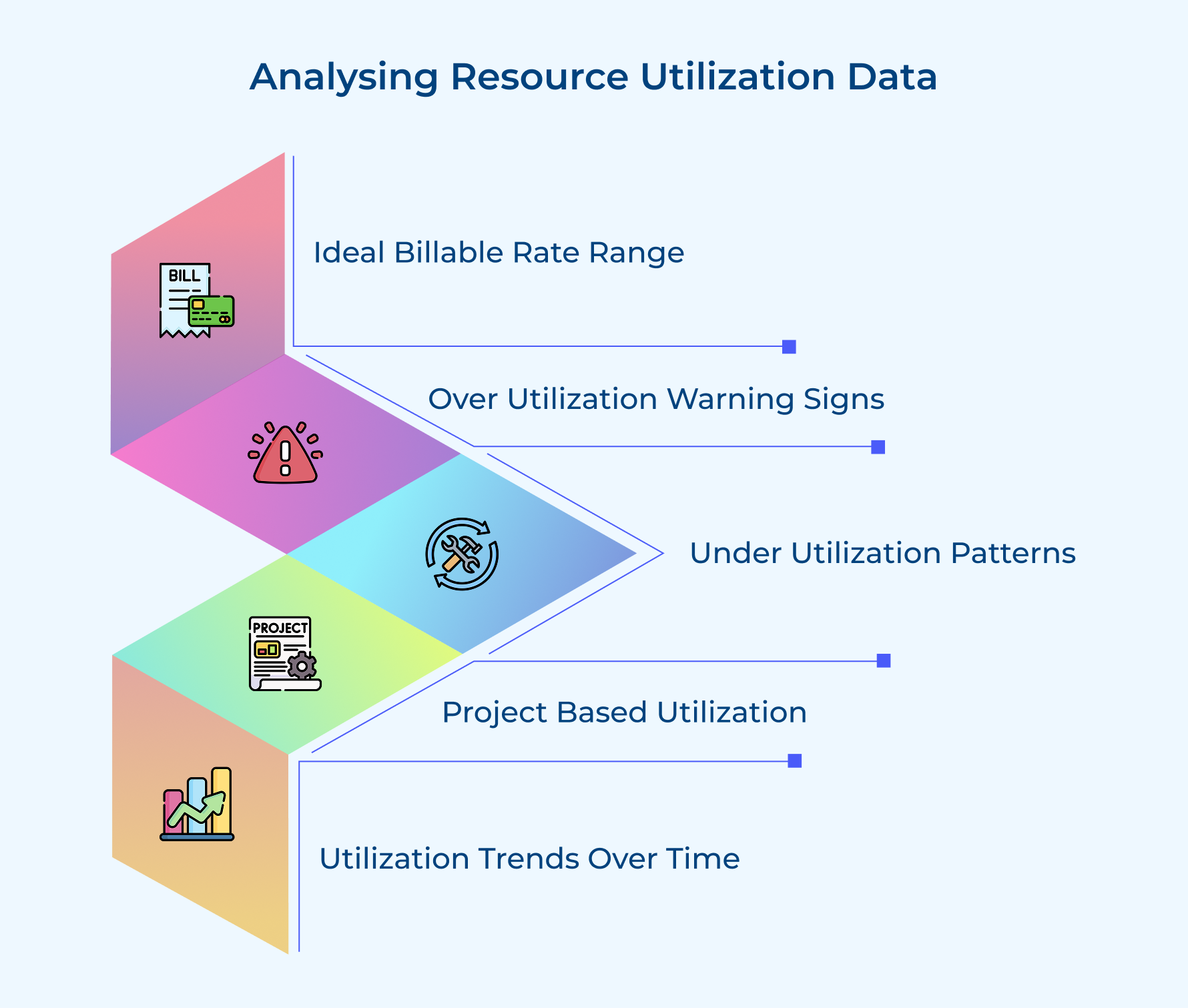
Once you have your utilization report the real work begins with analyzing what the numbers tell you about your organization’s performance. Here are six essential methods for extracting meaningful insights from your data.
Ideal Billable Utilization Rate
Ideal billable utilization rate represents the sweet spot where resources generate maximum revenue without burning out. This rate typically falls between 70-85% for most professional services firms.
Your ideal rate should account for necessary non-billable work like training and business development. Tracking how close your resources get to this ideal helps you balance profitability with employee wellbeing.
Consider these factors when establishing your ideal billable utilization benchmarks:
- Senior roles typically have lower ideal rates because they spend time on mentoring
- Client-facing positions usually target higher billable rates than support roles
- Your industry standards should inform what percentage makes sense
Setting unrealistic targets like 95% billable utilization creates pressure that leads to poor quality work and turnover. The goal is finding a rate that keeps your business profitable while allowing breathing room for growth.
Resource Over-Utilization
Resource over-utilization occurs when someone consistently works beyond 100% of their available capacity, often logging excessive hours. This pattern is unsustainable and leads to burnout as well as turnover.
Catching over-utilization early lets you intervene before a valuable team member becomes exhausted. Chronic over-utilization indicates a staffing problem needing immediate attention.
Watch for these warning signs that indicate problematic over-utilization levels:
- Resources regularly exceeding 100% utilization for three or more consecutive weeks
- Team members working nights and weekends consistently to meet commitments
- Quality issues emerging from resources who previously delivered excellent work
When you identify over-utilized resources you need to redistribute their workload. Multiple resources showing over-utilization simultaneously signals a capacity shortage requiring additional staff or contractors.
Resource Under-Utilization
Resource under-utilization happens when someone consistently falls below your target billable rate and has significant unused capacity. While this seems less urgent it directly impacts profitability since you’re paying for capacity not generating revenue.
Under-utilization sometimes reflects performance issues where a resource lacks skills to secure assignments. Other times it indicates your firm doesn’t have enough client work.
Key patterns to investigate when you spot under-utilization include:
- New hires often show lower utilization initially while completing onboarding
- Specialized resources may experience cyclical under-utilization when demand fluctuates
- Resources transitioning between projects sometimes have gaps before new assignments
Project-Specific Utilization Patterns
Project-specific utilization analysis examines how different types of engagements consume resources across your portfolio. Some projects produce higher utilization because they’re well-scoped while others create inefficiencies.
Look for these patterns when analyzing utilization by project type:
- Fixed-price projects often show different utilization patterns than time-and-materials engagements
- Long-term retainers typically produce more stable utilization compared to short projects
- Established clients usually generate better utilization than new client engagements
Understanding these patterns helps you make smarter decisions about which work to pursue. You might discover certain project types consistently deliver 85% utilization while others struggle to reach 60%.
Trend Analysis Over Time
Trend analysis examines how utilization rates change across multiple reporting periods to reveal patterns that single-month snapshots miss. Tracking trends helps you distinguish normal fluctuations from meaningful shifts.
Looking at utilization over quarterly or annual timeframes shows if your organization is improving in deploying resources. Seasonal businesses especially benefit since it reveals cyclical patterns.
Focus on these temporal patterns when conducting trend analysis:
- Year-over-year comparisons show in case your utilization is improving as your business matures
- Month-to-month changes reveal short-term impacts from new client wins
- Rolling three-month averages smooth out volatility and give clearer pictures
Trend analysis helps you evaluate if initiatives like new time tracking tools are improving utilization. If changes implemented three months ago haven’t improved rates, those changes didn’t solve the problem.
6 Effective Best Practices and Tips for Utilization Reporting
Implementing resource utilization reporting effectively requires more than just collecting data and generating numbers. Here are six proven practices that help service firms get maximum value from their utilization reporting.
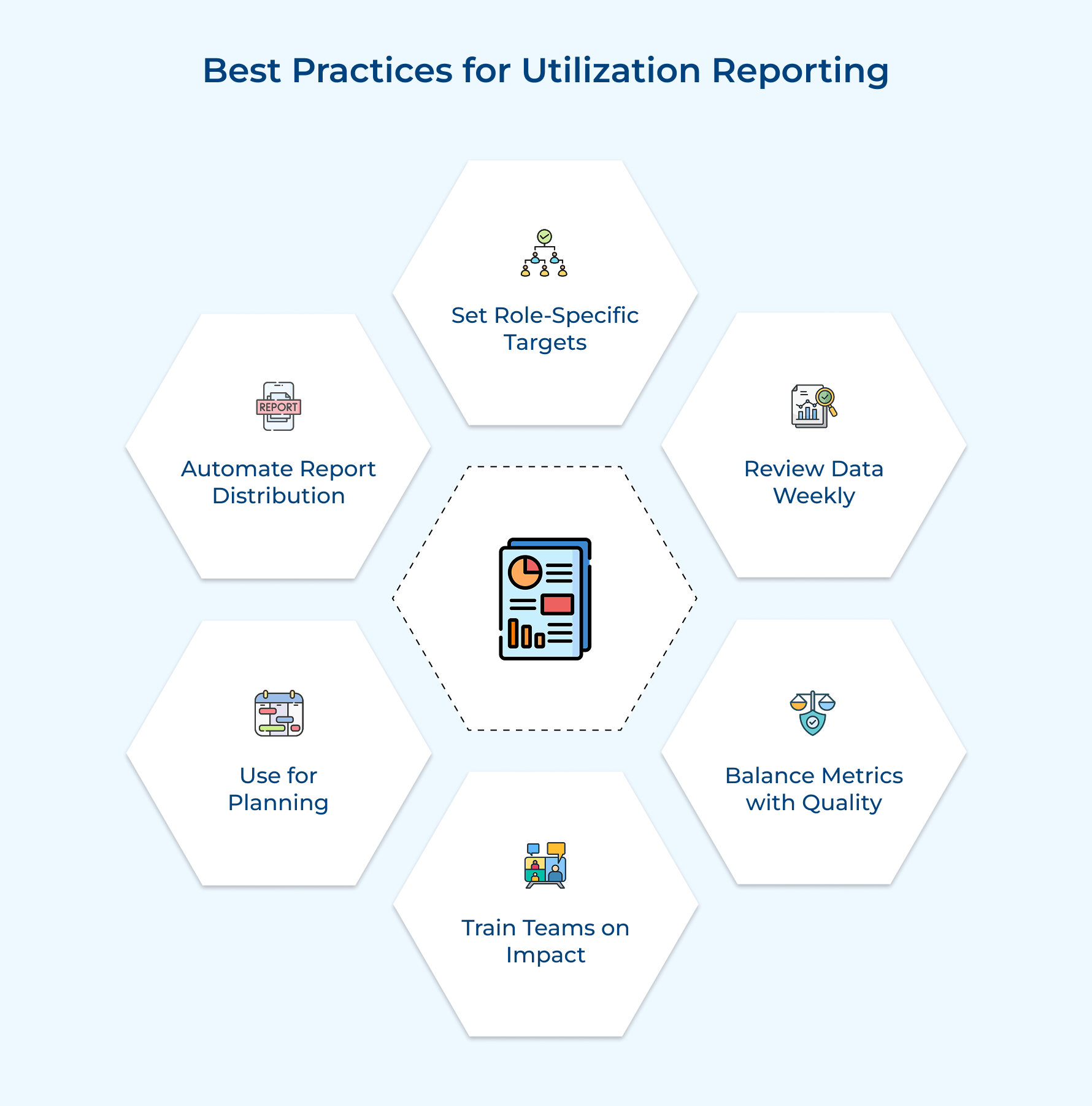
- Set role-specific targets: Different roles need different utilization targets because responsibilities vary fundamentally across positions. Senior leaders should have lower targets since they spend time on strategic planning.
- Review data weekly: Weekly reviews let you catch problems early before they compound into bigger issues. Monthly reviews miss opportunities to redistribute work when resources finish projects early.
- Combine metrics with quality scores: High utilization means nothing if resources produce poor quality work. Track client satisfaction alongside utilization rates to ensure you’re not sacrificing quality.
- Train resources on impact: People track time more accurately when they understand how data influences staffing decisions. Explain that utilization reports help identify top performers needing support.
- Use for planning not punishment: Treat utilization as a planning tool rather than a weapon to criticize resources. Create supportive environments where people discuss workload challenges openly.
- Automate report distribution: Manual report creation leads to delays and inconsistencies that undermine trust. Set up automated systems delivering fresh utilization reports on consistent schedules.
Transform Data into Decisions with Our Resource Utilization Report
Resource utilization reporting turns scattered time entries into clear insights that drive smarter staffing and project decisions across your firm. When you track how resources spend their hours you gain the visibility needed to balance workloads and maximize profitability.
The difference between struggling firms and thriving ones often comes down to how well they deploy their talent effectively. Start building your utilization report today to stop guessing about capacity and start making data-driven choices that improve both revenue as well as employee satisfaction.
Limit time — not creativity
Everything you need for customer support, marketing & sales.

Neeti Singh is a passionate content writer at Kooper, where he transforms complex concepts into clear, engaging and actionable content. With a keen eye for detail and a love for technology, Tushar Joshi crafts blog posts, guides and articles that help readers navigate the fast-evolving world of software solutions.