Ultimate Guide to Project Cost Tracking and Budget Control
- What is Project Cost Tracking?
- Key Benefits of Implementing Project Cost Tracking
- How to Implement Project Cost Tracking?
- Top 6 Tips and Best Practices for Project Cost Tracking
- Common Mistakes in Project Cost Tracking
- Stay on Budget, Stay on Track with Project Cost Tracking
- FAQs about Project Cost Tracking
Key Highlights:
- Project cost tracking ensures real-time visibility to prevent budget overruns and financial surprises.
- Systematic expense monitoring transforms chaotic budgets into predictable, manageable project finances.
- Implementing project expense tracking builds a foundation for future project budgeting and planning.
Many project managers struggle with budget overruns and financial surprises that derail their initiatives before completion.
Consider the frustration of discovering your project exceeded budget by 40% during the final week when corrective action becomes impossible. Late-stage financial revelations damage client relationships and erode team confidence in future planning.
This comprehensive guide to project cost tracking transforms from overwhelming complexity into manageable systematic processes. You’ll master essential techniques that provide real-time financial visibility and prevent budget disasters through proactive monitoring.
What is Project Cost Tracking?
Project cost tracking is the systematic process of monitoring and recording all expenses associated with a project throughout its lifecycle. It involves capturing both planned and actual costs across different categories like labor, materials, overhead, etc.
The system operates by establishing a baseline budget then continuously comparing actual expenditures against planned costs. Teams log expenses in real-time through various tools and methods while generating regular reports. This ongoing comparison reveals variances that allow managers to take corrective action before budgets spiral out of control.
Major objectives:
- Budget control: Ensure spending stays within approved financial limits and prevents cost overruns that could jeopardize project success.
- Performance measurement: Compare actual costs against planned budgets to evaluate how efficiently resources are being utilized.
- Decision support: Provide accurate financial data that helps managers make informed choices about resource allocation and project direction.
- Risk management: Identify potential financial risks early by spotting trends and variances before they become major problems.
- Stakeholder communication: Deliver transparent financial reporting that keeps sponsors and team members informed about project fiscal health.
Key Benefits of Implementing Project Cost Tracking
Understanding the concrete advantages of cost tracking helps managers appreciate why this practice transforms project outcomes. Let’s explore six key benefits that demonstrate the tangible value this systematic approach brings.
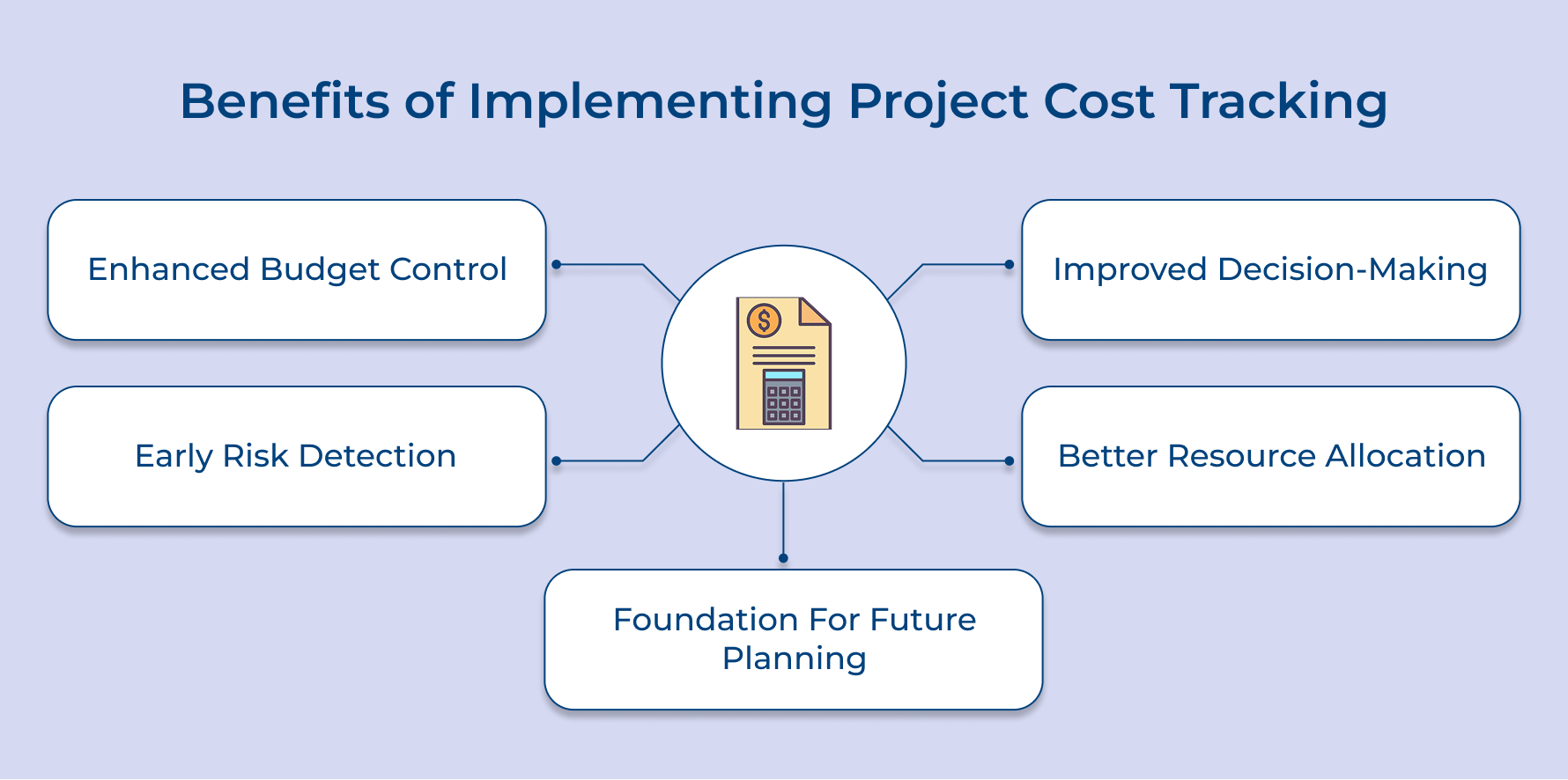
Enhanced Budget Control and Accuracy
Cost tracking gives you a safety net against overspending. Keeping these expenses visible in real time can spot variances early and fix them before they spiral. Using project management software integrated with accounting software makes this process seamless and reliable.
Improved Decision-Making Through Data Visibility
Clear cost data takes the guesswork out of decisions. When you know exactly where money is going, you can allocate resources wisely and cut unnecessary costs. Project management software makes these insights easier to access and act on.
Early Risk Detection and Mitigation
Tracking expenses consistently works like an early warning system. You can catch scope creep or inefficiencies before they turn into bigger issues. Accounting software helps highlight spending patterns so corrective action happens on time.
Better Resource Allocation and Optimization
Cost tracking shows you which activities give the best return. That way, you can move resources to areas that add the most value. Combining project management software with accounting software ensures every dollar is used effectively.
Foundation for Future Project Planning
Past cost data becomes a guide for future projects. Reviewing tracked expenses builds accurate budgets and avoids repeat mistakes. Project management software keeps this history organized, while accounting software helps refine future estimates.
How to Implement Project Cost Tracking?
Now, let’s walk you through eight essential steps to streamline your project cost tracking process, helping you keep your projects on time and within budget.
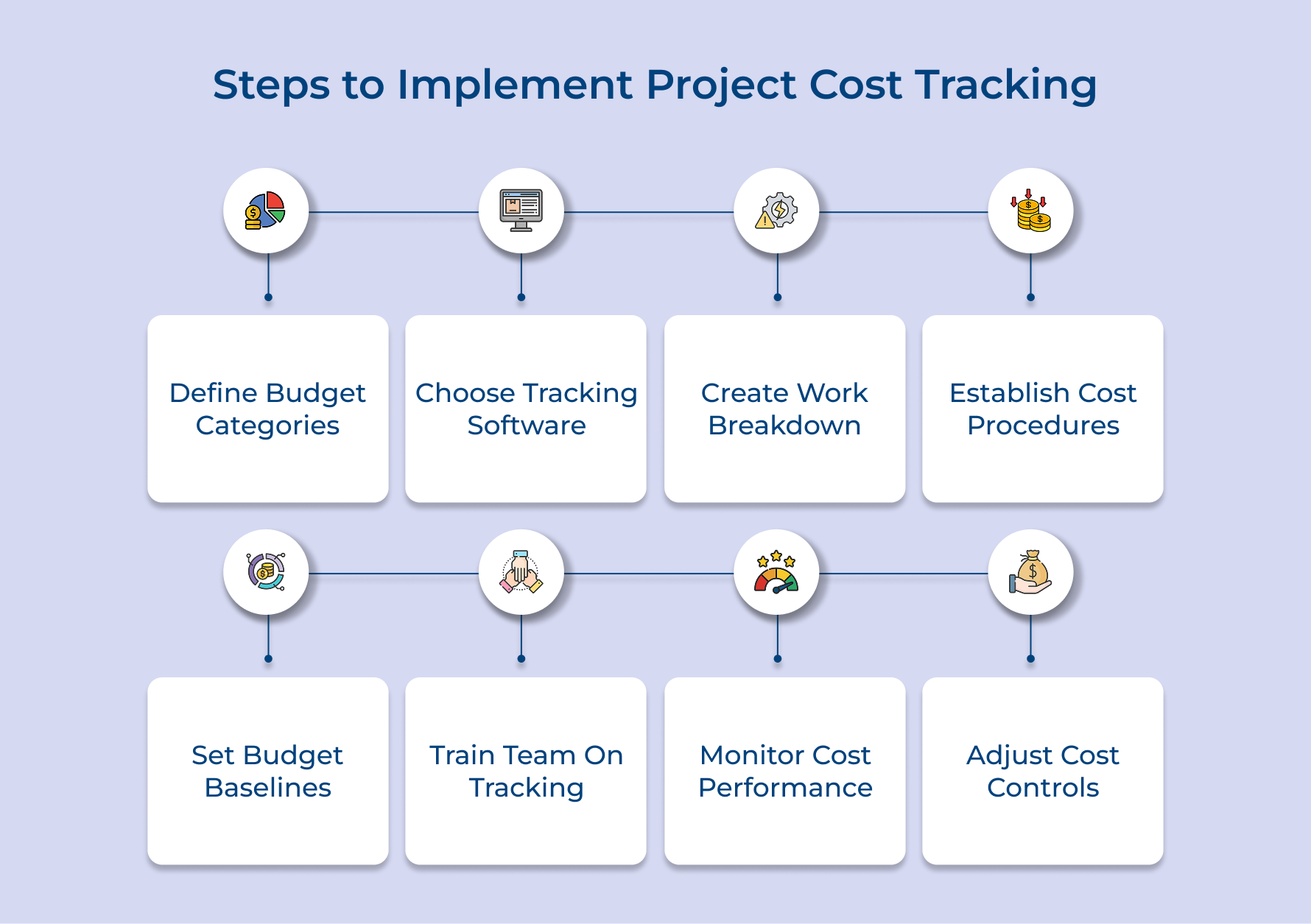
1. Define Project Budget Categories
Budget categorization is the first step toward effective cost tracking. It gives you a clear picture of where project money is going and helps you spot patterns before costs get out of control. Without categories, tracking becomes confusing and often leads to hidden overruns.
Before setting up project cost tracking, you need a budget. Estimate the total project value, then divide funds across phases and expense types. This creates a realistic framework for monitoring progress.
To make tracking easier, break your budget into three main categories:
- Internal costs: Salaries, overtime and time your team spends on project work as well as client management.
- External costs: Contractor fees, vendor payments, software licenses, or third-party services.
- Overhead costs: Office space, utilities, admin support and other indirect expenses.
Defining these categories upfront brings clarity, reduces confusion later while ensuring every dollar has a proper place in reporting.
2. Choose Cost Tracking Software Tools
Choosing the right software is key to keeping project expenses under control. The wrong tools can create silos, reporting gaps and extra manual work that slow your team down. The right ones give you full visibility and simplify cost tracking across the entire project lifecycle.
Here are a few things to look for when evaluating cost tracking software:
- Real-time reporting: You should see current spend versus budget instantly, not wait for delayed reports.
- Easy integrations: The tool must connect smoothly with your accounting software, time trackers and project management platforms.
- Simple interface: Your team shouldn’t need weeks of training, ease of use is critical.
- Scalability: The software should grow with your agency and work across different projects as well as clients.
- Mobile access: Team members should log time and expenses from anywhere.
Many agencies struggle because tools don’t “talk” to each other. The smarter choice is an integrated platform that brings everything together.
3. Create Detailed Work Breakdown Structure
A work breakdown structure (WBS) turns big project goals into smaller, trackable pieces, making cost monitoring much easier. A structured approach is what makes expenses and resource allocation visible as well as easy to track.
Before building your WBS, ask yourself a few questions:
- What are the key deliverables that define success?
- Which tasks need external vendors or specialized skills?
- How will different phases affect timing and resource use?
- What dependencies exist between tasks and activities?
- Where do hidden cost risks lie within the scope?
Answering these gives you clarity and helps set up expense categories early. Once you’re ready, use these steps:
- Define major phases with clear start and end points, plus milestones.
- Break phases into tasks that can be tracked and assigned.
- Assign cost codes to connect tasks with budget categories.
- Map dependencies to ensure resources and expenses are allocated accurately.
4. Establish Cost Collection Procedures
Cost collection procedures set up clear workflows to record every expense in real time during client projects. These standardized processes make sure no billable hours, vendor payments, or reimbursable expenses are missed. Agencies can easily lose track of costs that directly affect profitability without them.
These procedures transform scattered expense data into organized financial intelligence that supports accurate client billing and internal cost analysis. Consistent collection methods ensure nothing falls through the cracks while maintaining the detailed records necessary for transparent client relationships.
Pro tips:
- Create expense submission deadlines that align with your client billing cycles to ensure accurate monthly invoicing.
- Implement mobile expense capture tools that allow team members to photograph receipts and log costs immediately.
5. Set Budget Baselines and Limits
Budget baselines act like financial guardrails for projects. They keep spending within approved limits and set clear targets for performance. Skipping this step often leaves projects without direction, leading to overspending, shrinking margins and even strained client relationships.
The first step is to allocate funds across different project phases. It ensures resources are balanced and budgets match the actual effort at each stage. Start by identifying the main phases, then divide the budget based on complexity, workload, resource needs, etc.
Define spending thresholds and approval levels. A simple structure works well:
- Under $500: Team members can approve without extra sign-off.
- $500–$2000: Project managers review, approve and document the expense.
- Above $2000: Senior leaders approve with a full budget analysis and if needed, client notification.
It’s also wise to include a contingency reserve. Projects often face surprises, like a campaign needing extra funds due to sudden changes in platform algorithms.
6. Train Team on Tracking Processes
Team training makes sure everyone knows how to record and categorize expenses the right way. Even the best system fails if data is entered incorrectly. Inconsistent entries hurt reporting accuracy while reducing financial visibility.
Agencies can set up different types of training to make cost tracking more effective:
- Software training: Hands-on sessions that show how to enter expenses, complete timesheets,and generate reports.
- Cost coding workshop: Guidance on assigning the right codes to different expense types and project activities.
- Expense policy overview: A review of approval steps, submission deadlines and documentation rules.
- Client billing training: Lessons on how cost tracking data flows into client invoices and why accuracy matters.
Not everyone learns best in formal training. Some team members benefit from ongoing support. A buddy system works well – experienced staff can mentor newcomers, walk them through real examples and give instant feedback when questions come up.
7. Monitor and Report Cost Performance
Cost performance monitoring works like a financial pulse check for your project. It shows whether spending is on track with the budget and timeline. This step is critical because it turns raw data into insights that help prevent budget overruns before they happen.
The best way to monitor costs is through weekly comparison reports. Weekly reviews catch issues early without overwhelming teams with too much data. Daily reports often add unnecessary admin work, while monthly reviews can miss important spending trends.
To make monitoring effective, focus on key metrics that highlight financial health:
- Cost Performance Index (CPI)
- Schedule Performance Index (SPI)
- Budget at Completion (BAC)
- Estimate at Completion (EAC)
In addition to tracking metrics, hold monthly budget review meetings with stakeholders. These meetings improve accountability as well as keep communication transparent. Cover current spending, explain variances, share corrective actions and update forecasts.
8. Analyze and Adjust Cost Controls
Cost control analysis acts as the engine of continuous improvement in project financial management. It fine-tunes your cost tracking system by learning from real performance data and spending patterns. Skipping this step means missing chances to improve efficiency while risking repeat mistakes in future projects.
This analysis turns past data into forward-looking insights. Instead of reacting to overspending after it happens, you can predict risks and adjust early. For example, if certain phases often run over budget, you can identify the root causes and fix them before they happen again.
A good practice is to run quarterly deep-dive reviews. Look at trends across multiple projects to uncover systemic issues that need attention.
It also helps to set cost variance thresholds. These trigger automatic alerts whenever spending goes beyond agreed limits. With clear signals and regular reviews, cost control analysis ensures your projects stay efficient, predictable as well as financially healthy.
Top 6 Tips and Best Practices for Project Cost Tracking
These proven practices help agencies transform basic expense monitoring into powerful financial intelligence that drives better project outcomes.
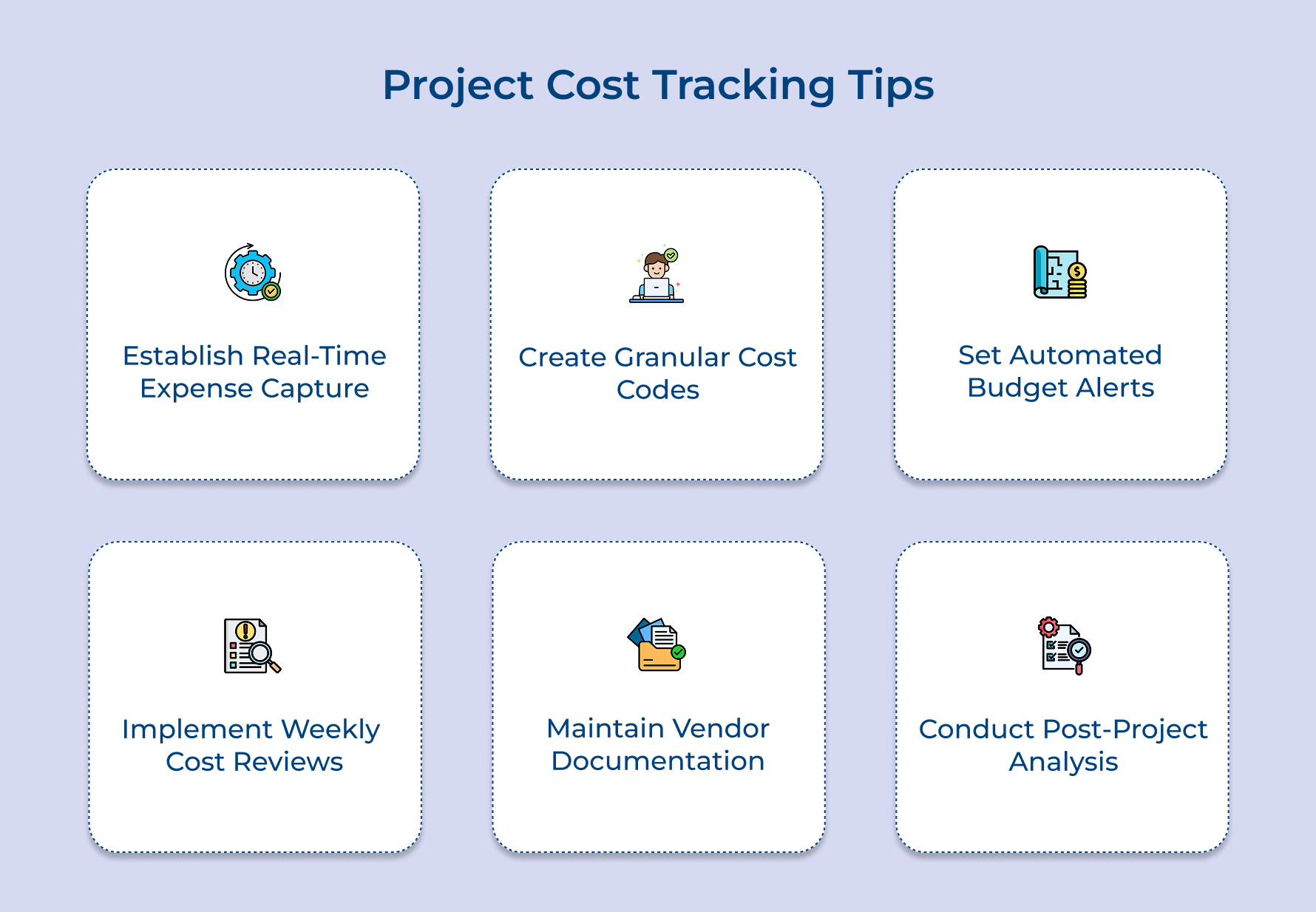
1. Establish Real-Time Expense Capture Habits
Real-time expense capture prevents the dreaded month-end scramble where team members struggle to remember what they spent weeks ago. When expenses get logged immediately you capture accurate details like vendor names, project codes and business justifications that become fuzzy with time.
Key elements that make real-time capture successful:
- Mobile expense apps that allow instant receipt photography and categorization
- Integration with credit card feeds that automatically import business transactions
- Simple approval workflows that don’t create bottlenecks for urgent purchases
The compound effect of real-time tracking creates a complete financial picture that supports accurate client billing and internal cost analysis.
2. Create Granular Cost Codes for Better Visibility
Granular cost coding breaks down broad expense categories into detailed ones. Instead of grouping everything under “project expenses,” you can track specific tasks like research, client meetings, or design changes.
This level of detail is powerful for understanding profitability. It shows which activities add the most value and which ones drain budgets. For example, a marketing agency might learn that strategy sessions bring strong returns, while execution tasks often exceed planned costs.
3. Set Automated Budget Alerts and Thresholds
Automated alerts function as your financial early warning system that catches budget variances before they become crisis situations requiring emergency interventions. These proactive notifications allow you to course-correct spending patterns while there’s still time to implement effective solutions
4. Implement Weekly Cost Review Rituals
Weekly cost reviews create the disciplined rhythm necessary for maintaining financial control throughout your project lifecycle rather than discovering problems during final billing. The regular check-ins transform cost tracking from a passive recording activity into an active management tool that guides decision-making.
5. Maintain Detailed Vendor and Contractor Documentation
Comprehensive vendor documentation protects your agency from billing disputes while providing the detailed records necessary for accurate cost allocation across multiple projects. Poor documentation creates confusion during invoice processing and makes it nearly impossible to track which expenses belong to specific clients.
Essential documentation practices for vendor management:
- Signed contracts that clearly define rates scope and payment terms upfront
- Work order systems that link specific tasks to approved budget categories
- Invoice approval workflows that verify accuracy before processing payments
6. Conduct Post-Project Cost Analysis Sessions
Post-project analysis transforms completed engagements into valuable learning opportunities that improve your cost estimation accuracy for future similar projects. The retrospective sessions reveal patterns in spending behavior that aren’t visible while you’re focused on daily project execution demands.
Common Mistakes in Project Cost Tracking
Even experienced project managers fall into predictable traps that undermine their cost tracking efforts. Understanding these mistakes helps you recognize warning signs early and implement corrective measures.
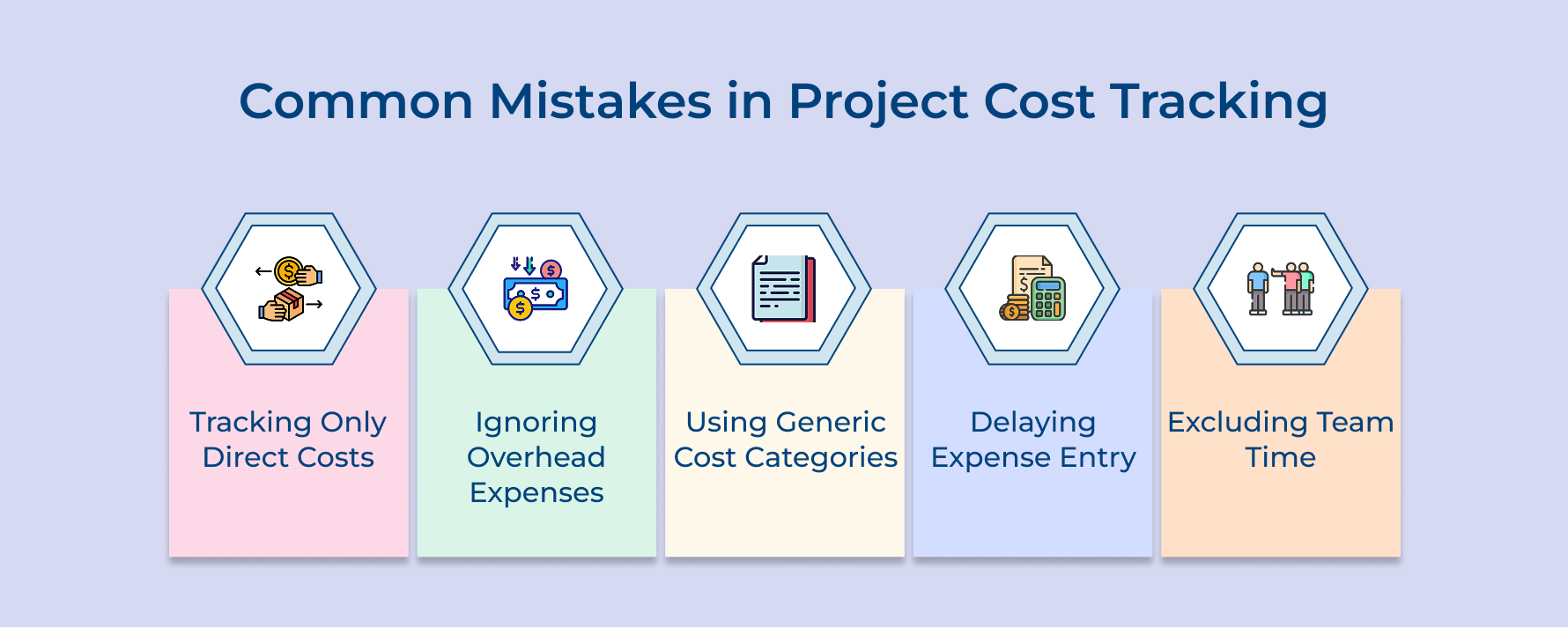
1. Tracking Only Direct Costs While Ignoring Overhead
Many project managers focus exclusively on obvious expenses like contractor fees while completely overlooking overhead costs that significantly impact profitability. It creates an incomplete financial picture that makes projects appear more profitable than reality.
2. Using Generic Cost Categories Instead of Detailed Breakdown
Generic categorization lumps diverse expenses together making it impossible to identify specific areas where spending exceeds expectations. Broad categories provide zero actionable intelligence for optimizing future budget allocation and resource planning.
3. Delaying Expense Entry Until Month-End or Project Completion
Postponing expense recording creates memory gaps where crucial details about vendors and business justifications get forgotten. This transforms accurate cost tracking into educated guesswork that undermines billing accuracy.
4. Failing to Include Team Time in True Project Costs
Internal team time represents the largest expense for most professional services yet many managers track it poorly. It builds false profitability calculations that don’t reflect the true cost of delivering work.
Smart project managers implement systematic approaches that address these mistakes before they impact financial performance.
- Develop comprehensive cost categories that include both direct expenses and allocated overhead percentages for complete visibility.
- Implement real-time expense capture systems that require immediate entry with detailed descriptions for every transaction.
- Create detailed work breakdown structures that link specific tasks to cost codes enabling granular spending tracking
- Establish automated time tracking systems that capture internal team effort as billable costs rather than free resources.
Stay on Budget, Stay on Track with Project Cost Tracking
Project cost tracking transforms financial chaos into organized intelligence that keeps your client engagements profitable and predictable. When you implement systematic expense monitoring you gain the visibility needed to make informed decisions that protect margins while delivering exceptional value.
The investment in proper cost tracking systems pays dividends through improved client relationships and enhanced project outcomes. By following these proven strategies you’ll build the financial discipline that separates successful agencies from those struggling with unpredictable profitability as well as budget overruns.
Limit time — not creativity
Everything you need for customer support, marketing & sales.

Shivank Kasera is part of the marketing team at Kooper, where he focuses on building content that helps agencies and service providers grow. With a keen interest in SaaS, operations, and scalability, he translates practical insights into actionable resources for business leaders.