Best Project Timeline Templates for Easy Planning
- What is a Project Management Timeline Template?
- Why is the Project Timeline Template Important?
- What Does the Project Timeline Template Include?
- How to Create a Project Timeline Template?
- 9 Best Project Management Timeline Templates
- Benefits of Project Management Timeline Templates
- Map Your Path To Success with Project Timeline Template
- FAQs About Project Timeline Template
Key Highlights:
- A project timeline template brings clarity, alignment and visibility across every project phase.
- Prevent missed deadlines with a structured project management timeline template that organizes tasks effectively.
- Visual timelines reveal dependencies, resource needs and potential bottlenecks early.
You’re juggling multiple projects with overlapping deadlines and your team keeps missing critical milestones because nobody has a clear view of what needs to happen when. Tasks slip through the cracks and stakeholders constantly ask for updates you struggle to provide.
Every missed deadline damages your credibility while your team grows frustrated trying to coordinate work without a shared roadmap. You waste hours in meetings figuring out who’s doing what and whether you’re still on track.
A well-designed project timeline template eliminates this confusion by giving everyone a single source of truth. This guide shows you ten proven templates and walks you through creating timelines that keep projects organized from kickoff through completion.
What is a Project Management Timeline Template?
A project management timeline template is a pre-designed framework that maps out project tasks and milestones in chronological order. It serves as a visual guide showing when activities should start and finish.
The template functions as a structured schedule where you plug in your specific project details. You add task names along with their start dates and end dates. The visual layout then reveals overlaps between activities and shows dependencies between different work streams.
Key objectives:
- Establishes clear deadlines: Every task gets a concrete timeframe so team members know exactly when their work is due.
- Reveals task dependencies: Shows which activities must finish before others can begin.
- Allocates resources efficiently: Helps you see when people and materials are needed throughout the project.
- Tracks progress visually: Provides a quick way to compare planned schedules against actual completion dates.
- Improves team coordination: Gives everyone a shared reference point for understanding project flow and timing.
Why is the Project Timeline Template Important?
Organizations using project management practices achieve a 92% success rate in meeting project objectives. Let’s explore other reasons why this template is crucial for your business.
Recent data reveals how project management practices shape outcomes.:
- 77% of high-performing teams rely on project management software that includes timeline and scheduling features to coordinate their work effectively. [Source: FinancesOnline]
- Projects implementing structured project management approaches are 2.5 times more likely to succeed than those without formalized planning methods. [Source: ProofHub]
- Only 46% of companies prioritize a culture that values project management, suggesting significant room for improvement in how organizations approach planning and execution.
- The project management software market grew from $6.1 billion in 2021 to an expected $15.08 billion by 2030, reflecting widespread recognition of how planning tools drive better outcomes.
Timeline templates provide the foundation for project success by establishing clear expectations and maintaining team alignment. These structured approaches directly correlate with improved delivery rates and stakeholder satisfaction across organizations.
What Does the Project Timeline Template Include?
A well-designed timeline template isn’t just a blank calendar. It’s a comprehensive framework that combines multiple elements to give you complete control over your project’s journey from start to finish.
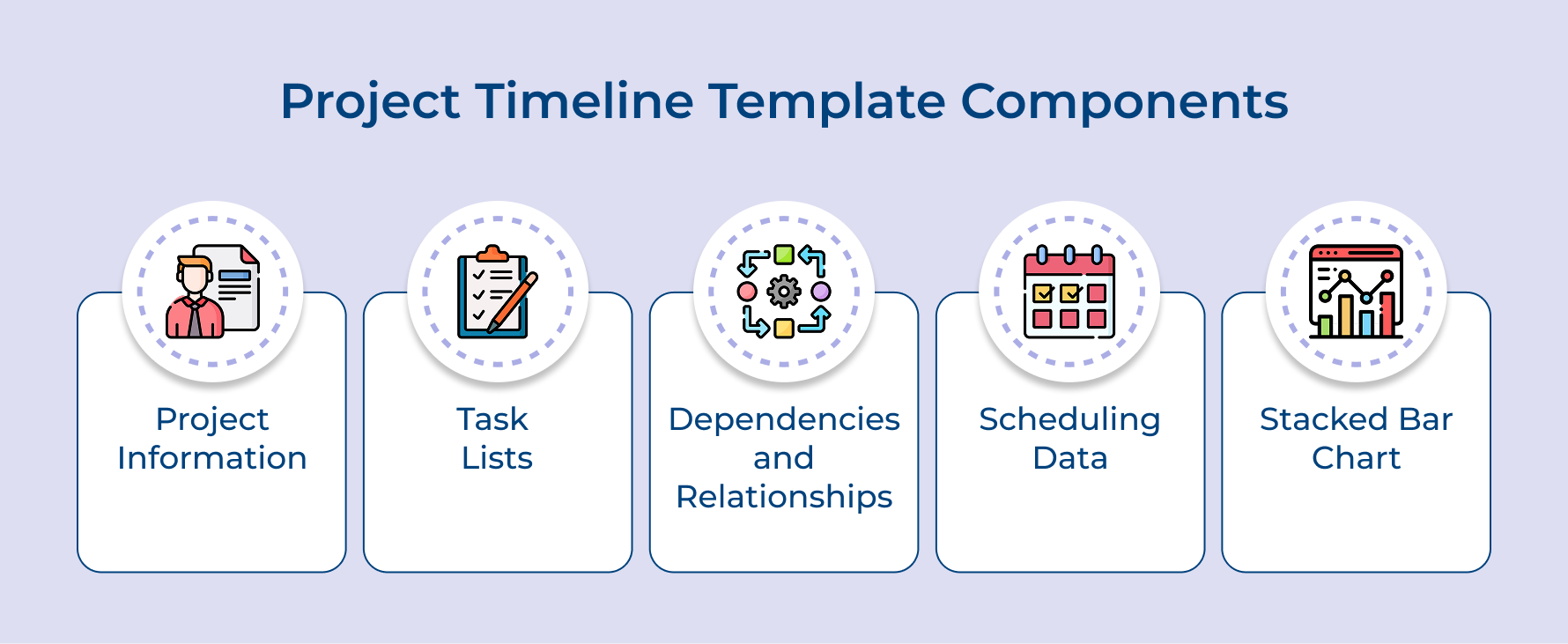
Project Information
Think of this section as your project’s identity card. It captures essential details like the project name, description, project manager, start and end dates, as well as key stakeholders involved in the work.
Key details typically included:
- Project title and unique identifier
- Project owner and team members
- Overall project objectives and deliverables
This foundational information creates context for everyone who views the timeline. When team members or stakeholders open the document, they immediately understand what project they’re looking at and who to contact with questions or concerns.
Task Lists and Descriptions
The template breaks down your project into individual tasks that need completion. Each task gets a clear description explaining what needs to be done, making expectations crystal clear for whoever takes on that responsibility.
Dependencies and Relationships
This component maps out which tasks must finish before others can begin. Understanding these connections prevents you from scheduling tasks in impossible sequences where people sit idle waiting for prerequisite work to complete.
Project Scheduling Data
Here’s where the timeline comes alive with specific dates and durations. You assign start dates and end dates to every task, creating a realistic roadmap of when work should happen throughout your project’s lifespan.
Essential scheduling elements:
- Task start and completion dates
- Duration estimates for each activity
- Milestone markers for key achievements
- Buffer time for unexpected delays
The scheduling data also includes milestones that mark significant achievements or decision points. These checkpoints help you measure progress and celebrate wins along the way, keeping team morale high as well as stakeholders informed.
Stacked Bar Chart
The visual representation transforms your scheduling data into an intuitive graphic display. Horizontal bars stretch across a calendar view, showing exactly when each task occurs and how different activities overlap or follow one another.
Visual features that enhance understanding:
- Color-coded bars for different task types or teams
- Progress indicators showing completion status
- Today markers to track current position
This chart becomes your command center for understanding the project at a glance. You can quickly spot busy periods where multiple tasks run simultaneously, identify gaps where resources sit unused and trace the critical path that determines your overall project duration.
How to Create a Project Timeline Template?
Dive into these seven essential steps to build an effective timeline template that will set your upcoming projects on the path to success.
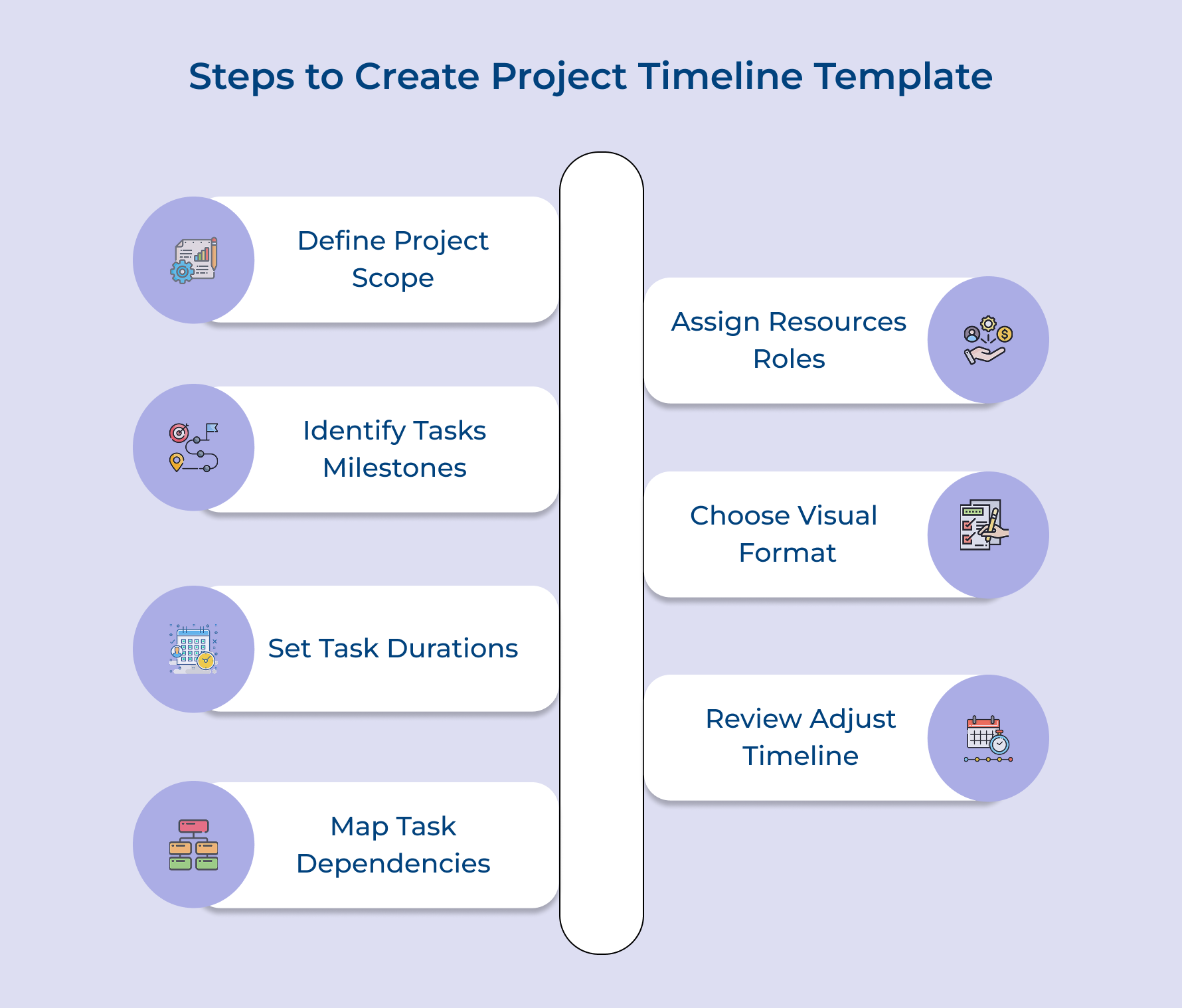
1. Define Your Project Scope Clearly
Defining your project scope means establishing the boundaries of what you will and won’t accomplish. This foundation step is crucial because a fuzzy scope leads to endless timeline revisions and team confusion.
Start by documenting your project’s core purpose and expected outcomes in clear language. Write down specific deliverables with measurable success criteria so there’s no ambiguity about what “done” looks like.
Best Practices:
- Document what’s explicitly out of scope to prevent feature creep from derailing your timeline
- Get written approval from key stakeholders before building your timeline to avoid redoing work
2. Identify Tasks and Milestones Strategically
This step transforms your broad project scope into specific actionable work items and key checkpoints. Many consider this the most important step because your task breakdown directly determines if your timeline reflects reality.
Here are proven approaches for breaking down your project:
- Work backward from deliverables: Start with your final deliverable and ask what must exist before you can complete it. Then ask the same question about those prerequisites until you reach tasks you can start immediately.
- Consult with subject matter experts: Talk to the people who will actually do the work because they know hidden steps you might miss. A developer might mention necessary code reviews that add three days you hadn’t considered.
- Review similar past projects: Look at timelines from comparable projects your team completed previously to identify tasks you’re forgetting. Past projects reveal the unglamorous but time-consuming work that often gets overlooked during planning.
Imagine you’re creating a timeline template for launching a new website. You’d break this into tasks like wireframing, design mockups, development and testing. Your milestones would mark design approval as well as go-live date as major achievement points stakeholders care about tracking.
3. Set Realistic Task Durations
Setting realistic task durations means estimating how long each activity will actually take in the real world. This step is needed because overly optimistic time estimates create timelines that your team can never meet.
Realistic task durations should push your team toward efficiency without creating impossible pressure that leads to burnout. The sweet spot is durations that feel achievable to the people doing the work while still meeting client expectations.
Before estimating any task duration, ask yourself these questions:
- How long did similar tasks take on previous projects we completed?
- What’s the skill level of the person who will handle this specific task?
- What could go wrong that would require additional time to resolve?
Once you’ve considered these questions, collect input directly from the team members who will execute each task. Have them estimate durations based on their experience while you add a buffer for unforeseen complications.
4. Map Dependencies Between Tasks
Mapping dependencies means identifying the logical sequence in which tasks must occur based on what information each task requires. It is essential because dependencies determine which tasks can start immediately and which must wait.
You start with sequential dependencies because some work simply cannot begin until prerequisite tasks deliver necessary inputs. For example, developers cannot code a feature until designers finish the mockups.
Understanding these critical relationships helps you build an accurate timeline:
- Design tasks must complete before development begins on features requiring visual specifications
- Content writing cannot finish until the information architecture defines what pages exist
- Testing activities must wait until there’s actually something built to test
After mapping sequential dependencies, identify tasks that can happen in parallel because they don’t rely on each other’s outputs. Running independent tasks simultaneously shortens your overall project duration compared to doing everything in sequence.
5. Assign Resources and Responsibilities
Assigning resources means matching specific team members to each task based on their skills and availability. Skipping this step creates chaos because team members won’t know what they’re responsible for, leading to duplicated effort or critical tasks falling through the cracks.
How to Use This Step:
Review each task in your timeline and assign it to the person best equipped to handle that work. Consider their current workload as well as ensure no one gets overloaded while others sit idle waiting for work to come their way.
Pro Tips:
- Assign a backup person for critical path tasks so delays don’t occur if someone gets sick
- Color-code tasks by team member in your template to quickly spot uneven workload distribution
6. Choose Your Visual Format
Choosing your visual format means deciding how you’ll display your timeline information so it communicates clearly to your audience. This step is necessary because the right visual format makes complex scheduling instantly understandable, while the wrong format confuses people.
When selecting the best visual approach for your timeline template:
- Project complexity level: Simple projects work fine in basic calendar views while complex projects need Gantt charts.
- Audience technical expertise: Executives prefer high-level milestone views while project teams need detailed task-level formats.
- Update frequency requirements: Templates requiring daily updates benefit from simpler formats that don’t take hours to maintain.
- Team collaboration style: Remote teams need formats that clearly show current status without real-time explanations.
7. Review and Adjust Timelines
Reviewing and adjusting timelines means validating your initial schedule with the people who will execute the work while refining dates based on their feedback. This step is needed because timelines created in isolation rarely survive reality.
Here are three proven approaches for refining your timeline template:
- Conduct team walkthrough sessions: Schedule a meeting where you review the timeline task by task with your team. Ask each person if their assigned work seems achievable and adjust durations based on their experience.
- Run scenario planning exercises: Test your timeline against common disruptions like key people taking vacation or client approvals running late. If these predictable scenarios break your timeline, build in more buffer time.
- Compare against historical data: Pull actual completion dates from similar past projects and compare them to your estimated durations. If your estimates are consistently shorter than historical reality, you’re being too optimistic.
The main challenge is balancing stakeholder pressure for aggressive timelines against team capacity for realistic delivery. Push back on unrealistic deadlines by showing data from past projects and explaining how rushed timelines lead to quality issues.
9 Best Project Management Timeline Templates
Let’s explore some of the best project management timeline templates available to help you meet your project goals with confidence and clarity.
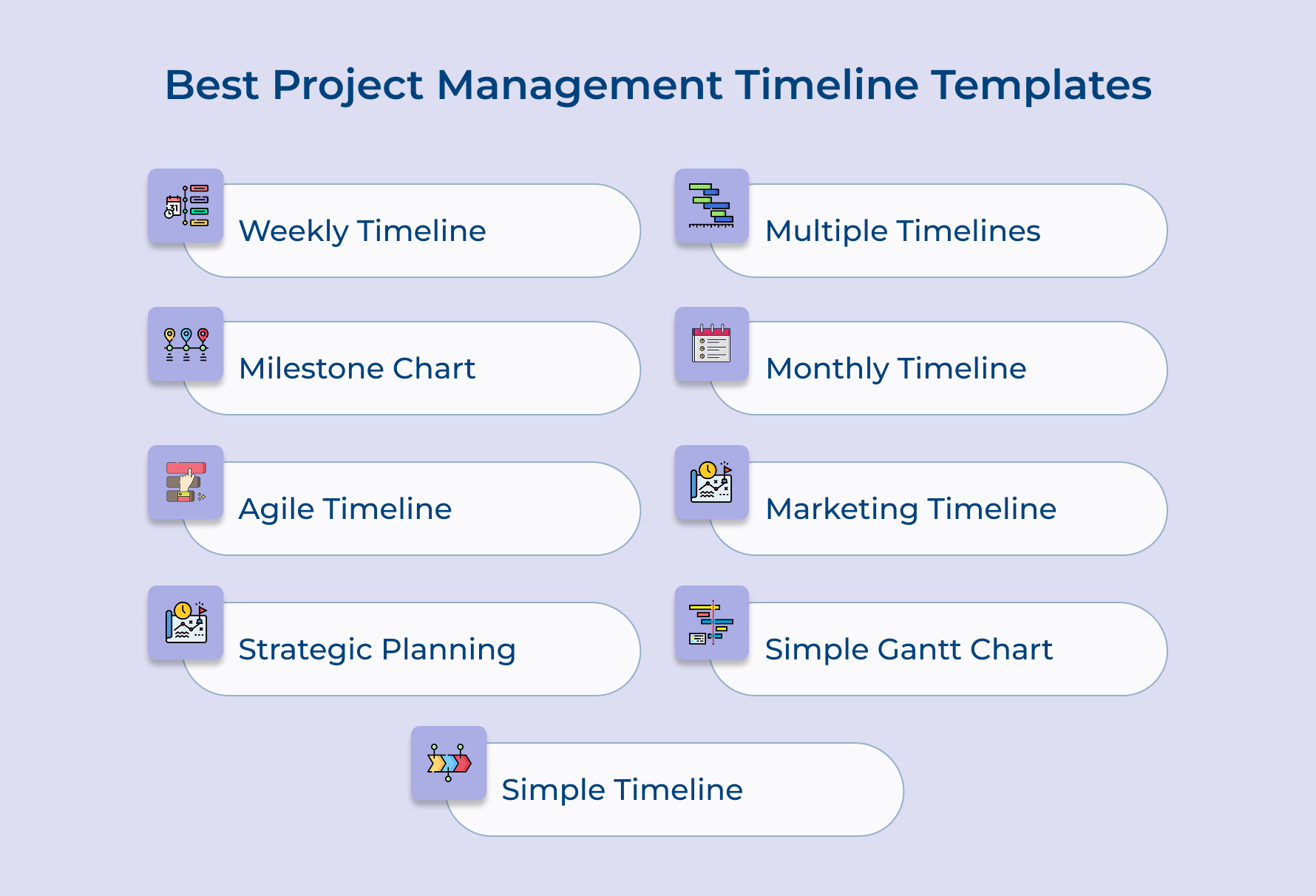
1. Weekly Project Timeline Template
This template organizes your project into weekly blocks showing what needs to happen within each seven-day period. It’s perfect for short-term projects or when you need granular control over activities.
When to Use This Template: Use this template for projects lasting one to three months where weekly check-ins matter most. It works well when your team needs to see immediate next steps rather than distant deadlines.
Pros:
- Provides detailed short-term visibility that helps teams focus on immediate priorities
- Makes it easy to track weekly progress and adjust quickly
Cons:
- Can become overwhelming for long-term projects spanning many months
- Requires frequent updates since weekly granularity means more maintenance
The week-by-week breakdown helps teams maintain momentum by creating a rhythm of consistent progress. Each week feels like a mini-sprint toward completion, which keeps energy levels high and prevents procrastination.
2. Project Milestone Chart Template
Project milestone chart template focuses exclusively on major achievements and decision points rather than every small task. It highlights the big moments that matter most to stakeholders and signal significant progress.
Choose this template when presenting to executives or clients who want the high-level story without granular details. It’s ideal for governance reviews where decision-makers need to understand key checkpoints.
Pros:
- Simplifies complex projects into digestible checkpoint moments that anyone can understand
- Reduces clutter by eliminating minor tasks that don’t require executive attention
Cons:
- Lacks the detail needed for day-to-day team coordination
- May hide problems brewing between milestones until they become critical
The milestone-only view creates clarity for strategic conversations by stripping away noise. Stakeholders can immediately grasp in case the project is hitting its critical markers.
3. Agile Project Management Timeline
Agile PM template adapts traditional timeline concepts to fit iterative development cycles and sprint-based workflows. It’s designed for teams that embrace flexibility and need to accommodate changing priorities.
Here’s when this template becomes your go-to planning tool:
- Sprint-based development cycles: Software teams running two-week or monthly sprints need visual tracking of multiple iterations.
- Client projects with evolving requirements: Agencies working with clients who refine their vision as they see progress benefit from adaptable structures.
- Professional services with phased deliverables: Consultancies delivering work in stages can map how each phase builds on previous learnings.
Notable Feature: The sprint containers let you see both the iteration-level work and the overall project arc simultaneously. This dual perspective helps teams stay focused on current goals while progressing toward the broader vision.
4. Strategic Project Planning Timeline Template
The strategic template takes a long-range view suitable for initiatives spanning quarters or years. It connects individual projects to broader organizational strategies, showing how tactical work ladders up to objectives.
Deploy this template for enterprise-wide initiatives or multi-year transformations where leadership needs to understand the big picture. It shines when coordinating multiple dependent projects.
Pros:
- Links day-to-day work to strategic outcomes so everyone understands the why
- Provides the runway view executives need to allocate budgets across fiscal periods
Cons:
- Too high-level for teams executing actual work who need specific guidance
- Can feel abstract and disconnected from the daily reality
The strategic alignment component shows how your project contributes to company-wide goals. This connection helps secure buy-in because stakeholders see how your work moves the organization forward.
5. Multiple Project Timeline Template
Multiple project timeline templates manage several concurrent projects in a single unified view where you can see everything happening across your portfolio. It’s built for people juggling multiple initiatives.
Consider this template when these scenarios describe your reality:
- Agency resource management: Creative agencies running multiple client projects simultaneously need to see who’s working on what and when.
- Portfolio management in professional services: Consulting firms tracking multiple engagements must ensure senior experts aren’t double-booked.
- Program oversight for related initiatives: Organizations running connected projects that share resources benefit from seeing the complete landscape.
Notable Feature: The consolidated portfolio view reveals resource bottlenecks and timeline conflicts that remain invisible when viewing projects separately. You can spot when your star designer is scheduled on three projects during the same week.
6. Monthly Project Timeline Template
Monthly template structures your project around monthly boundaries giving you a balance between weekly detail and quarterly abstraction. Each month becomes a manageable chunk teams can understand.
This works beautifully for projects lasting three to twelve months where monthly rhythms match your reporting cadence. It’s particularly useful when your organization already operates on monthly business cycles.
Pros:
- Aligns naturally with monthly reporting cycles most organizations use
- Strikes a practical balance between too much detail and too little visibility
Cons:
- Monthly blocks may not align with actual project phases
- Can obscure weekly fluctuations in workload that cause problems
Notable Feature: The monthly structure creates natural reflection points where teams pause to assess progress. This built-in rhythm encourages regular retrospectives without requiring artificial checkpoint creation.
7. Marketing Project Timeline Template
Marketing project timeline template is specifically designed for marketing campaigns with their unique mix of creative development and launch coordination. It accounts for approval cycles and channel-specific execution.
Reach for this template when planning product launches or integrated marketing campaigns that span multiple channels. It’s built for scenarios where creative assets must flow through approval gates.
Pros:
- Includes built-in approval stages that reflect marketing workflows
- Accommodates the parallel track nature of creating content while planning distribution
Cons:
- May include marketing-specific phases that don’t apply to other project types
- Can feel overly structured for agile marketing teams
The campaign launch sequence captures all the moving pieces that must align for successful market entry. You can track creative development alongside media planning.
8. Simple Gantt Chart Project Timeline Template
This template uses the classic Gantt chart format showing tasks as horizontal bars plotted against a calendar timeline. It’s the gold standard for visualizing project schedules.
When to Use This Template:
- Professional services with linear delivery phases: Consulting engagements that follow predictable patterns map naturally onto Gantt formats.
- Agency projects with approval workflows: Creative projects where client feedback gates determine when subsequent phases can start need dependency visualization.
Notable Feature: The dependency arrows connecting related tasks make it impossible to miss the critical path running through your project. You can immediately identify which tasks absolutely cannot slip.
9. Simple Project Timeline Template
The stripped-down template provides just the essentials without fancy features or complex tracking mechanisms. It’s deliberately minimalist so anyone can understand it within seconds.
Choose this template for straightforward projects with ten to twenty tasks where complexity would create more problems than it solves. It’s ideal for teams new to formal project management.
Notable Feature: The simplicity itself becomes the feature by removing every obstacle between you and getting started. There’s no analysis paralysis about which fields to fill.
Benefits of Project Management Timeline Templates
Timeline templates deliver practical advantages that ripple through every phase of your project. Let’s explore how these structured frameworks make your work more manageable and your outcomes more predictable.
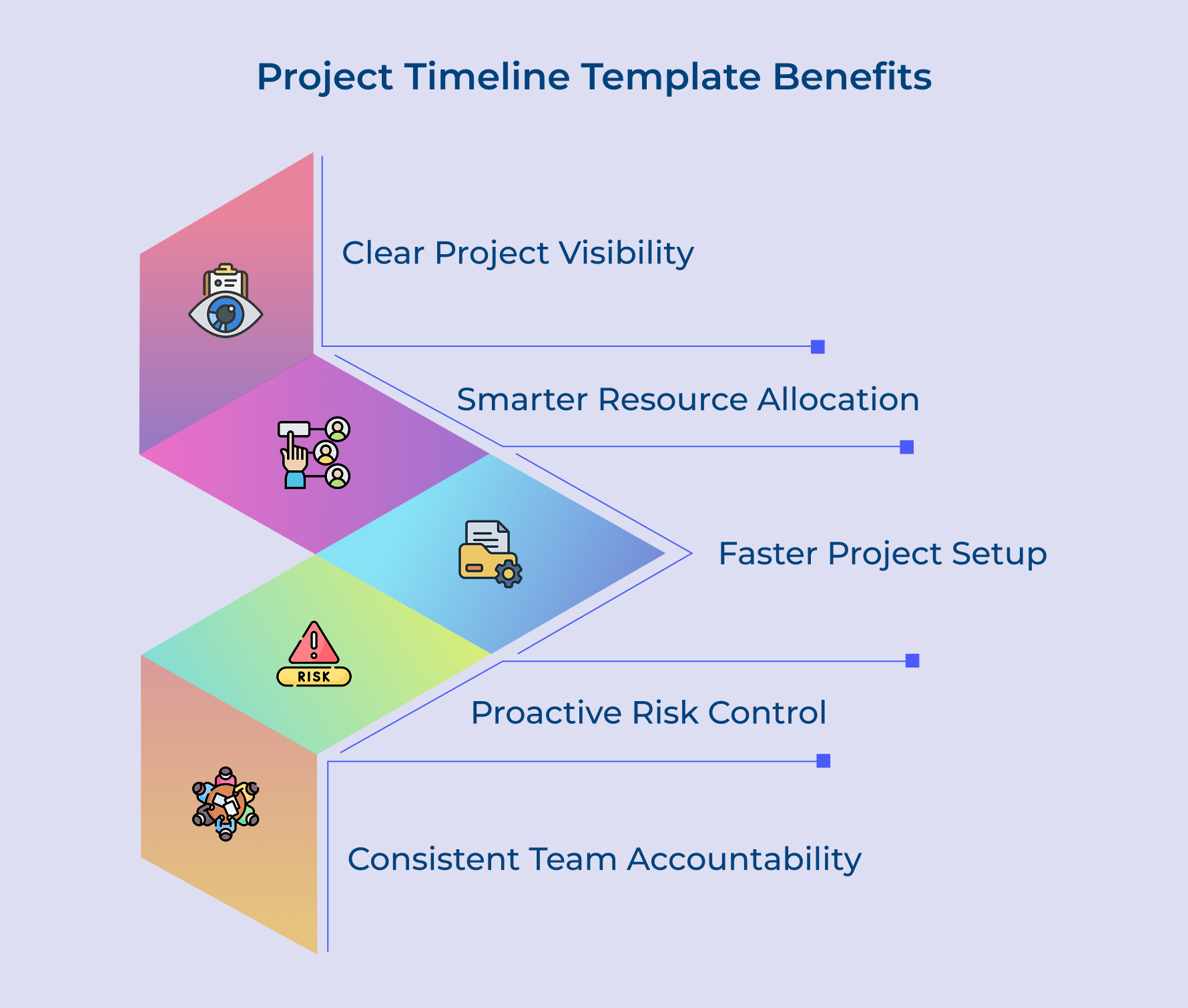
Clear Visibility Across the Project
Timeline templates give everyone a shared visual roadmap that’s easy to follow at a glance. Team members can instantly see how their tasks connect to the bigger goals, which reduces back-and-forth and keeps work aligned with strategic planning as well as project sponsors’ expectations.
Smarter Resource Allocation
These templates make it easier to see when people, tools, or materials are needed across the project timeline. You can spot resource clashes early and rebalance workloads before pressure builds up or capacity goes unused, keeping delivery smooth as well as predictable.
Quicker Project Setup and Kickoff
Using a ready-made template saves you from building schedules from the ground up every time. You simply customize what already works for your project, helping you move faster from planning to execution without slowing down your launch momentum.
Proactive Risk Control
Once tasks and dependencies are laid out visually, risks as well as bottlenecks become easier to spot early. You can quickly see where delays might ripple through the plan and adjust timelines or backup plans before small issues turn into major setbacks.
Consistent Team Accountability
Templates bring clarity around who owns what by assigning tasks with clear deadlines. This visibility keeps responsibilities from slipping through the cracks, builds trust with project sponsors and supports stronger follow-through across every stage of delivery.
Map Your Path To Success with Project Timeline Template
Project timeline templates transform overwhelming projects into manageable roadmaps that keep everyone aligned and moving forward together. They eliminate guesswork by providing a clear visual framework that shows what needs to happen and when it should occur.
Building an effective timeline template requires thoughtful planning from scope definition through resource assignment and format selection. The investment you make in creating a solid template pays dividends across every project you manage by reducing chaos while improving delivery success rates.
Limit time — not creativity
Everything you need for customer support, marketing & sales.

Neeti Singh is a passionate content writer at Kooper, where he transforms complex concepts into clear, engaging and actionable content. With a keen eye for detail and a love for technology, Tushar Joshi crafts blog posts, guides and articles that help readers navigate the fast-evolving world of software solutions.