What is Software Project Management? Phases, Benefits & Tips
- What is Software Project Management?
- Why is Software Project Management Important?
- How to Manage Software Projects: 7 Strategies
- Key Benefits of Software Project Management
- 5 Phases of the Software Development in Project Lifecycle
- Types of project management for software development
- Roles and Responsibilities of a Software Project Manager
- Empower Team with Project Management Strategies for Software Development
- FAQs about Software Project Management

Key Highlights:
- Practical software project management strategies to plan, execute and track development while improving customer satisfaction.
- Clear breakdown of software development lifecycle phases, project manager responsibilities, metrics and tools for scalable software delivery.
- Actionable guidance on scope control, communication, risk management and documentation to turn complex software projects into successful outcomes.
Software projects often fail because teams don’t have the right management structures to guide work from idea to delivery. Every delayed sprint chips away at client trust, while developers push themselves to the limit without clear direction.
Scope creep slips in and suddenly a simple project balloons in complexity before anyone even notices. Collaboration tools can help, but only if teams know how to use them effectively.
This ultimate guide shows you practical software project management strategies that turn chaos into steady progress. You’ll learn how to define scope based on customer needs, build a clear work breakdown structure, track metrics that matter and even leverage machine learning to make smarter decisions.
What is Software Project Management?
Software project management is the practice of planning and guiding software development from start to finish. It involves coordinating people and resources to deliver working software on time as well as within budget.
Software project management keeps clients informed and involved throughout development, especially when done well. It helps teams deliver what clients actually need rather than what developers assume they want. Good management means fewer surprises and more trust between everyone involved.
Key objectives
- Clear scope definition: Ensuring everyone understands exactly what the software should do and what it shouldn’t do.
- Timeline management: Delivering the project on schedule by breaking work into manageable chunks and tracking progress honestly.
- Budget control: Keeping costs predictable by monitoring resources and making informed decisions about where to invest effort.
- Quality assurance: Building software that actually works reliably instead of shipping something full of bugs and problems.
- Risk mitigation: Identifying potential problems early and having backup plans ready before small issues become major disasters.
Why is Software Project Management Important?
Improper project management can make software projects drift off course like ships without navigation. Teams waste resources building features nobody needs. Deadlines get missed and budgets balloon unexpectedly.
Recent data highlights why structured management matters:
- The Project Management Institute found that organizations waste $122 million for every $1 billion invested due to poor project performance.
- Standish Group’s 2020 CHAOS Report showed only 31% of software projects succeeded without proper management frameworks in place.
- Organizations like Accenture use structured empathy mapping exercises in team planning, leading to 28% higher client satisfaction scores.
Good project management transforms chaos into clarity for development teams everywhere. It protects investments and ensures clients get software that solves their actual problems. Smart management turns potential disasters into successful deliveries.
How to Manage Software Projects: 7 Strategies
Dive into our top seven strategies to help you manage your software projects more efficiently and lead your team to victory.
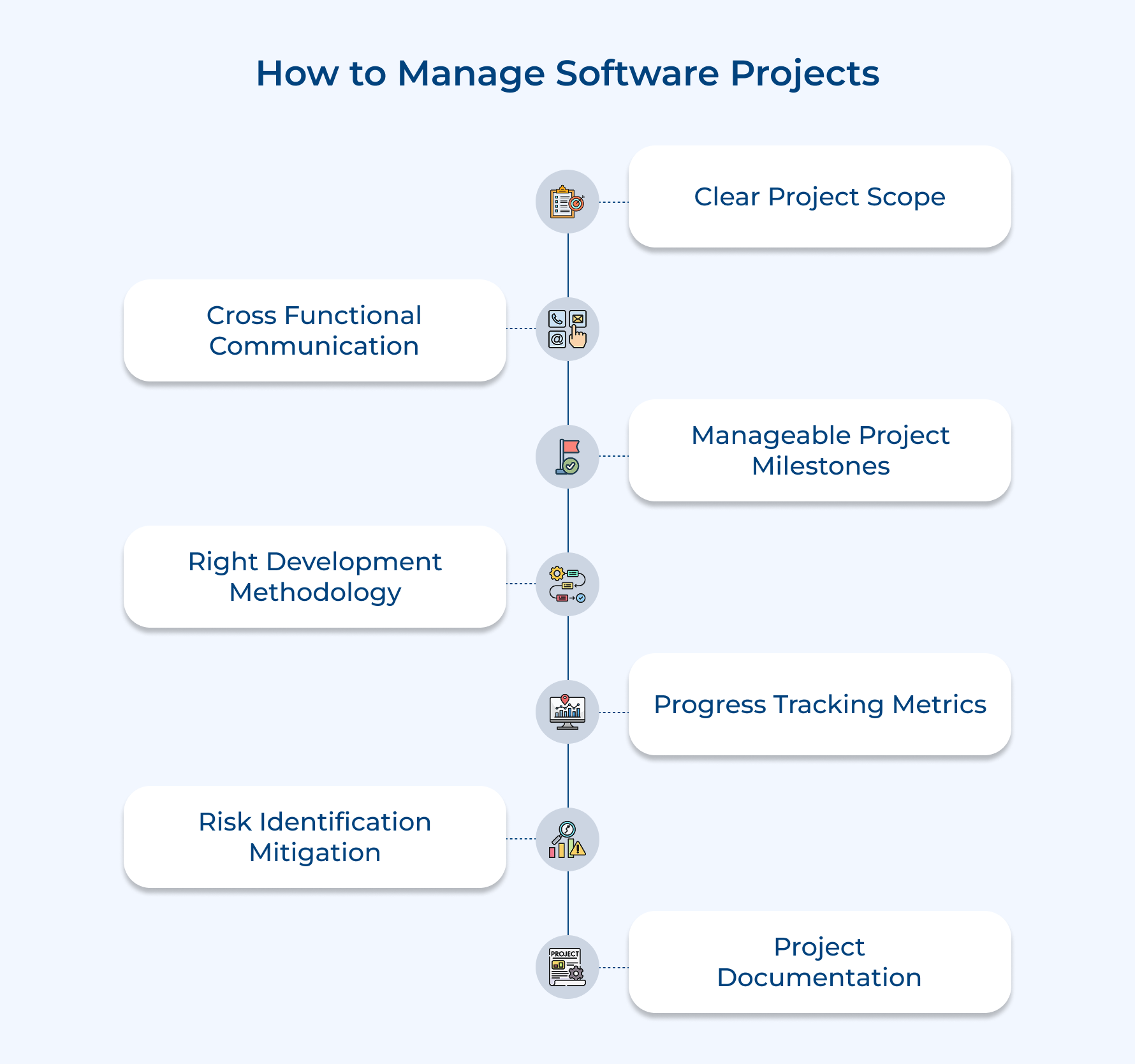
1. Define Clear Project Scope Boundaries
Clear scope boundaries act like guardrails during the software development lifecycle. They keep teams focused on what truly matters to the client and prevent projects from spiraling out of control as new requests pop up.
The goal is simple: separate must-have features from nice-to-have ideas that can wait for later releases. This protects timelines, budgets and team morale.
Strong scope boundaries usually include:
- Feature freeze dates to stop last-minute additions to the current release
- Functional requirements lists outlining exactly what the software must deliver
- Exclusion criteria to avoid assumptions about what’s included
- Change control processes to evaluate new requests without disrupting active work
When scope stays firm, teams can plan accurately, use software tools effectively and deliver on time—boosting customer satisfaction in the process.
2. Build Cross-Functional Communication Channels
Good communication keeps developers, designers and project managers aligned with client expectations throughout the project. It also prevents the classic problem of building the wrong thing really well.
Instead of relying on ad-hoc updates, teams set up intentional communication systems:
- Dedicated client channels in tools like Slack or Teams
- Weekly demos where clients see real progress and share feedback
- Shared dashboards in tools like Jira or Asana for transparent project monitoring
When communication flows well, teams spot issues early and adjust quickly—often before time or money is wasted.
3. Break Projects into Manageable Milestones
Large projects feel overwhelming until they’re broken into smaller milestones. Short sprints make progress visible and give clients something tangible to review regularly.
Most teams work in two- or three-week sprints that deliver working features at the end of each cycle. Clients test real functionality, not just review plans.
Best practices include:
- Adding buffer time between milestones
- Tackling high-risk features early while budgets and energy are strong
This rhythm improves accountability and keeps momentum steady.
4. Implement the Right Software Project Development Methodology
Your development methodology shapes how work flows and how teams respond to change. The right choice depends on the project, the client, as well as the team.
Key factors to consider:
- Project size and complexity
- How often clients can give feedback
- Team experience and structure
- Budget and contract type
- Industry regulations
For evolving projects, agile methods often work best. Teams commit to small chunks of work, demo results often and adapt based on feedback—supported by Software Configuration Management to keep changes controlled and traceable.
5. Monitor Progress with Key Metrics
Metrics replace guesswork with facts. Instead of vague updates, teams rely on data to understand how the project is really performing.
Common metrics include:
- Sprint velocity: Measure how many story points the team completes per sprint to predict future delivery capacity.
- Budget burn rate: Track actual spending against planned budget to catch cost overruns before funds run out.
- Defect density: Count bugs discovered per thousand lines of code to assess overall software quality trends.
- Code review turnaround time: Monitor how long code takes to get reviewed and merged to identify workflow bottlenecks.
- Client feedback response time: Measure how quickly the team addresses client questions to maintain strong working relationships.
The key is balance. Metrics should guide decisions, not drive unhealthy behavior. When numbers look off, teams dig deeper rather than blindly pushing forward.
6. Proactively Identify and Mitigate Risks
Risk identification means spotting potential problems in client projects before they actually derail timelines or blow up budgets. Proactive risk management gives teams time to prepare solutions instead of scrambling during a crisis.
Teams implement this by conducting regular risk assessment sessions where everyone openly discusses what could threaten the client project’s success. They categorize each risk by likelihood and impact and then develop specific mitigation plans for the highest-priority threats.
Pro tips:
- Schedule monthly risk review meetings separate from regular standups so teams have time to think deeply about threats.
- Create a risk register that assigns ownership for each identified risk to a specific team member who monitors it.
7. Maintain Comprehensive Project Documentation
Comprehensive project documentation creates a reliable reference that captures decisions and requirements as well as technical details throughout the client project lifecycle. This strategy protects knowledge from disappearing when team members leave or memories fade over time.
Here’s how teams maintain documentation that actually gets used throughout client projects:
- Centralized wiki or knowledge base: Store all project documentation in a single accessible location like Confluence or Notion where both internal teams and clients can find information quickly without hunting through scattered files.
- Automated documentation generation from code: Use tools that extract API documentation and database schemas directly from the codebase so technical documentation stays synchronized with actual implementation.
- Regular documentation sprints and audits: Schedule dedicated time every quarter where the team reviews existing documentation and updates outdated sections to ensure everything remains current as the project evolves.
When combined with workflow automation and consistent processes, documentation reduces friction, speeds onboarding, as well as protects both teams/clients – directly improving customer satisfaction.
Key Benefits of Software Project Management
Effective project management transforms how software gets built and delivered. Let’s explore the concrete advantages it brings to development teams as well as their clients.
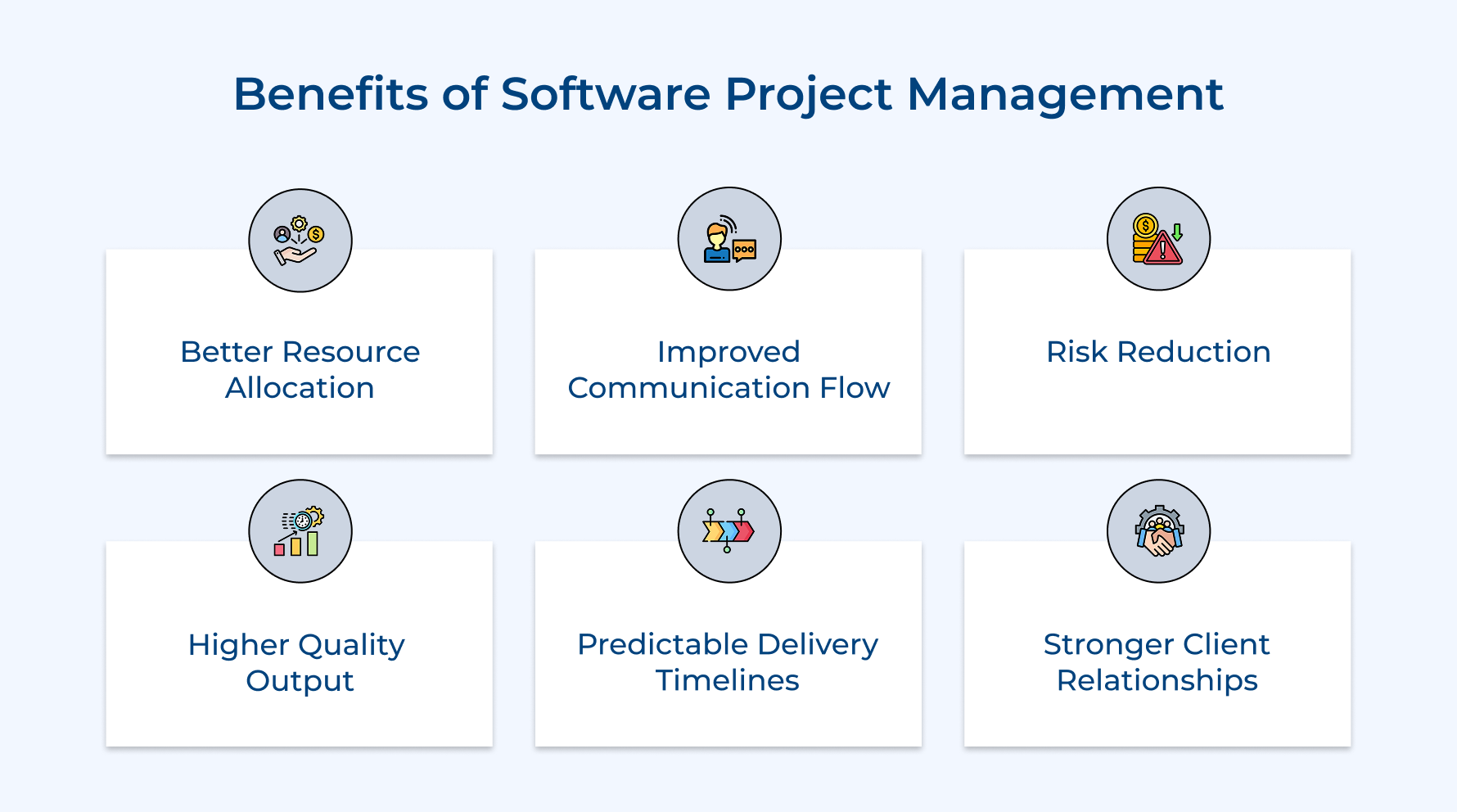
Better Resource Allocation
Project management helps your team focus their time and skills where they matter most. Instead of developers hopping between random tasks, they work on prioritized features that improve user experience and deliver real value. You avoid wasting budget on work that doesn’t move the needle.
Improved Communication Flow
Clear communication channels keep everyone aligned. Developers understand client expectations and clients know what’s technically possible. Misunderstandings get caught early, long before they turn into costly problems, while project monitoring keeps progress visible at every stage.
Risk Reduction
Effective management spots potential problems while they’re still manageable. Technical challenges are flagged before weeks of wasted work and budget or timeline issues are caught early enough to act. Change management ensures your team adapts smoothly to shifts without chaos.
Higher Quality Output
Structured processes embed quality checks into development rather than leaving them as afterthoughts. Teams get time to test and refine, ensuring software is polished, functional as well as enhances user experience. Release management ensures each deployment is smooth and reliable.
Predictable Delivery Timelines
Breaking projects into milestones allows accurate estimates. Wild guesses on completion dates are replaced by realistic projections. With project portfolio management, multiple projects are coordinated efficiently, so clients can plan around dependable schedules.
Stronger Client Relationships
Regular updates and transparent processes build trust. Clients feel involved, not left in the dark, turning projects into collaborative partnerships instead of adversarial exchanges where blame flies when things go wrong.
5 Phases of the Software Development in Project Lifecycle
Every successful software project follows a natural progression from initial concept to final delivery. Understanding these phases helps teams deliver solutions that truly meet client needs while maintaining quality and control throughout.
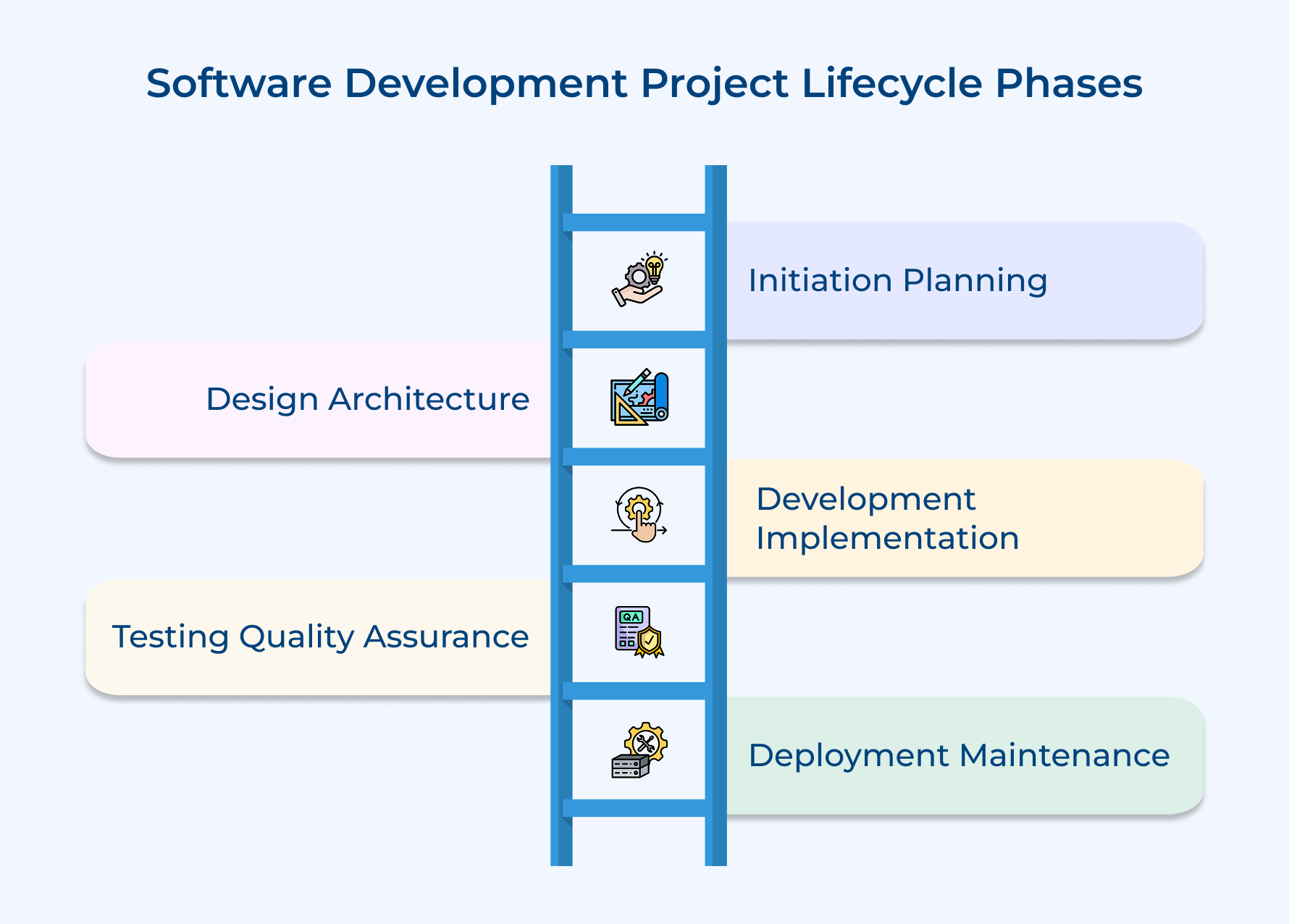
Phase 1: Initiation and Planning
Here a client’s vision starts turning into a clear roadmap the entire team can follow. Instead of guessing what needs to be built, teams talk directly with stakeholders to understand their pain points, goals and expectations. The planning phase lays the groundwork for everything that follows.
At this point, three key activities take the spotlight:
- Defining the project scope by clearly documenting what features the software will include—and just as importantly, what’s out of scope
- Setting realistic timelines by breaking the work into manageable sprints or milestones with achievable deadlines
- Allocating resources by assigning the right people based on expertise and identifying the tools needed to get the job done
A detailed project charter is created to outline success metrics and clearly define deliverables. Teams also assess risks early, spotting potential obstacles before they slow things down. Investing time here reduces confusion, minimizes rework and keeps the project moving smoothly later on.
Phase 2: Design and Architecture
Now requirements translate into technical blueprints that guide developers throughout the build process. The design phase bridges the gap between what clients want and how teams will actually construct it. Wireframes and prototypes let clients visualize the end product before any code gets written.
Before moving forward, some crucial questions need answers from clients:
- Does this user interface match how your team actually works or does it force them into unnatural workflows?
- What happens when your business grows and you need this software to handle ten times the current load?
- How will this new system integrate with the tools and platforms you’re already using every day?
These conversations reveal hidden requirements and prevent costly surprises during development when changes are expensive. The system architecture gets mapped out by deciding on databases and frameworks as well as third-party services. Security considerations get baked into the design from day one rather than bolted on as an afterthought.
Phase 3: Development and Implementation
Developers write the actual code that brings designs to life. Teams work in iterations so clients can see progress regularly rather than waiting months for a big reveal. Daily standups keep everyone aligned and help catch issues quickly.
The development phase involves several parallel workstreams:
- Writing clean code that follows best practices and remains maintainable as the project grows over time
- Conducting peer reviews where developers examine each other’s work to catch bugs and suggest improvements
- Building automated tests that verify each feature works correctly before it gets merged into the main codebase
Version control systems track every change so teams can roll back if something breaks unexpectedly. Features get prioritized based on client feedback and business value rather than just technical convenience. Integration happens continuously so different parts of the system work together smoothly from the start.
Phase 4: Testing and Quality Assurance
Here teams rigorously verify that the software actually works as intended under real-world conditions. Testing catches bugs before clients ever encounter them in production environments. Different scenarios get simulated including edge cases that might only happen occasionally but could cause serious problems.
The quality assurance process goes beyond just checking if features work in isolation. Teams test how the system performs under heavy load to ensure it won’t crash when many users access it simultaneously. Security testing identifies vulnerabilities that hackers might exploit to access sensitive data.
Phase 5: Deployment and Maintenance
The final phase involves releasing the software to production and supporting it after launch day arrives. Teams don’t just throw code over the wall and disappear but stay engaged to ensure smooth operation. Deployment strategies minimize downtime so existing systems keep running while transitioning to the new software.
Post-launch activities keep the software healthy and valuable:
- Monitoring system performance by tracking metrics like response times and error rates to spot problems immediately
- Gathering user feedback through support tickets and analytics to understand how people actually use the features
- Releasing updates that fix bugs and add enhancements based on evolving client needs over time
Documentation and training materials help client teams use while maintaining the software independently. Technical support remains available to troubleshoot issues that inevitably arise in complex systems. Regular maintenance windows allow teams to apply security patches and optimize performance without disrupting business operations.
Types of project management for software development
Different software projects demand different management approaches based on their unique characteristics and constraints. Understanding these four main types helps teams choose the right framework for their client’s specific needs.
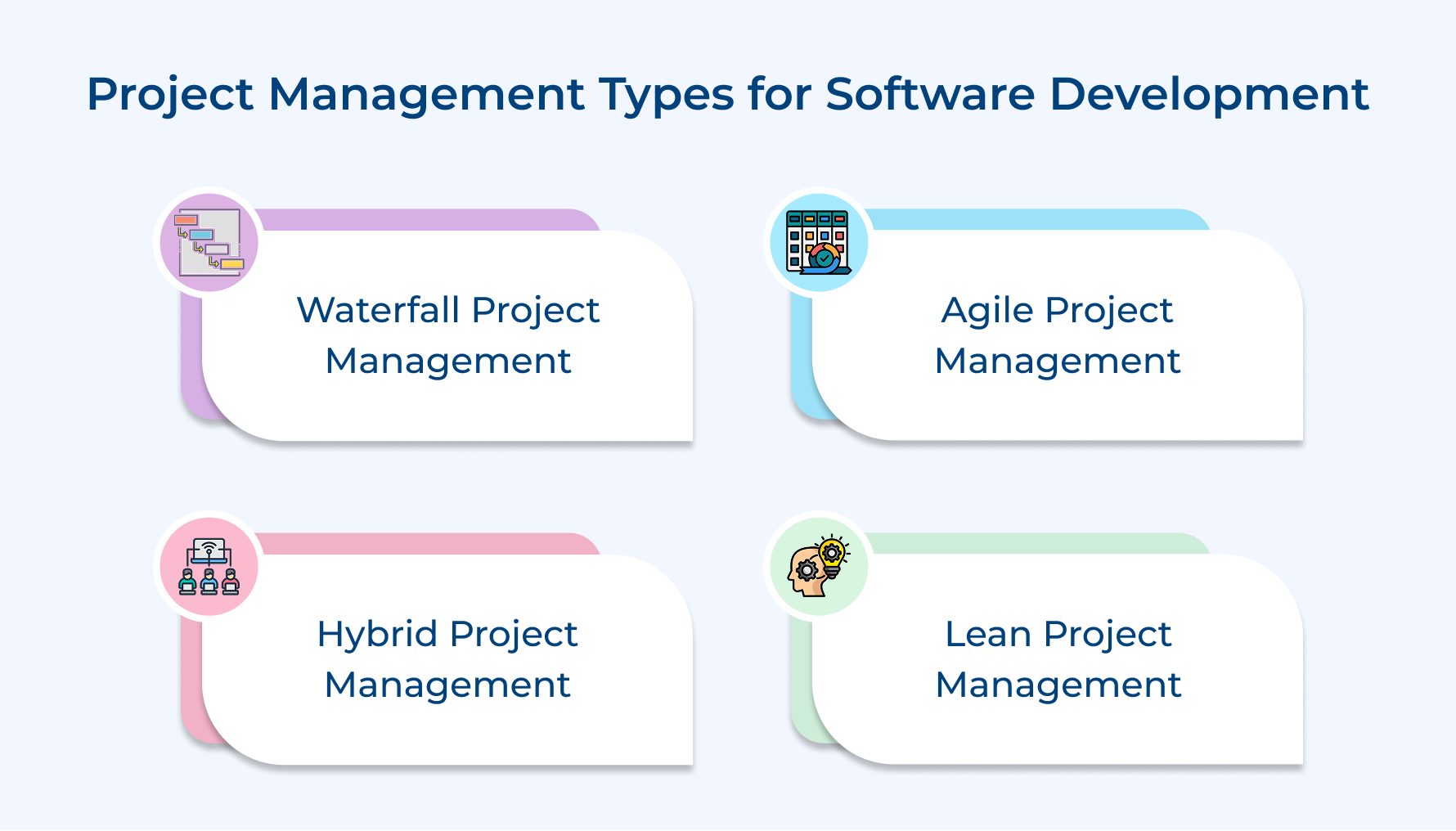
Waterfall Project Management
Waterfall follows a sequential approach where each phase must complete fully before the next one begins. Teams gather all requirements upfront and then move through design as well as development in a strict linear order. This type works best for client projects with fixed requirements that won’t change during development.
Agile Project Management
Agile breaks client projects into short iterative cycles called sprints that typically last two to three weeks. Teams deliver working software incrementally and adapt based on client feedback after each sprint ends. This type excels when client requirements evolve or when early user testing reveals necessary adjustments to the original plan.
Hybrid Project Management
Hybrid combines elements from both waterfall and agile methodologies to match specific project needs as well as organizational constraints. Teams might use waterfall for infrastructure setup and planning phases while switching to agile for feature development as well as testing. This type suits client projects where some aspects have fixed requirements while others need flexibility to accommodate changing business needs.
Lean Project Management
Lean focuses on maximizing value while minimizing waste throughout the entire development process for client software. Teams continuously identify and eliminate activities that don’t directly contribute to client satisfaction or product quality. This type emphasizes rapid delivery cycles and constant improvement as well as works especially well when clients need fast market entry with minimal resource expenditure.
Roles and Responsibilities of a Software Project Manager
Software project managers serve as the central coordination point between development teams and clients throughout the project lifecycle. Their responsibilities span technical oversight and stakeholder communication along with strategic planning to ensure successful delivery.
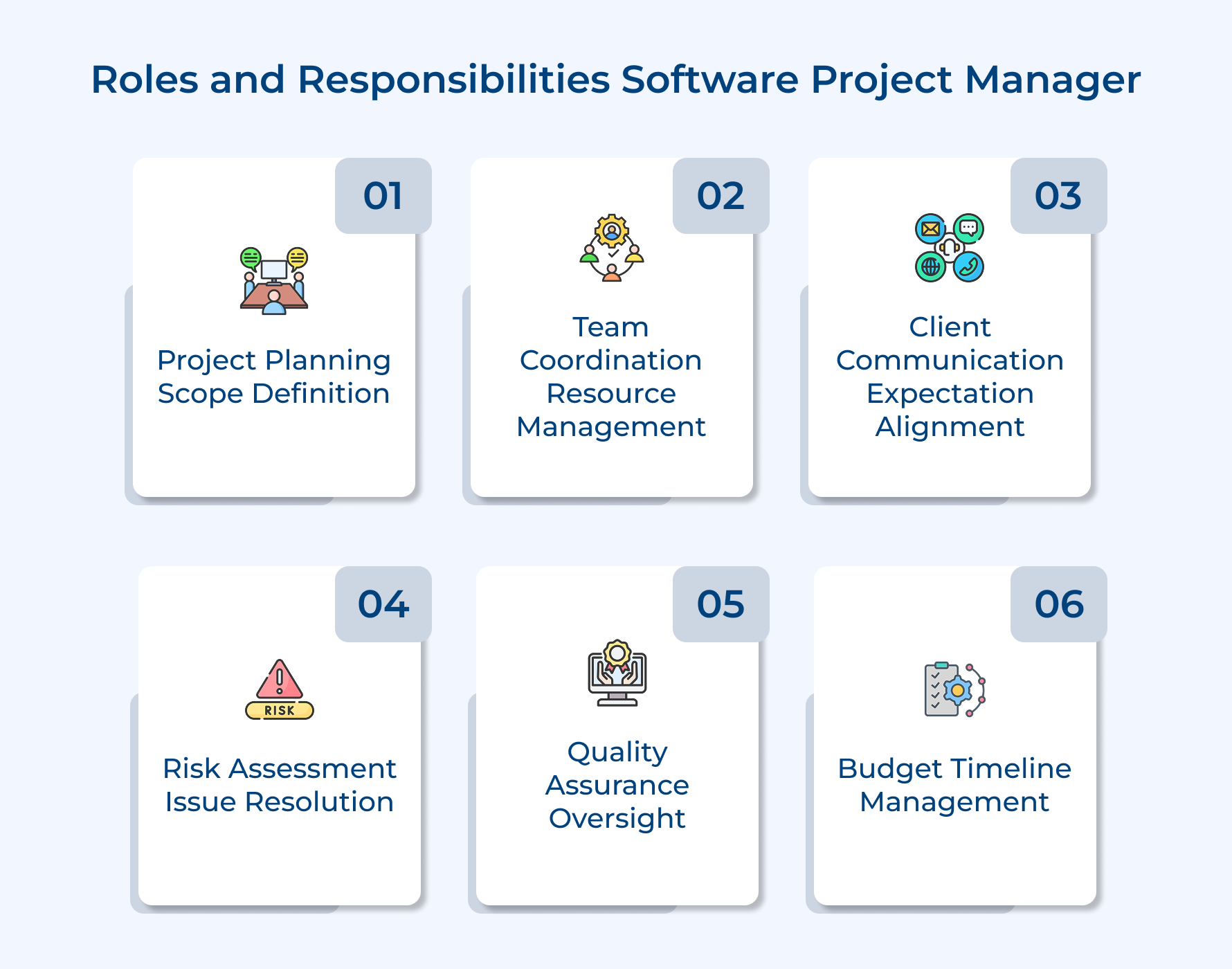
- Project planning and scope definition: The project manager translates client requirements into actionable development plans with clear timelines and resource allocations. They define project boundaries while establishing realistic milestones that keep everyone aligned.
- Team coordination and resource management: Project managers assign tasks based on each team member’s strengths and ensure developers have the tools they need. They resolve conflicts and remove obstacles that slow down progress on client deliverables.
- Client communication and expectation management: They serve as the primary point of contact for clients and provide regular updates on progress. Project managers set realistic expectations as well as negotiate scope changes when requirements evolve unexpectedly.
- Risk assessment and problem resolution: The project manager identifies potential issues before they become critical problems and develops contingency plans for likely scenarios. They make quick decisions when unexpected challenges arise during development.
- Quality assurance oversight: They ensure the development team follows established quality standards and best practices throughout the build process. Project managers review deliverables before presenting them to clients to maintain professional standards.
- Budget and timeline management: The project manager tracks spending against the allocated budget and adjusts plans when costs threaten to exceed limits. They balance competing priorities to deliver client software on time without sacrificing essential quality requirements.
Empower Team with Project Management Strategies for Software Development
Effective software project management transforms how development teams deliver client software by providing structure, clarity and accountability throughout the entire process. These strategies help teams navigate complexity and meet deadlines while maintaining quality without burning out.
When teams adopt the right management approaches, they build stronger client relationships through transparent communication and predictable delivery schedules. Start implementing these strategies today to turn chaotic projects into smooth collaborations that consistently exceed client expectations and boost satisfaction.
Limit time — not creativity
Everything you need for customer support, marketing & sales.

Neeti Singh is a passionate content writer at Kooper, where he transforms complex concepts into clear, engaging and actionable content. With a keen eye for detail and a love for technology, Tushar Joshi crafts blog posts, guides and articles that help readers navigate the fast-evolving world of software solutions.