PSA vs ERP Key Differences Features and Benefits Guide
- What is Professional Services Automation (PSA)?
- Key Benefits of PSA Software for Service-Oriented Businesses
- Key Features of Professional Services Automation (PSA) Software
- What Is Enterprise Resource Planning (ERP)?
- Benefits of Enterprise Resource Planning Software for Businesses
- Key Features of Enterprise Resource Planning Software
- What Are The Key Differences Between PSA vs ERP Software
- ERP vs PSA: Which is The Right Option for Your Organization
- Empower Your Business With the Right Choice Between PSA and ERP Solutions
- FAQs about PSA Vs ERP Comparison
Key Highlights:
- Poor resource scheduling and real-time data are the clearest signs your business is using the wrong software.
- PSA vs ERP is all about managing service delivery profitability versus managing enterprise-level business operations.
- PSA combines resource allocation, expense tracking and project collaboration in one platform that a standard ERP system cannot do.
Do you know what is causing your firm to lose profit margins despite having a good team? Resource allocation failures, delayed expense tracking and disconnected real-time data are all system problems.
More than 60% of service firms report operational inefficiencies due to misaligned software. Choose the right tools based on general ledger and product operations instead of business resources as well as expertise to reduce any expensive growth barrier. The guide explains PSA vs ERP in terms of features, benefits, pros, cons and implementation considerations to make the right choice.
Know which software protects your profitability and aligns with your business deliverables for scalable growth.
What is Professional Services Automation (PSA)?
Professional Services Automation is a software built for service-based businesses to manage core operations such as resource planning or project delivery. PSA connects people, projects and profitability in a way that other tools, such as ERP or CRM are not able to do.
PSA, in comparison to ERP, is designed for selling expertise and time instead of physical products. It includes a real-time command center to track utilization, control costs and protect margins on every engagement.
Key objectives:
- Resource utilization: Assign the right people to the right projects based on expertise and business priority.
- Time & expense tracking: Captures billable hours and costs accurately to eliminate leakage.
- Billing & invoicing: Automates client invoicing with respect to project milestones to speed up cash flow.
- Business intelligence: Real-time visualization of project health and profitability for making better decisions.
Key Benefits of PSA Software for Service-Oriented Businesses
The margin difference between profitability and loss in a service firm comes down to how well your PSA vs ERP system better manages projects as well as resources.
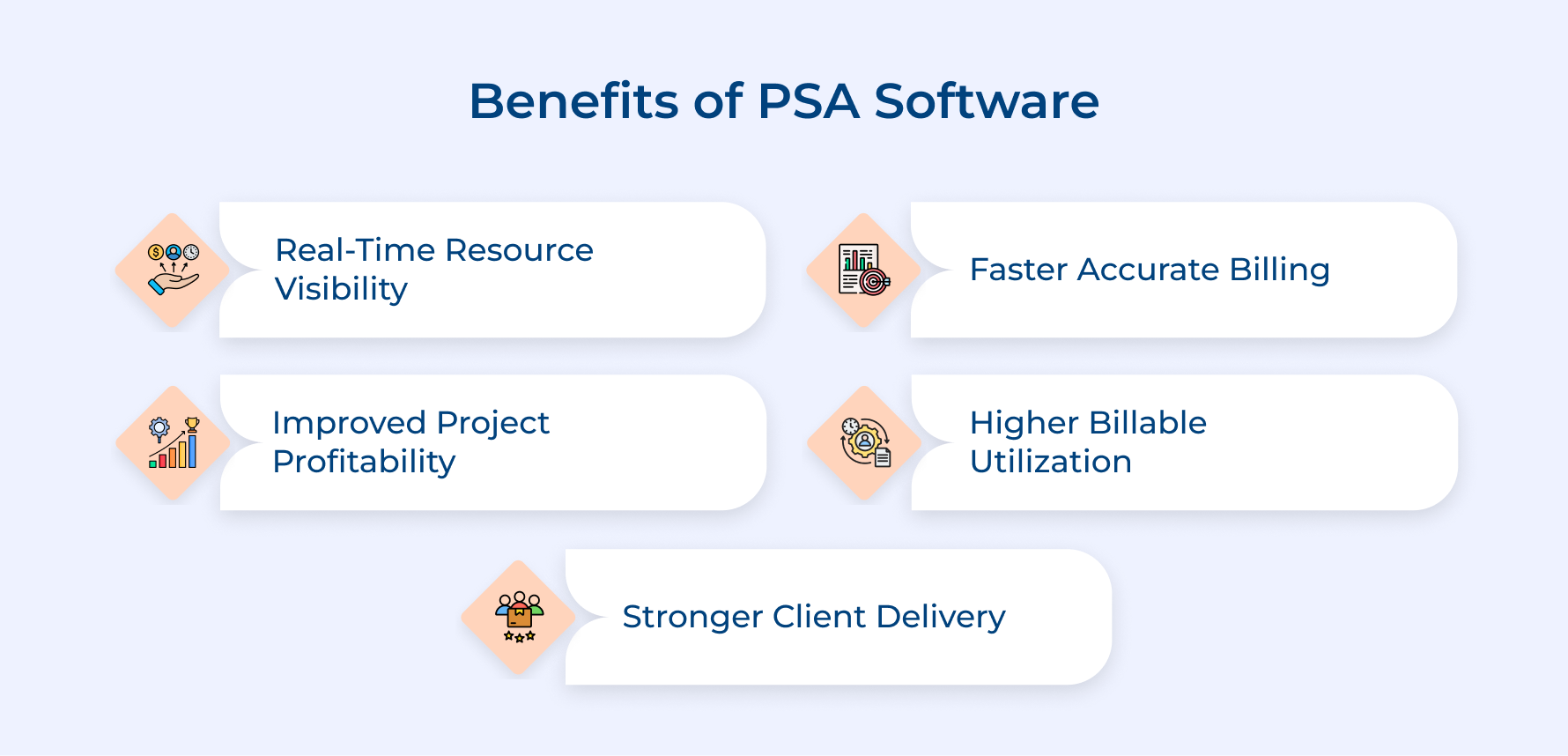
1. Real-Time Resource Visibility
Service firms lose revenue not due to a lack of talent. They cannot get real-time resource visibility across the project. PSA with inbuilt ERP tools gives a clear view of team capacity, so the right people are assigned to the right projects and at the appropriate time.
2. Improved Project Profitability
Every project always comes with a profit margin. PSA helps in tracking budgets against actuals in real time so that project managers can course-correct before a project starts losing revenue.
3. Faster and Accurate Billing
Delayed invoicing is one of the biggest cash flow issues in service businesses, which is resolved by PSA. It automates billing directly, starting from logged time and project milestones to increase cash flow significantly.
4. Higher Billable Utilization
PSA, in comparison to ERP, helps to track billable vs. non-billable hours to boost utilization rates across their true benchmark. Low utilization is always a silent profit loss method, so integrating the right platform at the right time helps firms to resolve faster.
5. Stronger Client Delivery
Clients not only buy your service but also depend on reliability and consistency. A good PSA software keeps project timelines, deliverables and communication in proper structure to deliver a predictable experience in each phase.
Key Features of Professional Services Automation (PSA) Software
Let’s explore these seven essential features that separate a good PSA from a simple ERP system that boost project delivery and profitability.
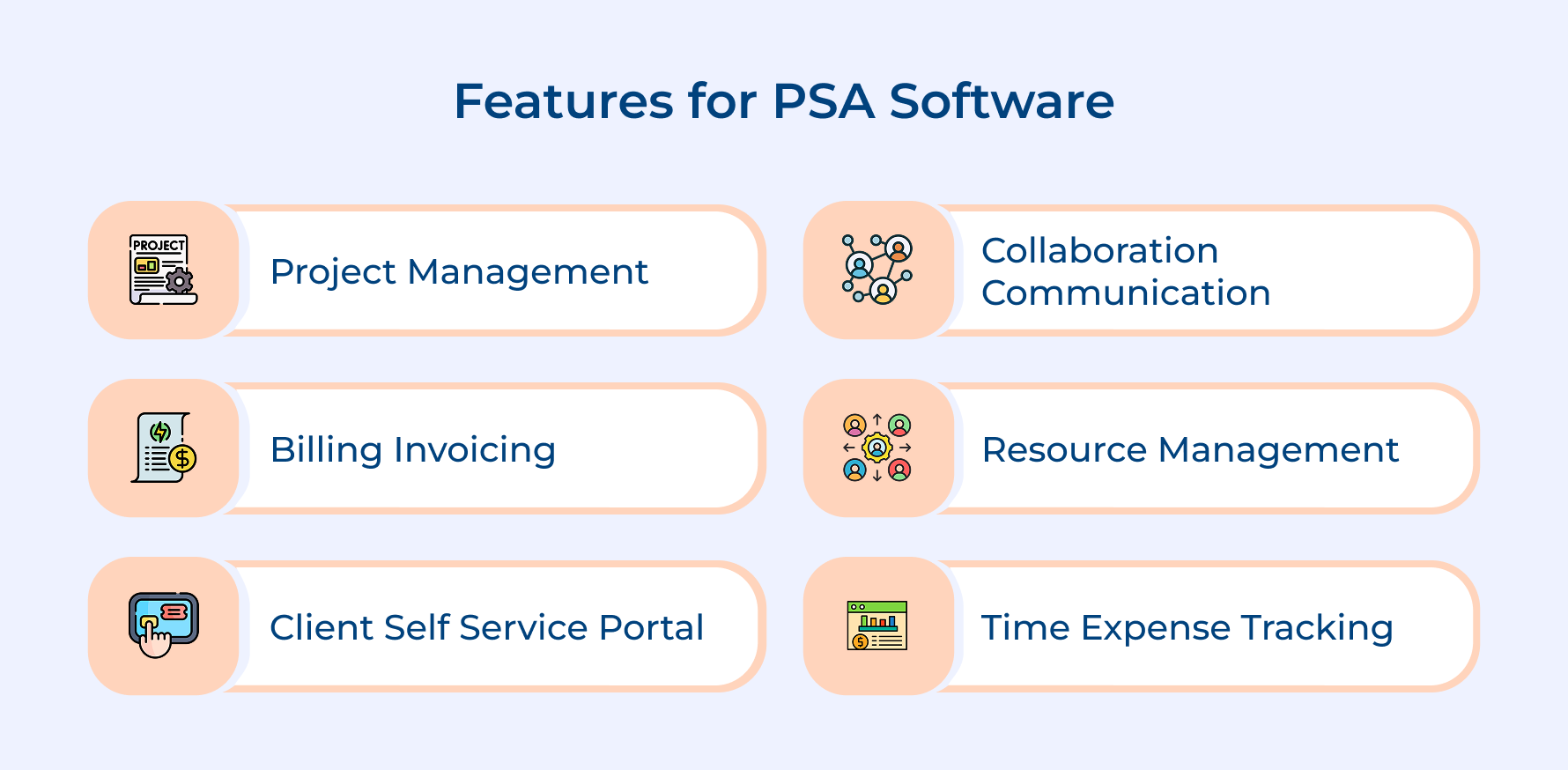
1. Project Management
Service leaders get full control over project planning, assignment, and execution across every stage. It eliminates the use of multiple spreadsheets to put timelines, tasks and dependencies into a centralized place.
2. Billing and Invoicing
Here’s the key question: Why is Billing in a service business complex? No it’s not about time tracking. Every client prefers different pricing models and contract terms. PSA offers automated invoice generation directly from project milestones.
The feature helps in removing the manual handoff that causes billing errors. Following this report, faster payment cycles and fewer client disputes.
3. Resource Management
Resource management in PSA software provides clear visibility into win vs lose in the profitability battle, which a simple ERP cannot. It provides clear visibility on the following areas across the workforce:
- Who is allocated
- Who is available
- Where skill gaps exist
4. Client Self-Service Portal
Shift your client relationships to a collaborative approach with a client self-service portal. Clients can access project status, approve deliverables and documents without depending on teams for updates.
5. Time and Expense Tracking
PSA’s time tracking feature helps in recording billable hours in real time to make sure nothing is unaccounted.
Teams that are logging time consistently help to get a true picture of the hours being spent on the client work. The data becomes critical for identifying unprofitable engagements. It leads to smarter pricing decisions across the project phases.
6. Collaboration and Communication
Why does most service delivery break down? Not because of skill gaps but due to communication failures between teams as well as clients. PSA centralizes project conversations and status updates in one place, so no important email threads are missed.
What Is Enterprise Resource Planning (ERP)?
Enterprise Resource Planning is a software that unifies core business functions such as finance, HR and other operations in a single source of truth. It is ideal for firms that need to stop working in silos and start operating as a connected business.
Many standalone tools only provide one solution, but ERP solves the entire disconnection problem across your entire organization. ERP, in comparison to PSA, gives a unified operational view to make decisions on resource utilization across projects in real time.
Main objectives:
- Financial management: Centralizes budgeting and financial reporting for accurate as well as real-time visibility into performance.
- Supply chain optimization: Maintain a smooth inventory and vendor management to improve operational efficiency across the value chain.
- Human resource management: Manages workforce data from one centralized system to reduce HR errors.
- Process standardization: Enforce consistent processes across departments to improve efficiency and reduce operational risk.
Benefits of Enterprise Resource Planning Software for Businesses
When there is a comparison of ERP vs other tools such as PSA or CRM, it earns a place in a business not due to more technology. Instead, it eliminates the operational friction that most firms face.
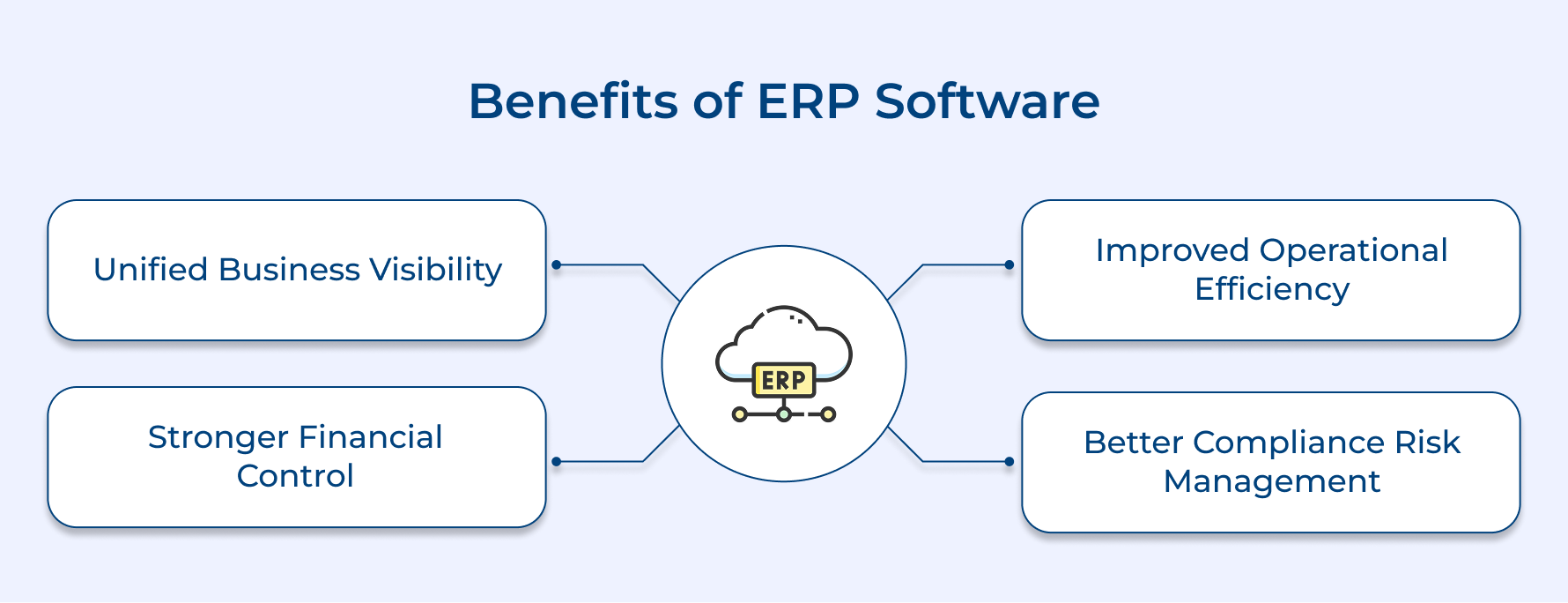
1. Unified Business Visibility
The lack of a business running without a unified data system is similar to navigating without a map. Everyone’s resources move but rarely in the same direction. ERP helps in centralizing data into one system for an accurate and complete picture of business health.
2. Stronger Financial Control
Financial leakage is growing in businesses due to dozens of small, disconnected processes. The right solution helps in managing financial control by automating accounting workflows and giving finance teams real-time visibility into cash flow.
3. Improved Operational Efficiency
ERP helps standardize and automate repetitive workflows to operate faster with fewer costly errors. Manual processes and duplicate data entry consume more time, which is supposed to be spent on higher-value work.
4. Better Compliance and Risk Management
ERP software, in comparison to other solutions, includes compliance controls directly into business and project work. It makes your audits less stressful and regulatory risk stays manageable.
Key Features of Enterprise Resource Planning Software
The following core features define what separates an ERP system and simple business tool such as CRM or PSA.
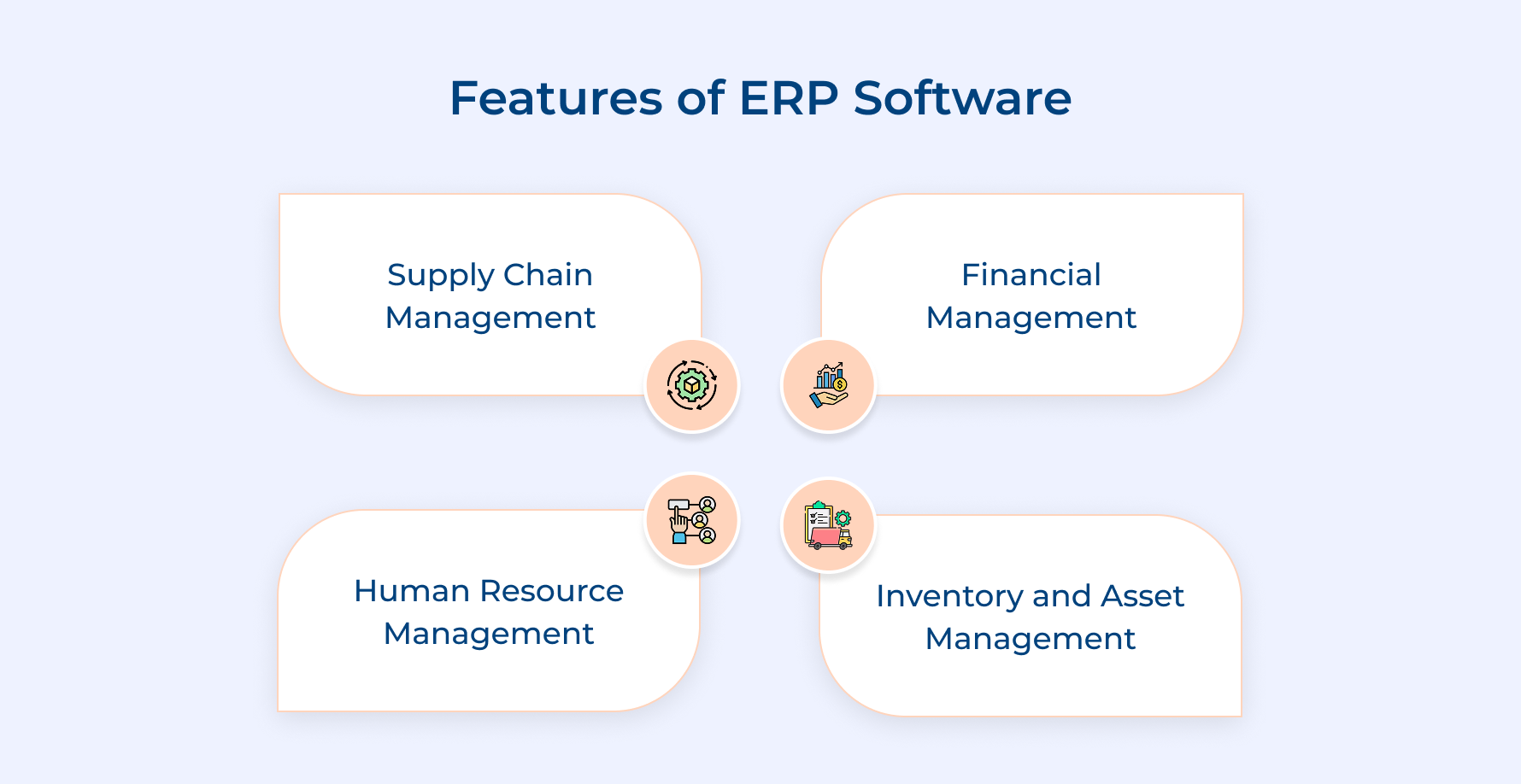
1. Supply Chain Management
The feature gives an end-to-end visibility of the project from planning to final delivery. It combines vendors, inventory and logistics into one controlled flow to reduce delays as well as project cost overruns.
2. Financial Management
Financial management goes beyond basic accounting and connects every business transaction to a centralized ledger. It automates core functions such as accounts payable, receivable and period-end closing to reduce manual effort.
The feature in ERP makes financial reporting faster and more reliable for most businesses that want to start making decisions from a single financial truth.
3. Human Resource Management
ERP’s HR module combines with PSA to treat your workforce as a strategic asset and not just a regular function. It unifies employee records, performance data as well as compliance requirements to automate administrative work and spend more time on people strategy.
4. Inventory and Asset Management
The inventory and asset management feature provides real-time control over asset utilization for effective depreciation tracking. It eliminates the guesswork, leading to costly and dangerous supply shortages during critical stages.
What happens when inventory data connects directly to finance? Purchasing decisions become far more accurate and justified. It helps in setting automated reorder triggers and tracking asset lifecycles without manual audits.
What Are The Key Differences Between PSA vs ERP Software
Understand the comparison between PSA vs ERP to a decision that directly shapes your business operations and serves clients accurately.
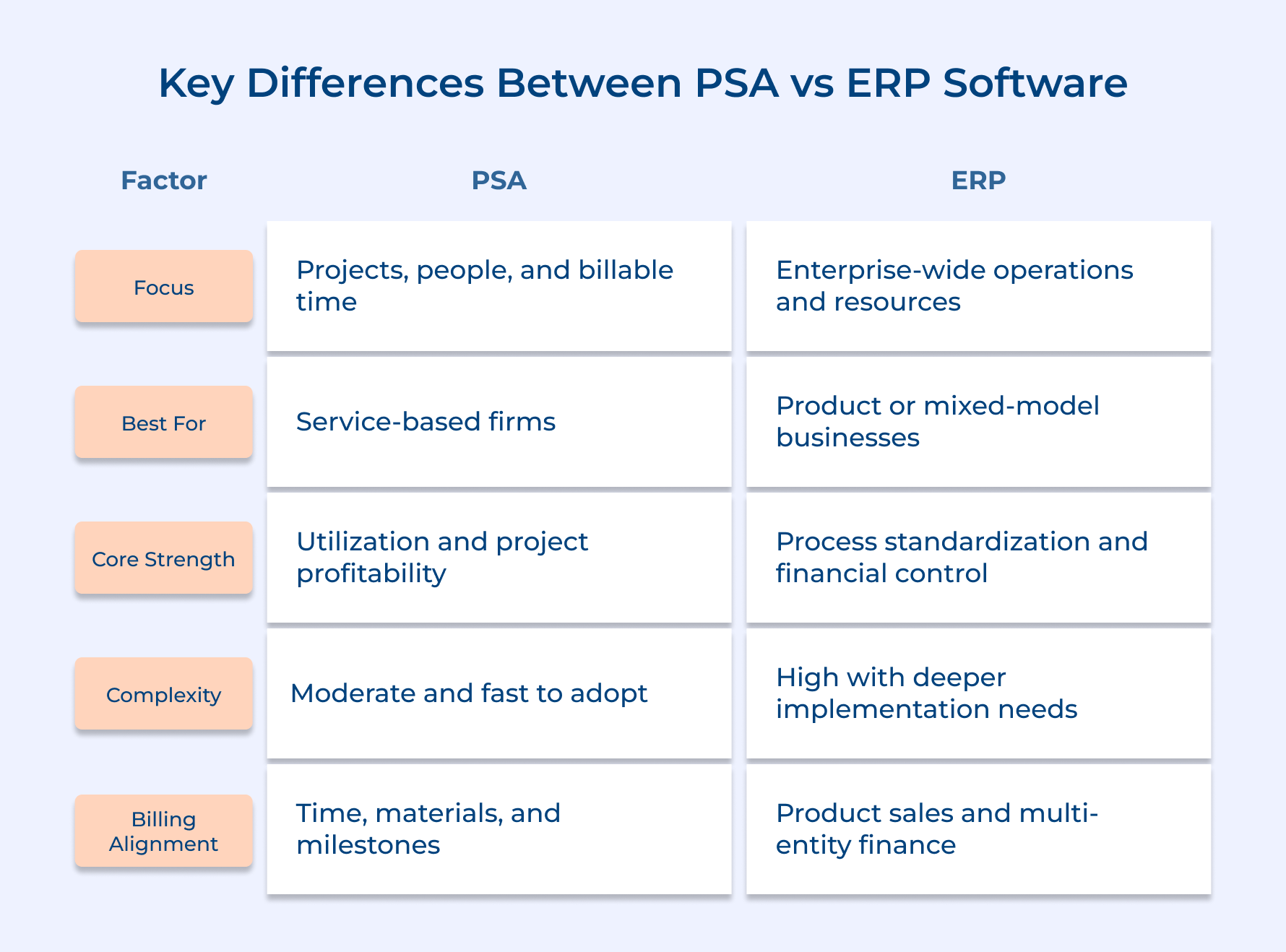
1. Core Business Focus
PSA is ideal for service delivery businesses where the primary asset is time and expertise. It organizes projects, resource utilization, and client engagements in one place.
Consider the example of a consulting firm using PSA and ERP to track billable hours for each resource used per client engagement in real time. This level of transparency cannot be achieved by using a simple system.
ERP in comparison to PSA, only provides a detailed view of certain business operations across finance, supply chain and HR. It is ideal for organizations where multiple departments share data and operate from one unified place.
Key Takeaways:
- PSA is best business model that revolves around selling expertise and managing client projects
- ERP is for an organization that needs one system to manage multiple operations simultaneously.
2. Resource Management Depth
PSA treats resource management as a revenue module by tracking skills, availability and utilization at the individual level. The decisions are made by directly connecting to project profitability and client deliverables.
Key resource management functionalities PSA delivers at the project level:
- Track billable vs. non-billable time at the team level
- Align resources to projects based on expertise and availability
- Forecast capacity gaps before they create delivery bottlenecks
The main difference between ERP vs PSA is the human resources model. ERP manages resources at the organizational level instead of project level covering payroll, compliance and workforce administration. It forecasts available resources and costs to maintain profitably.
3. Billing and Revenue Recognition
PSA provides different billing models, such as time-and-materials, fixed fee, milestone-based or retainer contracts, based on the complexity of client’s need. It connects logged hours and project progress for accurate invoice generation without manual intervention.
It matters because service businesses often run multiple billing models across different clients.
Consider these critical billing questions before choosing your billing model:
- Are you managing multiple contracts across your client portfolio?
- How much time does the finance team spend reconciling project hours to invoices?
- What is the gap between project completion and invoice in the current process?
ERP manages revenue recognition at an accounting level to make it strong for product-based models. It makes sure financial reports are constantly meeting standards. It is not ideal for project-based service billing.
Which to consider:
- PSA works when billing complexity comes from multiple project scopes.
- ERP is when priority is given to compliant revenue recognition across high-volume transaction models.
4. Project Lifecycle Management
PSA manages the complete project lifecycle from scope management and resource planning to delivery, billing, as well as post-analysis. It gives a clear visualization of every project stage so that nothing is missed.
An end-to-end project lifecycle management looks like:
- Real-time budget and actuals tracking at every project phase
- Milestone and deliverable management are tied directly to client billable hours
- improve future scoping accuracy with post-project profitability analysis.
ERP approaches project management as a secondary function by integration with a good PSA to support operations such as manufacturing runs and capital expenditure tracking. This connection still lacks the project intelligence that most service businesses depend on to maintain delivery quality.
5. Client Relationship Management
PSA manages client relationships through active project delivery. It tracks communication history and project delivery performance in one unified place.
Do you know why most client relationships break? No, it’s not because of one big failure. They erode through small signals that nobody tracked closely. PSA works a solution by identifying those signals before damage becomes irreversible.
Follow the client relationship indicators that PSA helps to monitor:
- Are project milestones and client approvals tracked in one system?
- Is your team tracking client feedback at every delivery stage?
- Can you identify at-risk situations before they escalate?
Unlike PSA, ERP manages customer data from a financial perspective. It includes orders, invoicing and account history efficiently. It tells you what a service client took, but cannot track client satisfaction.
6. Reporting and Business Intelligence
PSA software offers key metrics that drive profitability in most service businesses. It includes utilization rates, project margins and forecast revenue. They provide operational intelligence for making real-time decisions across projects.
The difference between a firm using PSA that grows profitably vs the one that uses ERP is always a reporting problem. When you cannot track both utilization trends and margin gaps in one place, growth decisions are incomplete.
Follow these reporting dimensions that are most important for firms:
- Billable utilization vs. target for individuals, teams, as well as departments
- Project profitability tracking, starting from kick-off to final invoicing and analysis
ERP’s working difference for PSA in terms of broader organizational intelligence covering metrics such as financial performance, supply chain efficiency and workforce costs. What type of reporting is an ERP useful for? Executive-level reporting instead of operational decision-making in service delivery.
7. Implementation and System Complexity
PSA is designed for faster implementation in comparison to ERP because its is focused on service delivery operations and not enterprise-level transformation.
The more complex your implementation process is, the more likely your team is not using it to protect margins. A faster adoption rate is an advantage for growing service firms that cannot afford prolonged system downtime.
Consider these readiness factors before committing to a system:
- What is the exact timeline for full system adoption across your teams?
- Does your business have internal resources to manage a complex implementation?
- What is the extra cost of operational disruption during adoption?
ERP implementations are more complex. They touch every department that needs deeper configuration across finance, HR and operations. The outcome of ERP adoption is a fully unified business system, but it demands serious time and change management.
Most mid-market ERP takes 12 months to implement and needs dedicated teams to manage, while PSA takes 50% less time in comparison.
ERP vs PSA: Which is The Right Option for Your Organization
Comparison between ERP vs PSA is about choosing a system based on the differences of business goal, scope and operations. The right decision saves teams from frustrating and significant wasted investment.
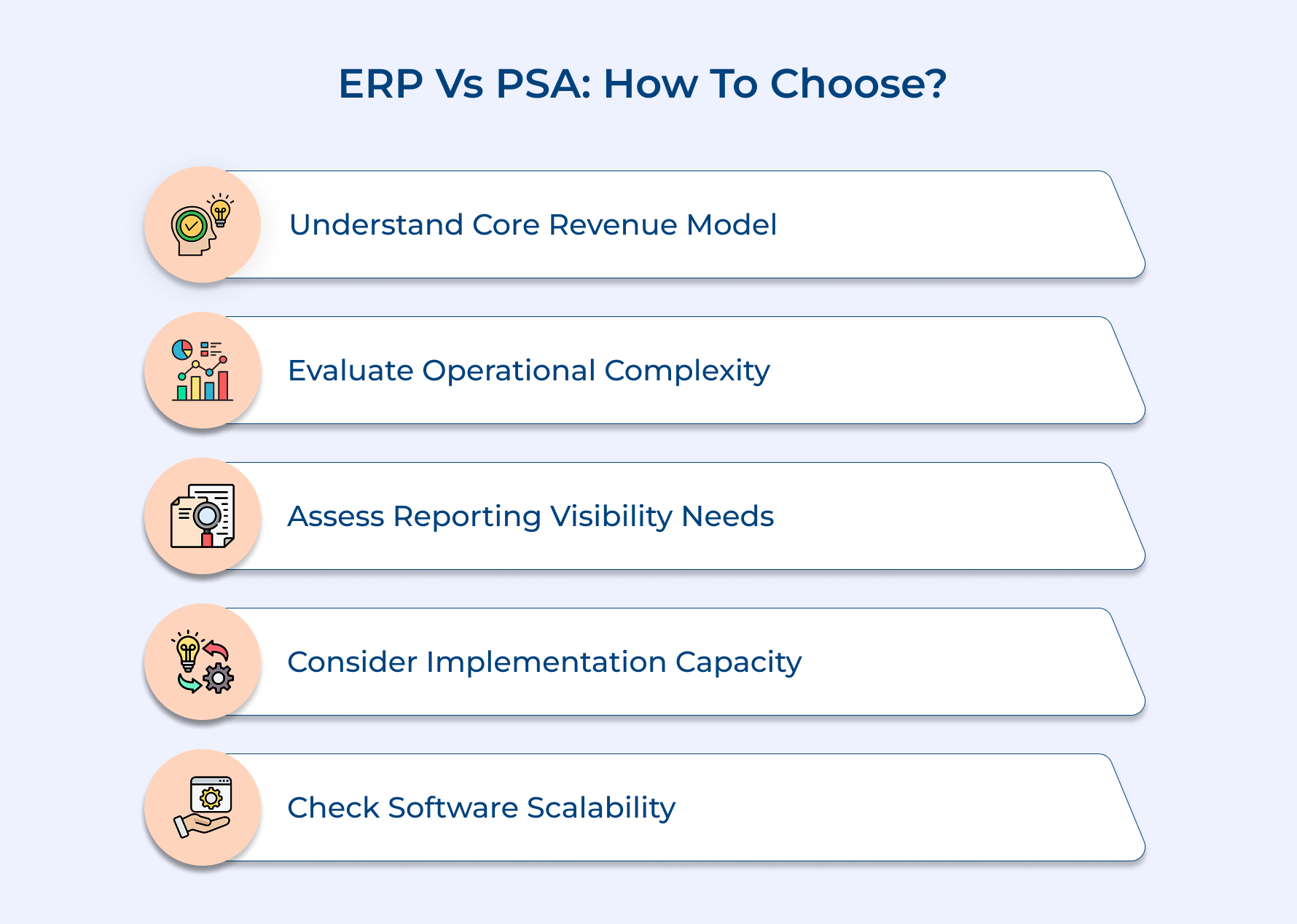
1. Understand Your Core Revenue Model
Know your core revenue model by asking one simple question: Does your business create revenue through service or selling products? If billable hours and project margins are the answer tier then PSA is the right choice.
2. Evaluate Your Operational Complexity
Service businesses always face complexity in managing resources, projects and client expectations across multiple engagements at one time. PSA can handle this to some extent but ERP solves this by connecting procurement, inventory and multi-entity finance across departments.
3. Assess Your Reporting and Visibility Needs
The reports most managers need every week is to tell you about system requirements rather than any vendor demo. Managers looking for reports on resource utilization and project margins, then PSA is clearly a native.
4. Consider Your Implementation Capacity
Apart from the features of a software implementation of it in your organization and ability to absorb is most important. Start a comparison between PSA vs ERP to understand which is faster and more focused for coordination as well as project management.
5. Look for Scalability of the Software
The biggest selection mistake is thinking of the business you are today instead of the one after scaling. PSA can scale with your growing project portfolio, while ERP only manages future complexity around different operations and expansion.
Empower Your Business With the Right Choice Between PSA and ERP Solutions
The right choice between PSA vs ERP comes down to which one protects profitability, real-time data visibility and aligns with your business’s deliverables. A wrong decision leads to operational friction and works against the growth you are trying to build.
- PSA provides operational benefits with resource scheduling, expense tracking and project collaboration that protect profit margins.
- ERP is suited for businesses that need performance analysis along with integration functionalities across finance and multiple departments at scale.
- Select the right solution by evaluating PSA and ERP against your actual revenue model for long-term scalability target.
Start by auditing your biggest operational gap to match the right system to that specific problem. Service firms with the right tool do not just operate efficiently. They grow with a structural workflow that a wrong tool can’t provide.
Limit time — not creativity
Everything you need for customer support, marketing & sales.

Neeti Singh is a passionate content writer at Kooper, where he transforms complex concepts into clear, engaging and actionable content. With a keen eye for detail and a love for technology, Tushar Joshi crafts blog posts, guides and articles that help readers navigate the fast-evolving world of software solutions.