PSA vs CRM: Complete Comparison for Service Businesses
- What Is Professional Services Automation Software (PSA)?
- Key Benefits of Professional Service Automation (PSA) Software
- Key Features of PSA Software to Consider
- What Is Customer Relationship Management (CRM)?
- Benefits of Customer Relationship Management (CRM) Software
- Key Features of CRM Software to Consider
- Key Differences Between PSA vs CRM for Service Teams
- Use Cases of PSA vs CRM Software Across Industries
- PSA vs CRM: Use Them Together for Business Success
- FAQs about PSA vs CRM Comparison
Key Highlights:
- Most service businesses lose profit margins as well as client trust by using PSA and CRM alternatively for operational problems.
- CRM manages all sales and customer acquisition-related activities, while PSA handles everything after the contract is signed.
- PSA vs CRM comes down to one core difference, which is relationships before the deal versus operations after the deal closes.
Do you know that most service businesses are facing two problems at the same time: struggling to deliver projects profitably and losing client deals. It is because relationships fall through the cracks. The frustrating part is that both problems have solutions, but teams are using the wrong tool for the wrong situation.
Service businesses that align the right tools to the right workflows help in improving profit margins as well as deliverables by up to 20%. Using PSA and CRM interchangeably quietly reduces margins and client trust at the same time.
As a service leader, follow this guide exactly to understand where PSA vs CRM diverges in core purpose, features and real industry use cases. Completing the guide will help you choose the right tool to solve specific problems.
What Is Professional Services Automation Software (PSA)?
Professional Services Automation software is an all in one operational platform built for service-based firms to manage their entire project lifecycle within a unified system. PSA combines project delivery, resource planning, CRM and client billing so that nothing is missed across service operations.
How a PSA Works for a Service Business?
PSA software connects the core operational layers of a services business so that every team works from the same data. Considering an example of a new project kicking off, the system automatically pulls in resource availability and allocates it to the right timelines. It begins tracking billable hours against the budget in real time.
Key objectives:
- Resource utilization and optimization: Make sure the right people are assigned to the right projects based on the needs.
- Project profitability tracking: Monitors budget and actuals benchmark at every project stage to protect margins.
- Accurate time and billing: track billable hours in real time and convert them into client invoices without human intervention.
- Delivery visibility: Clear visualization of project health, milestones, and risks across the entire portfolio.
Key Benefits of Professional Service Automation (PSA) Software
The key benefits help you to understand the direct impact of how a business delivers and grows with the right PSA Software.
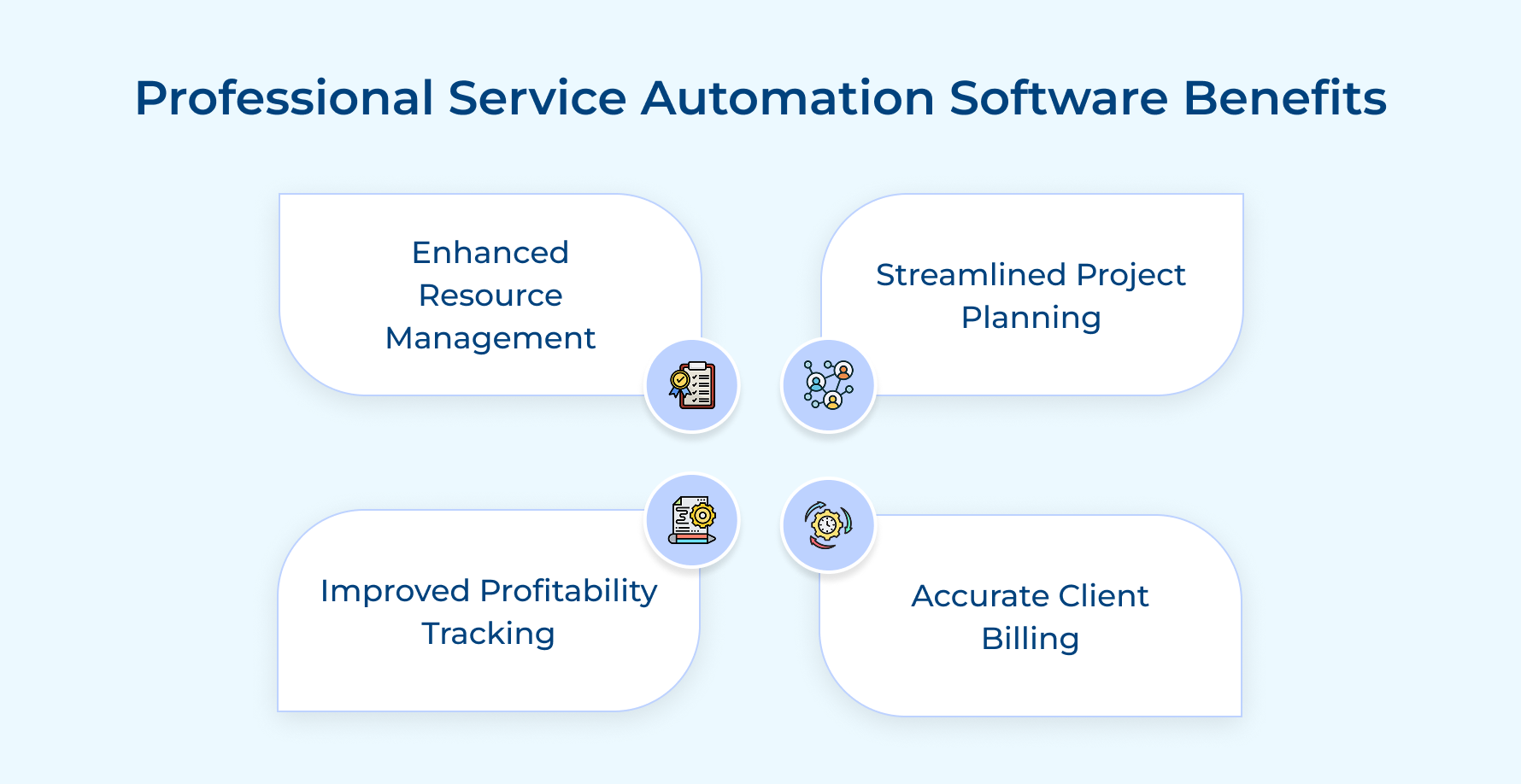
Enhanced Resource Management
PSA in comparison to CRM software provides businesses with real-time view of resource utilization vs skill gaps that exist across active tasks and projects. It prevents costly overcommitment that leads teams beyond actual delivery capacity.
Streamlined Project Planning
A single planning environment where timelines, budgets, and dependencies are managed together replaces scattered spreadsheets. PSA software helps teams to spend less time switching between tools in comparison to CRM and more time delivering productive work.
Improved Project Profitability Tracking
Track budget and actual costs in real time so businesses catch margin loss before it damages the outcome. It gives finance and project delivery teams the same accurate picture at each project stage.
Accurate Client Billing and Invoicing
PSA software helps in converting tracked time into clean client invoices to avoid billing errors across the project lifecycle. It helps in protecting both the client and revenue that the Project delivery team has already earned from the service.
Key Features of PSA Software to Consider
These key features are not generic capabilities, but the operational backbone for serious project management in professional services and consulting firms. Let’s explore the features in detail:
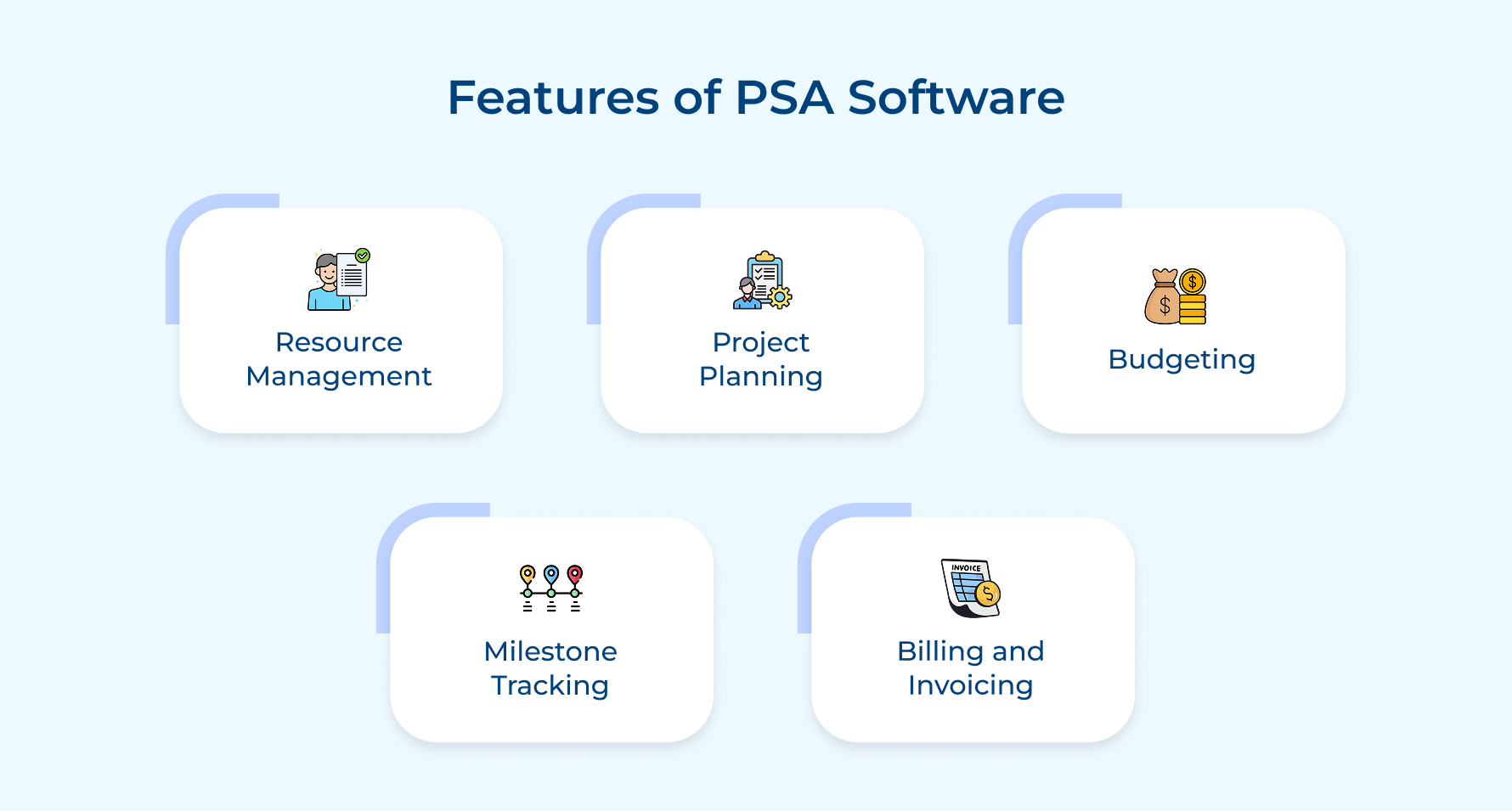
Resource Management
PSA, in comparison to CRM gives project operations leaders a clear visualization of team capacity, planned vs actual resources for efficient allocation. So what happens without this visibility? Services firms consistently over-allocates top performers while leaving others underutilized.
Project Planning
PSA structures every project by defining scope, timelines and resource requirements before a single billable hour is logged. Teams that plan inside PSA can spend more time executing against a clear operational roadmap.
Budgeting
Connects project budgets directly to resource costs, enabling real-time monitoring of financial targets throughout delivery. Budgeting helps prevent overruns that build gradually in service businesses to catch that drift before it becomes damage.
Milestone Tracking
Think of your project milestone feature as an operational checkpoint that identifies delays before they escalate to larger delivery problems. For example, a missed milestone is not a scheduling issue. It is usually an early signal of a deeper resource or scope problem.
Billing and Invoicing
Convert tracked time directly into accurate invoices without manually chasing timesheets. So how does invoicing work? Billable hours logged in project delivery flows automatically convert into invoices to eliminate revenue leakage and profitability.
What Is Customer Relationship Management (CRM)?
Customer Relationship Management (CRM) software is a centralized platform that manages every interaction with prospects and customers across the entire sales lifecycle. It combines contact data, communication history and deal pipelines so teams have full customer information in one place.
CRM has a difference in the working process in comparison to PSA, which is mainly Sales vs Service. Sales CRM mainly focuses on activities such as client identification, negotiation and successful deal closure, while PSA manages the delivery process of the client after deal completion.
CRM captures every touchpoint a business has with a customer. This gives every team member access to the full relationship history without emails or disconnected notes.
Key Factors:
- Sales pipeline visibility: Manage deals across each stage for sales teams to know exactly where to focus their effort.
- Communication tracking: centralize every email, call and meeting automatically so no interaction is lost.
- Revenue forecasting: Sales leaders get clear pipeline data for an accurate and reliable view of expected revenue within a defined time.
Benefits of Customer Relationship Management (CRM) Software
Here are five benefits that directly shape how a business wins and retains customers.
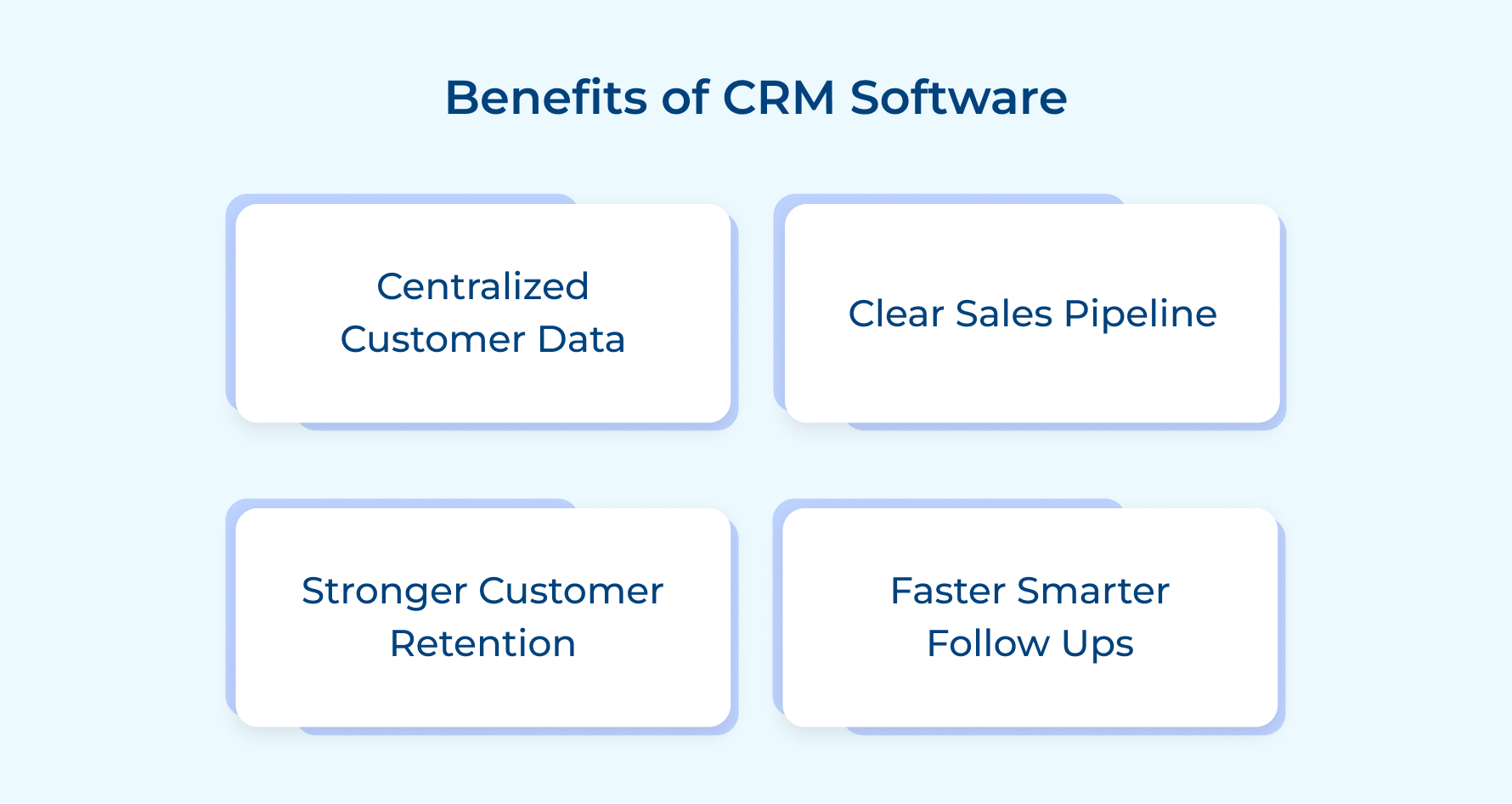
1. Centralized Customer Data Management
CRM unified interaction, deal history, and communication into one place. It helps teams to never waste time hunting for scattered information and provides full customer context without any guesswork.
2. Improved Sales Pipeline Visibility
In comparison to PAS, which manages all business operations, CRM gives a live view of every deal across every stage and maintains revenue. Leaders can spot bottlenecks early and prevent a slow pipeline from turning into a missed revenue target.
3. Stronger Customer Retention
Tracks engagement patterns and relationship health to identify accounts that are on risk. It helps in proactive relationship management at this level and consistently manages churned customers.
4. Faster and Smarter Follow-Ups
CRM automates follow-up reminders for the sales team to maintain client engagement and satisfaction exactly at the right moment. This outreach builds trust with prospects and shortens the time to seal closure.
Key Features of CRM Software to Consider
Features of CRM are the operational backbone of revenue management for businesses looking to improve operations. Let’s explore the features of good CRM Software.
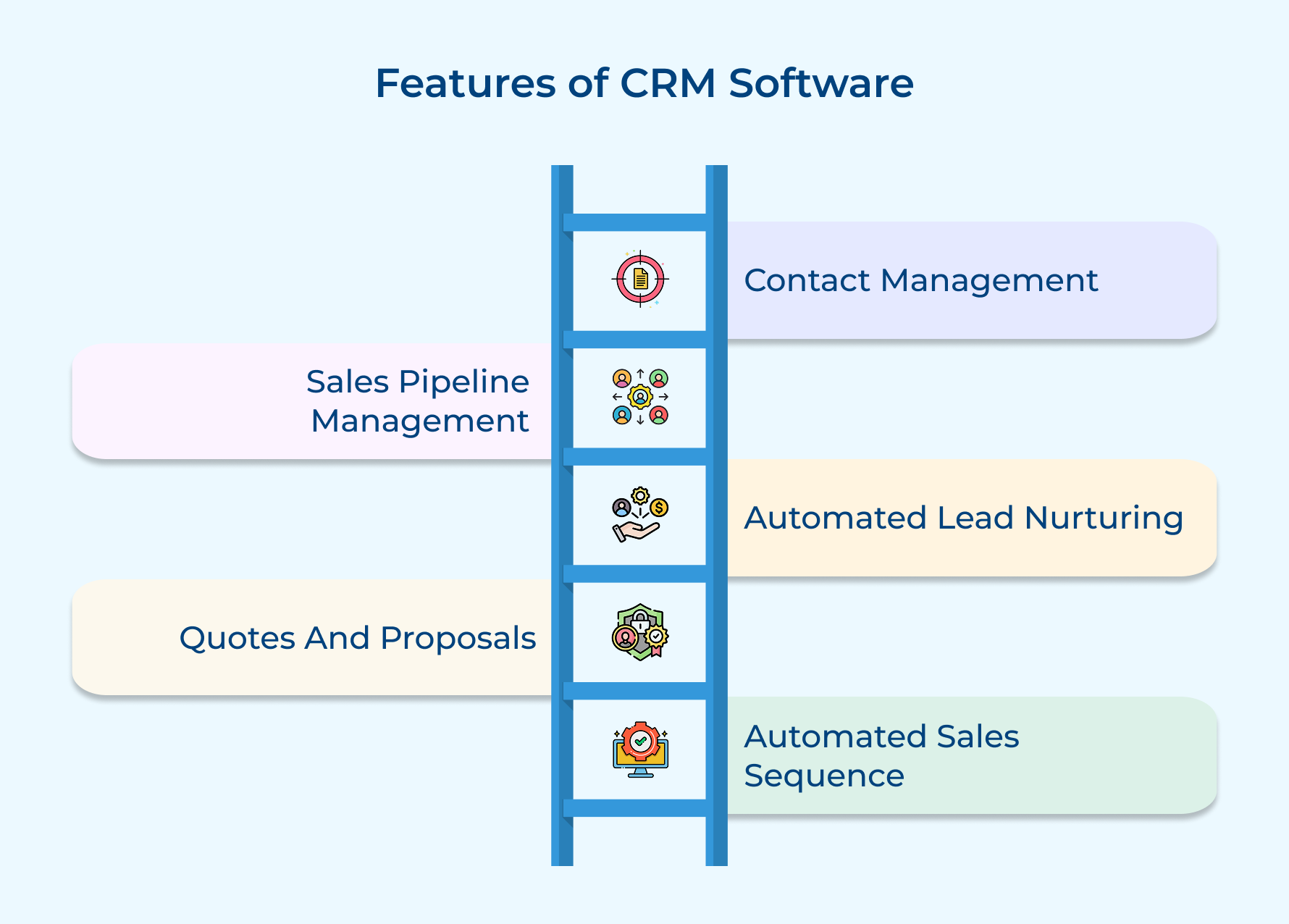
1. Contact Management
Provides a complete record of every prospect, client and stakeholder interaction in one unified place. Consider an example where a relationship owner leaves the business, the client data also goes. CRM works as a charm by providing centralized contact management so that data remains with the organization.
2. Sales Pipeline Management
Sales teams use pipeline management to view every deal across each stage. It helps sales managers to spot stalled deals early and take measures before a weak pipeline turns into a missed revenue target.
3. Automated Lead Nurturing
CRM automates follow-up sequences for prospects to consistently engage across a complex buying cycle. The nurturing process converts into an individual discipline when sales automation is missing, leading to a fragile foundation for any revenue operation.
4. Quotes and Proposals
CRM acts as PSA by connecting proposal creation into pipeline data for the sales team to generate accurate quotes and invoicing without switching between tools. It gives leadership visibility into which deals are actively progressing.
5. Automated Sales Sequence
Sales sequence streamlines the entire sales outreach sequence by triggering the right message to the right prospect. The feature separates businesses from those that rely on individual effort to drive revenue.
Key Differences Between PSA vs CRM for Service Teams
Choosing between PSA and CRM is all about picking the right tool for what your team actually does. Understanding these differences helps teams to decide with clarity and confidence.
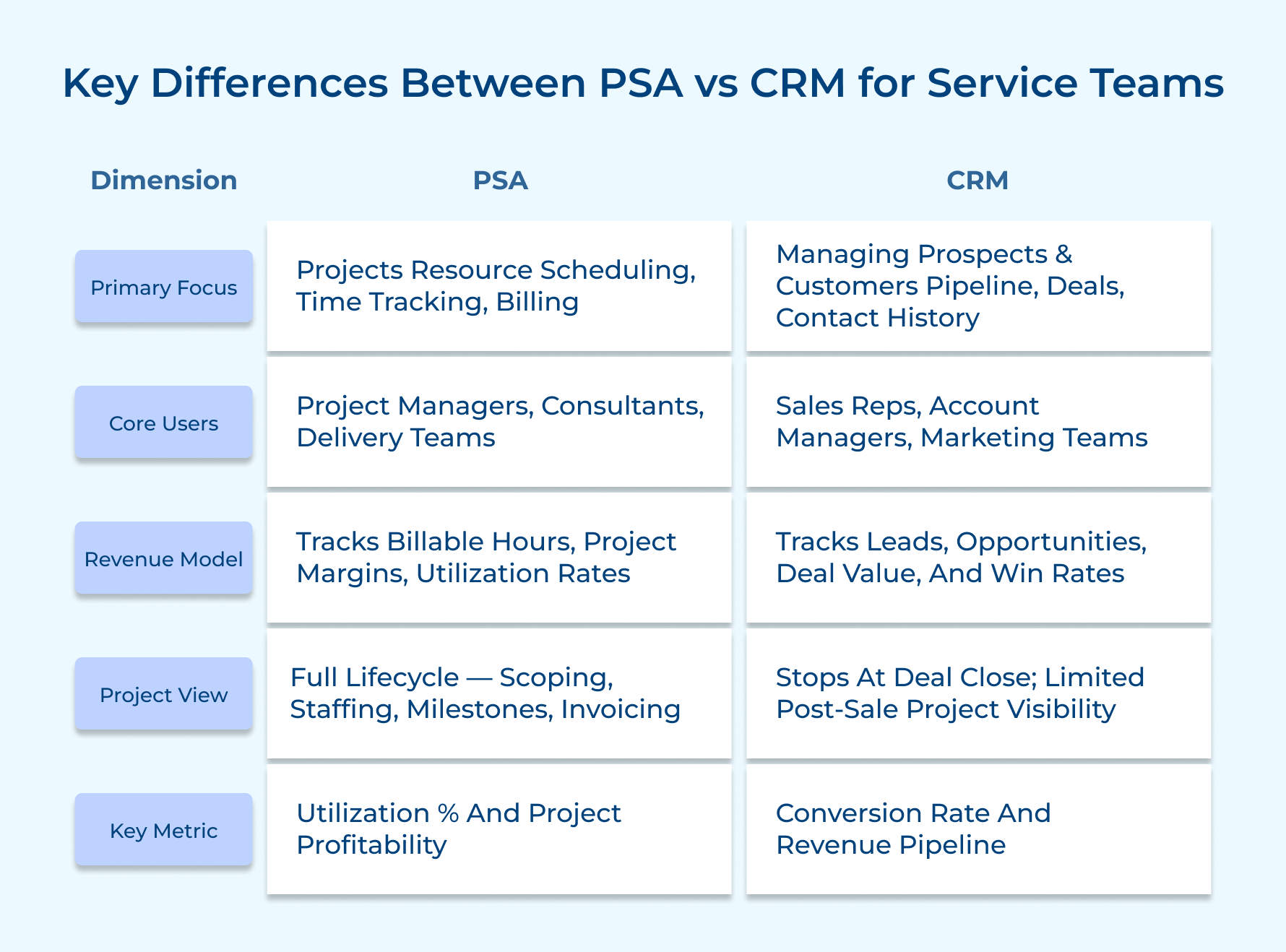
1. Core Purpose and Operational Focus
PSA software is used to manage the internal delivery engine of a services business within a single operational system. It treats every client engagement as a unit that must be planned, staffed and closed profitably.
Most service businesses have confusion between having a project tool and an operational system. PSA is fundamentally the latter as it connects every delivery decision directly to a financial and resource outcome.
Consider these questions before choosing any tool:
- Do you have any team managing project delivery or relationships?
- Do you follow success based on utilization rates and project margins?
- Are resource budget overruns your biggest headaches?
CRM, in comparison to PSA software, manages the external relationship and profitability across the entire business lifecycle.
Consider a situation where your business’s loss of high-value deals is because of bad follow-up. CRM works precisely to eliminate the problem directly at the structural level.
Key Takeaways:
- PSA manages what happens after the client signs the contract.
- CRM manages all activities that happen before the contract to maintain proper relationships.
2. Resource Management vs Contact Management
PSA software tracks skills, availability, utilization rates and project allocation across the entire team. It flags double-booked issues to project managers before it becomes a escalations.
Most common resource management gaps that PSA directly overcomes:
- Projects are assigned based on resource availability rather than skills and utilization balance.
- Resource conflicts are directly encountered during project delivery rather than during the planning phase.
So what’s the difference between CRM vs PSA in terms of contact management? CRM software manages people’s interaction history, deal involvement, and communication timelines.
Key Takeaways:
- PSA maintains clear accountability for resource management and allocation for projects.
- CRM makes sure the relationship stays with the business regardless of team changes.
3. Financial Tracking vs Deal Tracking
The difference between a PSA and CRM software is that it tracks project finance in real time with features such as budgeting, billing and invoicing throughout the delivery lifecycle.
What is the biggest issue for firms? Scope creep is the silent margin killer, which can be overcome by using PSA software. Most service businesses realize their financial tracking is broken during the following situations:
Budget overruns are discovered during client invoicing instead of during planning.
Project margins calculated manually in spreadsheets weeks after delivery.
CRM on the other hand, tracks deal financials at the pipeline level by measuring win rates across the sales cycle. It gives leadership a live view of expected revenue without relying on gut feeling or status calls.
The critical differences between PSA vs CRM are that PSA tracks budget spent during delivery, while in comparison CRM tracks revenue generated through sales. Both management have completely different financial aspects.
4. Project Lifecycle Management vs Customer Lifecycle Management
PSA software manages the full project lifecycle, starting from scoping and resourcing through execution, as well as final billing. It gives a real-time visualization for delivery teams to never chase updates across disconnected tools.
Think of PSA tools as your operational control tower, showing detailed project risk and milestones. PSA manages the service operations and not tribal knowledge that silently erodes margins.
Consider these questions to evaluate where your project lifecycle stands:
- Is your team spending more time on project status than actually delivering?
- Does switching between project phases create confusion, delays or lost information?
- Can your team see the project health from 1 centralized place?
CRM, in comparison to PSA, manages the full customer lifecycle as one connected relationship journey to make sure prospects are nurtured consistently and customers’ satisfaction never feels abandoned.
Key Takeaways:
- PSA brings structure, visibility and financial discipline at every project.
- CRM controls relationships by keeping prospects moving through the sales funnel after the deal closes.
5. Utilization Tracking vs Engagement Tracking
PSA in comparison to CRM, tracks team utilization rates by measuring available capacity is spent on billable vs non-billable work. It helps service businesses to improve profitability without adding headcount.
Consider the example of a team running at 65% billable utilization, but the target is 80%, leaving significant revenue every month. PSA reduces the gap in real time so leadership can address it before it escalates.
Follow these examples of utilization signals where PSA visibility is needed:
- Instead of tracking, real-time utilization rates are calculated manually at month-end.
- Managers not able to identify which resources are consistently under-utilized across projects.
CRM software tracks customer engagement, meeting history and relationships across every active account. It helps in identifying relationships which are the team which are warm and those that are going cold.
6. Delivery Risk Management vs Relationship Risk Management
PSA software identifies delivery risks and flags projects that are behind schedule or under-resourced. It converts your delivery team into a proactive risk management group across the entire portfolio.
PSA gives visibility into intervening at the right moment instead of managing fallout after client confidence is lost.
Most delivery risks follow a predictable pattern that worth knowing:
- Scope creep starts from week two but is only identified in week eight at the end of the budget.
- Instead of the project planning phase, resource shortages are identified during the delivery phase.
CRM software identifies relationship risks early by tracking disengaged accounts and clients who do not respond after a period of communication.
Relationship risk is more difficult to recover in comparison to delivery risk because by the time it is identified, the client has decided to leave internally. CRM analyzes and informs about engagement patterns that signal trouble in advance.
Use Cases of PSA vs CRM Software Across Industries
PSA and CRM serve across different operational needs. Understanding your industry needs helps businesses make a faster and smarter software decision.
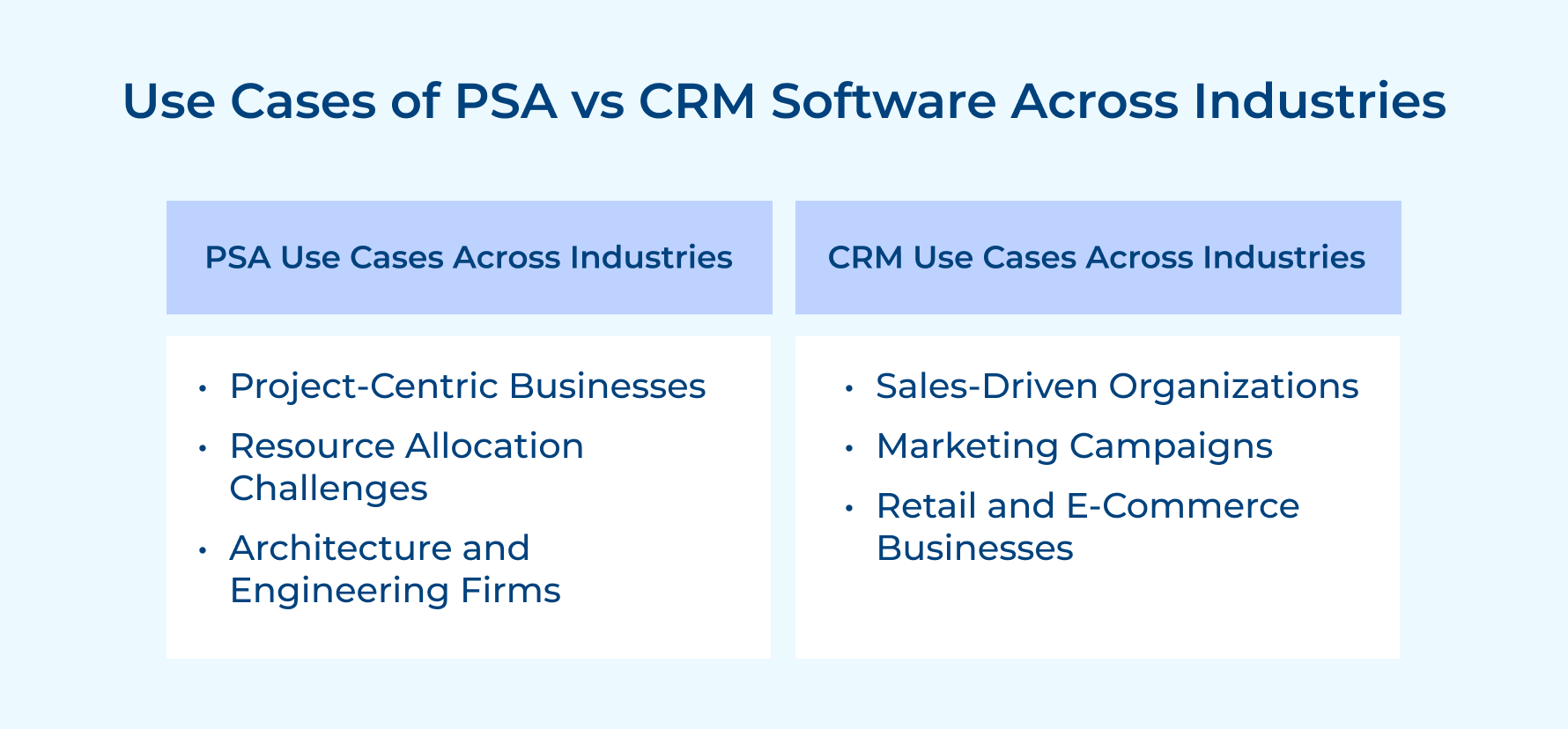
PSA Use Cases Across Industries
1. Project-Centric Businesses
PSA solution is ideal for professional services firms that rely on managing complex multi-phase projects where resource allocation and margin tracking are non-negotiable. A wrong software selection does not help the firm to accurately measure project profitability.
2. Resource Allocation Challenges
Managed service providers use PSA because, in comparison to CRM, it matches the right talent and right resource with the best engagement when needed. Misallocation does not just hurt delivery quality but directly compresses margins and damages relationships.
3. Architecture and Engineering Firms
Architecture and engineering firms use it to manage long-horizon projects where resource plans shift and budget overruns occur over months. PSA gives real-time visualization to catch cost deviations before it become irreversible.
CRM Use Cases Across Industries
1. Sales-Driven Organizations
B2B sales organizations use CRM and PSA to manage complex deals where every follow-up must be tracked across the buying cycle. CRM deals stall not only because the product is wrong but also because the relationship momentum dies.
2. Marketing Campaigns
CRM is ideal for marketing agencies to connect campaign activity directly to the sales pipeline to generate qualified opportunities. This connection between marketing and revenue impact is not possible to track accurately without CRM.
3. Retail and E-Commerce Businesses
Retail and e-commerce businesses use data to track purchase history and trigger personalized campaigns at the right moment. Customer acquisition costs don’t only make CRM-driven retention but a direct profitability lever for the business.
PSA vs CRM: Use Them Together for Business Success
PSA and CRM together solve fundamentally different problems that every growing business faces. Choosing one over the other is not a strategic decision. It builds an operational gap that can become an expensive mistake.
- PSA gives real-time visibility into resources, budgets and project health to protect delivery margin.
- CRM keeps relationships warm, pipelines moving and client engagement consistent to protect business revenue.
- Organizations that combine PSA and CRM as a connected system scale both project delivery quality while maintaining revenue.
Audit where your biggest operational gap sits today and put the right tool in place where it fits.
The best Service businesses that want to scale are not choosing between PSA and CRM instead, they are running both as two halves of the same operation.
Limit time — not creativity
Everything you need for customer support, marketing & sales.

Neeti Singh is a passionate content writer at Kooper, where he transforms complex concepts into clear, engaging and actionable content. With a keen eye for detail and a love for technology, Tushar Joshi crafts blog posts, guides and articles that help readers navigate the fast-evolving world of software solutions.