What is Resource Loading: Formula, Chart & Best Practices
- What is Resource Loading in Project Management?
- The Importance of Resource Loading In Project Management
- What Is The Difference Between Resource Loading And Resource Leveling?
- How Do You Calculate Resource Loading In Project Management?
- How to Create a Resource Loading Chart: 6 Steps in Project Management
- Factors That Impact Resource Loading in Project Management
- Practical Examples of Resource Loading in Project Management
- Challenges in Resource Loading and How to Overcome Them
- Elevate Your Productivity With Intelligent Resource Loading
- FAQs About Resource Loading

Key Highlights:
- Resource loading tracks assigned hours against available hours for each team member to get real visibility into capacity before missing a deadline.
- Skillset availability, task complexity, team size and cross-project directly impact resource loading accuracy.
- The only way to expose true overcommitment before it turns into burnout by tracking hours across all active projects
Ever wondered why some members of the project team burn out while others sit idle? Usually, this happens when there is a gap in checking workload against real capacity.
Resource loading fixes this by analyzing assigned hours against available hours to catch an imbalance before it turns into missed deadlines.
Understand the resource loading formula, benchmark and a step-by-step process for calculating. At the end of the blog, you will know exactly how to spot overload early and fix it with real-time data, instead of assumptions.
What is Resource Loading in Project Management?
Resource loading refers to the assignment and management of specific work hours to each team member across a project timeline, instead of listing them in a spreadsheet. It tracks the exact capacity used at any given point.
Most managers only track tasks and deadlines but ignore the people to achieve them. Resource loading flips this by mapping actual work hours in each resource calendar based on weeks.
This matters because a schedule that looks fine on paper might feel forcefully loaded on your best resource.
Key objectives:
- Workload matching with actual available hours, not assumed availability
- Identify overallocation before it transforms into missed deadlines
- Real-time view of all available and unavailable resources
- Support accurate budgeting by tying hours directly to cost
The Importance of Resource Loading In Project Management
Resource loading not only schedules but also indulges in controlling profitability and delivery speed for project management.
Follow the numbers that say about the benefits of resource loading and utilization in service :
- Billable resource utilization rates fell to 68.9% in 2024, which is lower than the 75% threshold affecting revenue generation.
- 20% of organizations cited improving utilization as the second-most-prioritized resource management objective.
- Resource utilization improvement and productivity are key objectives for 60% of organizations.
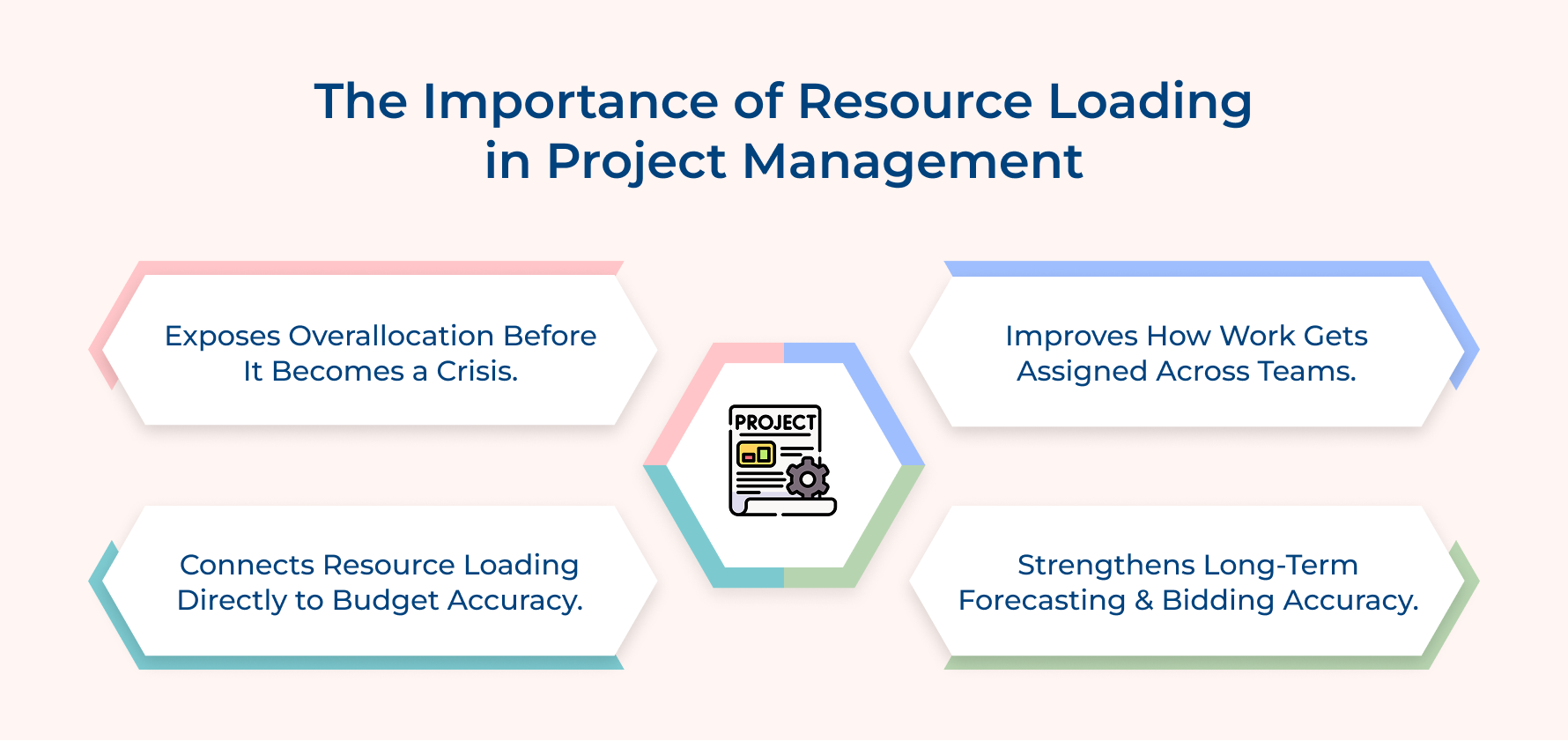
Exposes Overallocation Before It Becomes A Crisis
A solid resource loading plan reveals people who are sitting at 130% capacity long before deadlines are missed. Teams get visibility to rebalance the load instead of scrambling once the damage has already been done.
Connects Resource Loading Directly To Budget Accuracy
Every hour allocated to a person includes a real cost that adds up fast across a project timeline. A structured resource loading sheet turns those scattered hours into a reliable forecast for the entire project team.
Improves How Work Gets Assigned Across Teams
The loading plan gives managers full visibility into actual bandwidth across each team member instead of just assumptions. It leads to tasks matched based on the right skills and available hours instead of a gut feeling.
Strengthens Long-Term Forecasting And Bidding Accuracy
Consistent resource loading across multiple projects builds a historical data trail over time. This trail makes future estimation and client proposals far more reliable than rough assumptions pulled from memory.
What Is The Difference Between Resource Loading And Resource Leveling?
Both resource loading and resource leveling are two terms for completely different problems, where one is about visibility, while the other is about correction. Let’s explore the difference in details
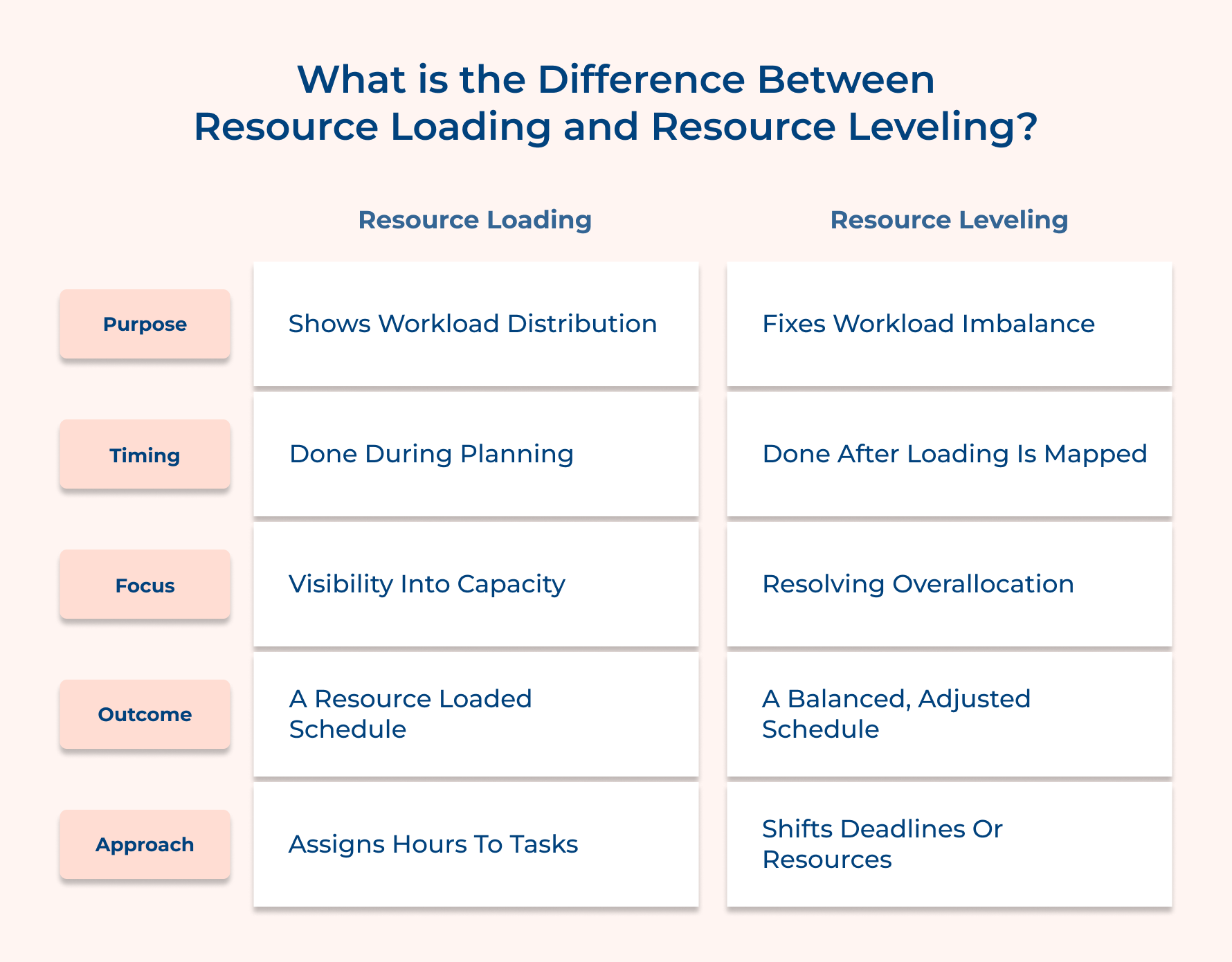
Purpose
Resource loading exists purely on the amount of work assigned to each person across the timeline. Get visibility into who is doing what and how much time consumes.
Resource leveling fixes the imbalance that usually gets revealed and smooths the numbers back down to something sustainable across the entire project lifecycle.
Timing
Once tasks are divided and assigned, resources are loaded to align the right people. A planning-stage activity that defines the baseline for everything that follows in the project delivery cycle.
The correction phase happens after that threshold limit is reached. It usually kicks in once conflicts or overcommitment start showing up within the calendar of resources.
Focus
Your resource loader is an entirely diagnostic tool that maps hours against available time. It stays neutral with respect to whether the numbers look good or bad at that particular project stage.
In comparison is resolves the specific conflicts that get exposed due to overallocation, of resource scheduling clashes or skill mismatches. It helps in adjusting the resource loading plan instead of just describing it.
Approach
Build a project schedule with a loader for assigning hours to tasks and tasks to people. No adjustments are made here. Only raw resource allocations are done based on project requirements.
Resource leveling is much more flexible, shifting start dates, extending deadlines or reassigning people to reduce bottlenecks. It is slow, but in exchange provide something that allows people to actually sustain.
How Do You Calculate Resource Loading In Project Management?
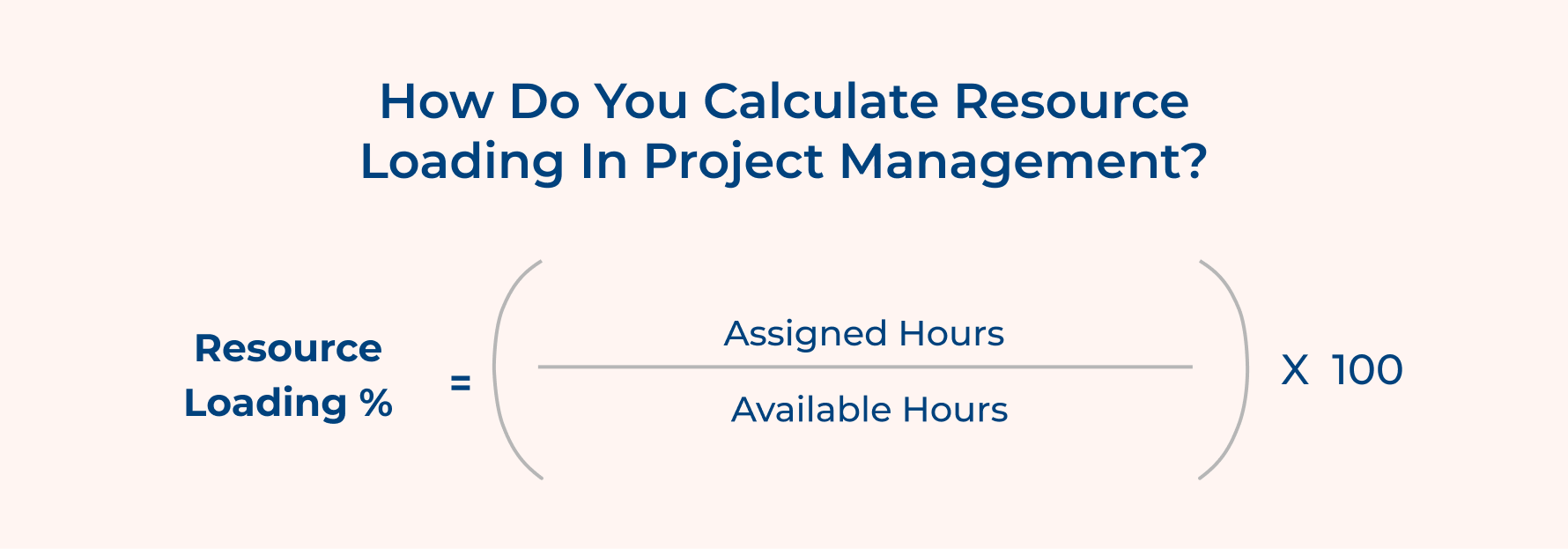
Compare assigned hours against available hours for each resource to identify proper loading across the project. It reveals whether your team member is over or underutilized.
Formula:
Resource Loading (%) = (Assigned Hours / Available Hours) × 100
- Assigned hours: total hours assigned to a resource across all active tasks.
- Available hours: total working hours available to the resource within the given period, excluding leave and holidays.
What’s considered a healthy loading percentage? 80-85% resource loading targets of most teams, leaving enough room for unplanned changes without breaking the schedule.
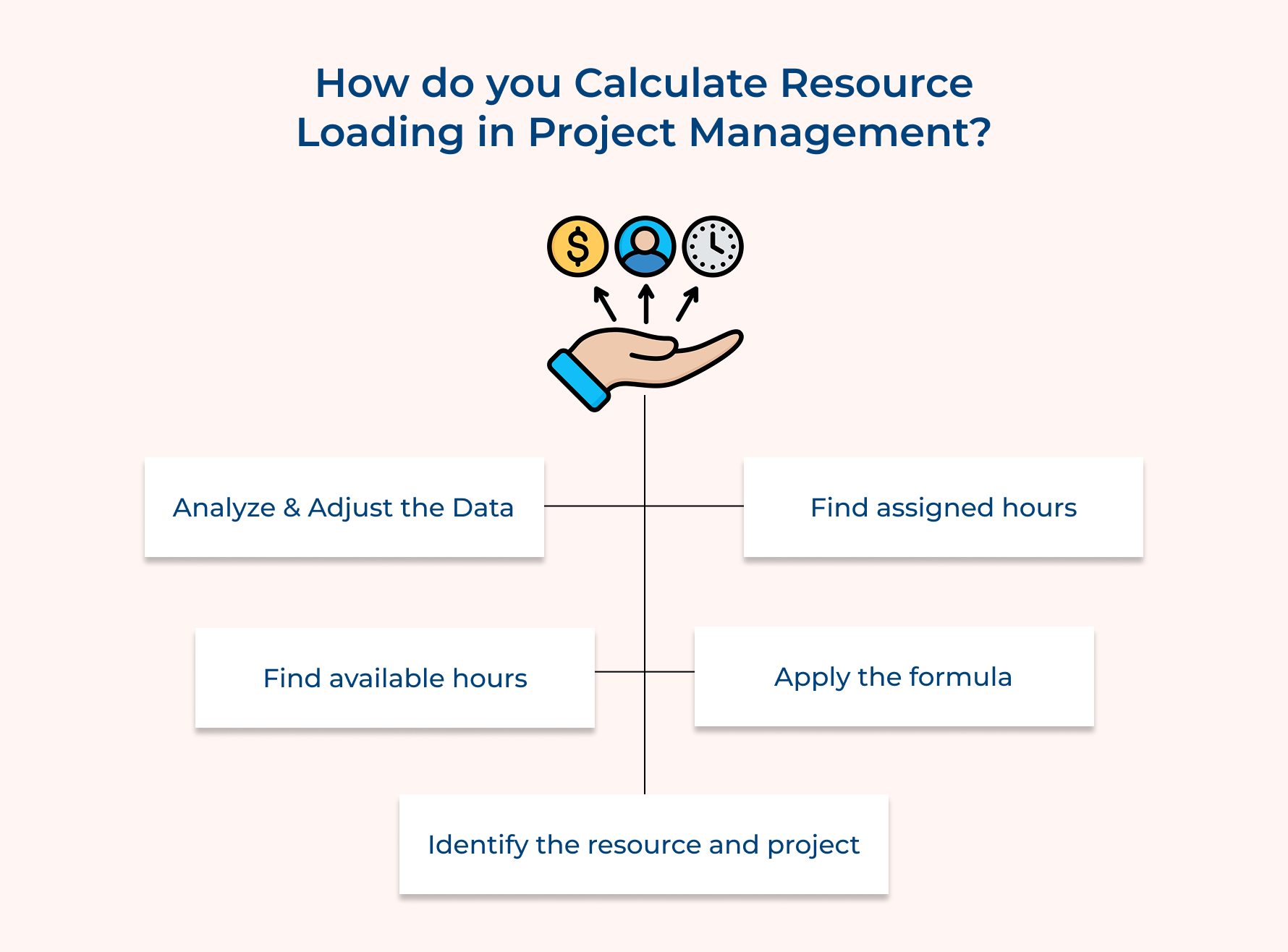
1. Identify the resource and project
Your Resource loading plan chat starts by listing every resource along with role, skill set and seniority level. Listing defines the benchmark for accurate tracking across the entire team to avoid difficulty fixing it later.
So what happens when most managers skip this step? Often leads to miscalculated resource loading since hidden resources get left out. A complete resource list spots skill gaps and over-reliance on specific people before allocation starts.
Run through this quick checklist to start identifying resources:
- Is the resource list completely prepared?
- Are roles clearly defined for each role for specific deliverables?.
- Are the project scope and objective finalized based on the available resources?.
Pro tip: Use Automation that updates your shared resource directory as people join or leave the project to avoid the process starting from scratch each time.
2. Find assigned hours
Calculate the total hours committed by each resource across all tasks to identify the real workload pulled in from other teams or initiatives. Many managers only focus on people hours within their own project, ignoring other tasks. It creates false confidence in terms of numbers.
Consideration before finding the assigned hours for a team member:
- Confirm active tasks: Check the task list across all active projects that each resource is currently working on.
- Verify logged estimates: Review time estimates recorded within a timesheet with respect to each allocated task.
3. Find available hours
State the total working hours each resource has within the defined time frame, which excludes holidays, planned leave and non-project commitments.
- Standard working hours: Define a standard baseline of weekly hours for the resource’s role, contract or location.
- Approved time off: Mark holidays, vacations or partial availability booked during the period.
- Blocked time: Hours utilized in recurring client meetings, training, or administrative tasks.
There will hardly be any available hours since meetings, training sessions and administrative work quietly take up productive time every single week.
4. Apply the formula
Knowing assigned hours and available hours isn’t enough. You need to calculate it by dividing and multiplying the result by 100 to get a clean loading percentage.
Resource Loading (%) = (Assigned Hours / Available Hours) × 100
Consider, for example, if a resource has 36 assigned hours against 40 available hours, the loading is 90%, which comes under most benchmark ranges for better project management.
Is running this calculation as a team best? No, execute for each person since averages tend to hide individual workload behind a comfortable team.
Apply this formula based on these factors:
- Use the same time period: consider the same week or month to calculate both assigned and available hours.
- Calculate per resource: Avoid pooling hours across the team, since it masks individual imbalance completely.
- Recalculate after changes: Re-run the formula every time when a task gets reassigned or the scope changes.
Pro tip: Build a simple sheet with one row for each resource and live formulas to make sure loading percentages update when there is a change in scope.
5. Analyze and Adjust the Data
Compare the calculated percentage with the defined benchmark and flag anyone sitting above or below it. A score above 100% means overallocation, while a score within 80% is unused capacity that needs re-assignment.
So, can the analysis numbers alone fix the imbalance? No, though generating numbers is non-negotiable. The real value comes from acting on the insights about your team’s actual capacity.
Adjust your resource loading approach to improve the percentage by:
- Reassign tasks
- Extend timelines
- Bring in additional support based on gaps.
How to Create a Resource Loading Chart: 6 Steps in Project Management
These essential steps in project management help you master the art of resource loading and make sure that you lay out a roadmap for success.
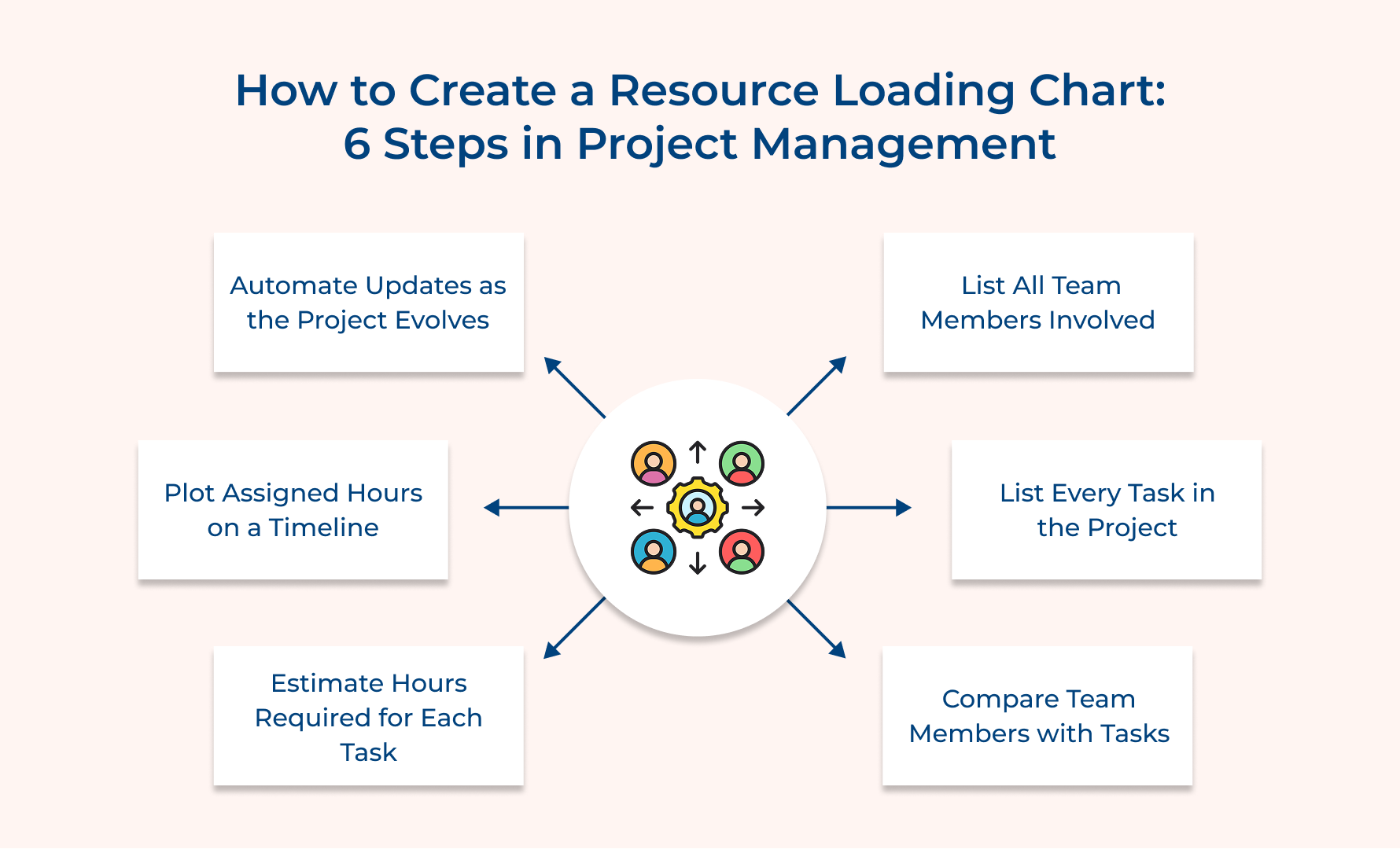
1. List All Team Members Involved
The foundation of accurate resource loading starts with listing every team member. Prevents hidden gaps in capacity planning and overload calculations later in the project.
Consider asking these questions before listing members:
- Which resource is currently active on this project full-time?
- Which part-time staff members contribute hours to the project?
- Are any resources shared in multiple ongoing projects at the same time?
A complete identified team list builds the resource loading chart based on real capacity instead of assumptions. It gives stakeholders a single source of truth for answering the staffing questions.
So, how to list all team members involved in the project?
- Pull from the project charter: Since charters often go stale, cross-check the official team against current task assignments.
- Include shared resources: Add any members who are switching across departments, even if not core team members. Their availability affects your overall resource capacity.
- Verify contractor status: Confirm contract end dates as temporary staff can disappear mid-project without giving a warning.
- Map seniority levels: Keep a record of each member’s experience level to track the speed of completing assigned tasks without any blockers.
2. List Every Task in the Project
Once the team member list is done, it’s time to list every task, as it turns broad project scope into a structured list for proper work hour estimation. It gives the team a clear inventory to identify work that requires cover-ups.
Follow these effective ways to list every task for better resource loading:
- Break down by deliverable: Split all major deliverables into smaller sub-tasks and assign clear ownership to keep task lists synced with project outcomes that are difficult to predict.
- Use a work breakdown structure: Utilize a WBS to reorganize tasks under each phase or milestone. Use this to spot missing work before the project starts executing.
- Pull from historical projects: Take reference from past projects to identify common forgotten items. Most recurring projects require a common task list, which can be extracted from previous projects’ data to save planning time.
How detailed will the task list be? It should be simple enough that each task does not take more than a few days. An overloaded task list makes the resource loading unreliable and harder to track.
3. Compare Team Members With Tasks
Compare team members with the task list to ensure the right resources are assigned to the right work. As the name suggests, it exposes mismatches and forces you to confront gaps in coverage instead of discovering them mid-project.
Key factors to consider when performing a detailed comparison:
- Skill alignment: Match the technical requirements of each task with respect to the assigned resource’s actual skill set.
- Current workload: Avoid resource overload by checking existing commitments before adding new tasks.
- Task dependencies: List out tasks that depend on the same resource to avoid a bottleneck in the schedule.
- Experience level: Assign complex tasks to the team members who have managed this type earlier.
So why doesn’t just assigning tasks randomly work instead of comparison? Mismatched assignments cause rework, delay, as well as frustrate team members when stuck on unfamiliar work they have never handled.
Start proper implementation by creating a simple matrix with team members listed against each task. Mark with matches, gaps and overlaps to make sure misalignments become obvious at a glance. Also, review the matrix frequently during scope changes throughout the project.
Pro tips:
- Highlight tasks that are not assigned to resources, as this signals a hiring or training gap in the process.
- Flag tasks immediately that have only one qualified risk, as this creates a single point of failure.
4. Estimate Hours Required for Each Task
The moment you have compared a team member with a task, it’s time to turn your task list into estimating hours followed by a proper schedule. Proper estimation converts abstract work items into units and feeds directly to the loading calculation, making the difference between a theoretical resource chart as well as an actual one for planning.
Use Historical Data From Similar Projects
Past project timesheets reveal the time required to complete in real conditions. It helps in defining new estimates based on real-time performance instead of optimistic assumptions once work starts.
Gather Input From Subject Matter Experts
Experts who have already worked with the task type can easily identify the complexity. Inputs from them are edge cases, technical and risk factors that most historical data often fail to capture.
Factor In Task Complexity and Risk Level
Teams that treat every task as equally predictable lead to chronically inaccurate work hour projections and their resources. It throws off the entire chart downstream. For example, high-risk tasks deserve a wider resource estimate to absorb potential delays.
5. Plot Assigned Hours on a Timeline
Generally speaking, your resource loading chart will start taking shape from here instead of looking like a sheet of numbers. Hours on a timeline transform individual assignments into a visual picture of capacity across the entire project.
What should this accomplish across the project?
- Show workload distribution at a glance: Proper chart review instantly reveals overloaded people and those who have room.
- Reveal capacity over time, not just totals: A timeline review catches resources that were fine in week one but might be overloaded by the fourth week.
- Surface conflicts before they happen: A highly loaded resource period, when overlapping across multiple resources, needs proper addressing before a bottleneck.
Pro tip: Build a timeline in a reliable resource management tool to update the resource tracker automatically. Frequent manual redrawing of changes becomes unsustainable.
6. Automate Updates as the Project Evolves
Most service firms mainly build resource loading charts once and never revise them again. It becomes misleading within a week of active project work. Automation works as a charm here by updating the chart automatically in real time to keep it accurate without manual rework.
So, a question that comes to mind is why do manual efforts fail over time? Projects rarely move exactly as planned with shifts in tasks, scope changes and resources rotating constantly. A chart that depends on someone to update will fail and decisions made from that outdated data create staffing issues.
Define automation based on these trigger options:
- Task reassignment: Task moves to a different resource; the chart will be automatically updated.
- Logged time entries: Resource loading chart syncs in real time to timesheet or task tracker, replacing actual hours with estimates.
- Scope changes: New tasks automatically flow into the chart without manual rebuild.
Want to know if automation is actually making the difference? Check if the resource-loading sheet matches your task tracker seamlessly without anyone having to manually sync.
Make it work better by defining a threshold that identifies a resource the moment it crosses the limit to catch overload in real time instead.
Factors That Impact Resource Loading in Project Management
Resource loading is not just hours on a tracking sheet. Different factors combine together to accurately reflect real project capacity.
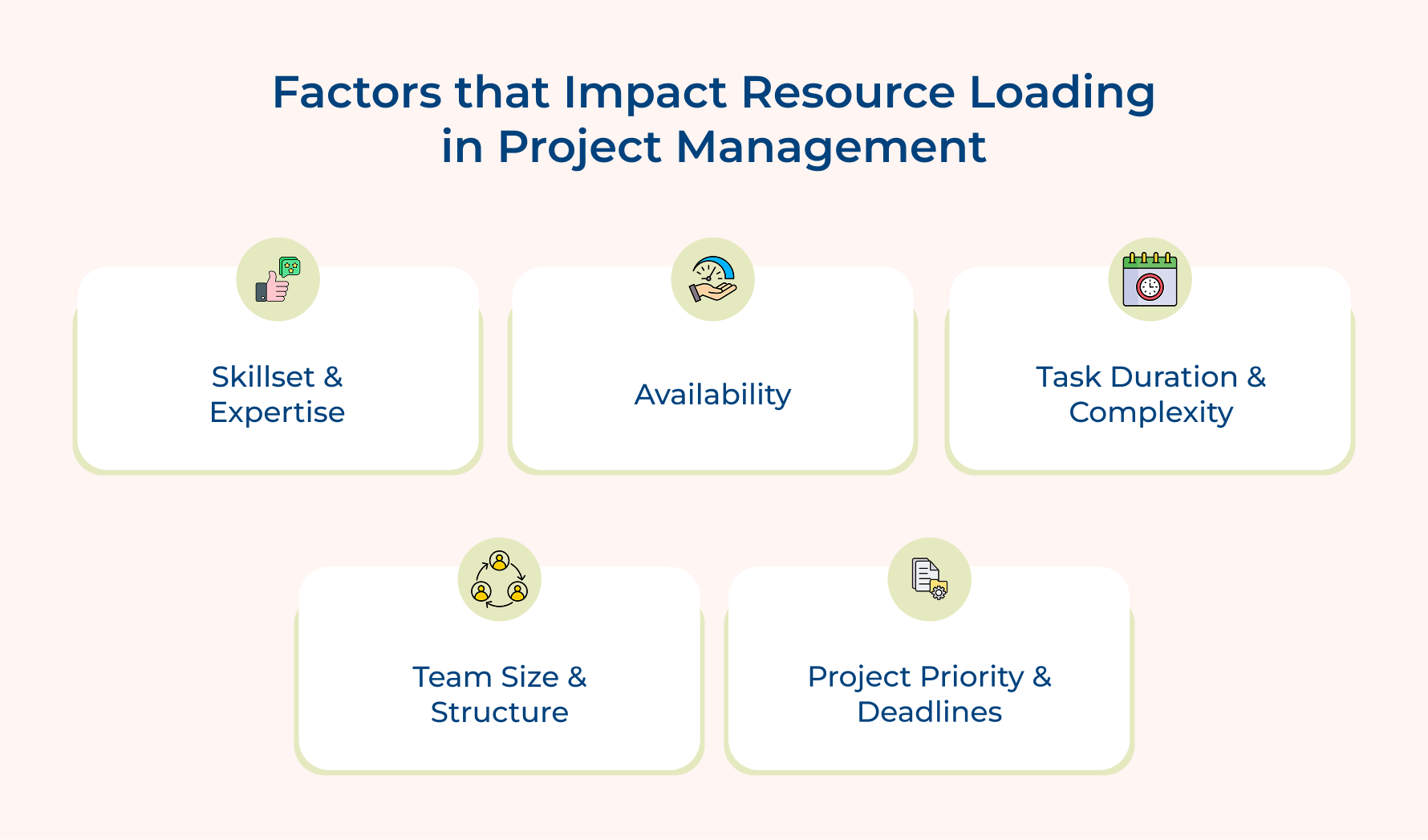
Skillset And Expertise
Resources that have rare skills get highly loaded with tasks frequently because only a few can handle the type of work. It creates a bottleneck as most projects depend on one or two individual resources in spite of the loading percentage.
Availability
Actual hours of most resources are affected by leaves, holidays and project commitments. Better not to treat contracted hours as fully available, as this mistake can inflate capacity and set unrealistic expectations.
Task Duration And Complexity
Most projects have some complicated tasks that consume more hours than predicted, especially when dependencies are identified mid-execution. These tasks without a buffer time quietly push resources past their loaded plan.
Team Size And Structure
Smaller teams depend more heavily on fewer people, which makes the loading percentage more sensitive. For example, a single absence on a small team can completely shift the entire chart.
Project Priority And Deadlines
High-priority projects with tight deadlines require more resources from other tasks. It inflates the assigned hours of each resource significantly. Unless managers’ resource loadings are tracked across all active initiatives, cross-project pull is often invisible, leading to team frustration.
Practical Examples of Resource Loading in Project Management
Resource loading varies across industries and team structures, so exploring these examples shows how the same formula plays across real project scenarios.
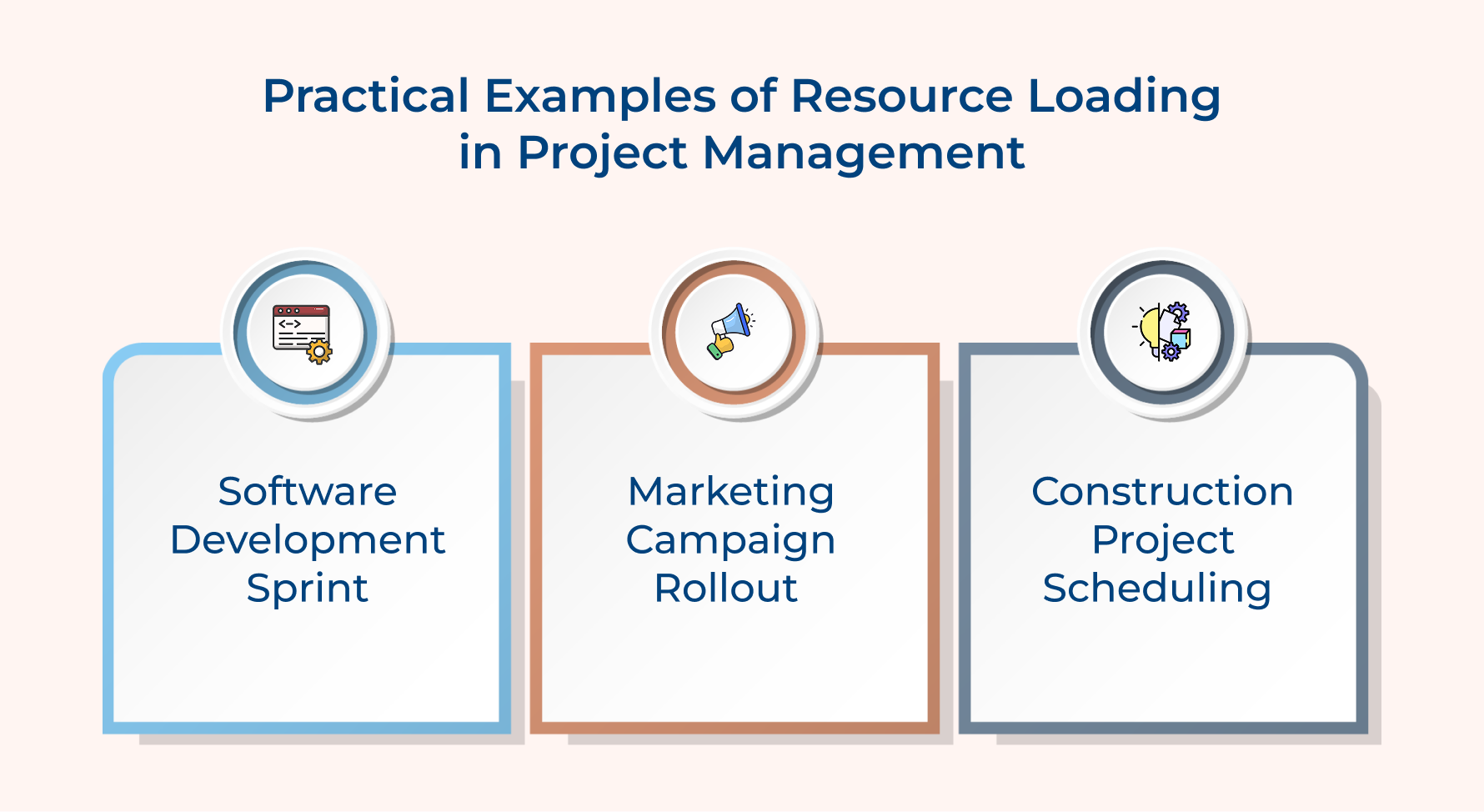
Software Development Sprint
A service firm receives a software development project where developers are assigned 32 hours of tasks against 40 available hours with 80% resource loading and room for code reviews. The balance between actual and estimated hours keeps the team productive without burnout.
Suppose a production issue adds 10 unplanned hours. Loading jumps to 105%, which means the sprint scope needs rebalancing. This early visibility shifts lower-priority tasks to the next sprint instead of letting quality slip.
Marketing Campaign Rollout
A content strategist working across campaigns logs 45 assigned hours with respect to 40 available hours, making the load 112%. The strategist will be shown as available, since none of the tasks depend on the other two running in parallel.
Overload is only visible when hours are tracked on all three together, which is why cross-project visibility matters for anyone juggling across multiple deliverables simultaneously.
Construction Project Scheduling
A construction site supervisor having a loading of 86% with allocation of 44 hours available weekly and assigned 38 hours of coordination tasks making it a healthy range to handle minor schedule shifts. A sudden delay shifts tasks into a shorter week could spike resource loading above capacity if hours.
Challenges in Resource Loading and How to Overcome Them
Most firms can run a resource loading plan as the formula looks. They include challenges that trip up even experienced managers if unaddressed.
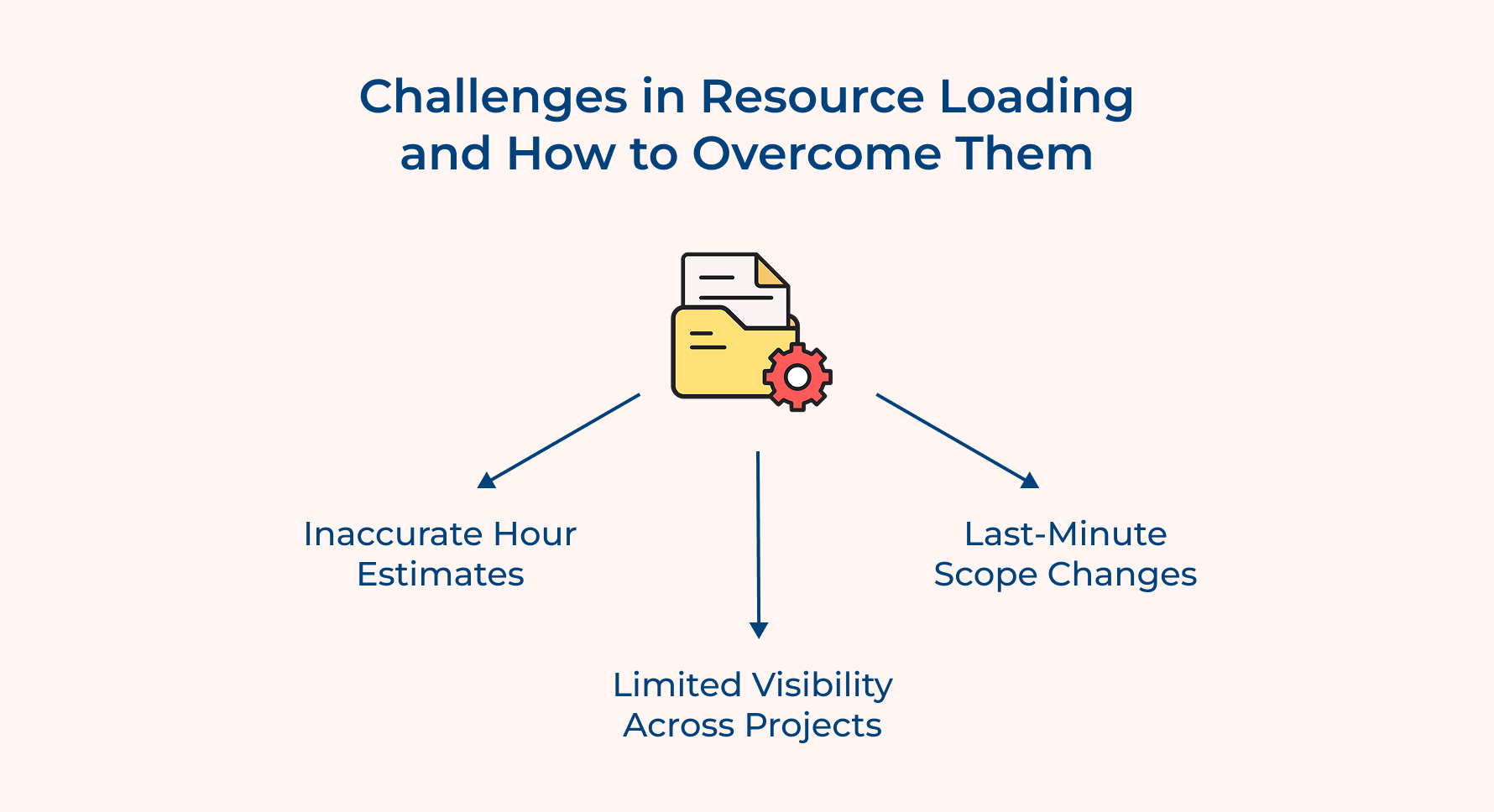
Inaccurate Hour Estimates
Project tasks need longer than planned when complexity gets underestimated during the initial scope management phase. This throws off resource loading in the calculations before the project even gets executed.
Limited Visibility Across Projects
Your resources are juggling across multiple tasks that appear available within one tracker, but are actually overcommitted. True workload stays hidden without cross-project visibility until problems surface.
Last-Minute Scope Changes
Carefully balanced resource loading charts get disrupted when new tasks are added without anyone updating the availability or hours. This creates a silent overload that goes unnoticed until burnout.
The following solutions address the root cause:
- Maintain a proper buffer time in every estimate to absorb the gap between planned and actual task duration.
- Track resource hours with respect to all active projects instead of only the recent one.
- After a scope change, recalculate resource loading instead of waiting for the next scheduled review cycle
- Justify reassignment with loading data for rebalancing decisions and not assumptions.
Elevate Your Productivity With Intelligent Resource Loading
Resource loading provides a measurable way to balance workload against actual capacity. Proper calculation along with action on the insights keeps teams productive without tipping into burnout.
- Measure assigned hours vs available hours for individual resources and not as a team.
- Single-project views hide true overallocation, so track workload across all active projects.
- Recalculate and rebalance whenever scope or tasks shift mid-project.
Ready to put this into practice? Explore the best resource management tools that can automate loading chart updates in a real project. Loading works ideally when calculated and taken action on constantly instead of treating it as a one-time setup.
Limit time — not creativity
Everything you need for customer support, marketing & sales.

Neeti Singh is a passionate content writer at Kooper, where he transforms complex concepts into clear, engaging and actionable content. With a keen eye for detail and a love for technology, Tushar Joshi crafts blog posts, guides and articles that help readers navigate the fast-evolving world of software solutions.