How to Measure & Calculate Resource Capacity Accurately
- What is Resource Capacity?
- Key Benefits of Measuring Resource Capacity
- 6 Actionable Steps to Calculate Resource Capacity
- Real-Life Example of Resource Capacity Calculation
- Tips and Best Practices to Measure Resource Capacity
- Tools and Software to Manage Resource Capacity
- Empower Your Business with Streamlined Resource Planning
- FAQs about Resource Capacity

Key Highlights:
- Stop guessing deadlines by matching real resource capacity with actual work, so plans feel realistic instead of stressful.
- See exactly where time, skills and availability are leaking – while fixing overloads before teams start burning out.
- Turn capacity data into confident decisions using clear formulas, examples and tools that keep delivery predictable.
You’re juggling multiple client projects while doing your best to keep everything on track – yet deadlines keep slipping and it’s hard to pinpoint why. When you don’t have a clear view of resource capacity, committing to timelines starts to feel like guesswork rather than planning.
Once you learn how to calculate team capacity properly, things get a lot clearer. You can test different what-if situations using scenario planning, set a realistic start date and even apply a lag strategy to protect delivery when workloads spike.
This guide walks you through simple, practical steps to understand what your team can truly handle – so you can plan smarter and deliver with confidence.
What is Resource Capacity?
Resource capacity refers to the maximum amount of work that your team or organization can handle within a specific timeframe. It measures the total availability of resources like people, equipment and time. Understanding this helps you match workload with what’s actually achievable.
Think of resource capacity as knowing how much fuel is in your tank before starting a journey. You need to account for skills, working hours and availability of each team member. This awareness prevents overcommitting and helps you set realistic deadlines that your team can actually meet.
Key objectives:
- Planning: Align project demands with available resources to avoid bottlenecks and delays.
- Utilization: Maximize productivity by ensuring resources are neither overworked nor sitting idle.
- Forecasting: Predict future capacity needs based on upcoming projects and business growth.
- Allocation: Assign the right people with the right skills to the right tasks at the right time.
- Balance: Maintain sustainable workloads that keep your team productive without burning them out.
Key Benefits of Measuring Resource Capacity
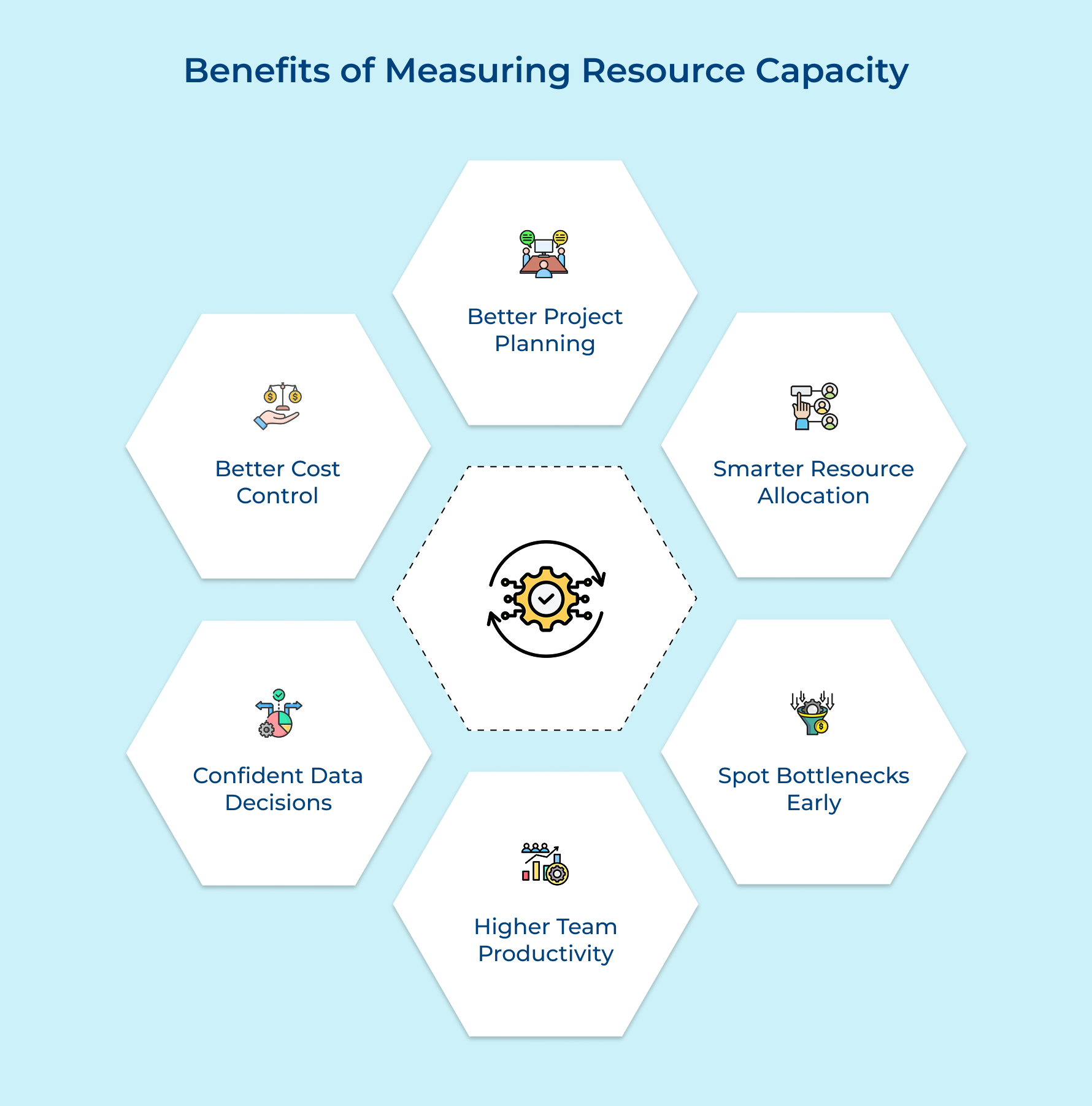
Tracking resource capacity gives you clear visibility into what your team can realistically accomplish. Here’s how it transforms your project management and team performance.
Better Project Planning
Committing to deadlines feels far less risky when you know what’s actually available. Clear visibility into your resource capacity plan helps you avoid overpromising and removes the stress that comes from unrealistic timelines.
Smarter Resource Allocation
Capacity insights show where time and skill sets truly exist across your team. This makes it easier to match the right people to the right work, based on real availability—not assumptions.
Spot Bottlenecks Early
Instead of reacting when things go wrong, you can see issues coming. With the help of scenario analysis, you can adjust workloads, shift priorities, or bring in extra help before delays happen.
Higher Team Productivity
Balanced workloads matter. When people aren’t overloaded or sitting idle, they do better work and feel more motivated. Capacity planning helps you maintain that sweet spot consistently.
Confident, Data-Driven Decisions
Clear capacity data replaces gut feeling with facts. You can assess new opportunities against actual project requirements and decide what’s realistic without putting pressure on your team.
Better Cost Control
Knowing your true capacity helps you avoid costly mistakes like overstaffing or last-minute hiring. You can plan budgets more accurately and spend smarter while still delivering quality work.
6 Actionable Steps to Calculate Resource Capacity
Let’s walk through six essential steps to calculate resource capacity and improve your project management strategy, thus unlocking your team’s potential while driving successful outcomes.
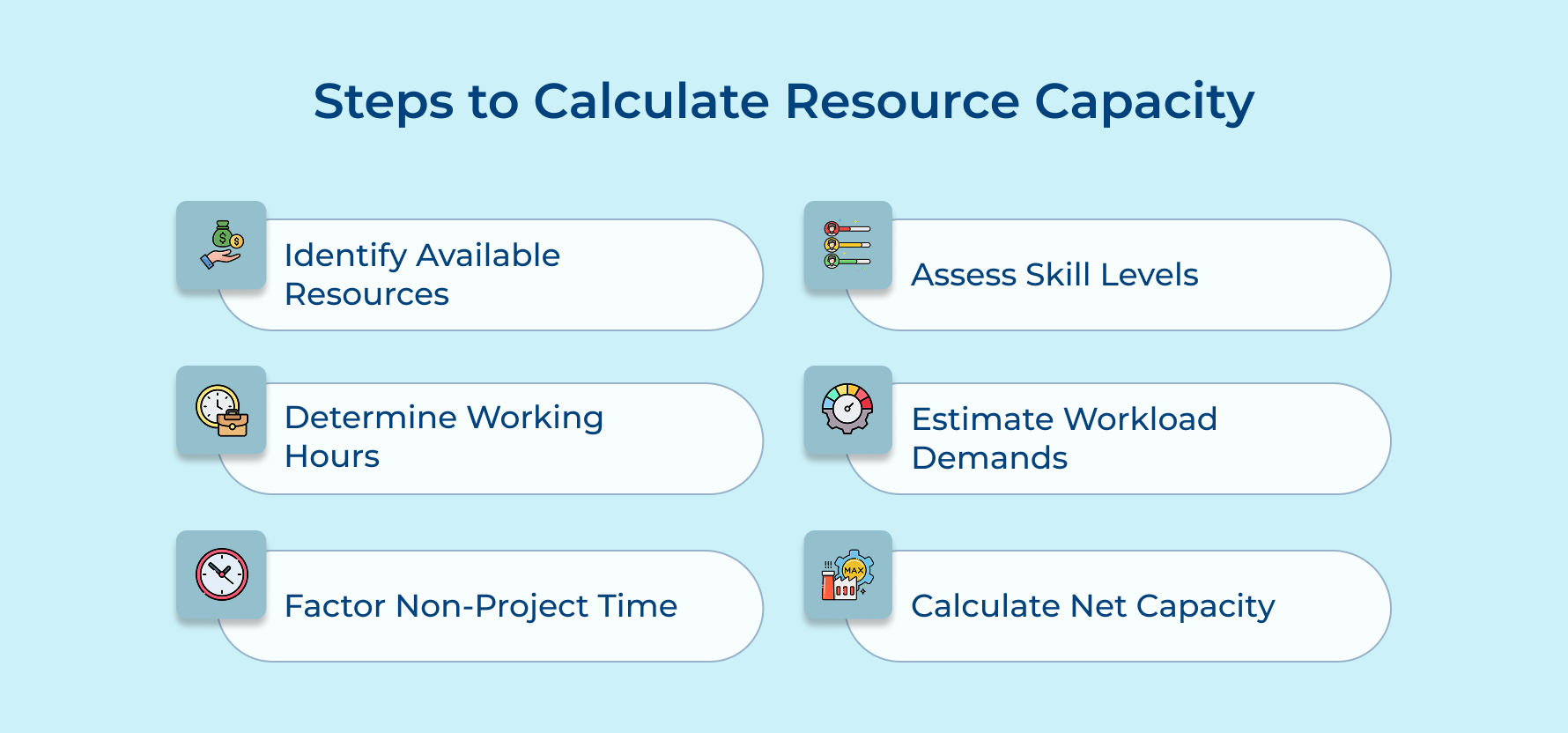
1. Identify All Available Resources
Here create your complete inventory of what you have to work with. Without knowing your full resource pool, you can’t accurately plan projects or make smart commitments to clients and stakeholders.
Start by listing every team member with their specific roles and current availability. Include all equipment like software licenses and hardware. Don’t forget contractors or freelancers who supplement your core team when demand spikes.
Your resource requirements shift based on what projects demand and what customers need. Here are some scenarios to consider:
- A software development project needs five developers, two QA testers and one project manager for three months.
- A marketing campaign requires two content writers, one designer and access to premium design tools for six weeks.
- A construction project demands three electricians, two plumbers and heavy machinery like excavators for the entire build phase.
This inventory becomes your foundation for all capacity planning decisions ahead. Update it regularly as team members join or leave. Accurate resource tracking prevents surprises when you’re evaluating whether to take on new work.
2. Determine Total Working Hours
You calculate the actual time your resources can dedicate to work during a given period. Knowing total working hours helps you understand the real capacity available before assigning any tasks or projects to your team.
Total Working Hours = (Number of Resources × Standard Work Hours) – (Holidays + Planned Leave)
The formula components work together to give you an accurate picture:
- Number of resources: The total count of team members available during your planning period.
- Standard work hours: The typical hours each person works weekly or monthly based on their contract.
- Holidays: Company-wide holidays and public holidays when no work happens at all.
- Planned leave: Vacation days and personal time off that team members have already scheduled.
Calculate this by multiplying your team size by their standard hours per week. Then subtract all the time when people won’t be available. This gives you the baseline capacity you’re working with.
Here’s a practical example: You have 10 team members working 40 hours weekly. That’s 400 hours per week total. If there’s one holiday (80 hours) and three people take vacation (120 hours), your actual capacity is 200 hours that week.
3. Factor in Non-Project Time
This step accounts for all the work hours that don’t directly contribute to project deliverables. Ignoring non-project time leads to overcommitment because you’re planning as if 100% of hours are available for billable work.
Here’s what typically consumes time beyond actual project work:
- Meetings: Team standups, client calls, performance reviews and planning sessions eat into productive hours.
- Administrative tasks: Timesheets, expense reports, emails and internal documentation require regular attention from everyone.
- Training and development: Skill-building workshops, certification courses and onboarding new team members take time but improve long-term capacity.
- Maintenance and support: Bug fixes, system updates, customer support tickets and technical debt resolution demand ongoing attention.
How do these factors reduce your actual project capacity? Think of it this way: if someone works 40 hours weekly but spends 10 hours in meetings and admin work, they only have 30 hours for project tasks. Multiply that across your team and suddenly your capacity drops by 25% without proper accounting for these necessary activities.
4. Assess Individual Skill Levels
Evaluate the expertise and capabilities of each team member for specific tasks. Skip this and you’ll assign work to people who lack the necessary skills, causing delays while requiring costly rework that damages project timelines.
Use skill matrices or competency frameworks to rate each person’s proficiency across different tasks. Review past project performance and gather feedback from team leads. Match skill requirements from your project scope against what each resource can actually deliver.
Pro tips:
- Update skill assessments quarterly as team members complete training or gain experience on challenging projects.
- Don’t assume senior title always means higher skill for every task type your projects require.
5. Estimate Project Workload Demands
Estimating project workload demand quantifies how much work each project requires in terms of hours and resources. Accurate estimation prevents overpromising to clients and helps you determine if you have sufficient capacity to deliver on time.
Here are three proven approaches to estimate workload effectively:
- Historical data analysis: Review similar past projects to see how long tasks actually took. Use this data as your baseline and adjust for project complexity or team experience differences.
- Expert judgment: Consult team members who will do the work for realistic time estimates. Their hands-on experience often reveals requirements that managers miss when estimating from a high level.
- Bottom-up estimation: Break projects into smallest possible tasks and estimate each individually. Sum these detailed estimates to get your total workload rather than guessing at the project level.
What’s the biggest mistake people make when estimating workload? They forget the planning fallacy. Even experienced teams underestimate how long work takes because they ignore obstacles and assume everything goes perfectly without any setbacks or revisions.
Remember that your estimates directly impact resource allocation and project profitability. Build in buffer time for unexpected issues. Better to finish early and delight clients than scramble to meet unrealistic deadlines that damage your reputation.
6. Calculate Net Resource Capacity
This final step reveals your actual available capacity after accounting for all constraints and commitments. It shows if you can take on new work or need to defer projects until resources free up.
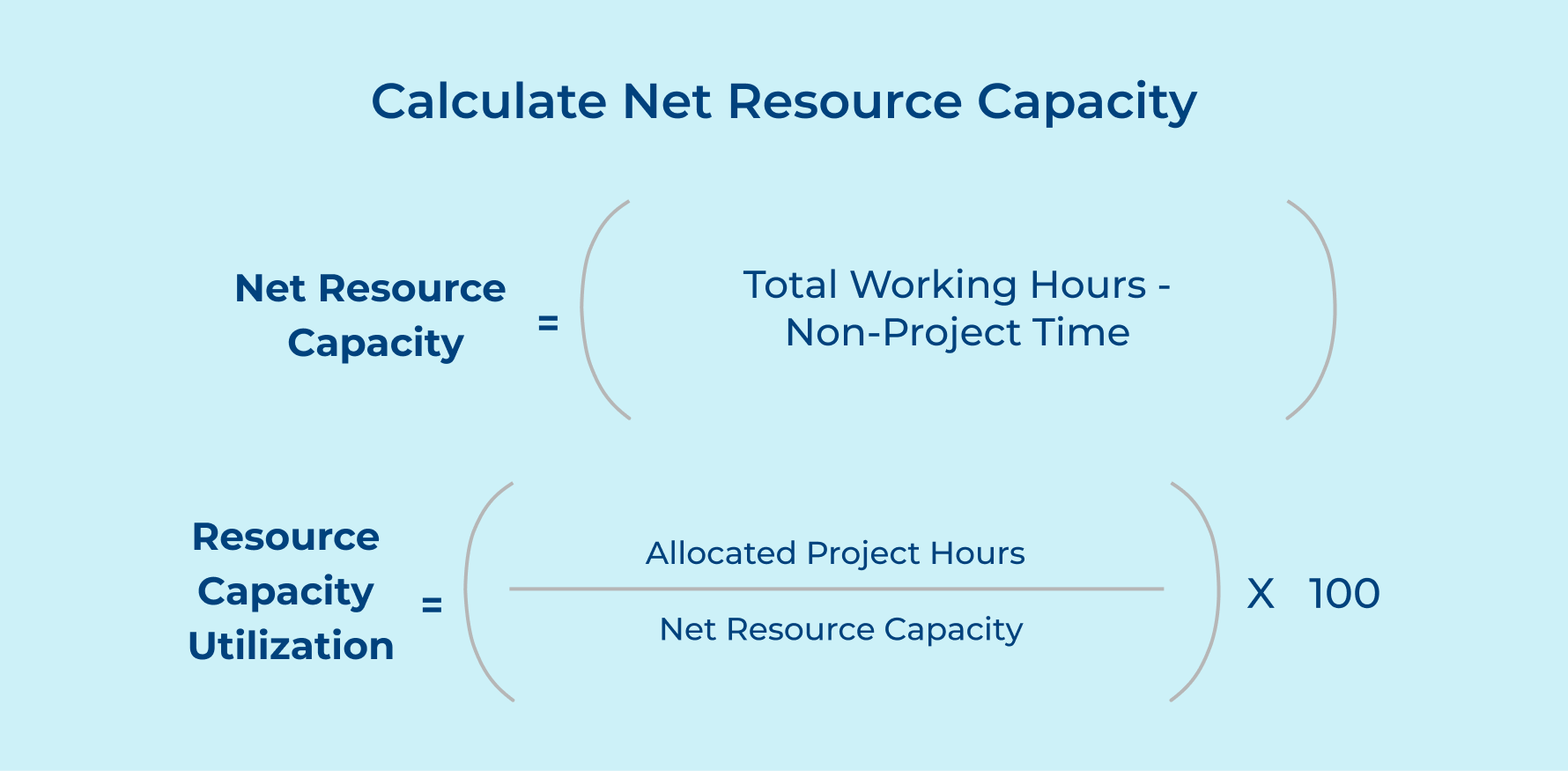
These formula components each play a critical role in your calculation:
- Total working hours: The raw hours available from all resources before any deductions are applied.
- Non-project time: All hours spent on meetings, admin work, training and maintenance activities.
- Allocated project hours: The hours already committed to active projects and confirmed client work.
- Net resource capacity: The remaining hours available for new projects after subtracting non-project time commitments.
For client-based agencies managing multiple projects, aim for 70-80% resource capacity utilization as your sweet spot. This leaves buffer room for scope changes and urgent client requests. Operating consistently above 85% leads to burnout and quality issues.
How does maintaining good resource capacity improve project outcomes? When you’re not maxed out, your team has breathing room to handle unexpected changes without missing deadlines. Clients get better quality work because people aren’t rushed. You can say yes to opportunities that align with business goals rather than desperately accepting any work to fill gaps.
Real-Life Example of Resource Capacity Calculation
Here’s a practical example showing how to calculate resource capacity for a marketing agency planning their quarterly workload.
Given Information:
- Team size: 8 full-time employees
- Standard work hours: 40 hours per week
- Planning period: 4 weeks (one month)
- Holidays in the period: 1 day (8 hours per person)
- Planned leave: 2 employees taking 5 days each (80 hours total)
Step 1: Calculate Total Working Hours
Total Working Hours = (Number of Resources × Standard Work Hours × Number of Weeks) – (Holidays + Planned Leave)
Total Working Hours = (8 × 40 × 4) – (64 + 80)
Total Working Hours = 1,280 – 144
Total Working Hours = 1,136 hours
Step 2: Calculate Non-Project Time
Assume each employee spends:
– Meetings: 6 hours per week
– Administrative tasks: 4 hours per week
– Training: 2 hours per week
Non-Project Time per person = 12 hours per week
Total Non-Project Time = 8 employees × 12 hours × 4 weeks
Total Non-Project Time = 384 hours
Step 3: Calculate Net Resource Capacity
Net Resource Capacity = Total Working Hours – Non-Project Time
Net Resource Capacity = 1,136 – 384
Net Resource Capacity = 752 hours
Step 4: Calculate Resource Capacity Utilization
Current allocated project hours = 600 hours
Resource Capacity Utilization = (Allocated Project Hours / Net Resource Capacity) × 100
Resource Capacity Utilization = (600 / 752) × 100
Resource Capacity Utilization = 79.8%
This agency has 752 hours available for project work this month. With 600 hours already allocated, they’re at 79.8% utilization. They have 152 hours remaining capacity for new projects or unexpected client requests while maintaining a healthy buffer zone.
Tips and Best Practices to Measure Resource Capacity
Measuring resource capacity effectively requires consistent processes and smart tools. These practices help client-based businesses maintain healthy team utilization rates.
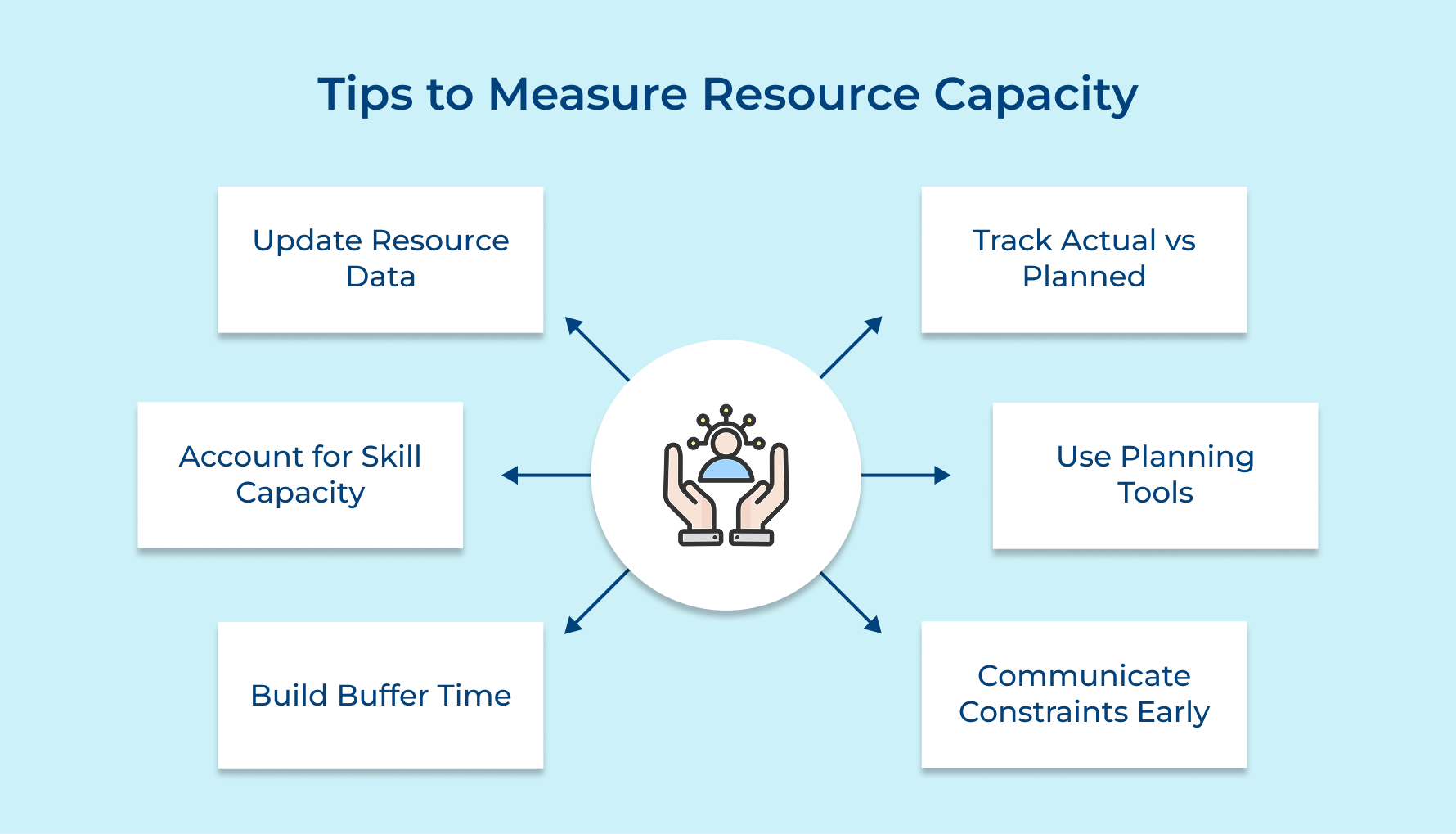
1. Update Resource Data Regularly
Your resource capacity changes constantly as team members take leave or priorities shift. Outdated data leads to poor decisions like overcommitting to clients. Set a weekly review schedule to keep your capacity information accurate and actionable.
Consider what information needs regular updating in your system:
- Employee availability and scheduled time off
- Skill level changes after training or certifications
- Equipment availability and maintenance schedules
Make capacity updates part of your standard weekly workflow. Assign someone the responsibility of maintaining this data so it doesn’t fall through the cracks.
2. Account for Skill-Specific Capacity
Not all hours are equal when certain projects require specialized expertise. A junior developer can’t replace a senior architect even if both have 40 hours available. Track capacity by skill level to avoid assigning work that people can’t execute well.
Break down your capacity by role and expertise level. This granular view shows if you have the right skills available for incoming projects.
Questions to ask when evaluating skill-specific capacity needs:
- Does this project require certifications or specialized technical knowledge?
- Can junior team members handle this work with supervision?
- Do we need external contractors for skills gaps?
Matching skills to tasks improves delivery quality and reduces rework. Your team also performs better when assigned work that fits their capability level.
3. Build in Buffer Time
Perfect project execution never happens because unexpected issues always arise during delivery. Clients change requirements and technical problems surface when you least expect them. Plan for 15-20% buffer capacity to handle these inevitable surprises without derailing schedules.
Buffer time absorbs scope creep and urgent requests without forcing overtime. This breathing room also allows for professional development as well as prevents burnout among your team members.
Key areas where buffer time protects your project timelines:
- Client feedback cycles that take longer than anticipated
- Technical challenges requiring research and problem-solving
- Team member sick days or personal emergencies
Operating with buffer capacity might feel inefficient but it protects your delivery commitments. A sustainable pace delivers better long-term results than constantly operating in crisis mode.
4. Track Actual vs. Planned Capacity
Monitor how your estimates compare to reality by logging actual hours spent on tasks. Track these metrics consistently to improve future estimates Estimated hours vs actual hours per task type, Resource utilization rates by team member, Project profitability based on capacity planning accuracy
This comparison reveals patterns in your estimation accuracy over time. Use this data to adjust your planning methodology and improve prediction accuracy. Better estimates mean fewer surprises and more predictable project outcomes for clients.
5. Use Capacity Planning Tools
Manual spreadsheets become unmanageable as your team and project portfolio grow beyond a few people. Specialized software automates calculations and provides real-time visibility into resource availability. Modern tools integrate with project management systems to update capacity as work progresses.
Look for features like drag-and-drop scheduling as well as automated conflict detection. Visual dashboards make it easy to spot capacity gaps before they cause project delays.
Questions to consider when selecting capacity planning software:
- Does it integrate with our existing project management and time tracking tools?
- Can team members easily update their availability and time off?
- Does it provide forecasting for future capacity based on pipeline projects?
Good tools pay for themselves by preventing costly mistakes like double-booking resources or missing deadlines. Investment in proper software demonstrates commitment to sustainable operations rather than constant firefighting.
6. Communicate Capacity Constraints Early
Transparency with clients about capacity limits builds trust and sets realistic expectations from the start. Don’t promise aggressive timelines when your capacity data shows it’s impossible. Honest conversations about availability prevent disappointing clients later with delays or rushed work.
When you identify capacity constraints, offer alternatives instead of just saying no. Suggest adjusted timelines or phased delivery approaches that work within your actual capacity. This educational approach positions you as a strategic partner rather than just an order-taker.
Tools and Software to Manage Resource Capacity
The right software simplifies capacity planning and gives you real-time visibility into resource availability. Here are five powerful tools that help project-based businesses optimize their resource management.
Kooper
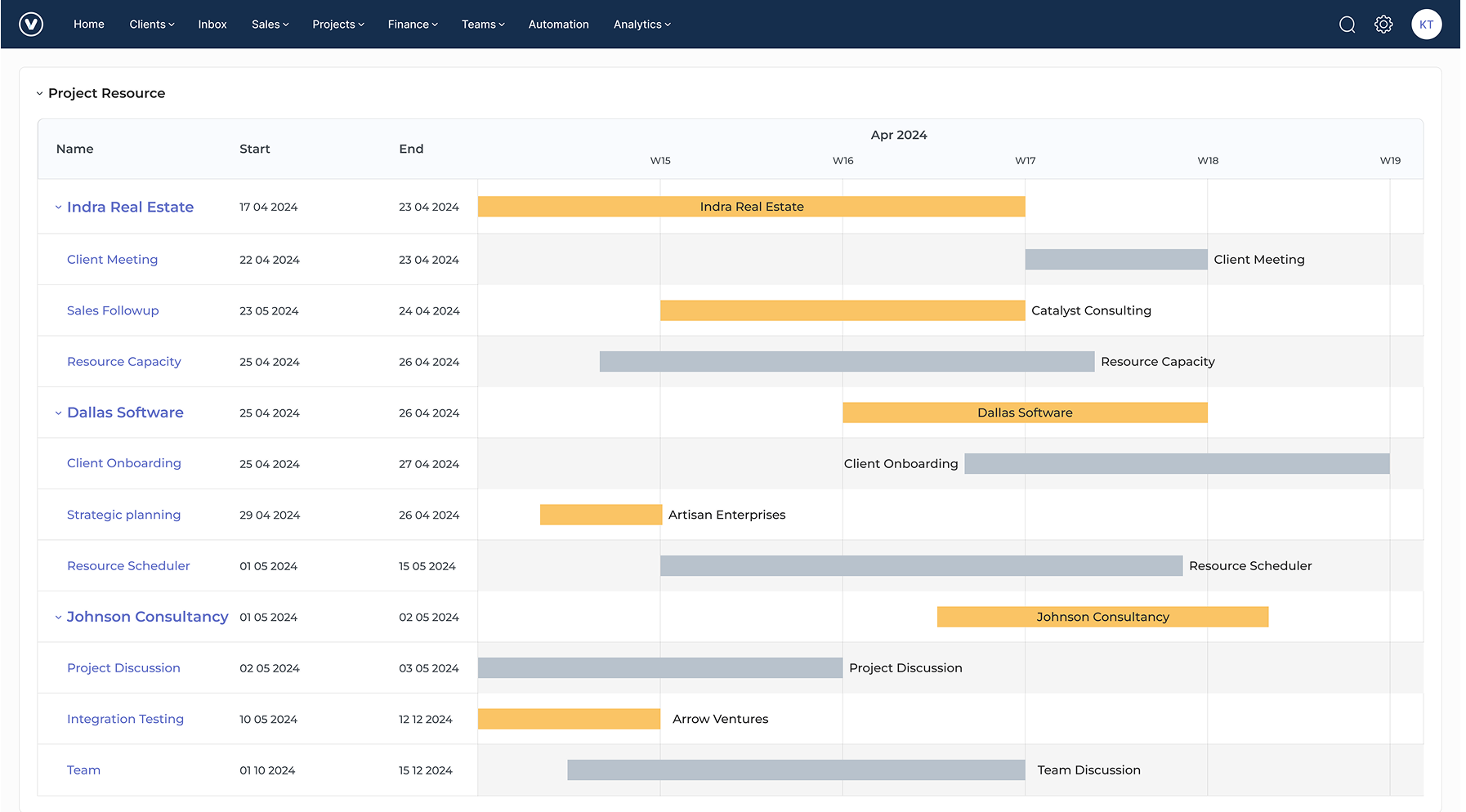
Kooper is a resource management platform that also includes project management and invoicing capabilities. It helps professional service firms streamline operations by connecting resource capacity planning with financial tracking and client management in a unified system.
Key features:
- Integrated project management: Track project timelines, tasks and resource allocation alongside budgets as well as profitability metrics in one dashboard.
- Time tracking and timesheets: Monitor how team members spend hours across projects to measure actual capacity utilization against estimates.
- Resource scheduling: Visualize team availability while assigning resources to projects based on skills, workload and capacity constraints.
- Reporting and analytics: Generate customizable reports on resource utilization, project performance and capacity forecasting for data-driven decisions.
Resource Guru
Resource Guru offers visual scheduling with drag-and-drop functionality for quick resource allocation across projects. It tracks availability, manages time off requests and provides utilization reports. The tool integrates with popular project management platforms for seamless workflow management.
Forecast
Forecast uses AI to predict project timelines and resource needs based on historical data from your organization. It automatically suggests optimal resource allocation as well as identifies potential bottlenecks before they occur. The platform combines project management with intelligent capacity planning features.
Teamdeck
Teamdeck specializes in resource scheduling for agencies and software development teams managing multiple client projects. It tracks skills and certifications alongside availability to ensure proper talent matching. The platform includes time tracking and vacation management integrated with capacity planning.
Monday.com
Monday.com offers customizable workflows that adapt to your specific capacity planning needs and processes. It provides visual boards showing resource allocation, workload distribution and project timelines in one place. The platform integrates with hundreds of tools for comprehensive project and resource management.
Empower Your Business with Streamlined Resource Planning
Understanding and measuring resource capacity transforms how you manage projects as well as serve clients. Accurate capacity planning prevents overcommitment and helps you deliver quality work on time without burning out your team.
Start implementing these capacity calculation methods and best practices today to improve project outcomes. The right approach combined with proper tools gives you confidence to take on new opportunities while maintaining excellence in everything you deliver.
Limit time — not creativity
Everything you need for customer support, marketing & sales.

Neeti Singh is a passionate content writer at Kooper, where he transforms complex concepts into clear, engaging and actionable content. With a keen eye for detail and a love for technology, Tushar Joshi crafts blog posts, guides and articles that help readers navigate the fast-evolving world of software solutions.