RACI Matrix Templates for Clear Roles and Faster Decisions
- What is a RACI Matrix Template?
- Why is a RACI Matrix Template Important?
- Types of RACI Chart Templates
- How to Use the RACI Matrix Template?
- Examples of When to Use a RACI Matrix Template
- Tips on Using Our RACI Chart Template
- Streamline Project Success with the Ultimate RACI Matrix Template
- FAQs about Raci Matrix Template

Key Highlights:
- RACI matrix template brings instant role clarity and prevents tasks from slipping through gaps.
- A well-structured RACI chart template improves accountability and streamlines team communication.
- Clear responsibility mapping eliminates confusion, delays and overlapping ownership across projects.
You kick off a new project with big energy, but soon the same old confusion creeps in. Team members clash over ownership, important tasks fall through the cracks and meetings turn into debates about who’s actually responsible. Even clients start asking uncomfortable questions about accountability.
That’s where a RACI matrix template brings instant clarity. It creates one clear source of truth for every role—so whether you’re handling daily execution, root cause analysis, or even incident management, everyone knows exactly what they own and when.
This guide helps you pick the right RACI variation and apply it with real-world examples. You’ll see how to build a matrix your team actually uses.
What is a RACI Matrix Template?
A RACI matrix template is a simple chart that maps out who does what in a project by assigning four roles to each task. The letters stand for Responsible (does the work), Accountable (owns the outcome), Consulted (provides input) and Informed (stays updated). This visual tool prevents confusion about roles as well as ensures everyone knows their part in getting things done.
Think of the RACI matrix as a grid where tasks run down the left side and team members stretch across the top. For each task you assign one letter to each person based on their involvement level. The magic happens when you ensure every task has exactly one person who’s Accountable while others support through different roles. This setup creates crystal-clear boundaries so no task falls through the cracks and no one steps on anyone else’s toes.
Key objectives:
- Eliminate role confusion: Everyone knows exactly what they’re supposed to do and what others expect from them.
- Prevent bottlenecks: Tasks move forward smoothly because decision-makers are clearly identified upfront.
- Improve accountability: Each deliverable has one person who ultimately owns its success or failure.
- Streamline communication: Team members know who needs their input and who simply needs updates.
- Reduce overlap and gaps: The visual format quickly reveals if too many people are doing the same thing or if critical tasks lack coverage.
Why is a RACI Matrix Template Important?
A RACI matrix becomes your safety net for delivering exactly what clients expect while keeping internal teams aligned.
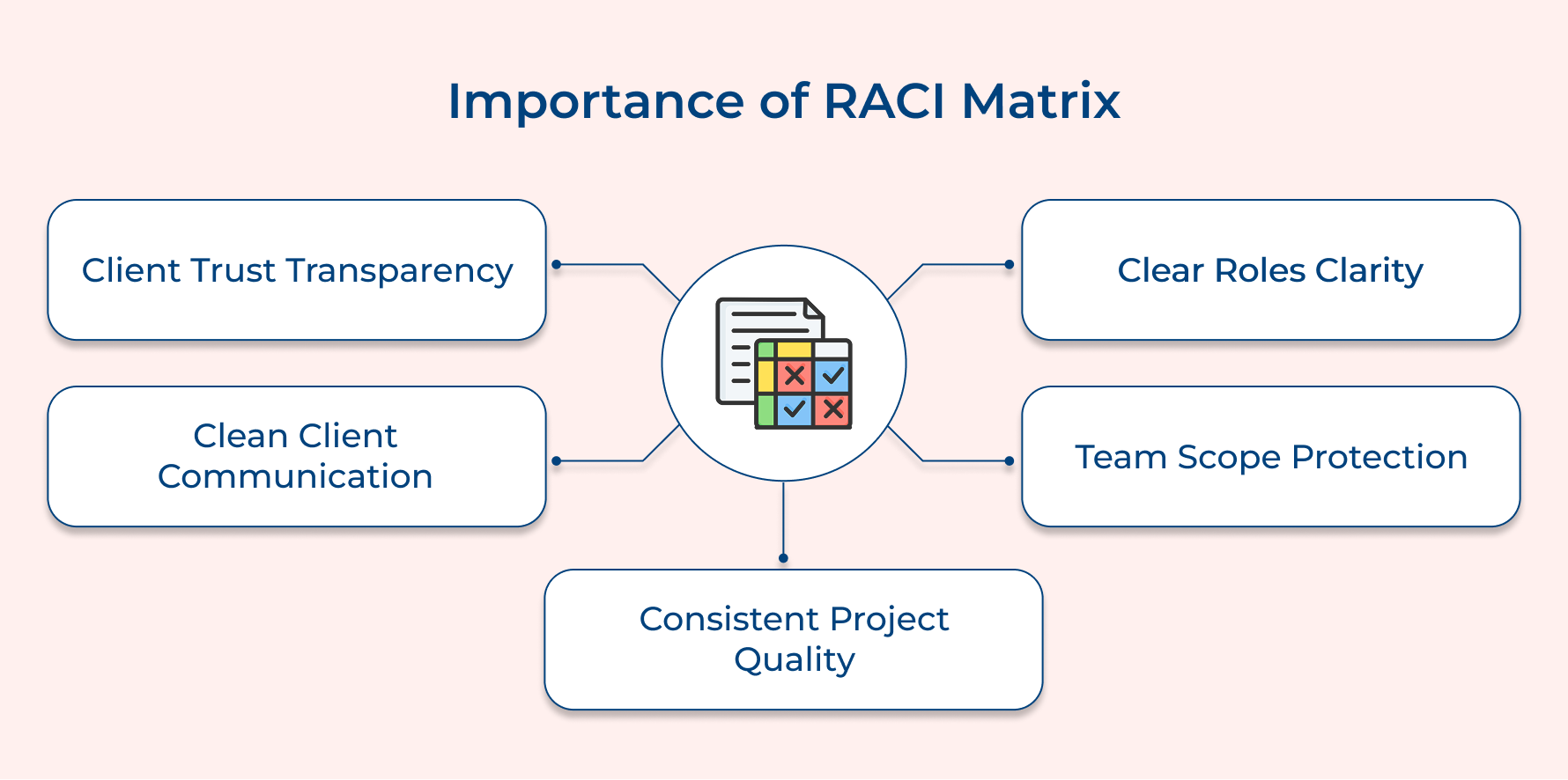
Client Trust Through Transparency
Clients relax when they can clearly see who’s responsible for what. The RACI acronym gives them a simple, visual breakdown of ownership, so nothing feels hidden or confusing. When clients understand how decisions flow, they stop worrying about gaps and start engaging like true partners who trust your delivery process.
Avoiding the “Too Many Cooks” Problem
Client projects often pull in people from different departments and overlapping responsibilities. Without defined project roles, everyone either takes charge at once or assumes someone else is handling it. The matrix removes the guesswork so meetings stay productive instead of turning into silent standoffs.
Clean Client Communication
Nothing frustrates clients faster than bouncing between multiple contacts for simple answers. With clearly defined project phases, they always know who to approach for approvals, updates, or decisions. This keeps conversations focused, shortens response times and eliminates those never-ending email loops.
Protecting Your Team from Scope Creep
Requests change quickly and not every “small tweak” is actually small. With subject matter experts and decision-makers clearly defined, your team knows exactly who has the authority to approve changes. This prevents quiet overwork as well as ensures every new request is evaluated properly.
Consistent Quality Delivery Across Projects
Strong delivery doesn’t happen by accident, it follows a clear project plan. A standardized RACI approach ensures every new project starts with the same structure, expectations, along with accountability. Your team stops reinventing workflows and clients experience the same reliability every single time.
Types of RACI Chart Templates
While the standard RACI matrix works well for many projects, different situations call for variations that capture additional nuances in how teams collaborate. Let’s explore the main types and when each one serves you best.

RASCI Chart Template
The RASCI chart adds an “S” for Supportive to the traditional four roles. This fifth category identifies people who actively help the Responsible person complete the work but don’t own the task themselves.
This variation shines in complex projects where multiple people contribute effort to single tasks. A software deployment might have one developer responsible but three others in Support roles handling testing and documentation. The distinction prevents confusion about who leads versus who assists with the heavy lifting.
RACI-VS Chart Template
The RACI-VS model brings in two verification layers with “V” for Verifies and “S” for Signs off. The Verifier checks that work meets technical standards or requirements before it moves forward. The Sign-off person gives final approval often from a legal or compliance perspective before deliverables go to clients.
Before moving to the practical applications, consider these key situations where this template becomes essential:
- Use it for regulated industries where compliance requirements demand documented approval chains along with multiple quality checkpoints.
- Apply it to legal or financial projects where errors could result in lawsuits or regulatory penalties that justify slower processes.
- Implement it for client-facing deliverables where both technical accuracy and brand standards need separate validation steps.
A pharmaceutical company developing patient materials might need a medical writer as Responsible, a doctor to Verify accuracy and legal counsel to Sign off on claims. These extra checkpoints slow things down intentionally because errors carry serious consequences.
DACI Chart Template
The DACI model flips the script by starting with “D” for Driver who pushes the project forward day to day. “A” becomes Approver (the decision maker), “C” stays as Contributor (similar to Consulted) and “I” remains Informed. The framework puts more emphasis on momentum than the traditional accountability focus.
This variation suits specific organizational cultures and project types. Here’s where it really shines:
- Choose DACI for fast-paced environments where daily progress matters more than formal responsibility chains and bureaucracy kills momentum.
- Use it in product development where one person needs to own forward movement while executives approve major decisions from above.
- Apply it to cross-functional initiatives where the traditional Responsible role feels too passive for someone who must actively coordinate multiple teams.
Tech companies and startups often prefer DACI because it matches their fast-moving culture better than RACI does. The Driver role captures that person who’s in the trenches making things happen while the Approver stays at a strategic level. If your organization values execution speed over formal responsibility structures, DACI might feel more natural to your teams.
How to Use the RACI Matrix Template?
Follow these seven steps to be able to enhance role clarity, improve communication and drive your team towards project success.
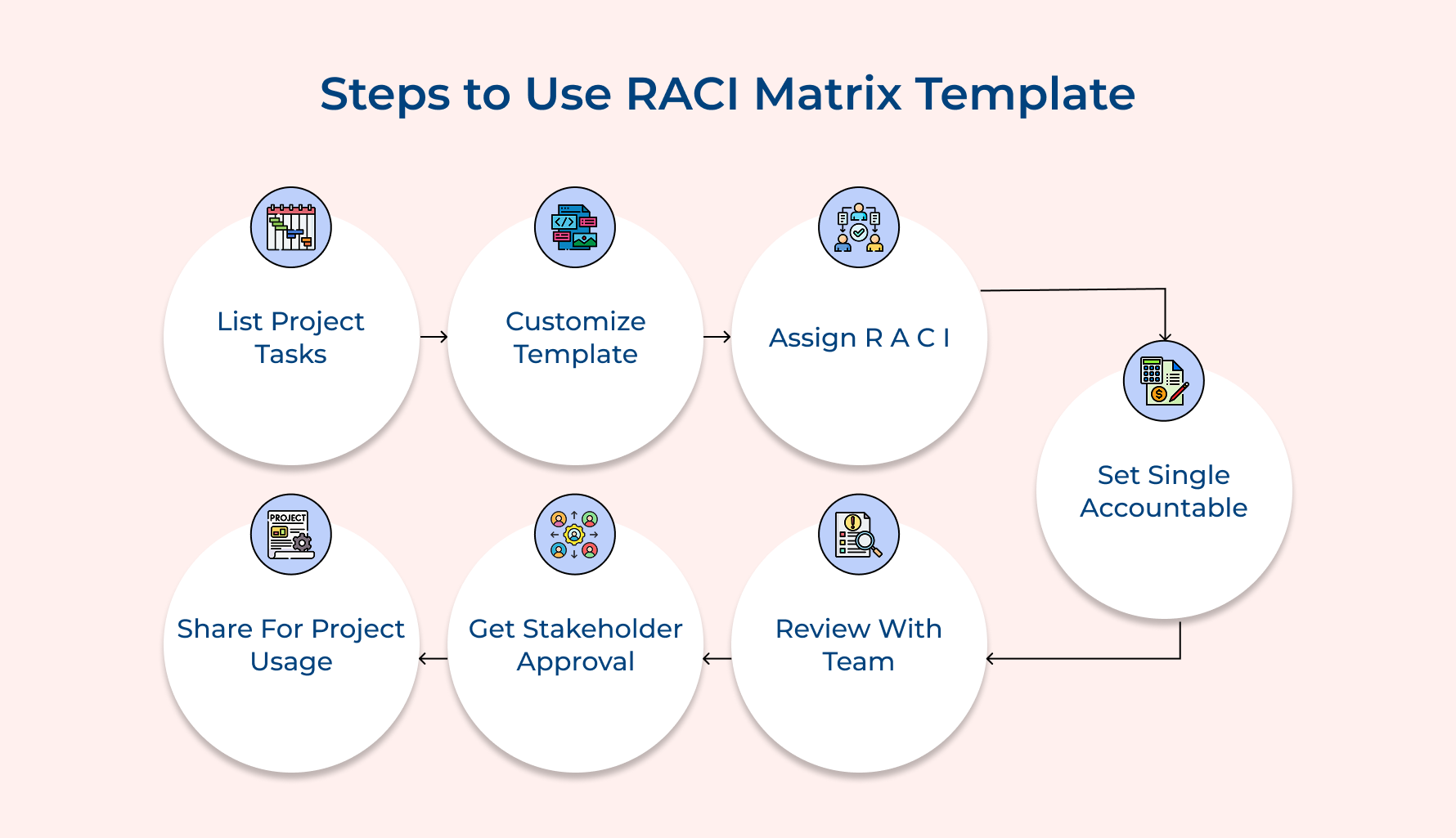
1. List All Your Project Tasks
This first step is all about capturing everything your project needs from beginning to end. If your task list is incomplete, your RACI matrix will automatically develop gaps—leading to missed work, blurred ownership and unnecessary confusion later. The goal is to outline every activity and deliverable with clarity so nothing falls through the cracks.
You can do this in three practical ways. Start by working backward from your final deliverables to identify all the work required to produce them.
Organize related activities into clear phases so dependencies and handoffs become easy to follow. Make every task specific as well as measurable by defining what “done” actually looks like.
Replacing vague actions with concrete outcomes keeps your matrix accurate, usable and reliable throughout execution.
Let’s say you’re managing a website redesign project. Your task list would include specific items like “create wireframes for homepage,” “write all product page copy,” “conduct user testing sessions,” and “deploy to production server.” Each one is a distinct deliverable that you can assign clear roles to in your RACI matrix.
2. Choose and Customize Your Template
Selecting the right template type sets the foundation for how your team will interact throughout the project. The wrong choice creates either too much complexity or too little structure for your specific situation.
Consider these key factors when deciding which RACI variation matches your needs:
- Project complexity level: Simple projects work fine with basic RACI while complex initiatives benefit from RASCI’s additional Support role.
- Industry regulatory requirements: Heavily regulated fields often need RACI-VS to document verification and sign-off steps for compliance purposes.
- Organizational culture and pace: Fast-moving companies might prefer DACI’s Driver role while traditional organizations feel comfortable with RACI’s structure.
- Number of approval layers: Projects requiring multiple quality gates need templates that capture these checkpoints rather than forcing them into standard roles.
- Client involvement expectations: External client projects benefit from templates that clearly show where clients provide input versus where your team executes independently.
Once you’ve selected your template type it’s time to make it your own. Customization ensures the matrix reflects your actual team structure rather than forcing work into a generic format.
- Add relevant team members as columns: List everyone who touches the project including clients and external vendors so nothing falls between organizational boundaries.
- Adjust format for your project size: Small projects might fit on one page while large initiatives need separate matrices for each major phase.
- Include contact information or role titles: Adding email addresses or job titles helps people quickly identify who to reach for specific tasks.
3. Assign R, A, C, I Roles
This step is where your empty template starts doing real work by clearly defining who plays what role for every single task. When these assignments are done right, you avoid the classic “I thought you were handling that” confusion that can quietly derail even the best-planned projects.
Here’s a simple, practical way to assign roles without overcomplicating things:
- Identify who will actually do the work: Look for the person with the right skills and enough bandwidth to handle the task, then mark them as Responsible.
- Assign one person who owns the outcome: Choose a single person who is ultimately Accountable and will answer for the final result, no matter who executes the task.
- Separate input from updates: Clearly distinguish between people who need to be Consulted before decisions and those who simply need to be Informed after progress is made.
- Watch how the workload is distributed: If one person is marked Responsible for too many tasks at the same time, delays and burnout are almost guaranteed.
There’s one final detail that can make or break your matrix. The Accountable person must have enough authority to resolve conflicts and remove blockers. If accountability sits with someone who lacks power, your matrix may look great on paper but fail in real execution.
4. Validate One Accountable Per Task
This quality check catches the most common RACI model mistake that undermines the entire framework’s value. When multiple people share accountability nobody truly owns the outcome and decisions get delayed until problems escalate.
Review your completed matrix row by row to ensure every task has exactly one Accountable person marked. Multiple Responsible parties can work together but accountability must rest with a single individual. This clarity becomes critical when deadlines slip and stakeholders need someone to address problems quickly.
Look specifically for cells where you’ve marked two or more people with an “A” for the same deliverable. These dual accountabilities appear when teams try to be overly collaborative. You must eliminate these splits because shared accountability inevitably leads to finger-pointing during execution challenges.
Best practices:
- Write down what types of decisions the Accountable person can make solo versus which require escalation.
- Define how Responsible team members raise issues and how Accountable owners elevate problems they cannot resolve independently.
5. Review With Your Entire Team
This collaborative checkpoint ensures everyone understands their roles and catches conflicts before the project starts. Team buy-in transforms your RACI matrix from a planning document into a working agreement that people actually follow.
Before launching into the review session consider these critical questions:
- Does anyone feel they lack the skills or authority for their assigned role?
- Are any team members overloaded while others have light workloads?
- Do the Consulted people actually need to provide input or just receive updates?
- Will the Accountable people have time to make decisions when needed?
- Are there tasks where nobody is marked as Responsible or Accountable?
These questions surface hidden issues that derail projects after they launch. Asking them upfront prevents the scenario where someone agrees to accountability but privately knows they can’t deliver. The questions also reveal workload imbalances before they cause burnout or bottlenecks.
Walk through the matrix task by task and ask “Does this make sense to everyone involved?” Listen carefully when people hesitate because that pause usually signals a problem they’re reluctant to voice. Give team members permission to push back and treat their concerns as valuable intelligence.
6. Get Stakeholder and Client Approval
A client approval secures executive support and clarifies client touchpoints before work begins. Without sponsor sign-off your carefully planned roles might conflict with how leadership expects the project to run.
Present your completed matrix to project sponsors to confirm it aligns with organizational priorities. Walk them through how accountability is distributed and flag any areas where you need their backing. This conversation also establishes their role as Informed or Consulted on major decisions.
Best practices:
- Don’t bury RACI approval in a longer project kickoff as stakeholders need focused time to understand the implications.
- Bring particular scenarios where authority remains unclear so sponsors can provide definitive guidance upfront.
7. Share and Reference Throughout Project
Keeping your RACI model active is what turns it into a real working tool instead of just another document created at kickoff and forgotten. Successful teams treat it as a living reference they return to throughout execution. But for that to happen, everyone needs easy access, constant visibility and timely updates as the project scope as well as project schedule evolve.
- Don’t rely on email alone to share the matrix—attachments get buried and forgotten quickly.
- Post the matrix directly inside your project management tool so it lives next to daily task lists as well as active work.
- Share a live link in your team’s Slack or Teams channel and pin it so it’s always easy to find.
- Add it to onboarding materials so anyone joining a mid-project instantly understands responsibilities along with ownership.
- Update the matrix immediately when new features are added, priorities shift, or team members change.
- Make it part of your regular meetings by referencing it during task assignments and ownership discussions so it becomes second nature.
Examples of When to Use a RACI Matrix Template
The RACI matrix proves its worth in specific project scenarios where role clarity makes the difference between smooth execution and chaotic confusion.
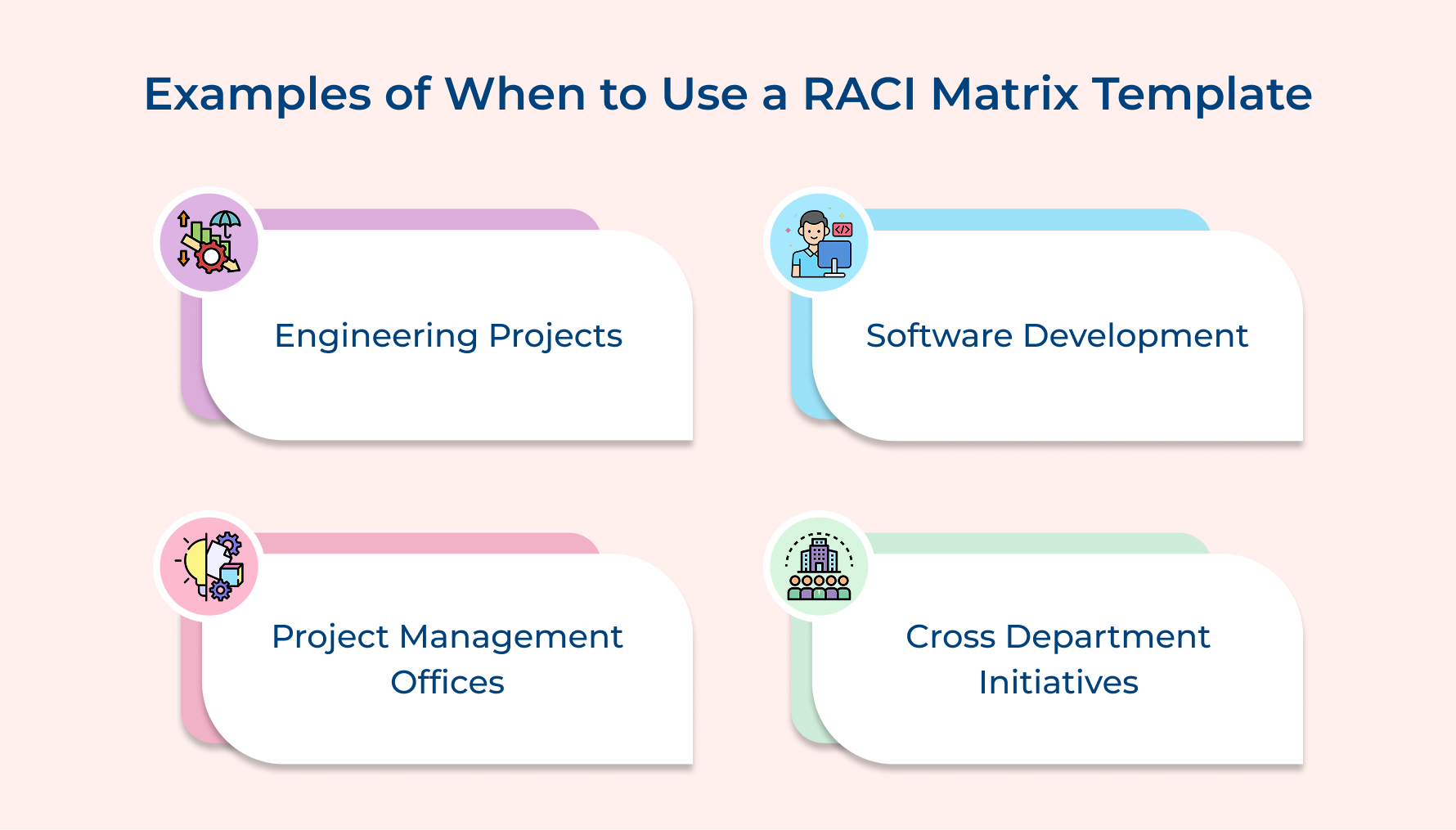
RACI Matrix for Engineering Projects
Engineering teams juggle multiple moving parts where one group’s output directly impacts another. Using a responsibility assignment matrix brings structure to this complexity by clearly defining ownership for design reviews, integration testing and final specifications—so nothing critical is left to assumption.
RACI Matrix for Software Development
In software teams, developers, designers, QA testers, product managers and even Scrum masters work in tight cycles where miscommunication can slow everything down. A RACI matrix keeps things clean by clarifying who defines acceptance criteria, who signs off on code, who deploys releases and who responds when production issues hit after hours.
RACI Matrix for Project Management Offices
PMOs operate in a world of shared resources, overlapping timelines and constant trade-offs. When responsibilities are mapped alongside the work breakdown structure, it becomes easier to see which project managers truly own deliverables, who simply needs updates and when leadership escalation is required.
RACI Matrix for Cross-Departmental Initiatives
Cross-functional programs like system rollouts or organizational change efforts often stall because ownership blurs across departments. A RACI matrix brings clarity by aligning every function, while giving the business analyst a defined role in translating requirements into action across teams.
Tips on Using Our RACI Chart Template
Once you have your RACI template ready, a few strategic practices will help you extract maximum value from this powerful tool. These tips address common pitfalls that trip up even experienced project managers.
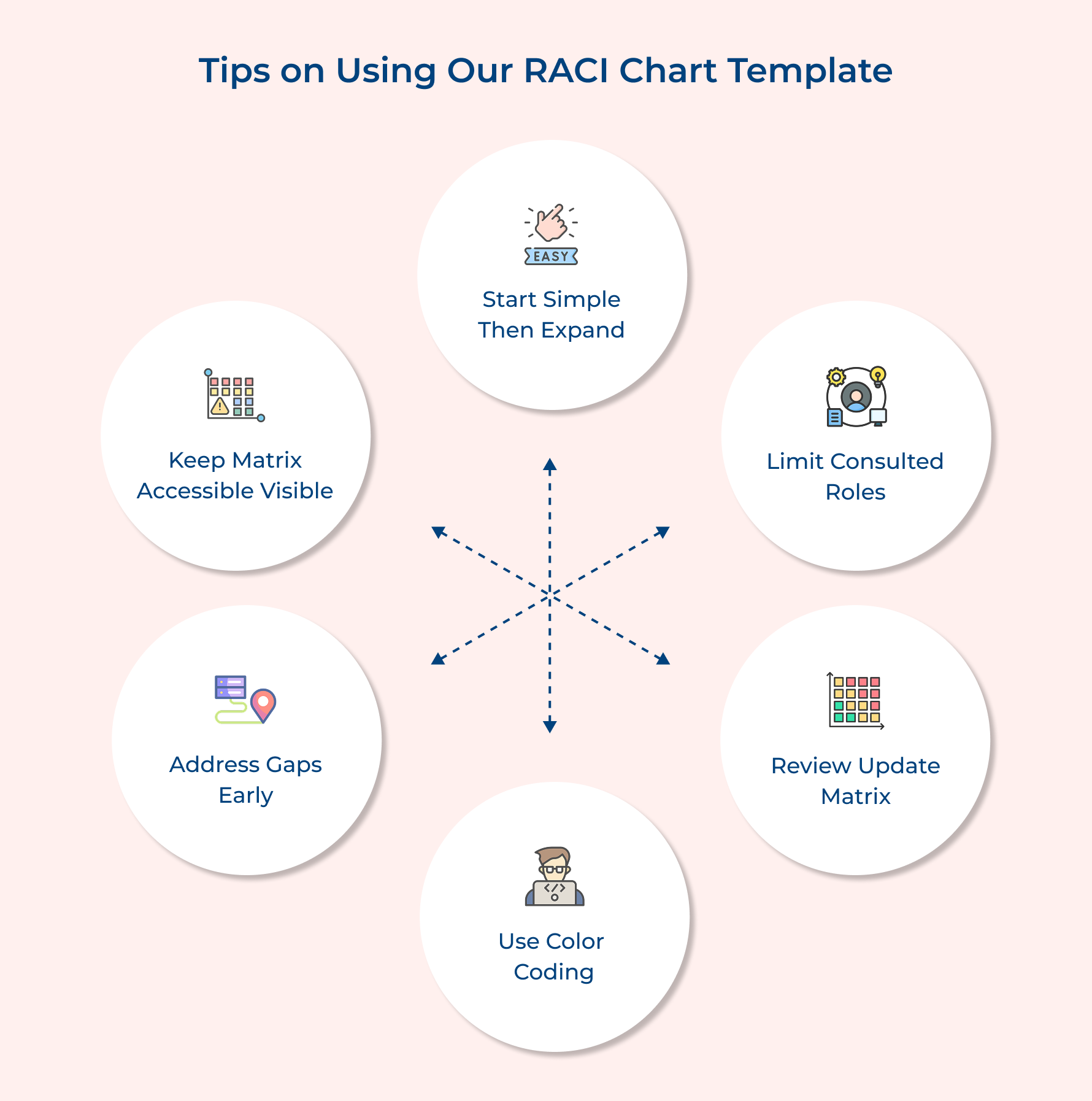
- Start simple and add complexity later: Begin with a basic RACI framework before jumping to RASCI or RACI-VS variations. This lets your team master the core concepts of Responsible and Accountable roles without getting overwhelmed by additional categories.
- Limit the number of consulted roles: Avoid marking too many people as Consulted because excessive consultation slows decisions to a crawl. Aim for two or three Consulted parties maximum per task and consider if some truly need input authority or just updates.
- Review and update the matrix regularly: Schedule monthly reviews during active projects to catch role drift before it causes problems. Team members naturally adjust their involvement over time and the matrix should reflect these changes rather than preserving outdated kickoff assignments.
- Use color coding for visual clarity: Apply different colors to each role category so team members can quickly scan and spot their assignments. Visual distinction makes the chart more accessible than a grid filled with identical letters requiring careful reading.
- Address gaps before starting work: Double-check that every task has at least one Responsible and one Accountable person before launching. Empty cells indicate planning gaps that will cause confusion once work begins as well as people realize nobody owns critical deliverables.
- Keep the matrix accessible and visible: Store your RACI chart in a shared location where everyone can reference it without searching through email threads. Pin it to your project dashboard so it stays top of mind rather than becoming a forgotten document.
Streamline Project Success with the Ultimate RACI Matrix Template
The RACI matrix transforms chaotic projects into well-oiled machines by giving every team member crystal-clear understanding of their role. When you implement this simple framework you eliminate the confusion that causes missed deadlines and frustrating finger-pointing among teammates.
Start with a basic template and customize it to match your project’s complexity as well as your team’s working style. Review it with everyone involved and then actually use it throughout your project rather than letting it collect digital dust after the kickoff meeting.
Limit time — not creativity
Everything you need for customer support, marketing & sales.

Neeti Singh is a passionate content writer at Kooper, where he transforms complex concepts into clear, engaging and actionable content. With a keen eye for detail and a love for technology, Tushar Joshi crafts blog posts, guides and articles that help readers navigate the fast-evolving world of software solutions.