Automated Client Reporting: Boost Accuracy & Save Agency Hours
- What is Automated Client Reporting?
- Differences Between Manual and Automated Client Reporting
- 8 Powerful Ways to Set Up Automated Client Reporting Seamlessly
- Benefits of Automated Client Reporting
- Types of Automated Client Reporting
- Automated Client Reporting: Where Accuracy Meets Automation
- FAQs about Automated Client Reporting
Key Highlights:
- Automated client reporting saves agencies hours each month by eliminating manual data compilation and ensuring consistent, on-time delivery.
- The reporting helps clients receive real-time insights and accurate marketing reports, improving decision-making while building trust.
- Secure portals and scheduled delivery features in automated client reporting boost client satisfaction as well as support scalable agency growth.
Agencies waste countless hours monthly creating manual client reports while risking calculation errors and missed deadlines that damage professional relationships while also preventing strategic work.
Every delayed report erodes client trust while competitors deliver consistent professional communications that position them as more reliable service providers than your agency.
Automated client reporting transforms operational nightmares into competitive advantages by eliminating manual tasks while ensuring perfect accuracy and punctual delivery for stronger relationships.
What is Automated Client Reporting?
Automated client reporting transforms the traditional manual process of creating and distributing reports into a streamlined digital workflow. Instead of spending hours each month compiling data, agencies and professional service firms use software to automatically gather information from various sources. The system then generates polished reports and delivers them to clients on predetermined schedules.
The system connects to your existing tools and platforms to pull relevant data in real-time. It applies pre-built templates and formatting rules to transform raw numbers into visually appealing charts as well as summaries. Once configured, the automation runs continuously in the background and sends completed reports directly to clients via email or secure portals according to your chosen frequency.
Key features:
- Data integration: Connects seamlessly with popular business tools like Google Analytics and CRM systems to eliminate manual data entry.
- Template customization: Offers branded report templates that match your company’s visual identity while maintaining consistency across all client communications.
- Scheduled delivery: Automatically sends reports at predetermined intervals (weekly or monthly) without requiring staff intervention.
- Real-time updates: Refreshes data continuously so clients always receive the most current information available from connected sources.
- Client portal access: Provides secure online dashboards where clients can view their reports and historical data whenever they need it.
Differences Between Manual and Automated Client Reporting
Understanding the fundamental differences between manual and automated reporting approaches helps professional service firms make informed decisions.
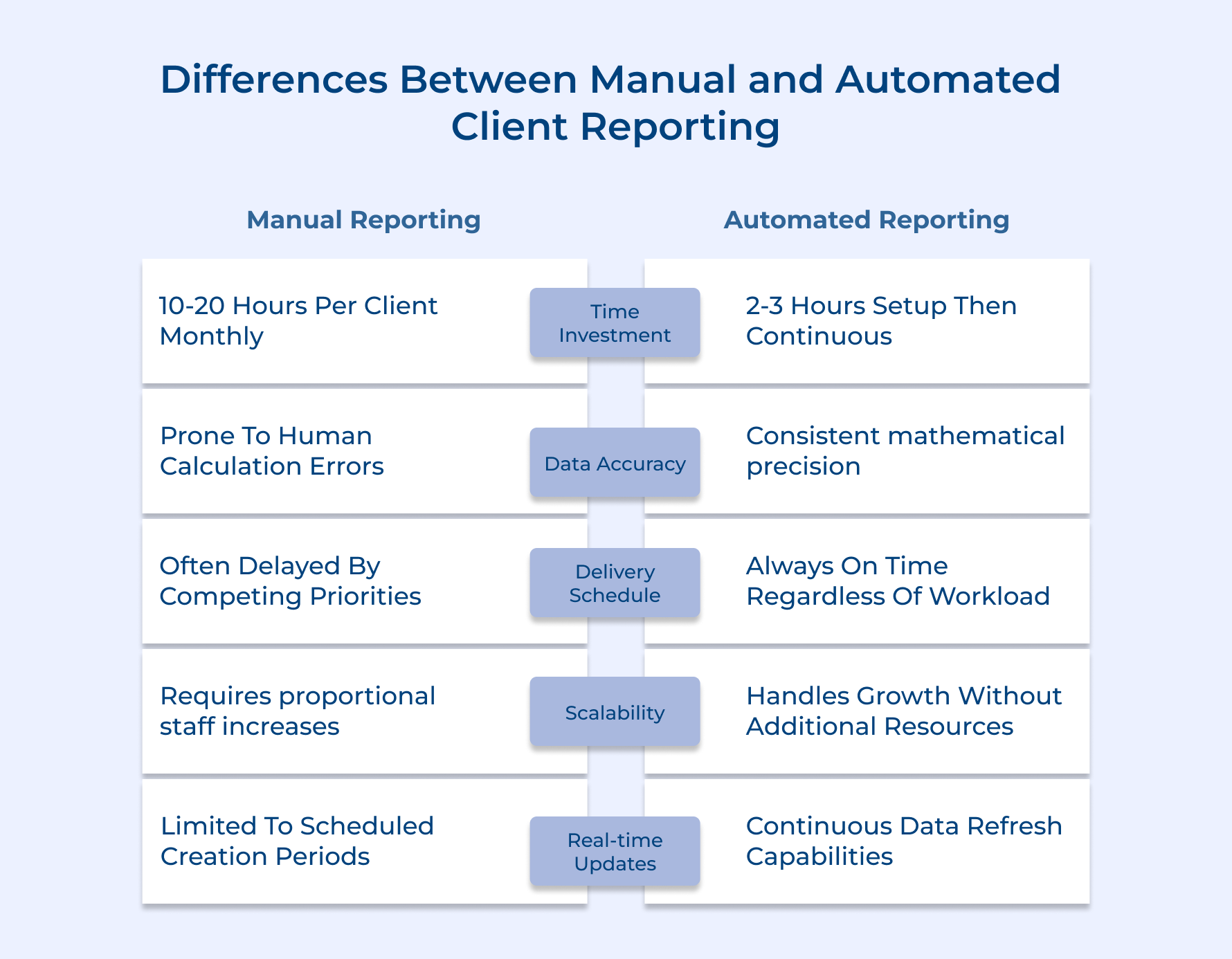
Time Investment Requirements
Manual reporting demands a lot of human hours every reporting cycle. Your team has to gather data from multiple sources and carefully format each report. As your client base grows, the time spent on manual reporting grows too. Each client means more work and more hours.
On the flip side, automated systems require some initial setup to configure templates and connect data sources, but after that they run independently. This means as you add more clients, automation saves you time because it can handle increased volume without needing extra staff.
Data Accuracy and Consistency Standards
When it comes to data analysis, manual processes are prone to errors. People make mistakes, especially when doing repetitive tasks under pressure. These errors often show up only after clients notice discrepancies, which means extra time fixing issues.
Automated systems eliminate this problem by using consistent formulas and standardized formatting every time. Your clients get accurate, professional reports without the inconsistencies manual work can cause.
Delivery Schedule Reliability
Manual reporting often struggles with deadlines. If your team gets busy or pulled in different directions, reports can be delayed, sometimes by days or weeks. That can hurt client trust.
Automated reporting tools deliver reports exactly on schedule, no matter how busy your team is. This reliability strengthens client relationships because they know they’ll get updates when promised.
Scalability and Growth Management
Manual reporting ties your workload directly to the number of clients. More clients mean more staff hours, and eventually, you might need to hire more people just to keep up.
Automated systems scale effortlessly. Regardless if you have ten or a hundred clients, automation handles the workload without extra resources, helping your business grow smoothly and keeping profit margins healthy.
Real-time Data Access and Updates
Manual reporting usually provides outdated snapshots of data, updated monthly or quarterly.
Automated systems continuously refresh data from connected sources, giving clients real-time access to the latest information. This up-to-date data analysis helps clients make smarter, faster decisions and positions your agency as a valuable, proactive partner.
8 Powerful Ways to Set Up Automated Client Reporting Seamlessly
This guide will walk you through an 8-step process to establish a streamlined automated reporting system, helping you transition from time-consuming manual reports to efficient automation seamlessly.
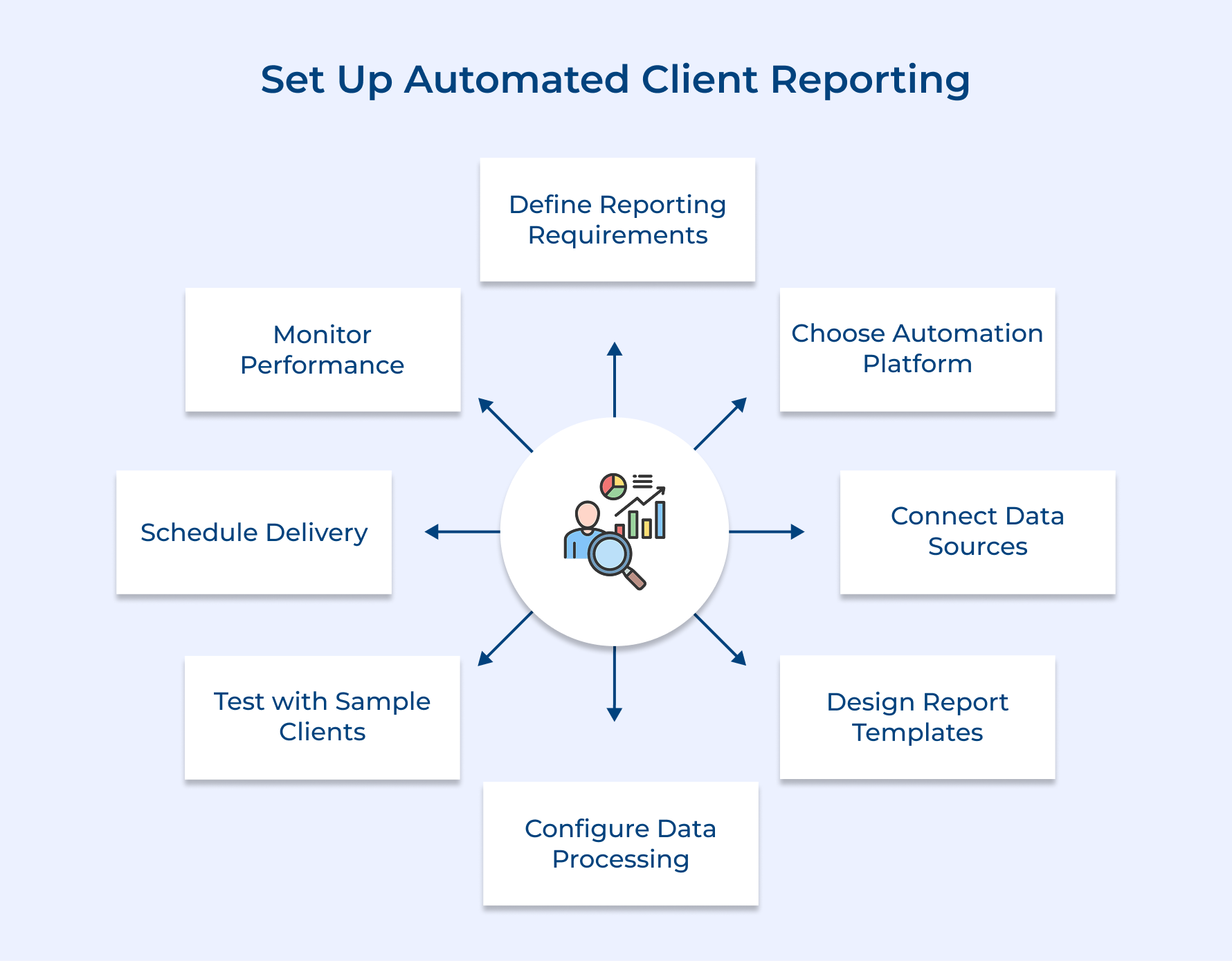
1. Define Your Reporting Requirements
Before jumping into automation, it’s essential to define your reporting requirements—think of it as drawing up the blueprint before building a house.
You wouldn’t start construction without knowing how many rooms you need or what each one’s for, right? The same goes for reporting. Understanding exactly what information your clients need and how often can help you avoid creating flashy reports that don’t actually help them make decisions.
Focus on these key areas:
- Revenue tracking and profitability analysis for financial planning
- Campaign performance metrics like engagement and conversions across all marketing channels
- Project milestone progress and timeline updates to keep stakeholders in the loop
- Competitive analysis and market positioning to guide strategic decisions
Getting these fundamentals right means your reports deliver real value and support your clients’ business goals, not just display raw data.
2. Choose Your Automation Platform
Choosing the right automation platform is key to making your reporting process smooth and scalable as your agency grows. Think of the platform as the engine behind all your client reporting, so this decision affects every part of your communication strategy.
Before you commit, ask yourself:
- Does it integrate easily with the tools your team already uses?
- Is the pricing model flexible enough to support future client growth?
- Can it handle large data volumes from multiple clients without slowing down?
- Does the vendor offer reliable support during critical reporting times?
Many agencies get distracted by flashy features and end up switching platforms later because the tool doesn’t fit their workflow. Focus on practical functionality that matches your real needs.
When evaluating automation tools, look for:
- Seamless data integration with popular business tools.
- Customizable templates for branded, professional reports.
- Automated scheduling so reports go out on time, every time.
- Client portal access for secure, anytime report viewing.
Prioritizing these features ensures your platform supports efficient data analysis and grows with your agency.
3. Connect All Data Sources
Connecting all your data sources is essential for creating marketing reports that are accurate, up-to-date, and truly useful. Without proper integration, your reports end up as isolated snapshots rather than a full picture of client performance.
Think of integration as the nervous system of your reporting setup, each data source plays its part, but together they deliver insights that drive smarter decisions.
Here’s how you can connect your data:
- API integrations: These create real-time, automatic data syncs between platforms. They need some technical setup but keep your marketing reports current without manual effort.
- Webhooks: These trigger instant data transfers when specific actions occur, like a completed sale or campaign update, ensuring your reports always reflect the latest changes.
- File upload automation: For systems that don’t support direct integrations, schedule automated file uploads. This works well for legacy tools, though updates may not be as frequent.
Data sources integration makes your marketing reports more comprehensive, actionable, and valuable for your clients.
4. Design Professional Report Templates
Designing professional report templates creates the visual foundation that transforms raw data into polished client communications that reflect your agency’s brand and expertise. Well-designed templates ensure consistency across all client reports while saving time by eliminating the need to recreate formatting and layout decisions for each reporting cycle.
Agencies can design these four different types of professional client reporting templates to serve various client needs and engagement levels:
- Executive Summary Templates:
- Detailed Analytics Templates
- Project Status Templates
- Financial Performance Templates
A consulting firm creates separate templates for their startup clients versus enterprise accounts because startups focus on growth metrics while enterprises prioritize efficiency ratios. Each template speaks the language that resonates most with that specific client type and addresses their unique business priorities.
5. Configure Automated Data Processing
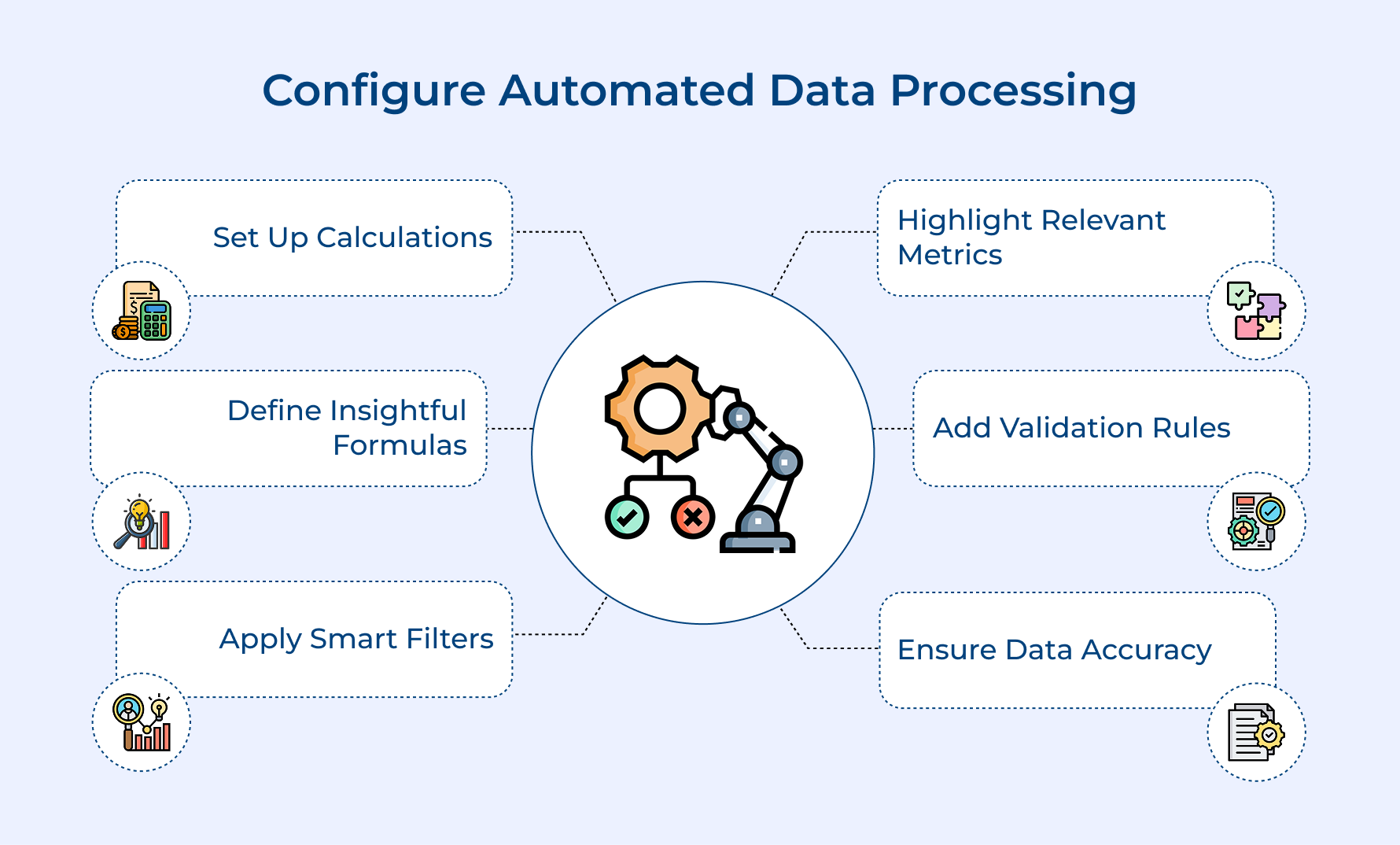
Turning raw data into clear, actionable insights is key to delivering valuable marketing reports. Setting up the right calculations, filters, and validation rules ensures your reports are accurate as well as easy to understand.
- Set Up Calculations and Formulas
To turn raw data into valuable insights, start by defining the right calculations for your marketing reports. Use formulas like ROI, conversion rate, or churn rate to consistently measure what matters most for your clients. These formulas ensure your reports always deliver reliable, actionable metrics.
- Create Smart Filters
Apply filters to highlight only the most relevant information. Smart filtering keeps your marketing reports focused, removing unnecessary data that could overwhelm clients and instead spotlighting the trends as well as metrics that drive business decisions.
- Establish Data Validation Rules
Set up data validation rules as quality checkpoints. These rules catch errors like negative conversion rates or impossible dates, before they reach your clients. Thus, protecting your reputation while ensuring your marketing reports remain accurate and trustworthy.
6. Test Reports with Sample Clients
Testing reports with sample clients validates that your automated system produces accurate and useful outputs before you commit to full-scale implementation across your entire client base. This crucial testing phase identifies potential problems when they’re still easy to fix rather than discovering issues after clients receive incorrect information.
How do you choose the perfect testing partner for your automated reporting system? Look for clients who actively engage with their current reports and provide constructive feedback.
Four Essential Elements for Testing Reports with Sample Clients:
- Data Accuracy Verification
- Template Format Validation
- Delivery Schedule Confirmation
- Client Feedback Collection
Remember that testing represents an investment in your reputation because clients will judge your entire automated system based on their first impression. Taking time to perfect your reports during testing prevents embarrassing mistakes that could damage client relationships and require extensive damage control efforts later.
7. Schedule Delivery and Distribution
Automating report delivery ensures your clients receive timely insights without any manual effort. Here are key scheduling strategies that work best:
- Monday mornings at 9 AM: Weekly performance reports to help clients plan their week.
- First business day of the month: Monthly summaries for budget reviews and planning.
- Same day each quarter: Detailed quarterly analyses for strategic decision-making.
Secure client portals are essential—they keep sensitive information safe while giving clients easy, 24/7 access to their marketing reports.
To avoid disruptions, smart agencies also set up backup delivery methods like:
- Direct file uploads to client portals
- Text message alerts notifying clients when reports are ready
This way, clients always get their reports on time, even if email systems experience technical issues.
8. Monitor and Optimize Performance
Monitoring and optimizing performance ensures your automated reporting system continues delivering maximum value to clients while identifying opportunities for improvement over time.
Regular performance analysis helps you spot declining engagement patterns before they become relationship problems and discover which report elements generate the most client satisfaction.
Professional service agencies should track these four key metrics to evaluate their automated client reporting system effectiveness:
- Report Open Rates
- Client Portal Login Frequency
- Feedback Response Quality
- Client Retention Correlation
Based on these performance indicators agencies can optimize their automated reporting by adjusting delivery timing for higher open rates and redesigning template sections that receive consistently positive client feedback. This continuous improvement approach transforms good reporting systems into exceptional client communication tools that strengthen relationships.
Benefits of Automated Client Reporting
Automated client reporting delivers measurable advantages that transform how professional service firms operate and serve their clients. Understanding these benefits helps you make informed decisions about implementing reporting automation in your practice.
Before diving into automation benefits, smart firms evaluate their current reporting landscape with these critical questions:
- What manual hours does your team currently spend creating client reports each month?
- How often do reporting deadlines create stress or require weekend work from your staff?
- Are clients asking for more frequent updates than your current manual process can reasonably handle?
- Do reporting errors or inconsistencies sometimes damage client relationships or require time-consuming corrections?
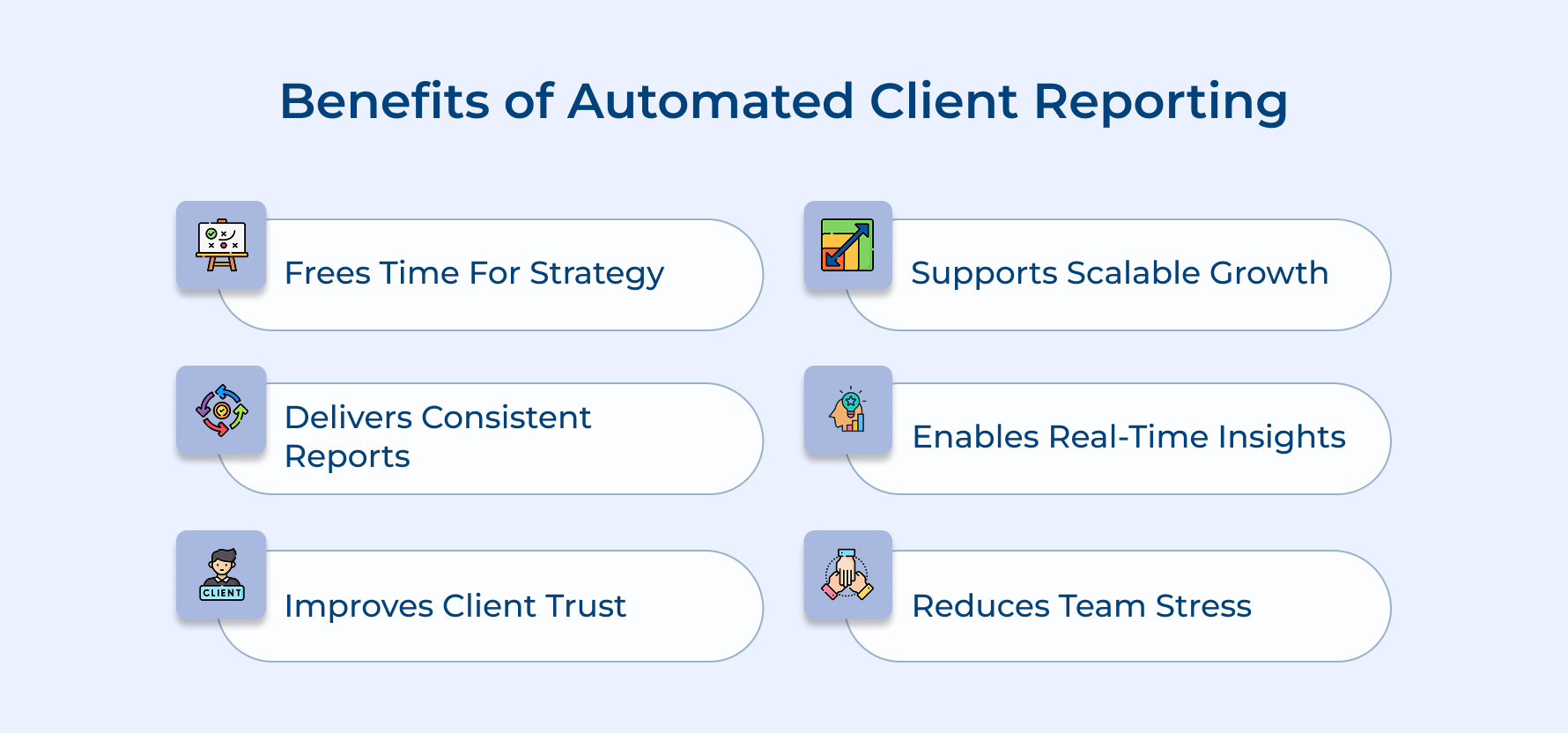
Time Recovery for Strategic Work
Your team reclaims 10-15 hours weekly that were previously spent on manual report creation and data compilation. This recovered time shifts toward high-value activities like client strategy sessions and business development rather than administrative tasks.
Consistent Report Quality and Accuracy
Automation eliminates human errors that creep into manual reporting processes while ensuring every client receives the same professional presentation standards. Your reports maintain consistent formatting and accurate calculations without the variability that comes with rushed manual work.
Enhanced Client Satisfaction Through Reliability
Clients receive their reports exactly when promised without delays caused by staff availability or competing priorities. This predictable delivery schedule builds trust and demonstrates your firm’s commitment to professional service standards.
Scalable Growth Without Proportional Staff Increases
Your firm can serve twice as many clients without doubling your reporting team since automated systems handle increased volume seamlessly. This scalability means higher profit margins and sustainable business expansion without overwhelming your current staff.
Real-Time Data Insights for Better Decision Making
Automated reports pull fresh data continuously rather than relying on month-old snapshots that manual processes often produce. Clients make better strategic decisions when they have access to current performance metrics instead of outdated information.
Reduced Operational Stress and Improved Team Morale
Your staff no longer faces monthly reporting crunches that create overtime pressure and weekend work demands. This reduction in repetitive tasks allows team members to focus on creative problem-solving and client relationship building that makes their work more fulfilling.
Types of Automated Client Reporting
Professional service firms can choose from several automated reporting approaches that match their specific client needs and service delivery models. Understanding these different types helps you select the right automation strategy for your practice.
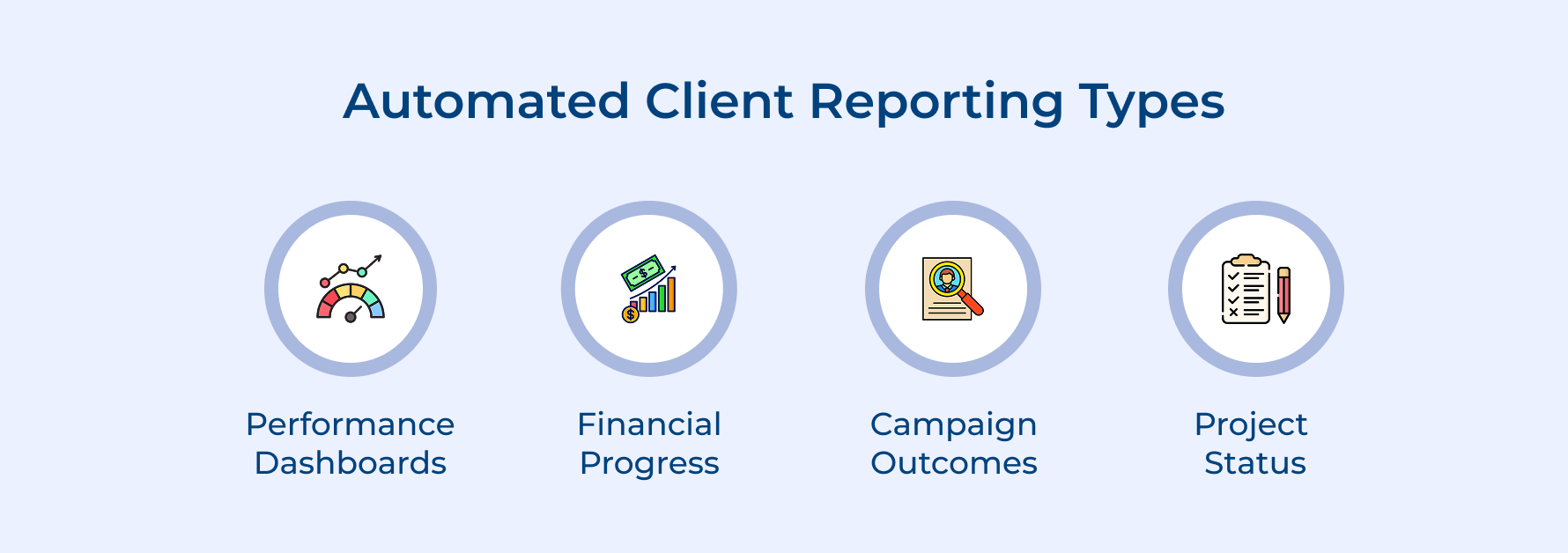
Performance Dashboard Reports
Performance dashboard reports transform complex data sets into visual summaries that clients can quickly understand and act upon. These reports pull metrics from multiple sources like analytics platforms and CRM systems to create comprehensive snapshots of client progress.
Think about what makes dashboards so powerful for decision-making:
- Real-time data visualization eliminates guesswork from strategic planning
- Interactive charts allow clients to explore specific metrics that matter most
- Mobile-friendly formats enable access from any device or location
The visual nature of these reports makes complex data accessible to stakeholders who may not have technical backgrounds.
Financial Progress Reports
Financial progress reports automatically compile budget tracking and expense analysis to show clients exactly where their investments are producing results. These reports connect to accounting systems and project management tools to provide accurate financial summaries without manual data entry.
Automated financial reports eliminate discrepancies between different tracking systems while providing transparency that strengthens client relationships. Clients appreciate seeing detailed breakdowns of how their budgets translate into concrete deliverables.
Campaign Performance Reports
Campaign performance reports focus specifically on marketing initiatives and track metrics like engagement rates as well as conversion statistics across different channels. These reports integrate with advertising platforms and social media management tools to provide comprehensive campaign analysis without manual data compilation.
Key elements that make campaign reports particularly valuable include:
- Multi-channel data consolidation that shows overall campaign effectiveness
- Trend analysis that identifies which strategies produce the best long-term results
- Cost-per-acquisition tracking that demonstrates return on advertising investment
The automated nature of these reports means clients receive consistent updates about their marketing investments without delays caused by manual reporting schedules.
Project Status Reports
Project status reports keep clients informed about deliverable progress and milestone completion across ongoing engagements, initiatives, etc. These reports connect to project management platforms to automatically track task completion and timeline adherence without requiring manual updates from team members.
Project automation eliminates the communication gaps that often create client anxiety about whether work is progressing according to schedule. Clients gain visibility into exactly which tasks are complete and what work remains before project delivery.
Automated Client Reporting: Where Accuracy Meets Automation
Automated client reporting has become necessary because manual processes create bottlenecks that limit growth while introducing errors that damage professional relationships. Modern clients expect real-time insights and consistent communication that traditional reporting methods simply cannot deliver at scale.
Professional service firms improve operational efficiency by reclaiming hours previously spent on manual compilation while enhancing client engagement through reliable delivery schedules. This transformation allows teams to focus on strategic value creation rather than administrative tasks that automation handles more effectively.
Limit time — not creativity
Everything you need for customer support, marketing & sales.

Shivank Kasera is part of the marketing team at Kooper, where he focuses on building content that helps agencies and service providers grow. With a keen interest in SaaS, operations, and scalability, he translates practical insights into actionable resources for business leaders.