What are Resource Planning Templates & How to Create One?
- What is a Resource Planning Template?
- Key Elements of a Resource Planning Template
- How to Create a Resource Planning Template in 6 Steps?
- What are Different Resource Planning Templates?
- Key Benefits of a Resource Management Template
- Achieving Better Results with a Resource Planning Templates
- FAQs about Resource Planning Templates
Key Highlights:
- List all resources—people, equipment, materials—early on to streamline allocation and avoid last-minute resource shortages or conflicts.
- Resource planning templates should have set clear timelines and highlight dependencies to ensure resources are utilized efficiently.
- Monitor actual expenses against budget estimates to control costs and ensure financial control throughout the project.
Are you struggling to effectively allocate your team’s time, skills, and resources across multiple projects?
Well-crafted resource planning templates could be the game-changer you need. Whether you’re managing a small team or orchestrating complex enterprise projects, having a structured approach to resource planning is crucial for project success and team productivity.
Let’s walk you through a comprehensive resource plan template that takes the guesswork out of capacity planning, helps prevent burnout, and ensures optimal resource utilization.
Say goodbye to overallocation headaches and hello to streamlined project management!
What is a Resource Planning Template?
A resource planning template is a structured document or framework that outlines the allocation of resources required to complete a project successfully.
The template serves as a comprehensive guide for identifying, organizing, as well as managing various resources, including human capital, equipment, materials, technology, and financial assets throughout the project lifecycle.
Clear visualization of resource distribution enables project managers to make informed decisions, identify potential bottlenecks, and implement proactive solutions before issues arise. Systematic approaches to resource management enhance team collaboration, improve budget control, and increase project success rates.
Key objectives :
- Maximize resource efficiency: Ensure optimal allocation and utilization of all available resources to minimize waste as well as redundancy.
- Risk mitigation: Identify potential resource constraints and conflicts early to develop contingency plans while also reducing project risks.
- Cost control: Track resource-related expenses and maintain budget alignment through detailed resource allocation planning.
- Performance optimization: Enhance project delivery by matching the right resources with appropriate tasks and maintaining balanced workloads.
Key Elements of a Resource Planning Template
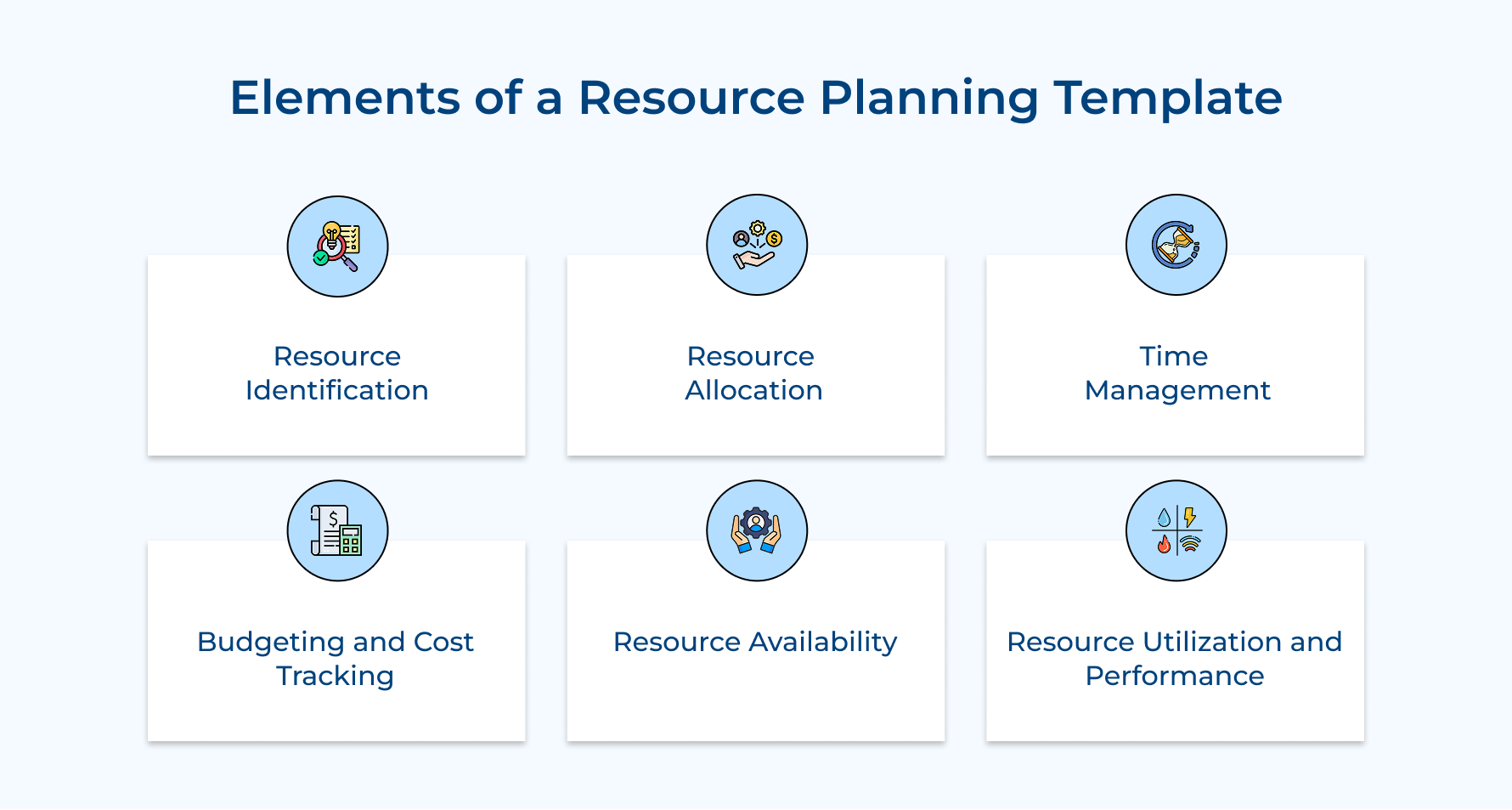
A resource planning template is the next step for you to organize your workflow and ensure it runs smoothly. Here are key elements that you need to consider.
1. Resource Identification
Start by listing all the resources you have—people, equipment, materials, you name it! Knowing what’s available upfront makes it so much easier to allocate them wisely and avoid last-minute scrambles.
2. Resource Allocation
Once you’ve got your resources lined up, the next step is to assign them to specific tasks. Think of it as matching the right people (or tools) to the right job to keep things balanced and running smoothly.
3. Time Management
Don’t let timelines become a headache! Map out when each resource will be needed and make sure deadlines are crystal clear. This way, you can stay on track as well as avoid delays.
4. Budgeting and Cost Tracking
Nobody likes surprises when it comes to budgets. Add cost estimates for everything—labor, materials, and other expenses—while keeping an eye on actual spending so you can stay on budget without breaking a sweat.
5. Resource Availability
It’s all about making sure your resources are ready when you need them. Regardless if it’s checking schedules or equipment usage, keeping tabs on availability ensures everything’s where it should be at the right time.
6. Resource Utilization and Performance
Want to know if your resources are being put to good use? Monitor their performance! Spot inefficiencies early, make adjustments, and keep productivity levels high throughout the project.
How to Create a Resource Planning Template in 6 Steps?
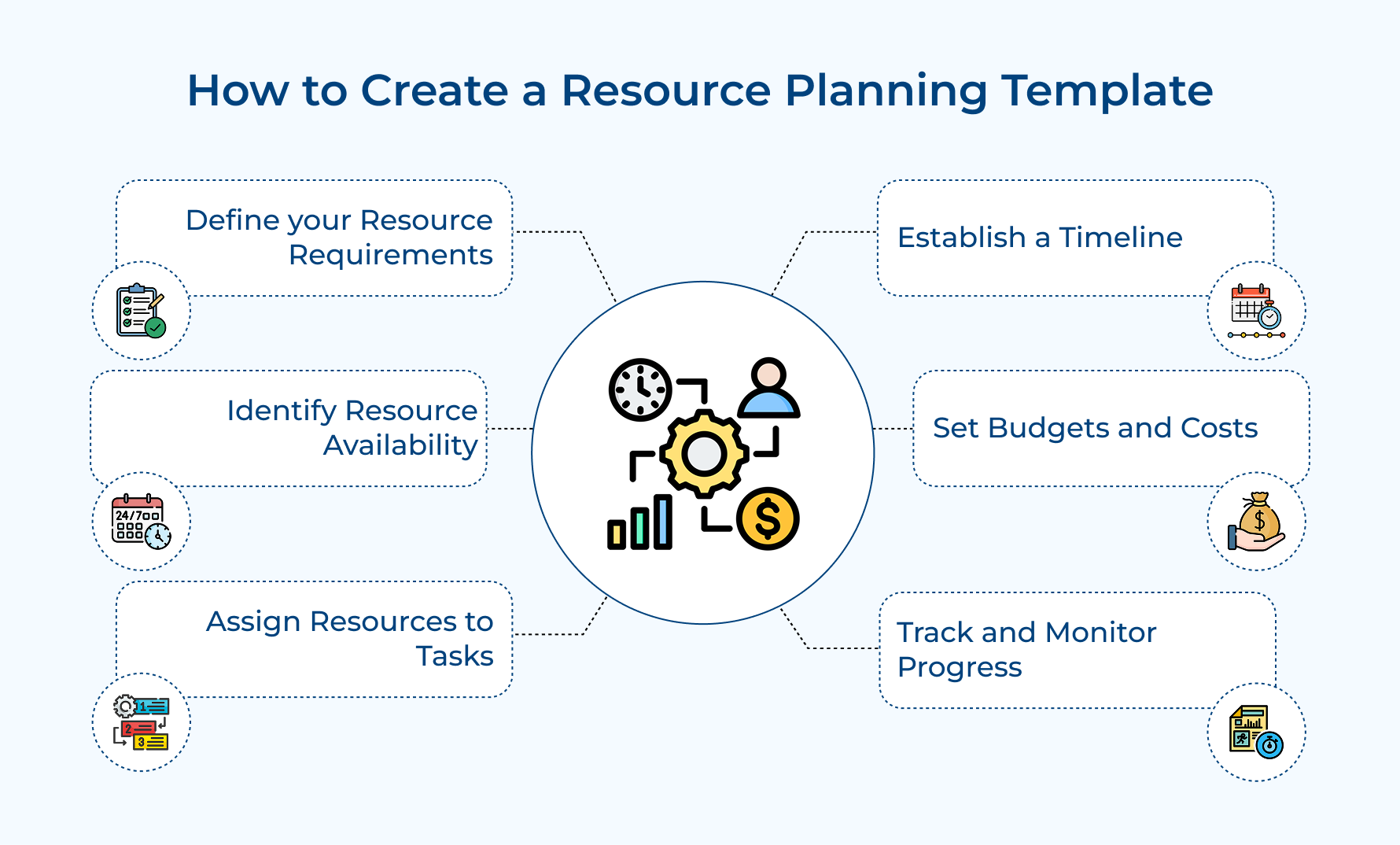
Creating a resource planning template might sound tricky, but it’s easier than you think. Here are a few simple steps to help you design a tool that keeps your projects organized.
1. Define Your Resource Requirements
Defining resource requirements is the first step to ensuring your project has everything it needs to succeed. Here’s how you get it right.
- Identify what you need: Start by figuring out the types of resources your project requires—people, tools, materials, software, etc. Don’t forget to note down how much you’ll need and any specific qualities (like expertise or special features).
- Why it matters: Defining your resource requirements upfront keeps things running smoothly. It helps you avoid last-minute shortages, cut down on inefficiencies, and sidestep delays caused by missing key resources.
- Organize by categories: In your template, create sections for each resource type (e.g., personnel, equipment, materials) and list what’s needed for each project phase. Be sure to include estimated quantities along with any must-have specifics.
Pro Tips:
- Work with the team leads early on to make sure nothing important gets missed.
- Keep the resource list updated as the project progresses—things can change, and it’s better to adapt early.
2. Identify Resource Availability
Keep tabs on when your resources—like team members, equipment, or materials—will be accessible during the project. Don’t forget to note any scheduling conflicts or limitations upfront.
Why is identification important? It,
- Helps you avoid double-booking or other scheduling conflicts.
- Ensures resources are ready when you need them, so you can avoid frustrating delays.
- Makes it easier to allocate resources efficiently across tasks.
How to Do It?
- In your template, list each resource along with their availability and any downtime.
- Use this info to create schedules that avoid overlaps as well as ensure resources are assigned to critical tasks at the right time.
Pro Tips:
- Regularly update availability as schedules or equipment usage changes—it’s better to stay ahead of surprises!
- Consider using project management tools to automate tracking and get a clear view of resource availability.
3. Assign Resources to Tasks
Assigning resources to tasks is all about matching the right people, tools, and materials to specific project needs.
For example, if your team is working on designing a logo, you’d assign a skilled graphic designer with access to the necessary software and enough time to do the job well. It ensures that each task is completed with the right expertise as well as resources.
Proper resource assignment helps tasks stay on schedule and reduces the risk of bottlenecks. It also prevents overloading your team or tools, making sure everything is working at an optimal level.
Link resources to specific tasks in your planning template to create clear accountability and streamline progress tracking.
Pro tip:
- To keep things running smoothly, regularly review workloads to ensure tasks are evenly distributed.
- If delays or conflicts arise, adjust resource assignments quickly to avoid further disruptions and keep the project on track.
4. Establish a Timeline
Establishing a timeline is all about setting clear start and end dates for tasks. It helps you organize and prioritize activities while ensuring everything moves forward smoothly.
A well-thought-out timeline keeps tasks on schedule and in the right order. It makes it easier to prioritize what needs to be done first, avoid delays, and ensure your resources are available when needed.
Create a timeline by entering deadlines, milestones, and task durations into your planning template. Make sure to highlight any task dependencies to avoid scheduling conflicts. And don’t forget to regularly update the timeline—it’s a great way to stay flexible as well as adjust as tasks progress or delays pop up.
Pro tip: Break big tasks into smaller milestones. It simplifies scheduling and gives you a clearer picture of progress along the way!
5. Set Budgets and Costs
Begin by figuring out the financial needs for each resource—this includes your team, equipment, and materials. These estimates give you a clear picture of how much you’re spending at each stage of the project.
Setting a budget is crucial because it,
- Keeps your project within its financial limits.
- Helps you spot cost overruns early, so you can adjust resource allocations and avoid going over budget.
How to make it more efficient?
- Include estimated costs for every resource in your template.
- As the project progresses, track actual expenses and compare them with your estimates to stay on top of spending.
Pro Tips:
- Regularly compare actual costs with your budget to spot discrepancies early.
- Set up a contingency fund for those unexpected expenses, ensuring you’re always prepared without overspending.
6. Track and Monitor Progress
Keep an eye on how your resources are being used and check off milestones regularly to make sure everything is moving as planned. This helps you spot any issues or resource shortages before they become problems.
- Tracking allows you to make quick changes to resource allocation and timelines if needed.
- It also helps avoid delays or bottlenecks, keeping the project on schedule and resources used effectively.
Monitoring progress can be done easily with these steps,
- Update your template regularly with progress reports on resource usage and task completion.
- Use visual tools or reports to clearly highlight any issues so you can make adjustments quickly.
Pro Tips:
- Schedule weekly or bi-weekly progress reviews to stay on top of resource usage and task status.
- Consider using real-time tracking tools to spot potential delays and resolve them instantly.
What are Different Resource Planning Templates?
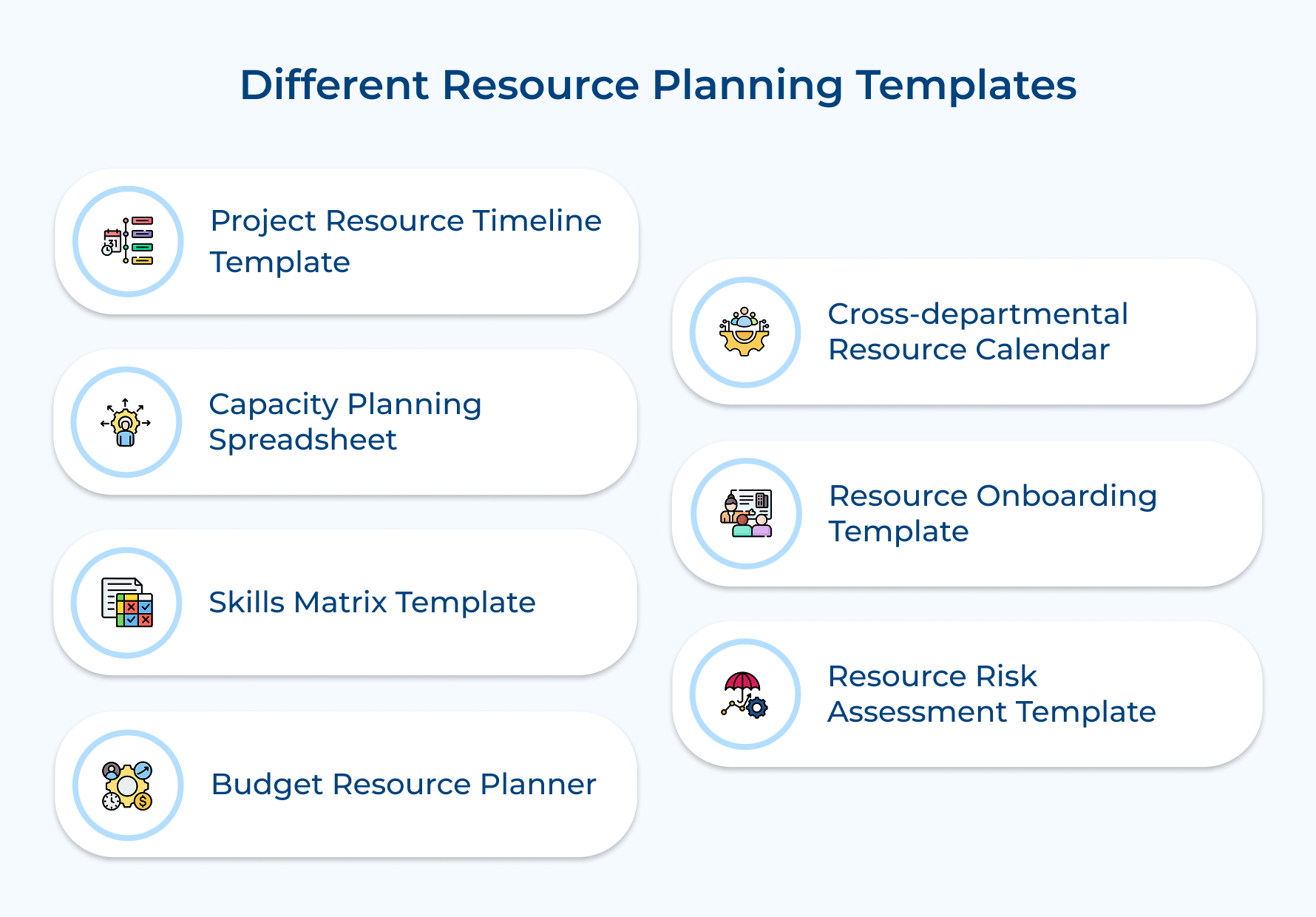
When it comes to resource planning, having the right template can make all the difference. There are different types of templates to use depending on the scope of your project, so let’s explore a few options to help you find the best one for you!
1. Project Resource Timeline Template
A visual scheduling tool that helps you see exactly when and where resources are allocated throughout the project. It shows team member assignments, task durations, dependencies, and workload distribution in a clear, timeline-based format.
The project resource timeline template provides visibility into how resources are distributed to avoid overbooking or burnout. It also enables you to manage dependencies and ensures balanced resource usage across all project phases.
How to Create the Template?
- List all resources as well as project tasks on the vertical axis, and lay out the timeline on the horizontal axis.
- Use color coding to separate tasks or activities as well as assign resources to specific tasks. Make sure to regularly update the timeline with progress and any changes.
Pro Tips:
- Review the timeline weekly, and hold team check-ins to discuss capacity along with potential conflicts.
- Add buffer time (about 15-20% of the total capacity) to account for unexpected delays or changes.
2. Capacity Planning Spreadsheet
A capacity planning spreadsheet is a numerical tool that helps you track and calculate your team’s capacity. It compares the available hours against project demands and includes automated calculations for resource utilization, availability, workload, etc.
The spreadsheet helps organizations make smart decisions about project commitments, ensuring you don’t overextend resources. Hence, preventing your team from overloading and keeping workloads sustainable.
How to Build One?
- Input available resources and their working hours along with the project’s needs.
- Use built-in formulas to calculate resource utilization rates, pinpoint any capacity gaps, and forecast when you might need more resources (or training).
Pro Tips:
- Set up alerts that notify you when resource utilization exceeds 80%—this helps prevent burnout and keeps things balanced.
- Conduct a monthly capacity vs. demand analysis to stay ahead of potential hiring or training needs.
3. Skills Matrix Template
It is a comprehensive grid documenting team members’ skills, expertise levels, certifications, and competencies. The skill matrix template serves as a talent inventory for resource allocation decisions.
Teams need to quickly identify available skills for project staffing and understand skill gaps. It helps in making informed decisions about training needs and resource development.
Create a matrix with team members on one axis and skills on another. Rate proficiency levels, update regularly, and use for project staffing as well as development planning.
Pro tips:
- Schedule quarterly skills assessments with team members to keep the matrix current.
- Use a 1-5 rating scale for each skill to maintain consistency in proficiency evaluation.
4. Budget Resource Planner
A budget resource planner is a financial tool that tracks the costs of resources, billable rates, and how the project budget is allocated. It helps with cost forecasting and compares actual spending to the planned budget.
Why It’s Important:
- Helps maintain financial control over the project by ensuring costs are kept in check.
- Ensures that resources are utilized efficiently, contributing to the overall profitability of the project.
How to Do It:
- Input the costs for your resources, their billable rates, and the overall project budget.
- Track actual spending and compare it to your forecasts. Use variance analysis to identify areas where costs can be optimized.
Pro Tips:
- Review budget variance reports every two weeks to catch cost overruns early and adjust accordingly.
- Set up a cost approval process for any changes that exceed 10% of the planned budget, ensuring you stay on track.
5. Cross-Departmental Resource Calendar
A Cross-Departmental Resource Calendar is a shared tool that gives visibility into how resources are allocated across different departments.
It highlights any shared resources, dependencies, and potential conflicts, making it easier for everyone to see where overlaps may occur. This kind of calendar is essential for organizations that need to avoid double-booking resources and ensure efficient collaboration as well as resource sharing between departments.
To set it up, create a centralized calendar that all department heads can access. Color-code resources by department or project, and make sure to update it regularly with any new resource commitments or availability.
Pro tip: A great way to make this tool even more effective is to establish a weekly coordination meeting between department heads to go over upcoming resource needs.
6. Resource Onboarding Template
The Resource Onboarding Template is a structured guide designed to streamline the process of bringing new resources onto the project team. It includes orientation steps, training requirements, and role expectations to get them up to speed quickly.
How to Use It:
- Customize the template based on the specific roles within the project team.
- Follow the checklist in order, and track progress through each phase of onboarding to ensure smooth integration.
Pro Tips:
- Assign an experienced team member to act as a mentor for each new resource during their first month to offer support and guidance.
- Create role-specific knowledge base documents that new team members can refer to independently, helping them find answers and stay informed.
7. Resource Risk Assessment Template
A Resource Risk Management Template is a strategic tool designed to identify, assess, and mitigate risks related to resources. It includes backup plans and contingency strategies to help prepare for potential disruptions in the project team’s resources.
How to Use It:
- Start by identifying potential risks related to resource availability or allocation.
- Assess the likelihood and impact of each risk, then develop strategies to mitigate them.
- Regularly review and update the risk status to stay prepared for any unforeseen issues.
Pro Tips:
- Hold monthly risk review sessions with key stakeholders to update your risk assessments and ensure everyone is aligned.
- Keep an updated list of backup resources or vendors ready to step in for critical roles if needed.
Key Benefits of a Resource Management Template
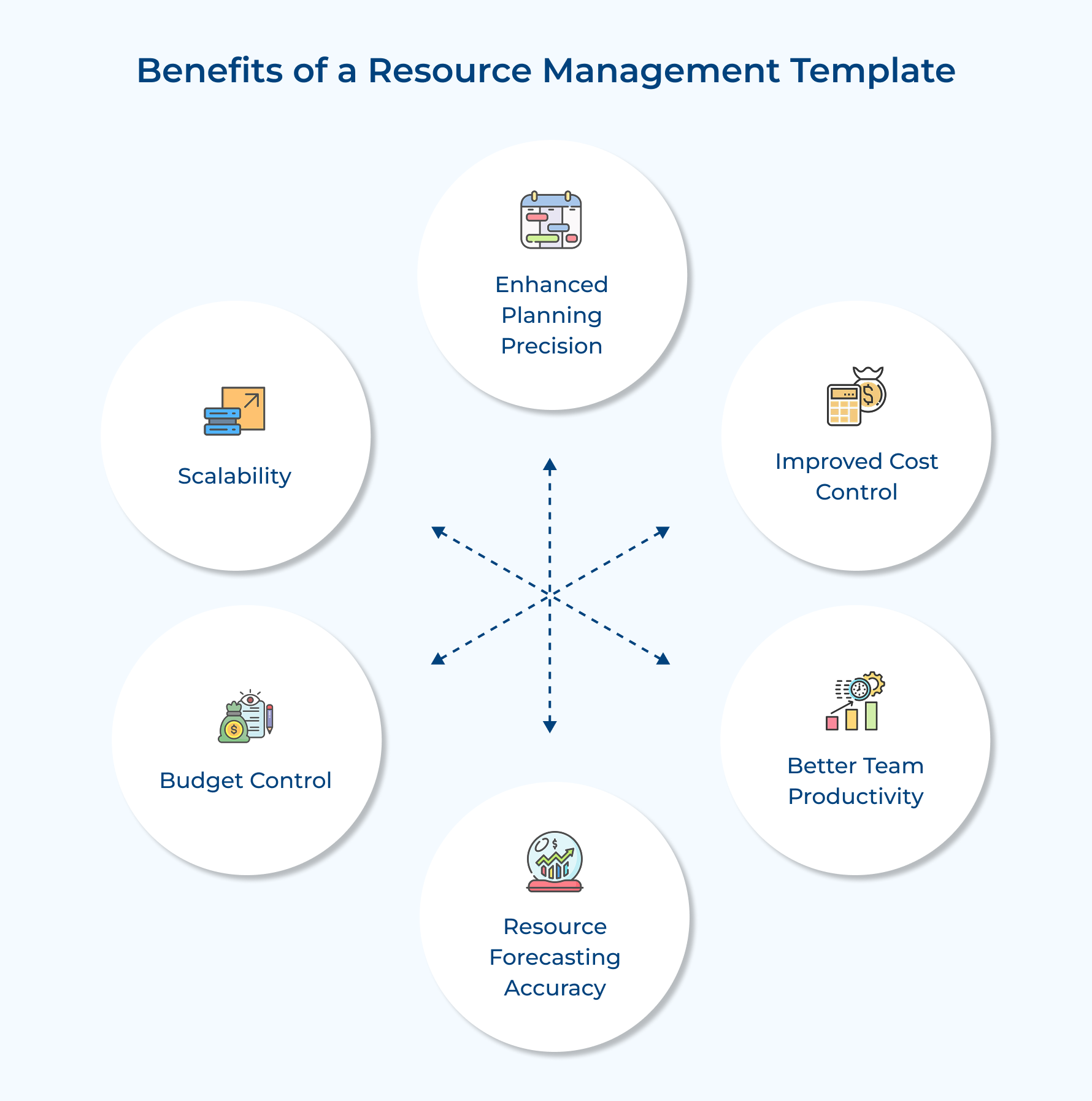
A Resource Management Template plays a crucial role in ensuring that future projects are well-organized and resources are allocated efficiently. Let’s learn how it benefits you in the long run.
Enhanced Planning Precision:
With a structured planning framework, resource allocation becomes more systematic and precise. Project managers can see the team’s capacity, preventing over-allocation while making sure resources are used optimally across multiple projects.
Improved Cost Control:
By accurately tracking resource costs, time, and budget, organizations can manage finances better. Efficient distribution along with early identification of potential cost overruns helps save money and keep things on track financially.
Better Team Productivity:
Clear role assignments and streamlined workload distribution lead to better team efficiency. Everyone knows what they’re responsible for, what the deadlines are, and what the priorities are, which reduces confusion as well as boosts productivity.
Resource Forecasting Accuracy:
Leveraging historical data and trends allows for more accurate resource forecasting. This makes it easier to predict future needs and plan for upcoming projects, helping organizations stay prepared.
Budget Control:
The resource management template helps track all resource-related expenses, preventing budget overruns. With better visibility into costs, project managers can make adjustments to ensure that everything stays within financial limits.
Scalability:
As your projects grow or evolve, the resource management template adapts to handle increased complexity. It supports the management of more resources, making scaling easier and ensuring that nothing slips through the cracks.
Pros and Cons of Using Resource Planning Templates
Resource planning templates can be a game-changer for managing projects efficiently, but like any tool, they come with their own set of pros and cons. Let’s take a look at what makes them beneficial and where they might fall short.
Pros of Using Resource Planning Templates
- Improved Organization
Resource planning templates help organize projects more effectively. They provide a clear structure for tracking resource needs, assignments, and schedules, making it easier to manage tasks as well as avoid confusion. - Efficiency and Time Savings
Templates save time by providing a standardized format that can be reused across multiple projects. Instead of creating a new plan from scratch each time, teams can build on an existing template, speeding up the planning process. - Better Resource Allocation
Templates help allocate resources more effectively by mapping out each task’s specific requirements. With clear visibility into available assets, project managers can ensure resources are assigned where they are needed most, avoiding overutilization or shortages. - Enhanced Visibility and Transparency
A resource planning template increases visibility into resource allocation, availability, and project progress. It promotes transparency, allowing all team members to stay informed and collaborate more efficiently. - Cost Control
Templates track both projected and actual resource costs, helping to stay within budget. Managers can spot discrepancies early, ensuring that expenses remain in check and that resources are used efficiently. - Risk Mitigation
Resource planning templates highlight potential issues like resource conflicts or shortages, allowing project managers to address problems before they affect the schedule or budget. Proactive planning reduces the risk of project delays and other disruptions.
Cons of Using Resource Planning Templates
- Initial Setup Time
Setting up a resource planning template can be time-consuming. Customizing it to fit the specific needs of a project requires careful planning and input, which may slow down the initial stages of project management. - Inflexibility in Complex Projects
For complex or rapidly changing projects, templates can become too rigid. They may not easily accommodate frequent changes or unexpected developments, leading to the need for constant updates and adjustments. - Over-reliance on the Template
There is a risk of becoming too reliant on the template itself. If teams focus solely on the template without considering the broader project context or real-time changes, it can lead to missed insights or oversights. - Learning Curve
Team members may experience a learning curve when using a new template, especially if they are unfamiliar with the format or software. Without proper training, it can take time to understand how to enter data and interpret the results correctly. - Potential for Data Inaccuracy
Templates are only as accurate as the data input into them. Inaccurate or outdated information can lead to poor decision-making, misallocated resources, and missed deadlines, undermining the effectiveness of the planning process. - Requires Regular Maintenance
A resource planning template requires ongoing updates to remain relevant and accurate. Failing to keep data current can result in the allocation of outdated resources or misalignment with the project’s actual needs, affecting efficiency and project outcomes.
Achieving Better Results with a Resource Planning Templates
Modern project management thrives on effective resource planning templates, providing structure and clarity in complex business environments. Initial investment and ongoing commitment may seem challenging, yet enhanced efficiency, optimal resource utilization, along superior project outcomes deliver substantial returns.
Success emerges from adapting and evolving chosen templates to match organizational needs rather than simply selecting standard formats. A strong foundation paired with continuous refinement transforms resource planning from an overwhelming task into a powerful strategic advantage. Organizations embracing well-structured resource planning templates position themselves for streamlined operations and sustained project success.
Limit time — not creativity
Everything you need for customer support, marketing & sales.

Pooja Deshpande is a content contributor at Kooper, focused on creating insightful resources that help agencies and service providers scale efficiently. Passionate about SaaS trends, content strategy, and operational excellence, she delivers practical, easy-to-implement guidance for modern business leaders.