How Technology in Project Management Improves Delivery
- What is Technology in Project Management?
- What is The Role Of Technology in Project Management?
- Key Benefits of Technology Integration in Project Management
- Types of Technology to Improve Project Management
- How to Implement Technology in Project Management: 7 Steps
- Challenges of Implementing Technology in Project Management
- Transform Your Project Management With Innovative Tech Solutions
- FAQs about Technology Integration in Project Management
Key Highlights:
- Missed deadlines as well as budget overruns in project delivery are key signs of broken technology and not your team’s capability.
- Technology in project management gives teams live visualization into tasks, resources and budgets from a unified place.
- Eliminates repetitive manual work with automation and redirects your project managers toward higher-value delivery.
Ever know why many capable project managers still miss deadlines and lose budgets despite putting real effort? The problem is not just about skill. It is a process that cannot scale without the right technology to support delivery decisions.
According to the report, 77% of high-performing projects use purpose-built software. What does it prove? Tool adoption directly impacts project delivery. The right technology helps in managing distributed teams without shifting project priorities.
Explore the complete breakdown of how exactly technology in project management works, from collaboration tools to PSA software. Also, understand how to implement it within your existing workflow. Completing the guide will leave you with a clear roadmap to build a delivery system that scales with your operations.
What is Technology in Project Management?
Technology in project management refers to the use of digital tools and trends that help teams plan, execute as well as monitor projects with greater accuracy. It replaces manual tracking. Automated processes reduce errors and save time in decision-making.
The right combination of technologies helps project managers to connect task assignments and resource data into one unified system. It gives the entire team real-time visibility into each phase and areas where attention is needed.
Main goals:
- Centralized project planning: the right technology brings all project management information in one place to avoid teams working from multiple sources of truth.
- Real-time tracking: Monitor task progress and deadlines as they unfold on the ground.
- Resource optimization: make sure the right people are assigned to the right tasks.
- Risk reduction: Identify potential delays in project deliverables in the early phase so corrective action can be taken.
What is The Role Of Technology in Project Management?
Technology in project management separates teams that consistently deliver from those that are constantly missing deadlines.
Here’s what the data says about the growing role of technology in project management:
- 77% of high-performing projects use software, which proves that tool adoption directly affects your delivery success.
- The AI-driven project management is expected to expand from $3.08 to $7.4 billion by 2029. It reflects how deeply automation is reshaping the industry.
- More than 7 out of 10 organizations believe that successful AI can deliver an advantage across the project lifecycle.
As a project manager, when you look at these numbers, it clearly indicates that investing in the right technology helps in making smarter decisions at every stage of delivery. The gap between tech-enabled and spreadsheets-focused teams is widening every year.
Key Benefits of Technology Integration in Project Management
The benefits of the right technology integration don’t just lie in project management, but it has fundamentally changed how well a project is delivered.
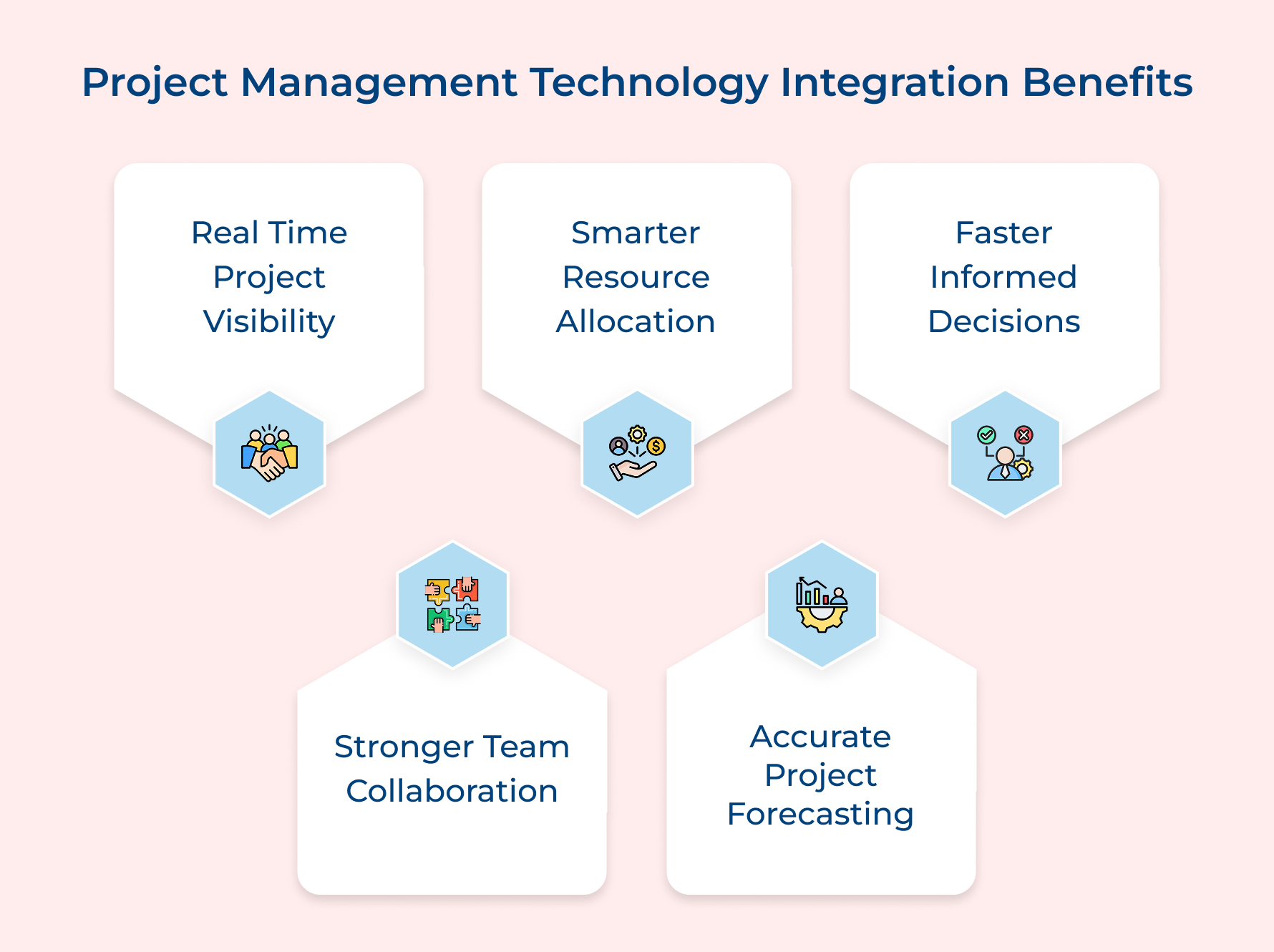
1. Real-Time Project Visibility
Live tracking of every task, milestone and dependency helps to starts managing based on fact. It enables teams to catch a budget overrun early. The best technology can flag a resource conflict before it turns into a crisis.
2. Smarter Resource Allocation
Technology gives you clear visibility into available resources and spending of your allocated budget. Resource decisions are made on gut feeling without this visibility. This is the point at which projects start losing money.
3. Faster and More Informed Decision-Making
What happens when project data is consolidated in one centralized place? Decisions that used to take weeks will now be done in hours. Managers acting on accurate real-time data are always going to outperform others.
4. Stronger Team Collaboration
Teams that are working remotely and distributed across different time zones need more tools than email chains to stay aligned on a real-time project delivery. The right technology in project management principles bridges that gap by creating a shared workspace where everyone can see the same updates at the same time without confusion.
5. Accurate Project Forecasting
One of the most underused assets in project management is historical data from past projects. Technology makes it fully accessible to all the team members. When your tools analyze past timelines, costs and team performance, your estimates for the future of project management move from guesswork to real patterns.
Types of Technology to Improve Project Management
The technology landscape in project management has changed the future far beyond spreadsheets and solving specific operational problems, impacting delivery quality.
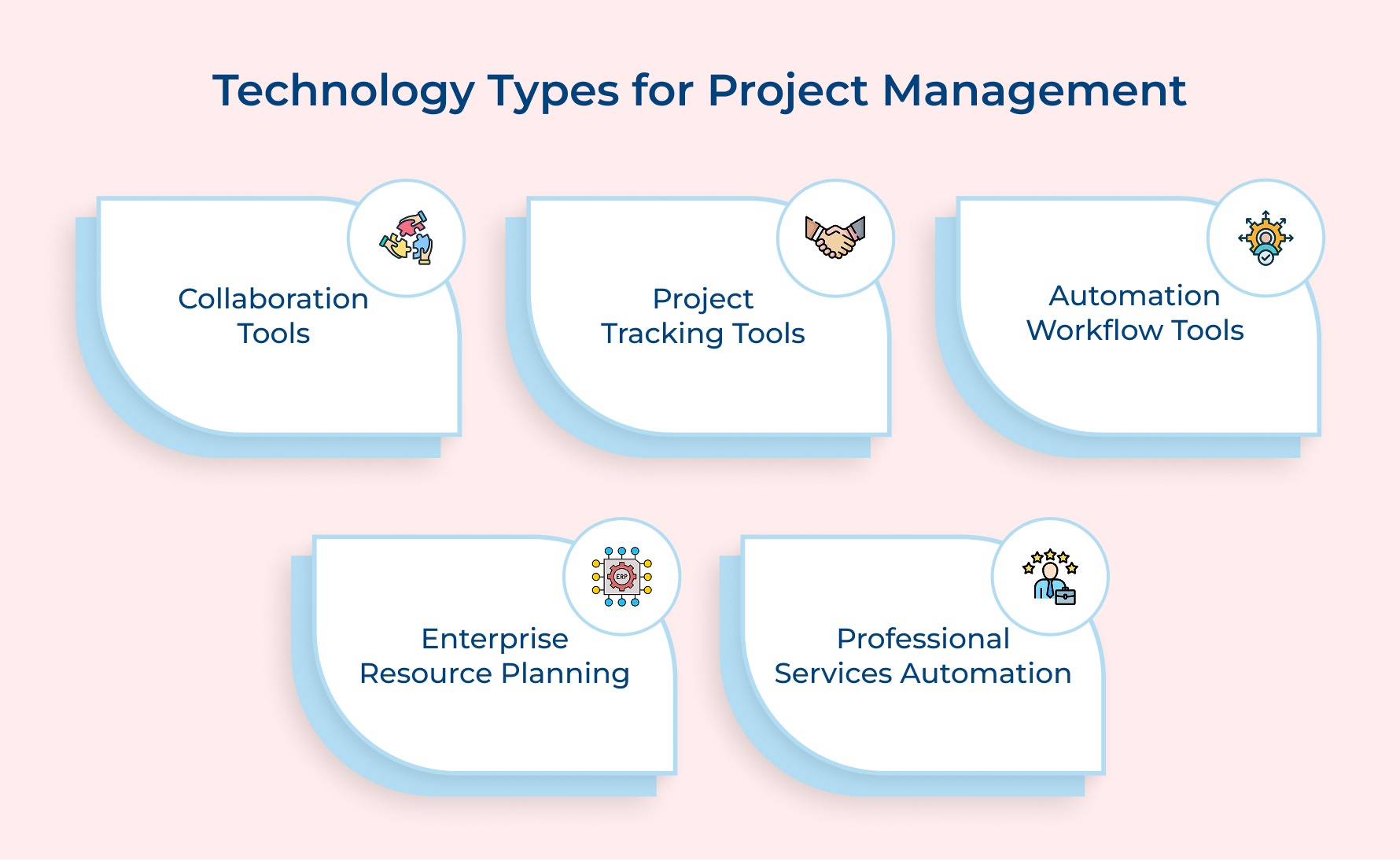
1. Collaboration Tools
Centralization matters. Collaboration tools help in unifying team communication, file sharing and the decision-making process into one workspace. It replaces scattered email threads that slow project delivery.
How to implement it in your system? Starts with defining clear channel structures. It separates client communication, internal discussions and file repositories. Set this structure at kickoff. It helps in avoiding information sprawl that might affect the mid-project.
A strong collaboration technology should help your team to:
- Run a client feedback loop without switching between different tools
- Clear audit trail of the project approved and during
- Maintain controlled access to external stakeholders about relevant updates without full system access.
The right collaboration technology setup helps the team to stop wasting energy on coordination and improve project timelines for client satisfaction.
2. Project Tracking Tools
These tools give you a real-time view of every task, milestone and dependency to manage a project based on facts. It eliminates the need to chase manual status updates from every team member.
Map your project phases into the tracking tool before kickoff. Assign clear responsibilities to every task. So what happens when teams skip this setup process? They will not get the result availability they expected.
Don’t know how to select the right tool? Consider these questions:
- Does the project tracking tool support Gantt chart views or Kanban board views?
- Will it help to generate automated progress reports for client-facing updates?
- Is there a feature to compare original timelines with respect to actual delivery?
3. Automation Tools and Workflow Management
Automation helps in eliminating repetitive manual work and increases your project manager’s strategic thinking time. Things that workflow tools handle without human intervention:
- Auto-assign tasks
- Trigger approvals
- Sending deadline reminders.
What is the best point to start implementing? Audit your last project and identify all recurring manual actions. Once identified, use automated workflows around it and free your team for higher-value hours in project delivery.
Examples of automating high-value opportunities in project management with this technology:
- Conditional workflows where a completed project design phase instantly triggers the development setup
- Automating client-facing emails at frequent intervals so reporting is never missed while maintaining transparency.
It helps our team spend less time on administration and more time on delivery. Tracks this compounding effect across the next six months. The project saves dozens of hours and reduces costly errors.
4. Enterprise Resource Planning (ERP)
ERP systems combine financials, human resources and project data into one platform to eliminate silos that slow critical decision-making. The connected view is ideal for growing professional services firms as it converts reactive management into proactive leadership.
Evaluate your ERP for project management technology with key questions:
- Are there any data silos between your finance and project delivery teams in the current setup?
- Can your existing system generate project-level profitability without manual data extraction?
- Is the system flexible enough to handle both fixed-bid and time-based project models?
ERP becomes more powerful when project budget, costs and client billing data are extracted from the same live source. The integration maintains transparency between ground-level execution and leadership in financial reports.
5. Professional Services Automation (PSA) Software
PSA software is best built for agencies, consulting firms and IT service providers to solve operational gaps. It combines project delivery, resource planning and time tracking into one unified system.
Consider an example in a consulting firm having fifteen active project management tasks pending without using PSA technology. The operations lead manually compiles reports from separate timesheets every week. PSA focus shifts to capacity planning and profitability analysis.
PSA software creates a measurable impact in these key areas:
- Giving managers a real-time view of profitable projects and those that are losing margin
- Align sales and delivery teams on resource availability before kicking off a new project.
Firm scaling beyond a certain project volume needs a PSA to give your operations the structural backbone to grow without losing control of margins.
How to Implement Technology in Project Management: 7 Steps
Explore these crucial steps to seamlessly incorporate technology into your project management practices, for harnessing its full potential to drive efficiency.
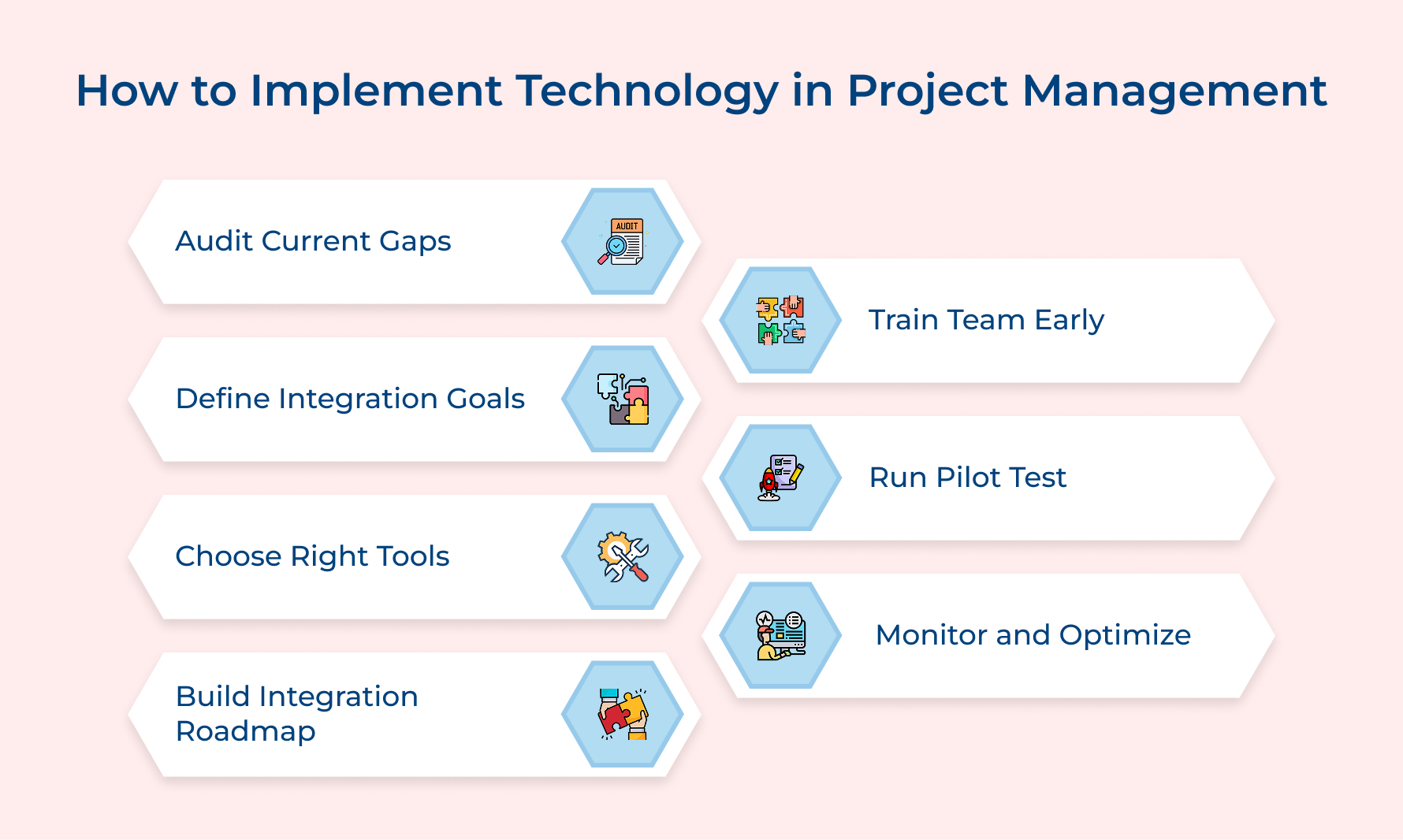
1. Audit Your Current Project Management Gaps
Auditing is the kick start. Before integrating any technology, track exactly where your project management framework is breaking down in delivering. Ask yourself these questions:
- Are your project timelines consistently missing despite having a dedicated team?
- Does your team spend more time on reporting and analytics than on actual project delivery?
- Do your clients frequently ask for status updates because of low transparency into project progress?
Physically tracing goes beyond these questions to create the most drag across your actual workflow. Documenting pain points from your team is where the most audit findings consistently come.
How to implement?
- Run a short survey asking about what slows them down on active projects
- Hold a 30-minute retrospective focused on process friction instead of project outcomes
- Maintain a friction log for at least two to three weeks before finalizing your audit.
2. Define Clear Technology Integration Goals
Technological advancements become an expensive experiment without a clearly defined goal in project management. Goals keep every implementation decision aligned with real business strategies to achieve better outcomes.
Does your team able to choose the right technology with a vague goal? No, it leads the team to choose based on features rather than the specific problems that need to be solved.
Consider these examples of technology integration goals defined in most service firms:
- Utilization visibility: Achieve real-time visibility into billable and non-billable hours across all ongoing projects
- Reporting efficiency: Define a status reporting benchmark within the first quarter to reduce time spent on manual project management skills.
- Budget accuracy: Improve project budget forecast accuracy by using capacity planning technology to track actuals against estimates in a weekly basis.
So how do you make sure your goals stay connected to real outcomes? Align each integration goal to a specific pain point from your audit to measure progress against a specific period.
3. Research and Choose the Right Tools
Selecting the right technology is about finding what genuinely fits your project delivery model and team workflow. A wrong tool creates friction and kills adoption across your team. Key factors to consider when choosing the right tools:
- Workflow compatibility: Does the tool match the team’s workflow instead of forcing an entirely new process?
- Integration capability: Can the tool seamlessly integrate with your existing system without custom development?
- Scalability: Is the tool scalable with growing project volume and team size without extra cost?
- Ease of adoption: Is the interface user-friendly for your entire team to use without technical onboarding sessions?
What is the most common mistake teams make here? Only the project manager is involved in the process of tool selection and skips the preference of people who use it daily. Then, wonder why adoption collapses within months. Overcome it by taking feedback from team members in terms of its usability.
4. Build a Structured Integration Roadmap
A structured integration roadmap converts your technology goals into an actionable plan that your entire team can follow without confusion in project management. Even well-chosen tools get implemented inconsistently without a road map. The expected efficiency gains are never fulfilled.
How to build a structured integration roadmap?
- Phase your rollout: Start a one-by-one adaptation process with the highest-priority tool to fully stabilize its adoption. Integrating too many tools at once overwhelms your team and kills the momentum to succeed.
- Assign clear ownership: name and give ownership to your integration milestone for managing progress, troubleshooting and team communication.
- Set stage-gate reviews: Build formal checkpoints after each adaptation phase to gather structured team feedback.
Pro tip: Only move to the next phase after one adoption is confirmed across your team to achieve measurable outcomes and not just completed tasks.
5. Train Your Team Before Going Live
Now what separates a successful technology rollout from one that quietly loses adoption? A structured training before going live within weeks. Even the best technology tool gets underused without this and efficiency gains never reach actual projects.
Segment your team based on role first, then a project manager needs to create a completely different technology workflow training program for effective adaptation management in firms. Follow these training methods to prepare your team effectively:
- Role-based workshops: Run training sessions based on each segmentation so every person learns workflows directly relevant to their daily work.
- Hands-on sandbox training: Provides a live environment for your team to practice workflows without affecting actual project data
- Internal documentation: Create a step-by-step guide for the team to understand integrated software adaptation without raising a ticket frequently
Apart from the training, what else strengthens your team’s readiness? Communicate the reason for adopting new technology clearly. Teams, when they understand their own workflow benefits, adopt significantly.
6. Run a Pilot Before Full Deployment
Running a pilot program to provide a controlled environment to test your new technology configuration before impacting client work. It is the most underused step in technology integration rollouts across firms and agencies for effective project management.
Work through this checklist before running your pilot:
- Have you selected the right project that represents your workflow complexity as well as team size?
- Is your pilot team able to clearly brief on the testing feedback process?
- Are success metrics defined to know exactly a successful pilot outcome?
These questions help in targeting specific failures that derail most programs before they are able to generate any insight for your team. A well-running program identifies configuration gaps in advance that even upfront planning could never predict.
Best practices:
- Before starting the structured review, capture all friction points so nothing critical gets lost.
- Set every structured feedback point in such a way as to directly inform your configuration adjustments before deployment starts
7. Monitor Performance and Continuously Optimize
Once the new technology is integrated and fully deployed, make sure it delivers consistent value across project management by making it an ongoing discipline. Monitoring performance is what keeps your system aligned with projects as it scales over time.
Key metrics to track performance against your technology integration:
- Tool Adoption Rate
- Billable Utilization Rate
- Project Delivery Time Variance
- Reporting Time Reduction
- Budget Forecast Accuracy
These metrics work together to reveal how your technology is changing the workflow alongside old manual habits.
So how do you turn your metrics insights into lasting optimization? Think of your metrics review as a decision-making session where every insight has a trigger-specific action to hold your current course.
how to practically optimize based on performance data:
- Reconfigure underperforming workflows: Rebuild workflows that are producing poor adoption around your teams that operate on live projects.
- Run quarterly integration reviews: Maintain a frequent review process, such as every quarter, to keep your technology matches evolving project model.
- Remove non-workings: replace any features that are consistently not utilized. Choose something that fits your team’s working patterns.
Challenges of Implementing Technology in Project Management
Technology integration in project management always involves some kind of friction. Even the best-planned rollouts slow adoption and dilute the value. Let’s understand the integration challenges and how to overcome:
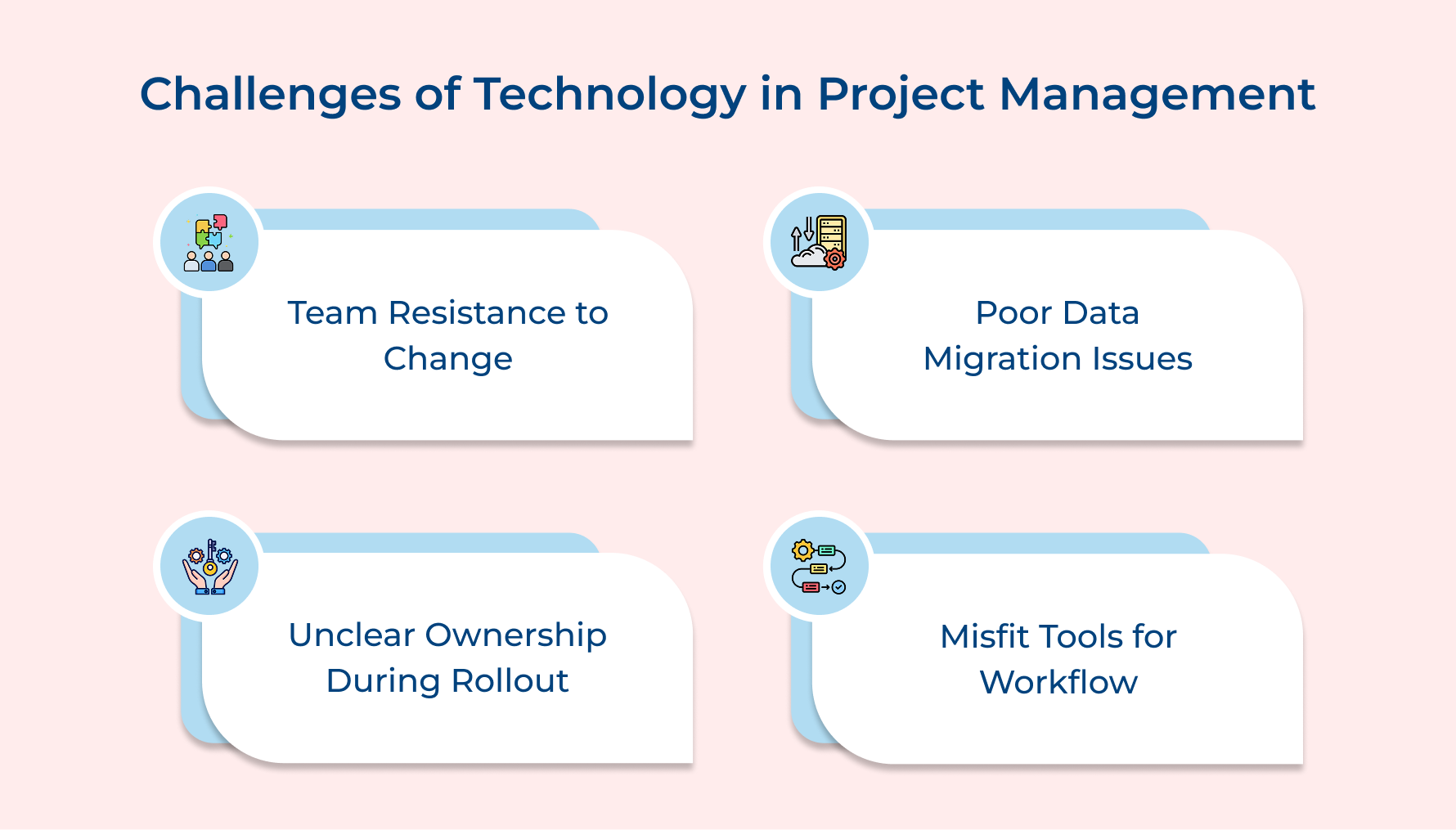
1. Resistance to Change from Team Members
Adoption is the key friction that most of your team faces. Consider an example of a team that has operated a certain way for years. New technology feels like a disruption for them instead of an improvement. It’s all about discomfort or fear of learning something new, coming out of the comfort zone.
2. Poor Data Migration and System Compatibility
Transferring existing project data into a new system is consistently an underestimated challenge. It occurs mainly during technology rollout. Incompatible data formats and integration gaps between systems form a serious visibility issue from the start.
3. Lack of Clear Ownership During Rollout
Technology integration without ownership is similar to project management without a manager. The outcome is predictably the same. When there is nobody accountable for driving integration forward, the process slows.
4. Choosing Tools That Do Not Fit the Workflow
Selecting a tool based on market instead of actual workflow fit makes the project adaptation process slow for most live projects. It leads to a system that your team works around rather than a workaround culture. It is extremely difficult to reverse.
Each of these challenges has a clear and actionable path to be resolved successfully:
- Involve your team members in the early stage of the technology selection process so they feel ownership over the decision-making.
- Audit your existing data before migration and give one person ownership of data integration throughout the process.
- Appoint an integration lead with both the authority to make decisions as well as the accountability to drive adoption.
- Run a structured needs assessment to validate your shortlisted tools against real workflow scenarios.
Transform Your Project Management With Innovative Tech Solutions
Technology in project management does not automatically transform project delivery on its own. The project manager who implements the system with clear intent and purpose has to do it. Aligning the right tools with the right workflows helps your team start delivering tasks with genuine control.
- Maintain a regular audit so that every technology decision is made on real workflow needs.
- Enable your team to focus on strategic delivery work with automation that streamlines repetitive tasks to move the project forward.
Identify your biggest project delivery gap and match the right technology for project management. More technology usage does not mean winning project delivery; instead, using these tools based on workflow needs makes the difference.
Limit time — not creativity
Everything you need for customer support, marketing & sales.

Neeti Singh is a passionate content writer at Kooper, where he transforms complex concepts into clear, engaging and actionable content. With a keen eye for detail and a love for technology, Tushar Joshi crafts blog posts, guides and articles that help readers navigate the fast-evolving world of software solutions.