How to Optimize IT Resource Management Effectively
- What is IT Resource Management?
- Benefits of Resource Management in the IT Industry
- 7 Essential Steps to Implement and Optimize IT Resource Management
- 6 Techniques on How to Optimize Your IT Resources
- Best Practices for Effective IT Resource Management
- Challenges in Resource Management in the IT Industry
- Empower Your Team with Smarter IT Resource Management
- FAQs about Optimize IT Resource Management

Key Highlights:
- IT resource management helps organizations allocate people, tools and budgets effectively while improving project delivery along with productivity.
- Implement proven frameworks to optimize IT resource management by aligning skills, workloads and technology with strategic initiatives.
- Build sustainable IT workflows that reduce burnout, improve collaboration and maximize the value of existing technology assets.
Your IT team is stretched thin with projects piling up and budgets shrinking. Meanwhile, your best people are burning out and expensive tools sit unused.
Poor resource management creates chaos where talented people waste time on wrong priorities and money drains on redundant systems. Strategic initiatives never get the attention they deserve because firefighting consumes all available capacity.
This guide shows you practical techniques to optimize IT resource management so your team works smarter. You’ll learn how to match resources to priorities, eliminate waste and create sustainable workflows that deliver results.
What is IT Resource Management?
IT resource management is how organizations plan, allocate and optimize their technology assets to support business goals. It covers everything from hardware and software to people as well as budgets. The practice ensures your IT infrastructure runs efficiently while keeping costs under control and delivering value.
It starts with taking inventory of what you have and understanding what you actually need. Teams track usage patterns and performance metrics to spot gaps or waste. Then they make decisions about purchasing, deploying or retiring resources based on real data rather than guesswork.
The process involves continuous monitoring and adjustment as business needs change. Managers set priorities for projects and allocate resources accordingly. They also maintain documentation and establish policies so everyone knows what’s available as well as how to access it properly.
Primary objectives:
- Maximize the value and utilization of existing IT assets without unnecessary spending.
- Align technology resources with current and future business priorities.
- Reduce operational costs through better planning and elimination of redundancies.
- Improve service delivery by ensuring the right resources are available when needed.
- Maintain compliance with licenses, regulations and security requirements
Benefits of Resource Management in the IT Industry
Effective resource management transforms how IT departments operate and deliver value. Here’s what organizations gain when they get it right.
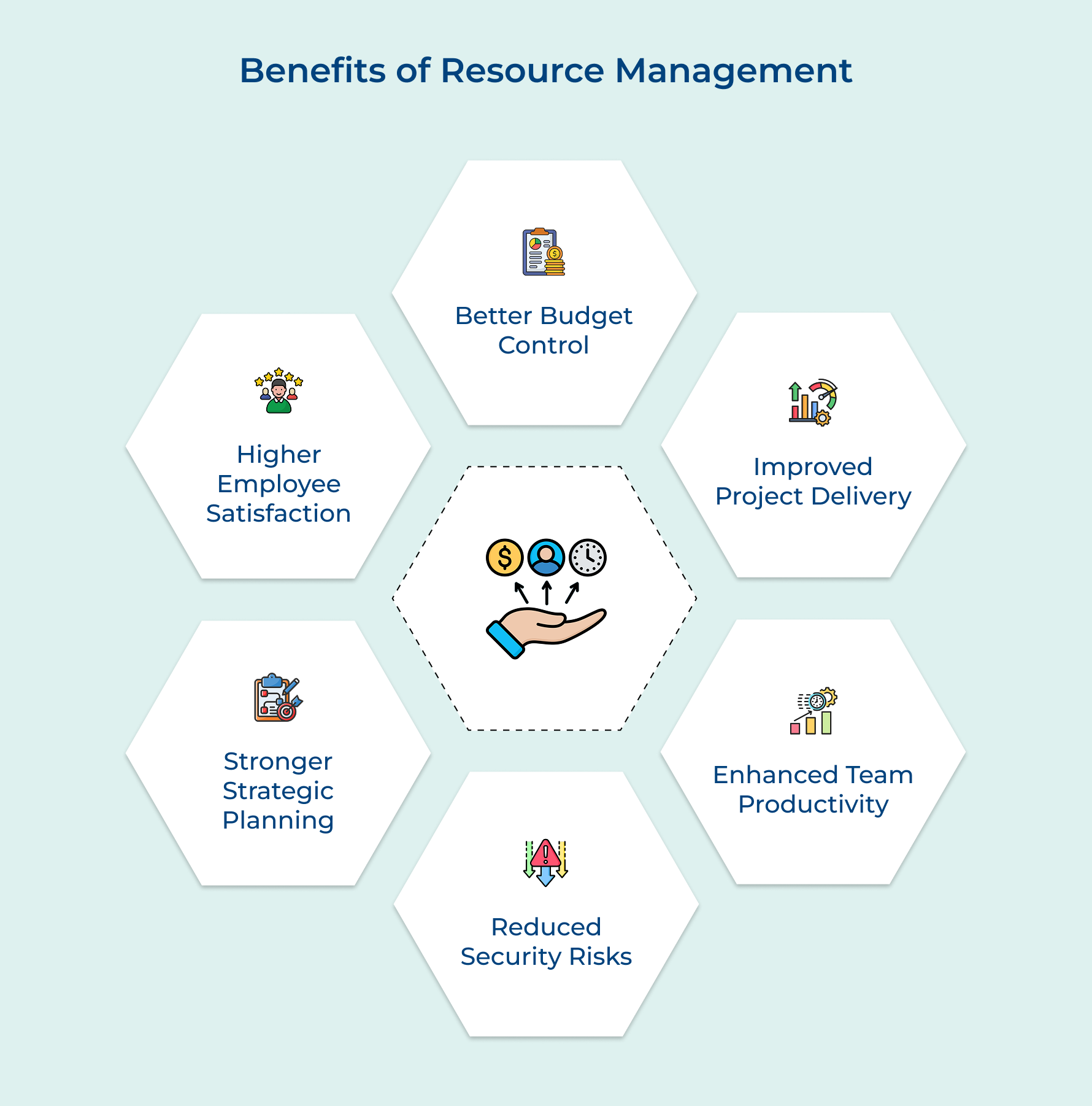
1. Better Budget Control
You’re probably spending more than you should on software licenses nobody uses or tools that overlap with three others you already have. When you start managing your financial resources properly, you finally see where the money actually goes and cutting the waste becomes obvious.
2. Improved Project Delivery
Ever had a project blow past its deadline because the one engineer who could fix the problem was already slammed with two other things? Good resource scheduling fixes that. You know who’s available, what they’re capable of and if your timeline is actually realistic before you commit to it.
3. Enhanced Team Productivity
Nobody does their best work while waiting on approvals or hunting down system access they should already have. Clearing out resource bottlenecks means your team spends the day solving real problems instead of navigating pointless admin friction.
4. Reduced Security Risks
Old accounts nobody deactivated, software running on a version from three years ago, those are the gaps that turn into breaches. When you track who has access to what, you catch those vulnerabilities early. Proper oversight of your systems and underutilized resources isn’t just good housekeeping.
5. Stronger Strategic Planning
Making smart long-term decisions is nearly impossible when you don’t know what capacity you currently have. Resource forecasting gives you real data to work with – trends, patterns and a clear picture of what you’ll actually need next quarter.
6. Higher Employee Satisfaction
Burnout usually is about unfair workloads, constant context-switching and a project scope that keeps expanding with no extra support. When you distribute work fairly and make sure everyone has what they need, people stop dreading Mondays. When they’re not burned out, they stick around as well as actually do their best work.
7 Essential Steps to Implement and Optimize IT Resource Management
Let’s now break down the seven essential steps to effectively manage and optimize your IT resources. Hence, ensuring they align with your strategic business objectives and drive innovation.
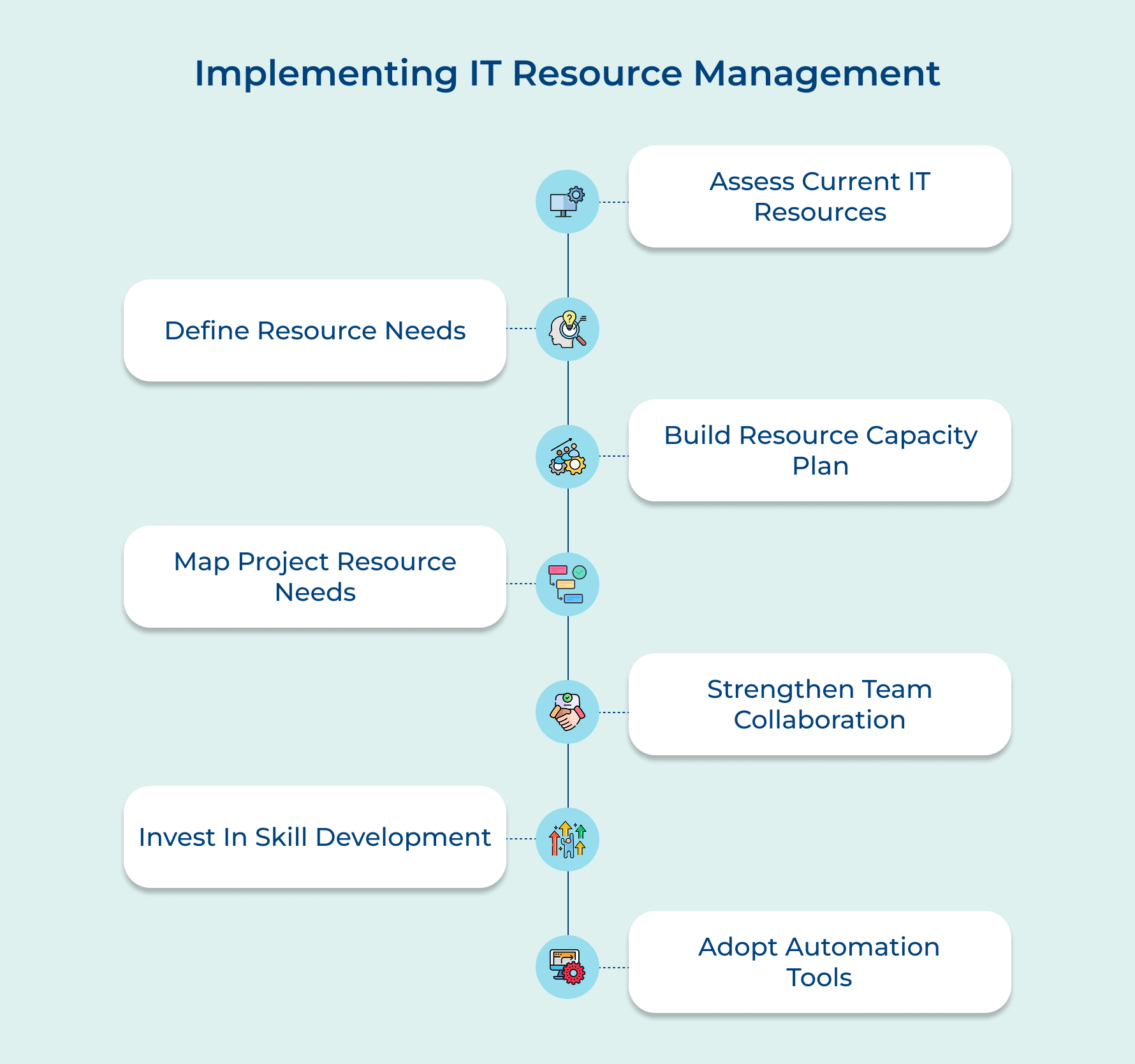
1. Assess Your Current IT Resources
Here you create your baseline by showing exactly what assets and capabilities you have today.
This foundation helps you make right decisions while you spend money wisely.
Here’s how to conduct a thorough assessment of your IT resources:
- Inventory all hardware and software assets: Start by cataloging every device, server, license and application your organization owns or subscribes to. Use automated discovery tools to catch assets that might slip through manual counts and verify that your records match reality.
- Document existing team skills and capacities: Map out who knows what and how much bandwidth each person actually has for new work. Create a skills matrix that shows certifications, experience levels and current project commitments so you can spot talent gaps quickly.
- Identify gaps and redundancies in resources: Compare what you have against what you need and look for overlap where multiple tools do the same job. Flag outdated equipment that’s draining productivity and note areas where you’re short on critical capabilities or people.
For example, a mid-sized company discovered they were paying for 200 software licenses but only 120 were actively used. They also found three different project management tools across departments doing essentially the same thing.
So where do you start if this feels overwhelming? Begin with your biggest cost centers like cloud subscriptions and headcount. You’ll get immediate visibility into where most of your budget goes and can expand from there as you build momentum.
2. Understand Your Resource Needs
Align your IT capabilities with where the business is actually headed. Knowing your needs prevents you from either scrambling to fill gaps at the last minute or investing in resources that sit idle.
Not sure how to identify what your IT department really needs? Start with these five questions:
- What projects are on our roadmap for the next 6 to 12 months?
- Which business initiatives depend on IT support or new technology?
- What skills or tools do we lack for upcoming deliverables?
- How is our industry changing and what technology trends affect us?
- Where are our current resources stretched too thin or underutilized?
These questions force you to think beyond today’s firefighting and connect IT planning to actual business outcomes. They reveal hidden dependencies and help you anticipate needs before they become emergencies that derail your schedule.
Understanding your resource needs means translating business goals into specific IT requirements. Look at strategic initiatives and break them down into the technology, people as well as budget needed to deliver results rather than just maintaining the status quo.
Here are some typical resource needs that IT teams face regularly:
- Organizations often need cloud infrastructure to support digital transformation projects. They require cybersecurity specialists as threats become more sophisticated.
- Development teams need modern tooling for faster software delivery.
- Companies also need data analytics capabilities to drive business intelligence and technical training programs to keep existing staff relevant.
3. Create a Resource Capacity Plan
A resource capacity plan shows you how much work your team can handle and where you’ll hit limits. It prevents burnout by matching workload to actual availability instead of just hoping everything somehow gets done on time.
Why does capacity planning matter so much? Because without it you’re constantly overcommitting and then disappointing stakeholders when projects slip. A solid plan gives you the confidence to say yes to the right things and no to requests that would break your team.
An effective IT resource capacity plan should include these elements:
- Current utilization rates: Track how much of each person’s time is already allocated to show your true available capacity for new work.
- Skill-based resource pools: Group people by capabilities so you can quickly see if you have enough database experts or network engineers for upcoming demands.
- Project pipeline with timelines: Map all committed and proposed projects on a calendar to visualize when resources will be stretched or freed up.
- Buffer for unplanned work: Reserve 15 to 20 percent capacity for urgent issues, maintenance and those inevitable surprises that always pop up.
Start implementing your capacity plan by having honest conversations with your team about their actual workload. Update your plan monthly as projects complete or priorities shift and use the data to push back when stakeholders request more than your capacity allows.
4. Identify Resource Requirements Per Project
This step breaks down each initiative into specific needs so you know exactly what it takes to deliver. Skipping this leads to projects that miss deadlines or fail because you didn’t account for critical dependencies or specialized skills.
Identifying resource requirements starts with defining specific skills needed for deliverables. You need to know whether a project requires frontend development, database architecture or security expertise before you can assign the right people to it.
Why can’t you just assign any available developer to any project? Each initiative has unique technical demands and putting someone without the right background creates delays as well as quality issues for everyone involved.
Here’s how to pinpoint the exact skills each project demands:
- Review technical specifications and architecture: Look at what the project builds to determine if you need skills in specific languages or platforms that not everyone possesses.
- Consult with project leads and stakeholders: Talk to the people closest to the work because they’ll know the nuances and specialized knowledge required that might not be obvious from documentation.
- Consider both hard and soft skills: Think beyond coding to include skills like client communication or working in regulated industries where compliance knowledge matters.
Next you need to estimate time commitments and dependencies because knowing how long tasks take prevents your timeline from becoming fantasy. This forces you to sequence work properly and identify bottlenecks before they kill your schedule.
Budget allocation ties everything together financially. Once you know the who and when of your project you can put dollar figures to each piece.
- Break costs into clear categories: Separate your budget into personnel costs, licenses, hardware and external services so you can track spending as well as spot overruns early.
- Include contingency for unknowns: Add 10 to 15 percent buffer for unexpected complexity because no project goes exactly as planned from start to finish.
5. Focus on Effective Collaboration
It ensures teams work together smoothly instead of competing for resources or duplicating efforts. Strong collaboration prevents miscommunication that leads to missed deadlines and wasted work across your IT organization.
Use collaboration by creating shared dashboards where everyone sees resource availability in real time. Establish clear escalation paths so conflicts over resources get resolved quickly before they derail important initiatives.
Pro tips:
- Assign a resource coordinator to mediate allocation conflicts and maintain visibility across all projects.
- Use a central request system instead of email so all resource requests are tracked and prioritized consistently.
6. Invest in Training and Development
Build capabilities internally rather than constantly hiring for every skill gap. Training existing staff is faster and cheaper than recruitment while boosting morale as well as retention among people who appreciate growth opportunities.
Here are effective training programs that strengthen your IT workforce:
- Organizations can implement technical certification programs in cloud platforms or cybersecurity.
- Cross-training initiatives help team members learn adjacent skills.
- Mentorship programs pair junior staff with experienced professionals.
- Online learning subscriptions give access to thousands of courses.
- Industry conference attendance keeps teams current on emerging trends.
How do you make training actually stick instead of becoming a checkbox exercise? Tie learning directly to real projects where people immediately apply new skills. Give them time during work hours to study rather than expecting it to happen on weekends.
7. Leverage Technology and Automation Tools
The software handles repetitive tracking so your team focuses on strategy instead of spreadsheets. Automation eliminates human error and gives you data-driven insights that manual processes can’t match at scale.
Technology and automation transform how you manage IT resources practically:
- Resource management platforms provide centralized visibility: These tools show who’s working on what across all projects in one dashboard. They automatically flag overallocation and help you balance workloads before deadlines slip.
- Automated reporting saves hours of manual work: The software generates status reports and capacity forecasts without anyone copying data between systems. Stakeholders get real-time updates instead of waiting for weekly compilations.
- Integration eliminates duplicate data entry: When your resource tools connect with project management and HR systems, information flows automatically. Changes in one place update everywhere else so your data stays accurate.
Won’t new tools just create more complexity? Start small with one tool that solves your biggest pain point rather than overhauling everything at once. Get buy-in by showing quick wins so people see the software as helpful.
6 Techniques on How to Optimize Your IT Resources
Getting more from your existing IT assets doesn’t require massive budgets or complete overhauls. These practical techniques help you maximize efficiency and cut waste starting today.
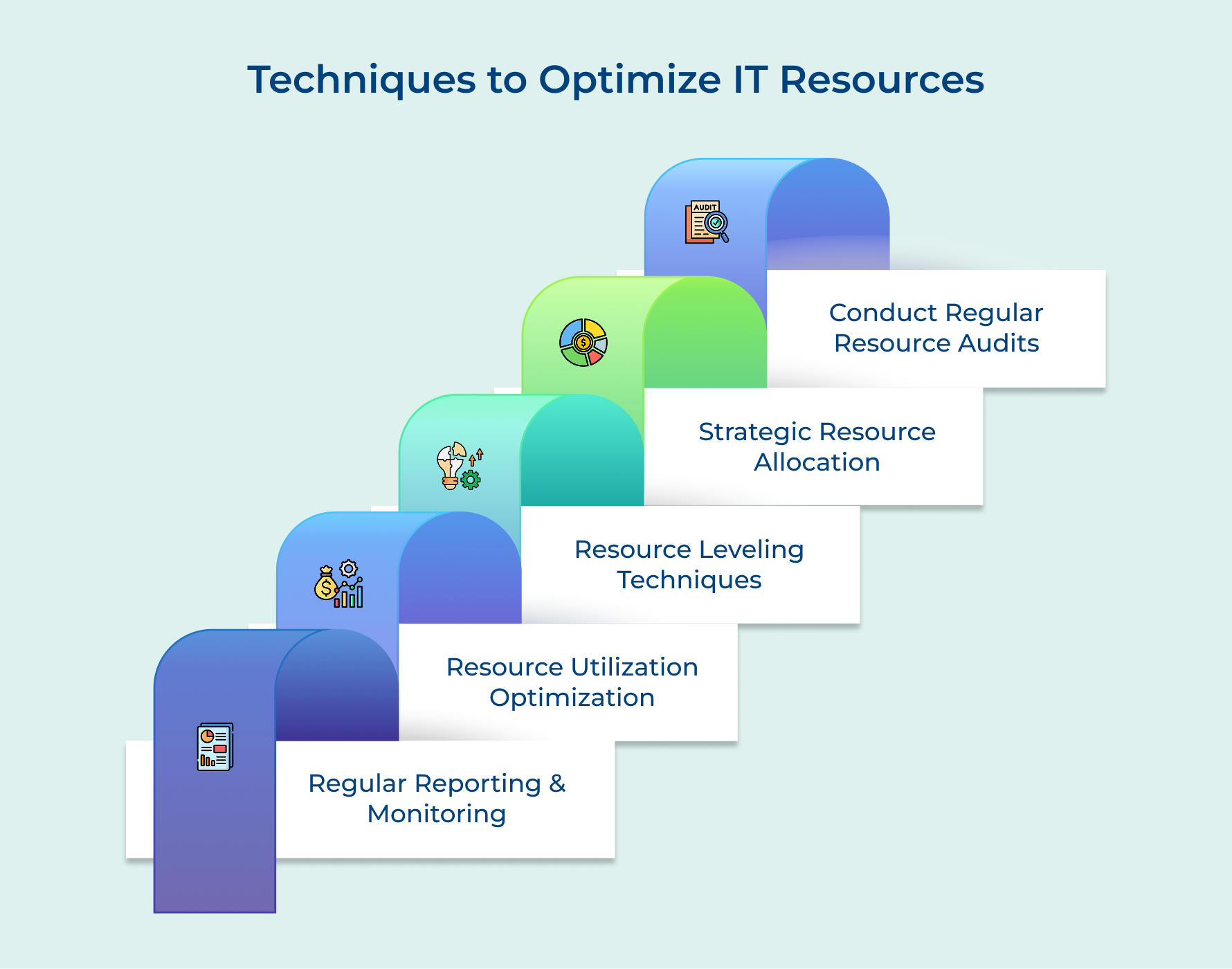
1. Regular Reporting and Monitoring
Track resource performance continuously so you spot problems before they become crises. Regular reporting shows trends in utilization and spending that help you make informed decisions instead of guessing what’s working or broken.
You implement this by setting up automated dashboards that pull data from your systems daily or weekly. Schedule review sessions to analyze reports and identify patterns like underused licenses or overworked staff.
Key metrics to track in your reporting system include:
- Utilization rates for both people and technology assets
- Budget variance showing actual spending versus planned amounts
- Project completion rates and timeline adherence across initiatives
Without consistent reporting you’re flying blind and reactive. With it you become proactive and can adjust allocations before small inefficiencies turn into major resource drains.
2. Resource Utilization Optimization
This technique ensures you’re actually using what you pay for instead of letting assets sit idle. It identifies waste like unused software licenses, underutilized cloud capacity or team members with available bandwidth for higher-priority work.
Start by measuring current utilization rates and set target thresholds for acceptable use. If a server runs at 20 percent capacity or a developer bills only 50 percent to projects, investigate why and reallocate resources.
Here’s what happens when you focus on utilization improvements:
- You eliminate redundant tools that multiple teams bought without coordination
- Workloads get balanced so some people aren’t idle while others burn out
- Cloud costs drop when you right size instances and shut down unused environments
3. Resource Leveling Techniques
Resource leveling smooths out peaks as well as valleys in workload so no one is overwhelmed one week and bored the next. This technique adjusts project timelines and task assignments to maintain consistent utilization without forcing unsustainable crunch periods.
You level resources by identifying schedule conflicts where multiple projects need the same people simultaneously. Then you negotiate to shift non-critical deadlines or break work into smaller chunks that fit available capacity.
Common resource leveling strategies that improve project outcomes include:
- Delaying lower-priority tasks until critical resources become available from other work
- Breaking large projects into phases that spread resource needs across longer timeframes
- Cross-training team members so more people can handle similar tasks when bottlenecks appear
The goal isn’t to keep everyone at 100 percent utilization constantly. It’s to create sustainable workflows where people have reasonable workloads and projects progress steadily without constant firefighting.
4. Strategic Resource Allocation
Match your best resources to your highest-priority initiatives instead of distributing them equally. Strategic allocation recognizes that not all projects deliver equal value and puts your top talent where they’ll generate the biggest impact.
Implement this by ranking projects based on business objectives and expected ROI. Assign your most skilled people to initiatives that matter most while lower-priority work gets adequate resources or waits until capacity opens.
Smart allocation requires asking these key questions upfront:
- Which projects directly support strategic goals versus nice-to-have improvements
- What skills are truly scarce versus capabilities multiple team members possess
- Where can junior staff handle work to free senior experts for complex challenges
Poor allocation spreads resources thin across everything and delivers mediocre results everywhere. Strategic allocation concentrates force on what matters and produces excellence where it moves the business forward.
5. Conduct Regular Resource Audits
Regular audits reveal what you actually have versus what you think you have in your IT environment. This technique catches shadow IT, expired licenses and forgotten subscriptions that drain your budget while identifying underused assets that could be repurposed or eliminated.
Schedule quarterly audits where you review all hardware, software and personnel allocations against current business needs. Compare your asset inventory to usage data and financial records to spot discrepancies like paying for tools nobody uses anymore.
Effective resource audits should examine these critical areas:
- Software licenses to identify unused seats or cheaper alternatives
- Hardware lifecycle status to plan replacements before failures disrupt operations
- Team skillsets to ensure capabilities still match your project pipeline
Best Practices for Effective IT Resource Management
Beyond the core techniques, these additional practices help you refine your approach and maintain excellence. Small consistent improvements compound into significant advantages over time.
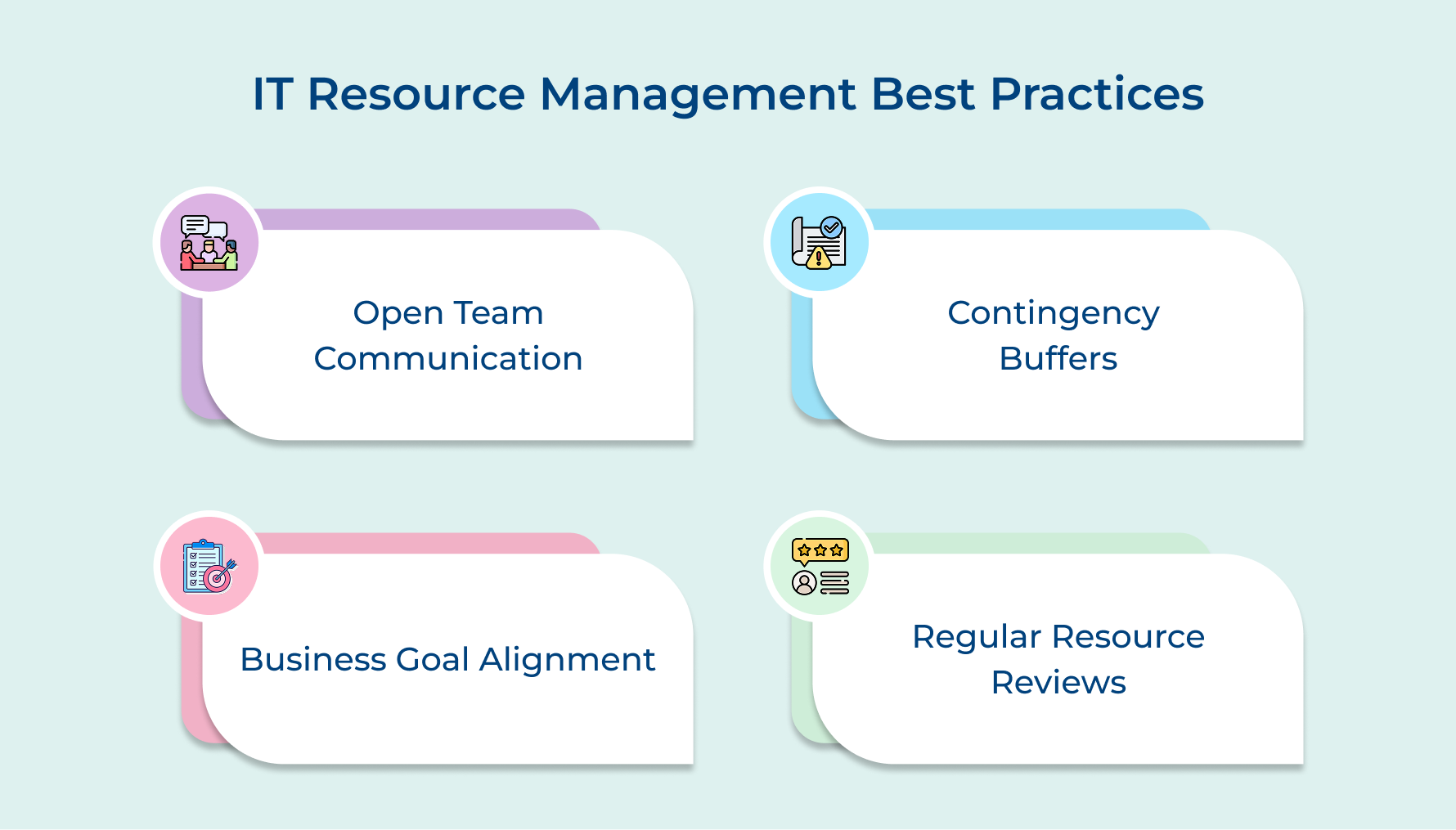
- Foster open communication across teams: Create channels where teams share resource needs openly without fear of judgment. Transparency prevents silos where one department hoards resources while another struggles unnecessarily.
- Plan for contingencies and buffers: Always reserve capacity for unexpected issues because something will go wrong mid-project. Buffer time prevents one surprise from cascading into delays across your entire portfolio.
- Align IT resources with business goals: Ensure every resource investment directly supports strategic objectives rather than just keeping lights on. This alignment helps justify budgets and proves IT’s value to the organization.
- Review and adjust resource plans regularly: Treat your resource plan as a living document that evolves with changing priorities. Monthly reviews keep your allocations relevant instead of blindly following outdated assumptions.
Challenges in Resource Management in the IT Industry
Even with the best intentions, IT teams face obstacles that make resource management difficult. Understanding these challenges helps you prepare solutions before problems spiral out of control.
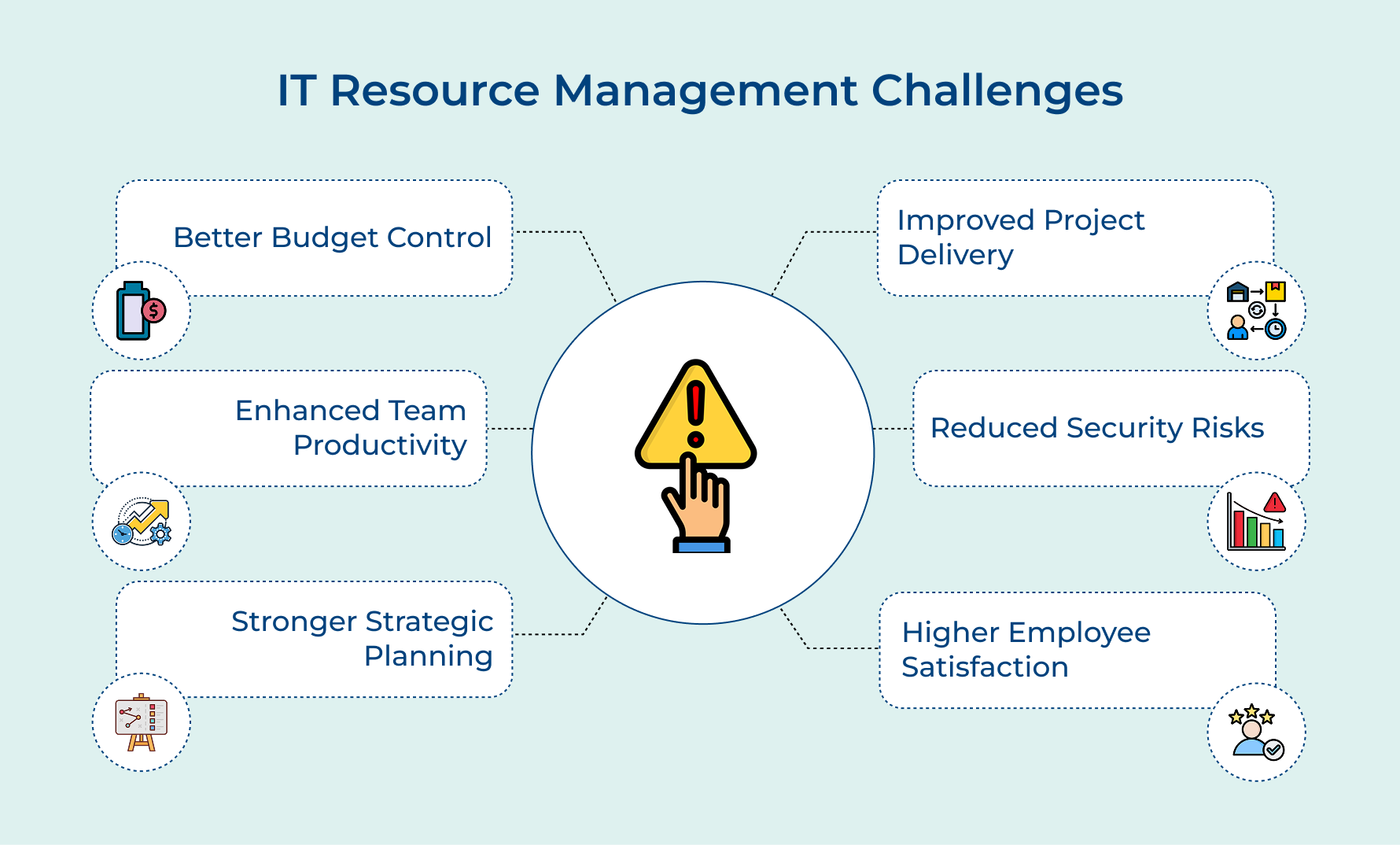
1. Better Budget Control
Unused licenses and redundant tools quietly drain your budget every single month. Building a solid resource inventory shows you exactly where money is going and more importantly, where it’s being wasted. Once you have that visibility, smarter spending decisions become obvious. Finance teams get the predictability they’ve always wanted and IT finally earns a more strategic role.
2. Improved Project Delivery
Project scheduling falls apart when you don’t know who’s actually available or what skills they bring to the table. Engineers get double-booked, equipment shows up late and suddenly your roadmap is three weeks behind. When you know your capacity upfront, you build realistic timelines and stop being blindsided by problems that were entirely predictable.
3. Enhanced Team Productivity
Your team loses hours every week waiting on approvals, chasing down access, or dealing with tools that should have been set up already. That’s completely avoidable. When people have what they need from day one, the admin friction disappears and actual work gets done. Less downtime, fewer complaints and noticeably better output across the board.
4. Reduced Security Risks
Orphaned accounts and outdated software don’t announce themselves, you have to go looking. Knowing who has access to which systems lets you catch those vulnerabilities before someone else does. Resource extensions that get overlooked are especially risky because they linger long after the original need is gone.
5. Stronger Strategic Planning
You can’t make confident long-term decisions when you’re guessing about capacity. Demand forecasting gives you real patterns to work with so you understand what’s coming before it hits. Instead of scrambling to react when things spike, you’re already prepared. That shift from reactive to proactive is where genuine growth planning actually begins.
6. Higher Employee Satisfaction
Over-allocated resources — meaning your people — burn out faster than anyone wants to admit. When workloads pile up unfairly and context-switching becomes the norm, performance drops as well as frustration builds. Distributing work more evenly and making sure everyone has proper support changes that dynamic completely. Teams that feel set up to succeed tend to stay and they consistently deliver better results.
Empower Your Team with Smarter IT Resource Management
Optimize IT resource management and see how it transforms how your team operates by eliminating waste while focusing effort where it matters most. The right approach balances current demands with future needs while keeping everyone aligned and productive.
Start implementing these practices today to see immediate improvements in project delivery and team morale. Remember that resource management isn’t a one-time fix but an ongoing process that evolves with your organization’s changing needs and priorities.
Limit time — not creativity
Everything you need for customer support, marketing & sales.

Neeti Singh is a passionate content writer at Kooper, where he transforms complex concepts into clear, engaging and actionable content. With a keen eye for detail and a love for technology, Tushar Joshi crafts blog posts, guides and articles that help readers navigate the fast-evolving world of software solutions.