How to Build a Capacity Model That Improves Planning?
- What is a Capacity Model?
- Top Advantages of an Effective Capacity Model
- Types of Capacity Models You Should Know
- 8 Practical Steps to Create a Capacity Model Process
- Key Mistakes to Avoid in your Capacity Model
- Best Practices and Tips for Capacity Modeling
- Transform Your Agency with Strategic Capacity Planning
- FAQs about Capacity Model
Key Highlights:
- A capacity model enables agencies to efficiently allocate resources and ensure timely project delivery, ultimately maximizing productivity with client satisfaction.
- A capacity model helps agencies plan resources, prevent overcommitment and ensure smooth project delivery while maximizing client satisfaction.
- Skills, time, project, and demand-driven models provide tailored frameworks to align team capabilities with current/future workload needs.
Your agency struggles with resource chaos, missing deadlines from overcommitment while key team members burn out. Meanwhile, profitable opportunities slip away because you can’t predict capacity.
Every Monday brings nightmare juggling of competing priorities, scrambling for available talent, and disappointing clients. Competitors win business with realistic timelines while you’re figuring out availability.
Strategic capacity models transform chaos into predictable growth through clear resource visibility, demand patterns, and allocation priorities. Smart agencies use proven frameworks preventing overcommitment while exceeding expectations.
What is a Capacity Model?
A capacity model is a strategic framework that helps agencies and professional service firms plan their human resources against upcoming project demands. Think of it as your crystal ball for workforce planning. It shows you exactly how many people you need, what skills they should have, and when you’ll need them to deliver client work successfully.
How Does a Capacity Model Work?
The model takes your pipeline of confirmed as well as potential projects, then maps out the required skills and time commitments against your current team’s availability. It creates a visual timeline that reveals gaps where you’re understaffed and periods where you might have excess capacity. This forward-looking view helps you make smart hiring decisions and project scheduling choices.
Imagine your marketing agency just landed three major campaigns starting in different months. Your capacity model reveals you’ll need two additional designers in March but will have surplus account managers in April. Armed with this insight, you can hire freelance designers temporarily and reassign your account managers to business development during their lighter period.
Key components:
- Resource inventory: tracks every team member’s skills, availability, and current project commitments across your organization.
- Project pipeline: captures all confirmed work plus probable opportunities with their expected start dates and resource requirements.
- Skills mapping: identifies which specific expertise each project needs and matches them against your team’s capabilities.
- Scenario planning: lets you test different “what-if” situations like landing a big client or losing a key team member.
Top Advantages of an Effective Capacity Model
The capacity model has transformed from a nice-to-have into a business necessity for modern agencies and consultancies. Smart resource planning directly impacts your bottom line and client satisfaction.
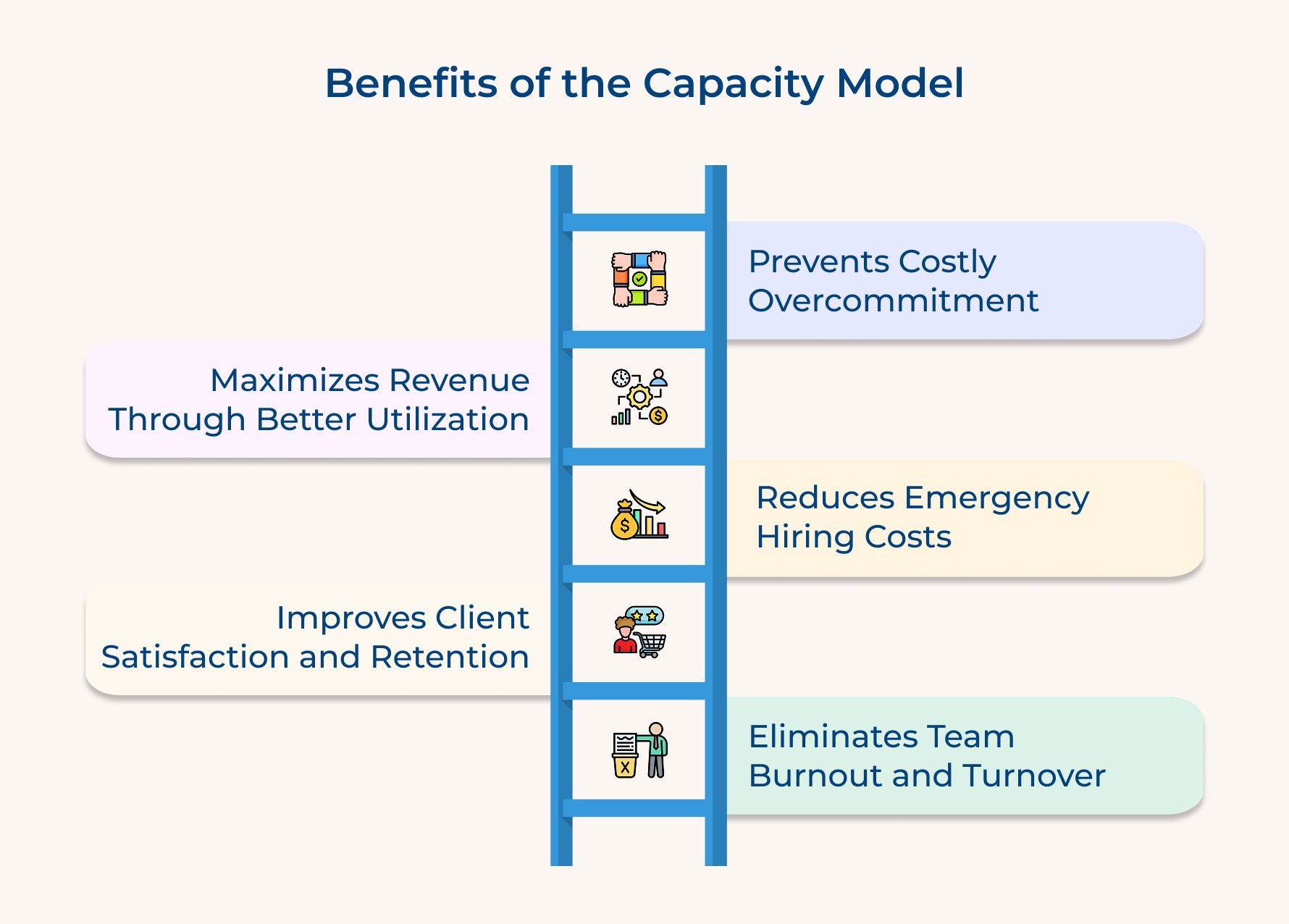
Prevents Costly Overcommitment
Your capacity model acts as an early warning system before you promise what you can’t deliver. It shows exactly when your team hits capacity limits and helps you avoid the expensive nightmare of missing deadlines or delivering subpar work because everyone’s stretched too thin.
Maximizes Revenue Through Better Utilization
Instead of guessing who’s available when, you get precise visibility into every team member’s workload. This means fewer bench periods where talented people sit idle and more strategic project scheduling that keeps your billable hours consistently high without burning anyone out.
Reduces Emergency Hiring Costs
When you can see resource gaps months ahead, you hire strategically instead of desperately. This eliminates expensive rush recruiting fees, reduces onboarding chaos, and gives you time to find the right cultural fits rather than just warm bodies to fill urgent gaps.
Improves Client Satisfaction and Retention
Clients notice when projects run smoothly because you allocated the right people at the right time. Your capacity model helps you staff projects with available experts rather than whoever happens to be free, leading to better work quality and stronger client relationships.
Eliminates Team Burnout and Turnover
Visualizing workload distribution helps you spot imbalances before they become problems. This means no more surprise all-nighters, fairer project assignments, and team members who stay energized because their workload remains sustainable as well as predictable.
Types of Capacity Models You Should Know
Every agency needs a capacity model, but not all models work the same way. The key is choosing the approach that matches how your team actually works and what your clients expect from you.
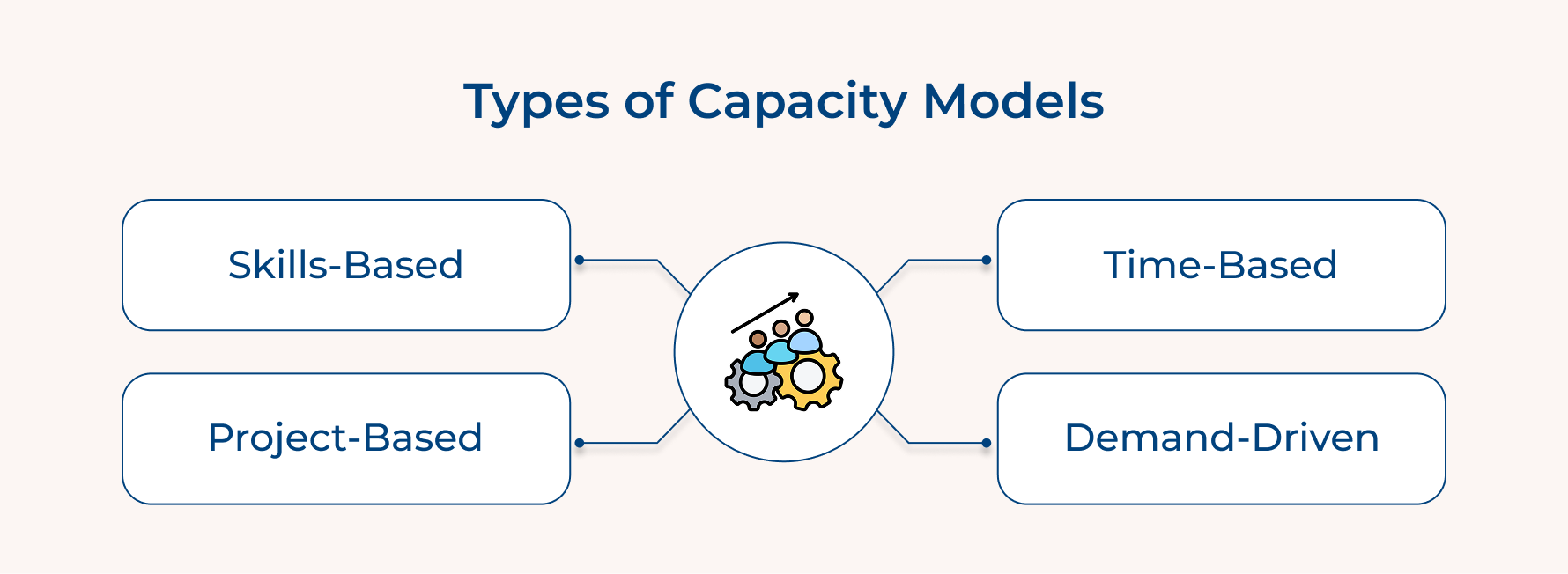
Skills-Based Capacity Model
This model organizes your planning around specific expertise rather than just headcount. You track who has particular skills like UX design, data analysis, or client strategy and plan projects based on those capabilities. Think of it as creating a talent inventory where you know exactly which team members can handle specialized tasks.
Understanding the nuances of skills-based planning requires examining both the depth and breadth of your team’s capabilities:
- Skill redundancy mapping – Identifying which critical skills have backup coverage and which create single points of failure
- Competency level tracking – Distinguishing between junior, intermediate, and expert proficiency levels for accurate project staffing
The skills-based approach prevents the common mistake of assuming all team members are interchangeable. This model helps you identify talent gaps before they become project roadblocks and ensures you’re staffing work with people who actually possess the required expertise.
Time-Based Capacity Model
Your planning revolves around hours and scheduling rather than skills or projects. You track how many hours each person has available each week and allocate them across current as well as upcoming work. This creates a clear picture of who’s overbooked and who has bandwidth for new assignments.
Several critical factors determine the success of time-based capacity planning:
- Utilization targets
- Buffer allocation
- Seasonal adjustments
This approach works particularly well for service businesses with clear hourly billing structures. It provides mathematical precision in resource allocation and makes it easy to spot workload imbalances across your team before they become problems.
Project-Based Capacity Model
You organize capacity around entire projects rather than individual tasks or hours. This model tracks how many projects your team can handle simultaneously and ensures you don’t overcommit to deliverables. Each project gets treated as a complete unit that requires specific resources from start to finish.
For example Creative agencies often thrive with project-based planning because campaigns have clear beginnings and endings. An advertising agency might learn they can handle three major campaigns and five smaller projects simultaneously without compromising creative quality or missing deadlines.
Demand-Driven Capacity Model
Your capacity planning starts with client demand patterns and works backward to resource allocation. You analyze when clients typically need certain services, predict seasonal fluctuations, and adjust your team structure accordingly. This model treats client demand as the primary driver rather than internal resource availability.
The challenge with demand-driven planning lies in balancing predictive accuracy with operational flexibility. Consider these essential questions:
- What seasonal patterns affect your client’s business cycles?
- How far in advance can you reliably predict demand spikes?
- How do you maintain team stability when demand fluctuates significantly?
8 Practical Steps to Create a Capacity Model Process
Let’s guide you through the eight essential steps needed to develop a capacity model that can elevate your organizational performance and ensure you stay ahead of the competition.
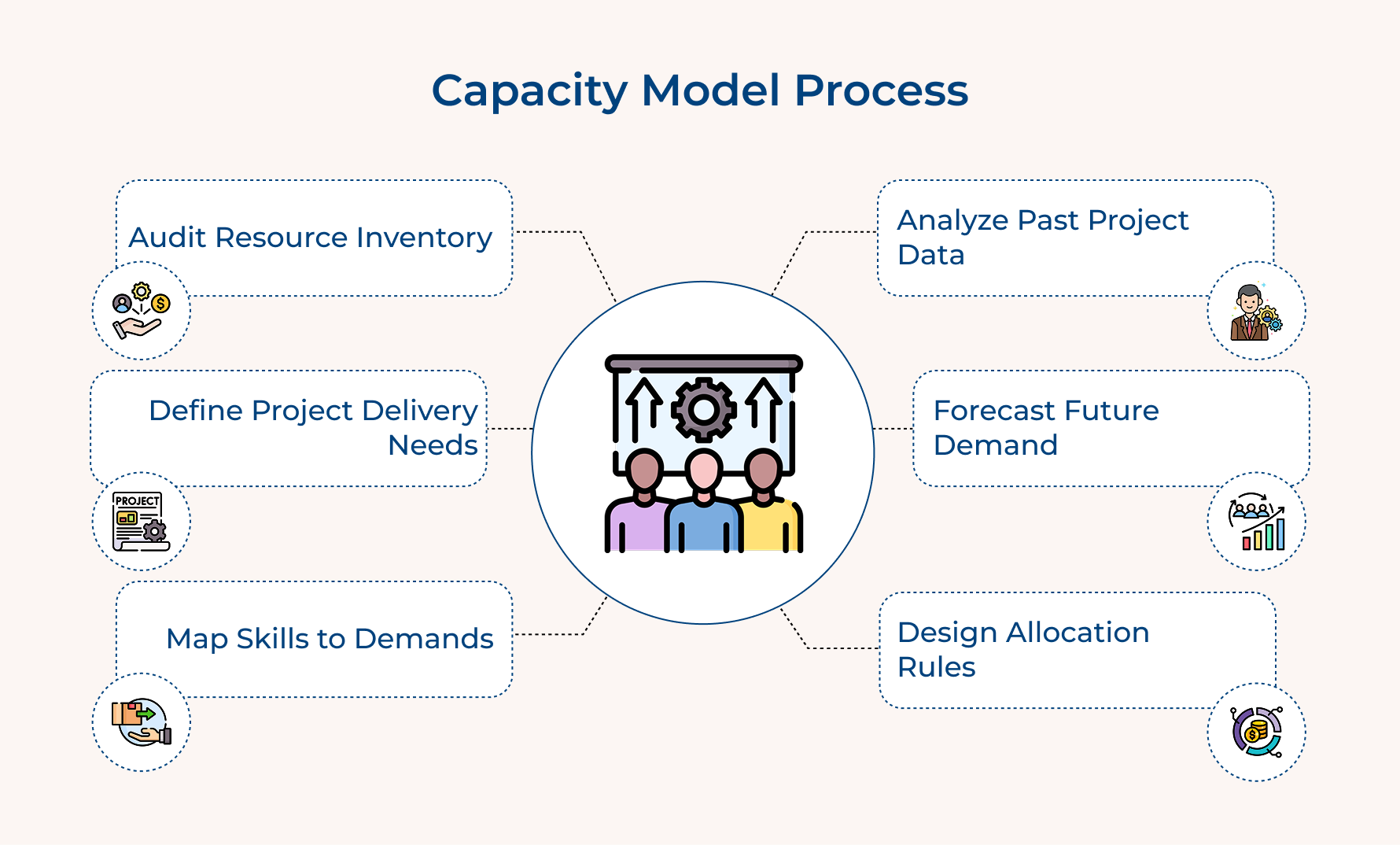
Step 1: Audit Your Current Resource Inventory
Before diving into future plans, take a good look at your current capacity. Think of this step as capturing a clear snapshot of what your agency has right now—people, tools, and space. This helps you choose the right capacity planning models and ensures you can match strategy with reality.
Here’s how to audit resources effectively:
- Assess human capital: Who’s on your team, and what skills do they bring?
- Track current utilization: How is time split between client work, admin, and growth tasks?
- Map technology assets: Check if software, tools, or access issues are holding you back.
- Review workspace capacity: Do you have enough physical or virtual room to scale?
This inventory uncovers hidden gaps before they become roadblocks.
Step 2: Define Your Client Project Delivery Requirements
To align capacity with demand, break down each service you offer into its building blocks like people, time, and tools. This helps you understand the actual demand behind every project and build a smarter capacity strategy.
Here’s how to do it:
- Service decomposition: Split each service into clear phases and tasks. Identify the time, skills, and effort each one needs.
- Role mapping: Clarify which roles are involved at each stage, and how much input is needed from junior vs. senior team members.
- Document quality standards: Set review points and success criteria so you’re not guessing what “done” looks like.
This level of clarity keeps your planning sharp and avoids overcommitting your team.
Step 3: Map Skills to Client Project Demands
This step is all about matching your people to the work you promise clients. You’re figuring out who on your team is equipped to handle what kind of project and where you’re at risk if someone key becomes unavailable.
It’s not just about roles on paper. It’s about real skill-to-project alignment.
For example:
- A senior strategist is essential for complex transformation projects that need executive-level insight and change management.
- A specialized designer is a must for brand identity work that calls for advanced software skills and a sharp creative eye.
- An account manager keeps long-term clients happy with solid communication and coordination—not necessarily technical know-how.
The tough question: What if your top strategist is out during three major launches? This is why skill mapping matters. It helps you spot single points of failure, cross-train your team, or plan for reliable freelance support.
Step 4: Analyze Historical Project Data Patterns
This step turns your past project data into insights that power smarter capacity planning. By analyzing what’s worked and what hasn’t so, you can make better calls on future staffing, timelines, as well as client commitments.
Start by gathering solid data from:
- Time tracking systems
- Project management tools
- Invoices and billing records
- Team debriefs and feedback
Review how actual hours and resources stacked up against estimates. This helps spot common underestimations or scope creep trends.
To calculate utilization:
- Add total billable hours
- Subtract non-working hours from total availability
- Divide billable by available hours
A clear view of which roles drive revenue and where you’re stretched thin. One of the key benefits of capacity planning is avoiding future bottlenecks before they disrupt delivery.
Step 5: Build Future Demand Forecasting Models
This is where your capacity planning becomes truly strategic. Instead of reacting to last-minute client demands, you’re building forecasting models that help you plan resources before the rush hits.
Start by asking smart questions that uncover demand patterns:
- What services show consistent demand over time?
- Which external factors (like industry shifts or economic trends) impact client spending?
- How far ahead do clients usually plan and budget?
- Which pipeline signals best predict actual project kick-offs?
These insights help turn scattered data into reliable forecasts. You can prepare your team and tools ahead of time.
Just remember: forecasting isn’t about perfection. Build in confidence intervals, adjust regularly, and use real outcomes to refine your approach. That’s how you stay ahead.
Step 6: Design Resource Allocation Framework Rules
This step builds the operating system for your capacity planning, clear rules that guide how limited resources are allocated when demands compete. Without structure, decisions feel arbitrary and can frustrate teams.
To make it work, use smart allocation rules:
- Client tier prioritization: Give top-tier clients first access to senior talent; standard clients work with the best fit based on project scope.
- Revenue impact weighting: Prioritize high-margin or long-term projects that bring strategic value.
- Skill development balance: Involve junior team members in stretch projects with senior guidance to grow talent without compromising quality.
Build easy-to-follow decision trees that guide project managers through tough choices. This keeps resource allocation fast, fair, and consistent.
Step 7: Implement Tracking and Monitoring Systems
This step brings your capacity planning model to life by tracking real-time resource usage and project progress. Without this, even the best plan quickly becomes outdated.
Before jumping in, ask:
- What metrics truly reflect capacity health, not just vanity stats?
- How often should data be updated without overloading your team?
- Who needs access to what level of information?
Choose systems that support your goal of capacity planning: making smarter, faster decisions.
Look for:
- Integration with tools you already use to streamline data flow
- Real-time access so you’re acting on today’s numbers, not last week’s
- Custom reports tailored to roles, from PMs to execs
This makes types of capacity planning like workforce, production, or tool-based actionable and aligned with current demand.
Step 8: Continuously Refine and Optimize Performance
Capacity planning isn’t a one-and-done task, it’s a living system that needs regular tuning. As your agency grows and client needs shift, your model must evolve to stay useful as well as relevant.
Here’s how to keep it sharp:
- Monthly variance analysis: Compare forecasted vs. actual resource use. Spot where your estimates missed the mark and adjust future plans accordingly.
- Quarterly feedback sessions: Talk to team leads and project managers. Learn what’s working in the real world and where your model creates friction.
- Track value, not just data: Ask yourself, is this model helping us make better resource decisions? If not, simplify or realign it.
When your capacity model helps you avoid overcommitment and capture great opportunities, you know it’s doing its job.
Key Mistakes to Avoid in your Capacity Model
Even the most well-intentioned agencies fall into predictable traps when building their capacity models. Learning from these common mistakes can save you months of frustration and help you create a system that works.
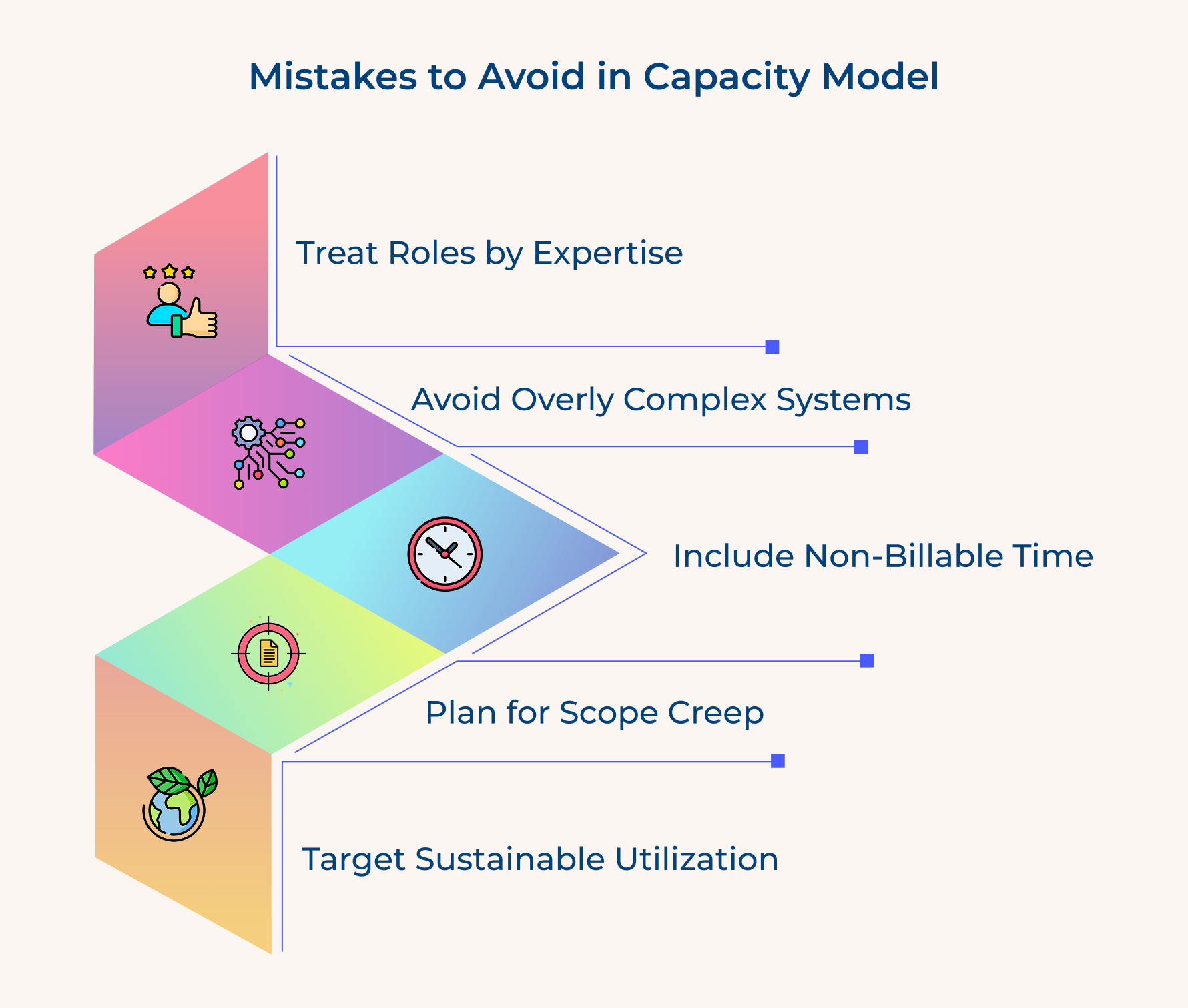
Assuming All Hours are Equal
A junior designer’s hour isn’t the same as a senior strategist’s. Each role brings different levels of expertise and impact. Treating everyone as interchangeable leads to poor staffing choices and unhappy clients.
Ignoring Non-Billable Time Requirements
Your team isn’t working on client deliverables 100% of the time. Admin work, training, internal meetings, and business development matter too. Failing to include these eats into real capacity.
Building Overly Complex Systems
A model that’s too complex will just gather dust. If your team can’t understand or use it, it won’t help you. Complexity should support clarity, not kill it.
Failing to Account for Scope Creep
Projects almost always expand beyond original estimates. If you don’t plan for this, your well-balanced model can spiral into last-minute chaos.
Smart agencies learn from these mistakes and implement practical solutions that create sustainable capacity management systems.
- Weight roles based on expertise, not just hours. Some tasks need senior input; plan accordingly.
- Add a 15–20% buffer for non-billable time. It’s essential, not optional.
- Keep your model simple at first. Add complexity only when the team is ready to use it consistently.
- Reserve 10% capacity for scope creep and unexpected client asks.
- Aim for 75–85% utilization rates to stay profitable without burning out your team.
Best Practices and Tips for Capacity Modeling
These proven practices will help you build a model that actually improves your decision-making.
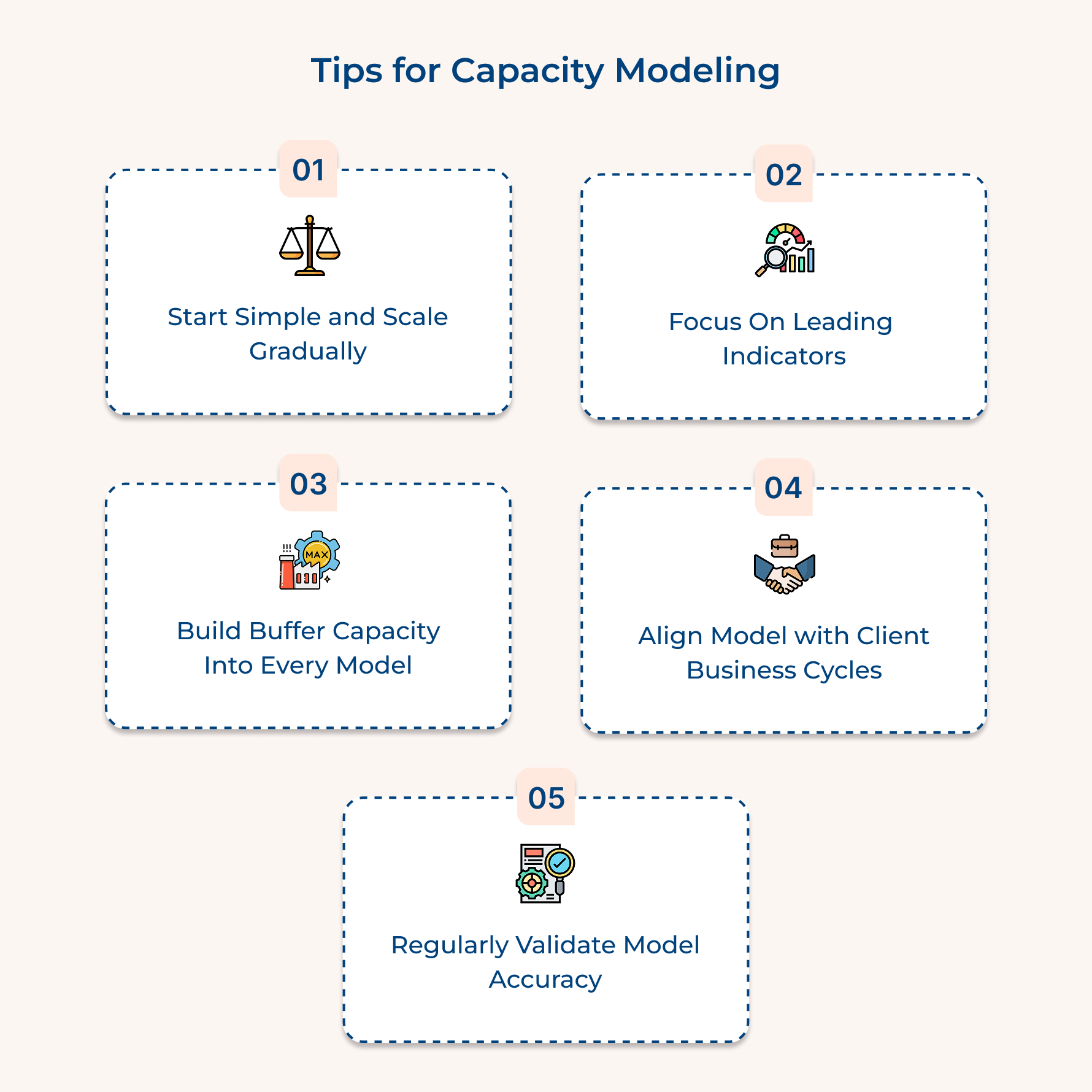
Start Simple and Scale Gradually
Begin with basic time tracking before adding complex forecasting. Your team needs comfort with billable versus non-billable hours before using sophisticated tools that predict future demand patterns and resource allocation requirements.
Focus on Leading Indicators Over Lagging Metrics
Monitor sales pipeline and client renewals rather than completed projects. Leading indicators give you months of planning runway compared to historical data that only tells you what happened.
Build Buffer Capacity Into Every Model
Reserve fifteen to twenty percent capacity for scope changes and urgent requests. Smart agencies plan for inevitable surprises rather than operating at theoretical maximum utilization that creates stress along with quality issues.
Align Your Model With Client Business Cycles
Understanding client budget cycles and seasonal demand transforms your agency from reactive service provider into strategic partner. Anticipate resource needs before they become urgent last-minute requests from clients.
Regularly Validate Model Accuracy Against Reality
Compare predictions with actual outcomes quarterly to identify forecasting errors. This feedback loop ensures your model reflects how work actually flows rather than theoretical assumptions about productivity.
Transform Your Agency with Strategic Capacity Planning
A well-designed capacity model transforms chaotic resource scrambling into predictable growth patterns that consistently deliver exceptional client results. Your agency gains the strategic advantage of anticipating needs rather than constantly reacting to urgent requests and overwhelming deadlines.
Think of capacity modeling as your agency’s navigation system that guides every resource decision toward profitable outcomes. When you master these fundamentals, your team operates with confidence while clients receive the focused attention they deserve for their investment.
Limit time — not creativity
Everything you need for customer support, marketing & sales.

Shivank Kasera is part of the marketing team at Kooper, where he focuses on building content that helps agencies and service providers grow. With a keen interest in SaaS, operations, and scalability, he translates practical insights into actionable resources for business leaders.