How to Calculate Employee Utilization (Step-by-Step)
- What is Employee Utilization?
- Key Benefits of Tracking Employee Utilization Rate
- Calculate the Employee Utilization Rate with Formula
- Factors That Affect Employee Utilization Rate
- How to Calculate Employee Utilization in 7 Actionable Steps
- 5 Best Practices and Tips to Improve Employee Utilization Rate
- Employee Utilization Rate: Keystone to Project Success.
- FAQs about Employee Utilization

Key Highlights:
- Employee utilization reveals how effectively your team spends time on billable work.
- Tracking employee utilization rate boosts project profitability and prevents missed deadlines.
- Effective resource planning improves employee utilization and balances team workloads.
Your team seems busy all day but your project margins keep shrinking and deadlines keep slipping. You’re paying full salaries while wondering why productivity doesn’t match the effort you see everyone putting in daily.
The problem isn’t your team’s work ethic but rather how their time gets allocated between revenue-generating work and everything else. If you don’t track employee utilization, you can’t clearly understand your team’s capacity or allocate resources properly, which hurts profitability.
This guide shows you how to calculate utilization rates accurately and compare your numbers against industry benchmarks. You’ll learn practical strategies to optimize how your team spends time so more hours translate into completed projects and better business outcomes.
What is Employee Utilization?
Employee utilization measures how much of your team’s available work time gets spent on billable or productive project tasks. It’s expressed as a percentage that compares actual working hours against total capacity. This metric helps project managers understand if their people are fully engaged or sitting idle between assignments.
Think of a graphic designer on your team who works 40 hours weekly. If she spends 30 hours on client projects and 10 hours in meetings or training, her utilization rate is 75 percent. This shows you exactly how much capacity remains for additional work.
Here are five key objectives this metric serves:
- Resource optimization: Identify team members who have extra capacity to take on new project work.
- Revenue maximization: Increase the proportion of billable hours to improve profitability and project margins.
- Workload balance: Spot overworked employees at risk of burnout and underutilized staff who need assignments.
- Project planning: Make realistic commitments about deadlines based on actual team availability and capacity.
- Cost management: Understand labor efficiency to make informed decisions about hiring or redistributing tasks.
Key Benefits of Tracking Employee Utilization Rate
Tracking your employee utilization rate gives you valuable insights into how work hours are spent, helping you boost employee productivity and stay aligned with your utilization rate target:
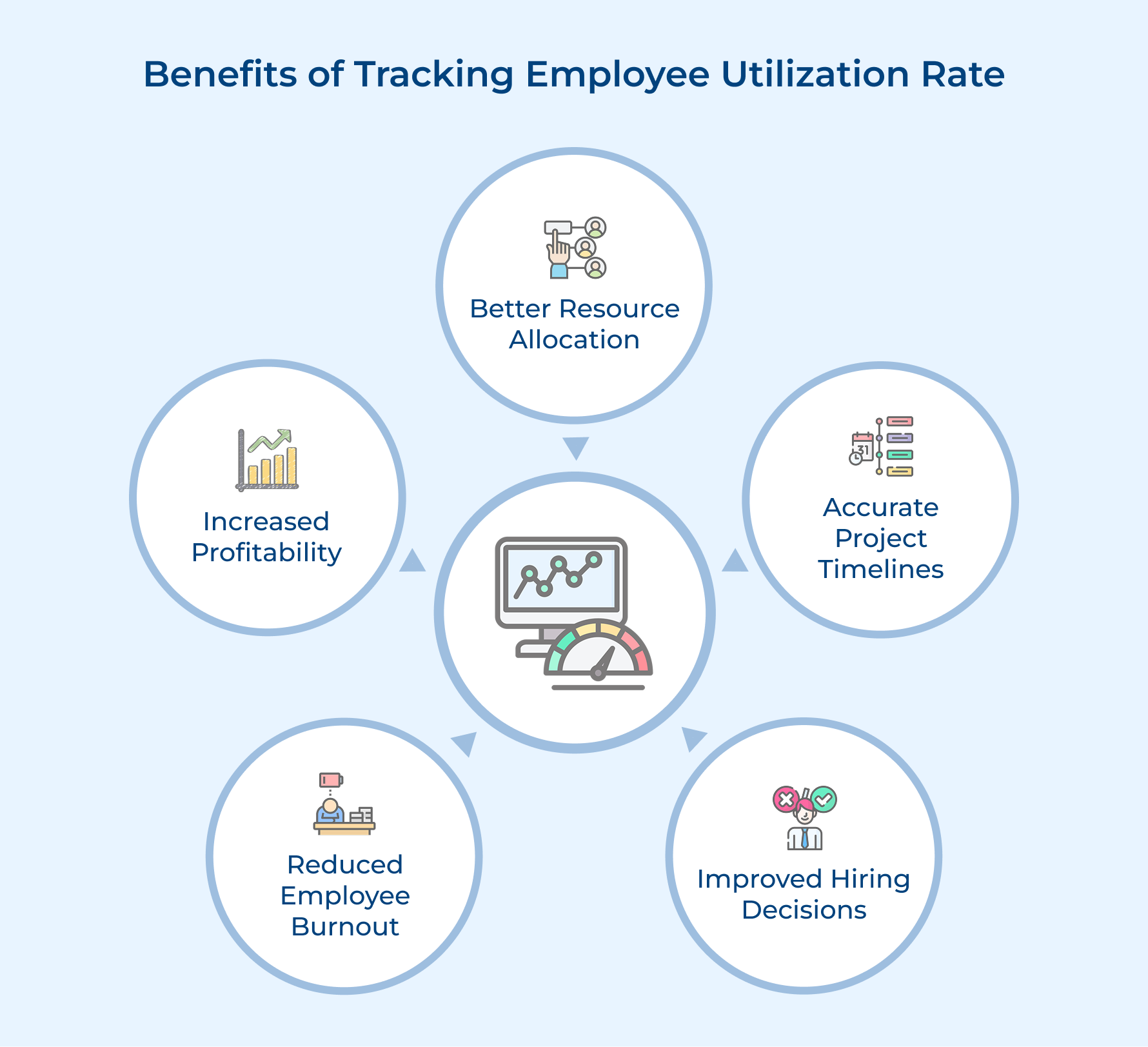
Better Resource Allocation
Tracking utilization helps you spot who has bandwidth for new assignments and who’s already stretched thin. You can distribute work more evenly while avoiding last-minute scrambles when urgent projects arrive.
Accurate Project Timelines
You’ll set realistic deadlines when you know exactly how much capacity your team actually has available. This prevents overpromising to stakeholders and reduces the pressure that comes from impossible schedules.
Improved Hiring Decisions
The data shows if you need more hands on deck or if current staff simply needs better work distribution. You’ll justify new positions with concrete numbers rather than gut feelings about being understaffed.
Reduced Employee Burnout
Consistent tracking reveals when someone’s utilization creeps too high before they reach a breaking point. Early intervention keeps your best performers engaged and prevents costly turnover from exhaustion.
Increased Profitability
You maximize billable hours by identifying pockets of underutilized time that could serve paying clients. Every percentage point improvement in utilization translates directly to better margins on your projects.
Calculate the Employee Utilization Rate with Formula
The right utilization formula ensures accurate utilization measurements. It helps you understand how effectively employees spend their time. Let’s learn how it is calculated:
Formula
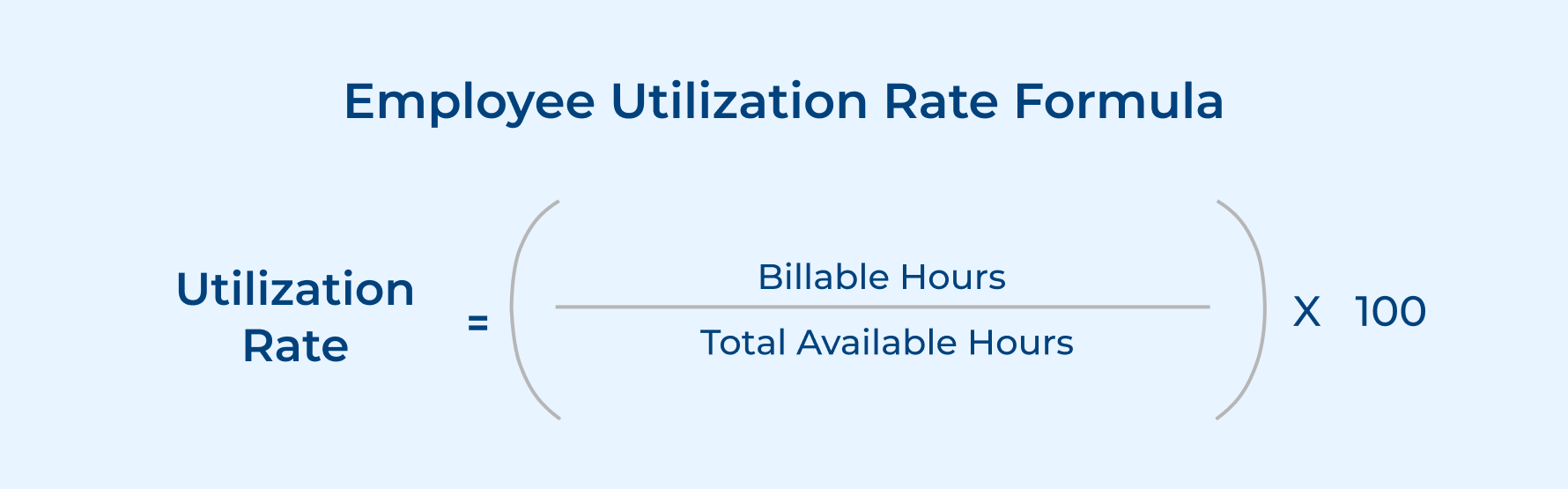
The formula relies on two essential components that you’ll track regularly:
- Billable hours: The time spent on revenue-generating client work or productive project tasks that directly contribute value
- Total available hours: The complete working hours in a given period minus holidays and approved time off
Standard Benchmark for Employee Utilization Rate
Most project-based organizations target a utilization rate between 70 and 80 percent for optimal performance. This range leaves room for necessary non-billable activities while maximizing productive output on client work.
Here’s how benchmarks vary across different agency types:
- Creative agencies: Typically aim for 65 to 75 percent utilization due to heavy creative development and client revision cycles.
- Software development firms: Usually target 70 to 80 percent to balance coding time with testing as well as documentation requirements.
- Marketing agencies: Generally maintain 75 to 85 percent utilization with structured campaigns and repeatable deliverables.
- Consulting firms: Often push for 80 to 90 percent as most client interactions count as billable advisory work.
Keep in mind that chasing 100 percent utilization actually backfires in the long run. Your team needs breathing room for collaboration and innovation that indirectly supports project success but doesn’t show up as billable hours.
Factors That Affect Employee Utilization Rate
Several operational realities influence how efficiently your team converts available time into productive work:
- Project planning: Poor planning creates gaps between assignments where team members wait for clear direction. Detailed roadmaps with overlapping project schedules help maintain steady utilization without overwhelming anyone.
- Resource availability: Unexpected absences or competing priorities pull people away from billable work unexpectedly. Building buffer capacity into your planning accounts for these inevitable disruptions to scheduled assignments.
- Training and development: Investing in skills improvement temporarily reduces utilization but pays dividends through faster task completion later. The key is scheduling learning activities during naturally slower periods rather than peak demand.
Example Calculation
Let’s calculate the utilization rate for Sarah, a project manager on your team.
Sarah works a standard 40-hour week. Over the past month (4 weeks), she had the following time allocation:
Total weeks: 4 weeks
Hours per week: 40 hours
Holiday time: 8 hours (1 day off)
Total Available Hours: (4 × 40) – 8 = 152 hours
During this month, Sarah logged:
Client project work: 95 hours
Internal meetings: 25 hours
Administrative tasks: 20 hours
Professional development: 12 hours
Billable Hours: 95 hours
Utilization Rate = (95 / 152) × 100 = 62.5%
Sarah’s 62.5 percent utilization sits below the typical 70 to 80 percent target range. This signals an opportunity to reduce her meeting load or redistribute some administrative tasks so she can focus more time on project delivery.
How to Calculate Employee Utilization in 7 Actionable Steps
The right utilization formula helps you calculate accurate utilization and understand how effectively your team spends its time. Follow this 7-step process to ensure you’re putting your people to best use.
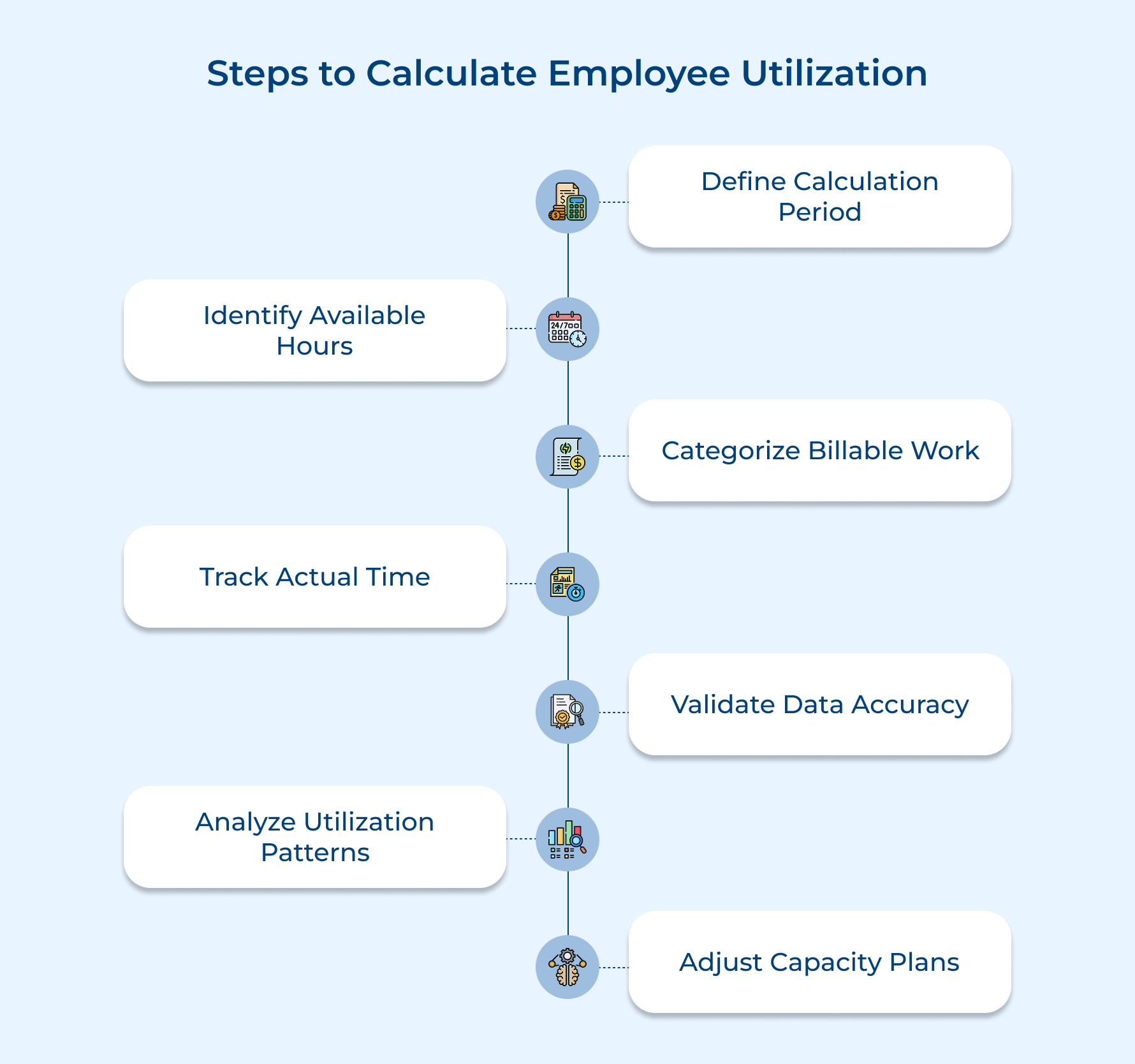
1. Define Your Calculation Period
Setting your calculation period establishes the timeframe for measuring how your team spends their working hours. This foundation ensures you’re comparing apples to apples when evaluating utilization across different team members and projects.
Ask yourself these four key questions before choosing your period:
- What is our typical project duration or milestone cycle?
- How frequently do we invoice clients for our work?
- What reporting cadence do our stakeholders expect from us?
- How much administrative effort can we dedicate to tracking?
These questions help you pick a period that matches your actual workflow rather than arbitrary calendar divisions. Beyond these guiding questions, here’s how agencies typically define their calculation periods:
- Project-based cycles: Match your period to average project length so utilization data aligns with complete work deliveries.
- Financial reporting requirements: Sync with accounting periods when finance teams need workforce cost analysis for budget reviews.
- Client billing schedules: Track utilization in the same intervals you invoice clients to connect revenue with resource allocation.
- Management review meetings: Align with your regular leadership check-ins so fresh utilization data informs capacity planning discussions.
2. Identify Total Available Hours
It helps you figure out how much real working time each team member has in a given period. It’s important because overestimating their capacity can cause delays, while underestimating it leaves productivity on the table.
You can calculate available hours in a few simple ways:
- Standard hours minus time off: Take the expected weekly work hours and subtract approved leave like vacations as well as holidays. It’s a straightforward way to get a reliable baseline.
- Contracted hours adjustment: Use the exact hours in each employee’s contract, including part-time or flexible schedules. This keeps you from assuming 40 hours when someone actually works 30.
- Historical attendance patterns: Look at past attendance to estimate typical time off. You get a more realistic number instead of assuming perfect attendance.
For example, a designer working 40-hour weeks in a four-week month with one holiday and three vacation days has 128 available hours – not the 160 you might initially assume.
3. Categorize Billable vs Non-Billable Work
Categorizing separates work that drives revenue from tasks that simply support operations. Clear categories improve billing efficiency and help you stay aligned with your target billable hours.
You need this distinction because not every hour contributes equally to project capacity. Mixing client work with internal tasks inflates utilization and creates a misleading picture of your available bandwidth.
Here’s how different types of work typically break down:
Common billable activities include:
- client project execution
- stakeholder presentations
- deliverable creation
- billable consultation calls
Common non-billable activities include:
- internal team meetings
- professional development
- administrative paperwork
- business development pitches
The boundary between these categories sometimes gets blurry depending on your client agreements and business model. A discovery call might count as billable for consulting firms but non-billable for agencies that include it in their sales process.
4. Track Actual Time Spent
Document how your team spends its hours across different tasks during the selected period. Solid utilization tracking gives you the key metric you need to calculate accurate utilization rates and shows the gap between assumed as well as actual work patterns.
Most teams rely on time-tracking tools or digital timesheets completed daily or weekly. These systems log hours against specific projects and tasks, making it easy to separate billable along with non-billable work for analysis.
Pro tips:
- Set a daily reminder for time entry rather than asking employees to reconstruct their entire week on Friday afternoon.
- Make time tracking part of your project workflow by integrating it with task management tools your team already uses.
5. Validate Data Accuracy and Completeness
Review your collected time data to catch errors and fill gaps before you run your utilization calculations. Validation matters because even small inaccuracies compound across your entire team and lead to faulty conclusions about capacity along with resource allocation decisions.
Here are four effective validation methods project-based businesses can rely on:
- Cross-reference project logs: Compare timesheet entries against project management software to ensure recorded hours match actual task completion and milestone dates.
- Conduct manager spot checks: Have team leads review their direct reports’ entries weekly to verify the work described actually happened as logged.
- Run completeness reports: Generate automated reports that flag missing days or suspicious patterns like identical entries repeated across multiple weeks.
- Reconcile with client invoices: Match billable hours in timesheets against what you actually billed clients to catch discrepancies before they affect calculations.
The main challenge here is employees forgetting to log time or rushing through entries without proper detail. Overcome this by creating a culture where accurate tracking serves the team’s interests rather than feeling like surveillance or busywork.
6. Analyze Team-Wide Utilization Patterns
Examine utilization data across your entire workforce to identify trends and outliers that individual calculations might miss. Analyzing patterns helps you spot systemic issues with resource allocation rather than treating each person’s utilization as an isolated data point.
Use this five-question checklist when reviewing your team’s utilization data:
- Which team members consistently fall below or exceed target utilization ranges?
- Are certain departments or skill sets showing dramatically different utilization levels?
- Do utilization rates fluctuate seasonally or around specific project types?
- Are high utilizers also showing signs of quality issues or burnout?
- What’s the variance between your highest and lowest utilization rates?
The checklist surfaces the meaningful stories hiding in your numbers rather than just calculating averages. You’ll discover in case low utilization stems from insufficient project work or excessive non-billable obligations pulling people away from deliverables.
Here are proven strategies for deeper pattern analysis in your data:
- Segment by role or seniority: Compare utilization across job functions to see if junior staff sits idle while seniors stay overbooked.
- Track utilization trends over time: Plot monthly rates to identify if problems are temporary dips or persistent capacity issues.
- Correlate with project outcomes: Examine in case teams with optimal utilization deliver better results than those running too high or too low.
- Benchmark against industry standards: Compare your rates to typical ranges for your agency type to gauge competitive performance.
7. Review and Adjust Capacity Plans
The last step turns your utilization insights into concrete actions that improve how you allocate team members to projects. Regular reviews ensure you’re continuously optimizing capacity rather than letting resource problems persist because nobody acted on the data you collected.
Use your utilization findings to make immediate adjustments like reassigning work from overloaded team members to those with available capacity. Look ahead at your project pipeline and decide depending on current staffing levels can handle upcoming commitments or if you need to hire.
Pro tips:
- Schedule monthly utilization reviews with team leads so capacity planning becomes routine rather than a crisis response to missed deadlines.
- Create action items with clear owners and deadlines for each utilization issue you identify rather than just discussing the numbers.
5 Best Practices and Tips to Improve Employee Utilization Rate
Strong utilization targets guide your team’s performance, but pushing too hard can trigger potential burnout. The goal is to find the balance and these best practices are just right to help you out!
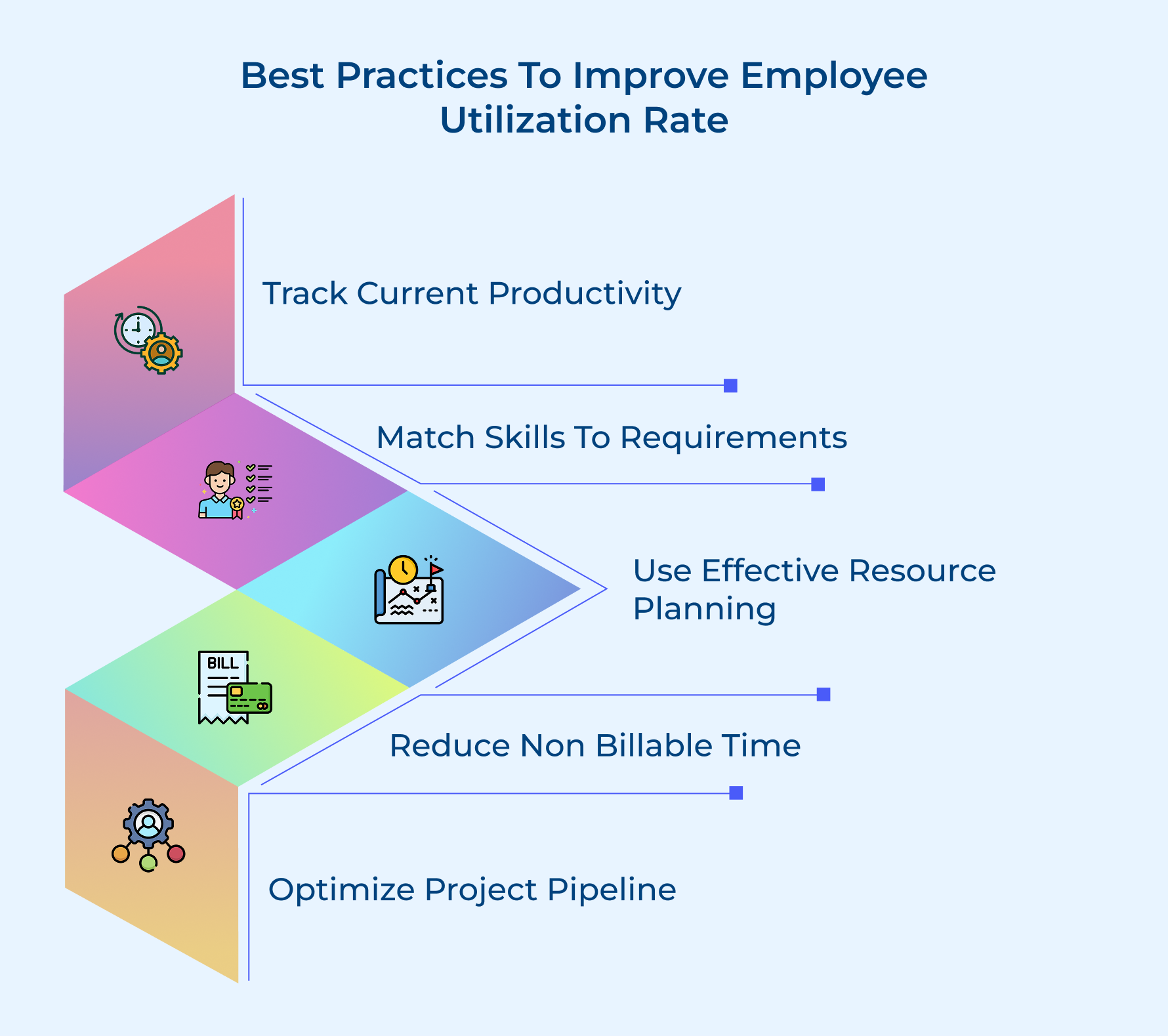
1. Track Your Current Productivity and Utilization
You can’t improve what you don’t measure consistently over time. Start by establishing baseline metrics that show exactly where your team stands today so you have a reference point for measuring progress as you implement changes.
Here are the essential metrics worth tracking from day one:
- Current utilization rate broken down by individual team members
- Average time spent on non-billable activities each week
- Project completion rates compared to original time estimates
Most project managers discover surprising patterns once they start tracking these numbers systematically. You might find that certain team members have hidden capacity you didn’t realize existed or that non-billable work consumes far more time than anyone expected.
2. Align Skills with Project Requirements
Matching the right people to the right tasks prevents both underutilization as well as wasted effort on work that doesn’t fit someone’s strengths. When a senior developer tackles junior-level tasks, you’re burning expensive capacity on work that could free them up for complex challenges only they can handle.
Create a skills matrix that maps each team member’s capabilities against the typical tasks your projects require. This visual reference helps you assign work strategically rather than just giving tasks to whoever seems available at the moment without considering fit.
3. Implement Effective Resource Planning
Resource planning means looking ahead at your project pipeline and mapping out who needs to work on what before those projects actually start. The forward-thinking approach prevents the common pattern where team members finish one project and then sit idle waiting for assignments because nobody planned their next move.
Consider these key elements when building your resource plan:
- Project start and end dates with buffer time built in
- Skill requirements for each phase of upcoming work
- Team member availability accounting for planned time off
Good resource planning also means having backup options ready when unexpected changes hit your schedule. If a key project suddenly accelerates or someone gets sick, you’ve already thought through who could step in rather than scrambling to figure it out under pressure.
4. Reduce Non-Billable Time Systematically
Non-billable activities will always exist in any organization but they often expand to fill whatever time you allow them. Meetings multiply, administrative tasks get more complex and suddenly your team spends half their week on work that doesn’t advance any actual projects forward.
Here are practical ways to reclaim time for billable work:
- Set meeting time limits and enforce them with automatic calendar blocks
- Batch administrative tasks into dedicated time slots rather than scattering them throughout the day
- Automate repetitive processes like status reporting and timesheet approvals
Once you see where time actually goes, you’ll likely spot obvious waste that nobody consciously decided to create. That daily standup that somehow stretches to 45 minutes or the approval process requiring five signatures for routine decisions both represent opportunities to give your team hours back each week.
5. Optimize Your Project Pipeline
Your project pipeline directly determines if your team has consistent work or faces feast-or-famine cycles that wreck utilization rates. A healthy pipeline means new projects starting as current ones wrap up instead of gaps where everyone sits waiting for the next engagement to begin.
Consider these strategies for maintaining steady project flow into your organization:
- Build a rolling forecast of expected project starts for the next three months
- Qualify prospects early to avoid pursuing deals unlikely to close in reasonable timeframes
- Create standardized onboarding processes that get new projects started quickly after contract signing
Smart pipeline management also means saying no to projects that don’t fit your capacity or capabilities right now. Taking on work your team can’t handle efficiently just to fill utilization gaps usually backfires since struggling projects consume extra resources and still deliver poor margins despite high utilization numbers on paper.
Employee Utilization Rate: Keystone to Project Success.
Employee utilization rate serves as your compass for making smart capacity planning decisions in project management. When you track and optimize how your team spends their time, you gain the visibility needed to balance workloads while maximizing productive output.
Mastering utilization isn’t about squeezing every minute from your team but rather creating sustainable workflows that benefit everyone involved. The organizations that succeed treat utilization as an ongoing practice rather than a one-time calculation, continuously refining their approach based on real data and changing project demands.
Limit time — not creativity
Everything you need for customer support, marketing & sales.

Shivank Kasera is part of the marketing team at Kooper, where he focuses on building content that helps agencies and service providers grow. With a keen interest in SaaS, operations, and scalability, he translates practical insights into actionable resources for business leaders.