Ultimate Guide to Tracking Billable Hours for Professional Services
- What is Billable Hours Tracking?
- Billable Hours vs. Non-Billable Hours
- 7 Practical Steps on How to Track Billable Hours
- Why should you Track Billable Hours?
- 5 Proven Best Practices for Accurate Billable Hours
- Comprehensive Solutions for Tracking Billable Hours
- How to Track Billable Hours: Your Ultimate Time-Tracking Solution.
- FAQs for Tracking Billable Hours

Key Highlights:
- Learn how to track billable hours with a step-by-step process for accurate invoicing and improved project profitability.
- Best practices for tracking billable hours include real-time entry, detailed notes and regular audits for data accuracy.
- Explore leading software and tools that automate time tracking, integrate with workflows while providing actionable business insights.
Professional service firms lose thousands of dollars monthly because team members forget to record billable work or estimate time incorrectly. This invisible revenue leakage happens when busy professionals prioritize client deliverables over systematic documentation.
Inaccurate time records create billing disputes that damage client relationships while forcing you to absorb unrecorded work costs.
Implementing structured billable hours tracking transforms scattered time into organized business intelligence that supports accurate invoicing and strengthens client trust.
Let’s explore more on how to track billable hours and how this systematic approach helps capture every billable moment.
What is Billable Hours Tracking?
Billable hours tracking is the systematic recording of time spent on client work that can be directly charged to specific projects or clients. This practice forms the backbone of revenue generation for agencies and consultancies. It captures every minute dedicated to deliverable work while distinguishing it from internal administrative tasks.
Impact on client relationships and profitability
Accurate billable hours tracking builds trust through transparent billing while maximizing revenue capture from client engagements. It prevents revenue leakage from unrecorded work and provides clear documentation for client invoices. This transparency strengthens client relationships by eliminating billing disputes while demonstrating clear value delivery.
Key objectives:
- Revenue optimization: Ensure every minute of client work translates into captured revenue without leaving money on the table.
- Project profitability analysis: Compare actual time invested against project budgets to identify profitable engagements and cost overruns.
- Resource allocation planning: Understand team capacity and workload distribution to make informed staffing decisions for future projects.
- Client billing transparency: Provide detailed breakdowns of work performed to justify invoices and maintain trust in professional relationships.
Billable Hours vs. Non-Billable Hours
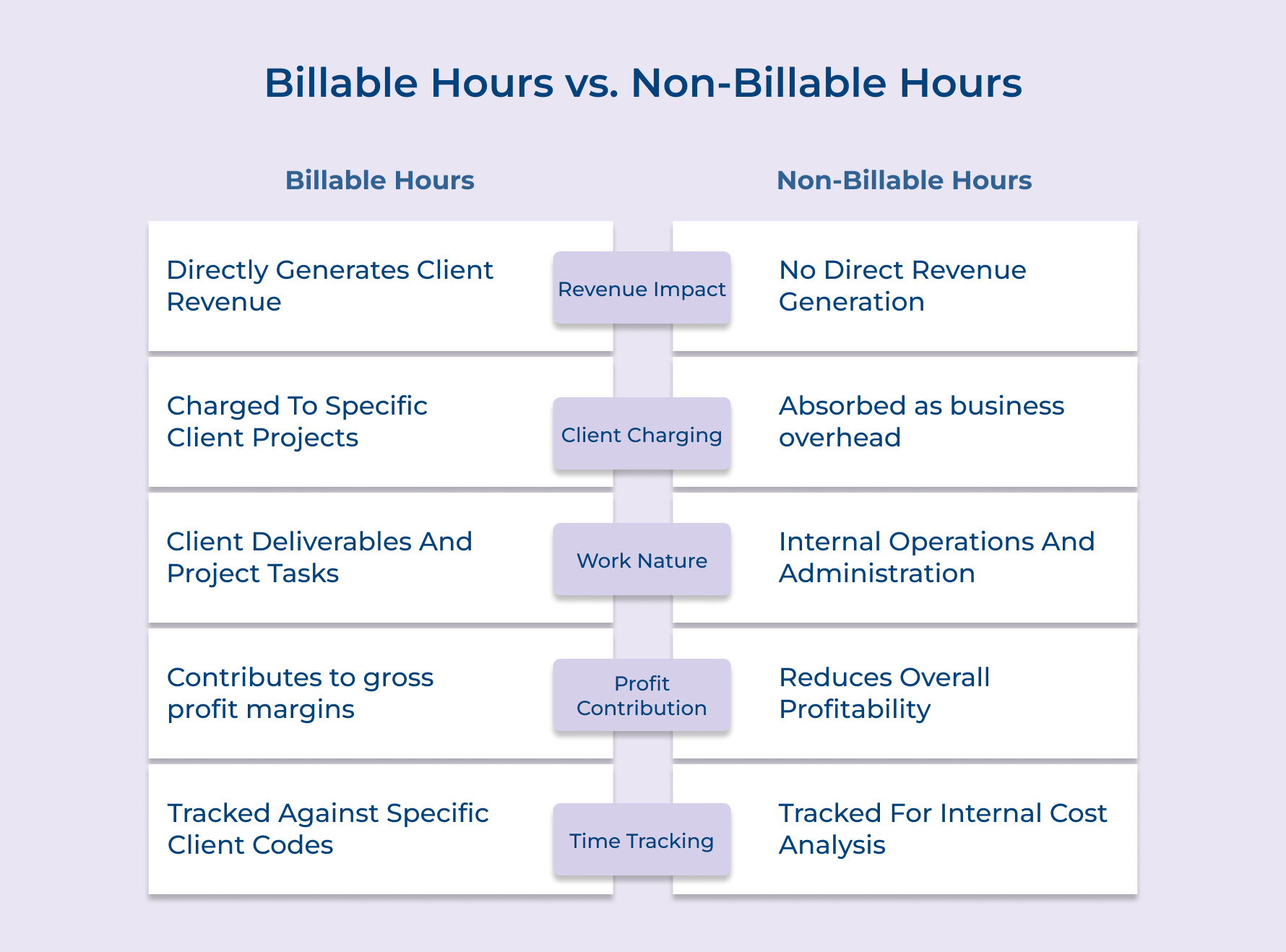
Professional service firms must categorize every working hour to maintain profitability and accurate client billing. This fundamental separation drives business decisions and resource allocation strategies.
Revenue Impact Difference
Billable hours: Income comes directly from hours that can be invoiced to clients.
Non-billable hours: Time spent on admin or internal meetings doesn’t earn revenue but keeps the business running.
Client Charging Difference
Billable hours: Client projects appear as line items on invoices whenever tracked work is billable.
Non-billable hours: Internal work, however, never reaches the client invoice and is counted as overhead.
Work Nature Difference
Billable hours: Tasks like consulting, development, and project delivery fall under revenue-generating work.
Non-billable hours: Support activities such as training, operations, or team discussions fall under non-revenue tasks.
Profit Contribution Difference
Billable hours: Revenue beyond delivery costs contributes to gross profit when the work is client-focused.
Non-billable hours: Resources get used without direct income when hours are devoted to internal activities.
Time Tracking Difference
Billable hours: Accurate invoicing and project profitability analysis depend on detailed tracking of chargeable work.
Non-billable hours: Understanding efficiency and controlling overhead requires tracking even internal, non-revenue tasks.
Business Balance
Billable hours: A healthy ratio of billable to non-billable hours boosts financial performance.
Non-billable hours: Efficiently managing non-billable time is key to sustainable growth and smart resource use.
7 Practical Steps on How to Track Billable Hours
Accurately tracking billable hours is essential for maximizing revenue and maintaining client trust. Here are seven practical steps to streamline your time tracking process.
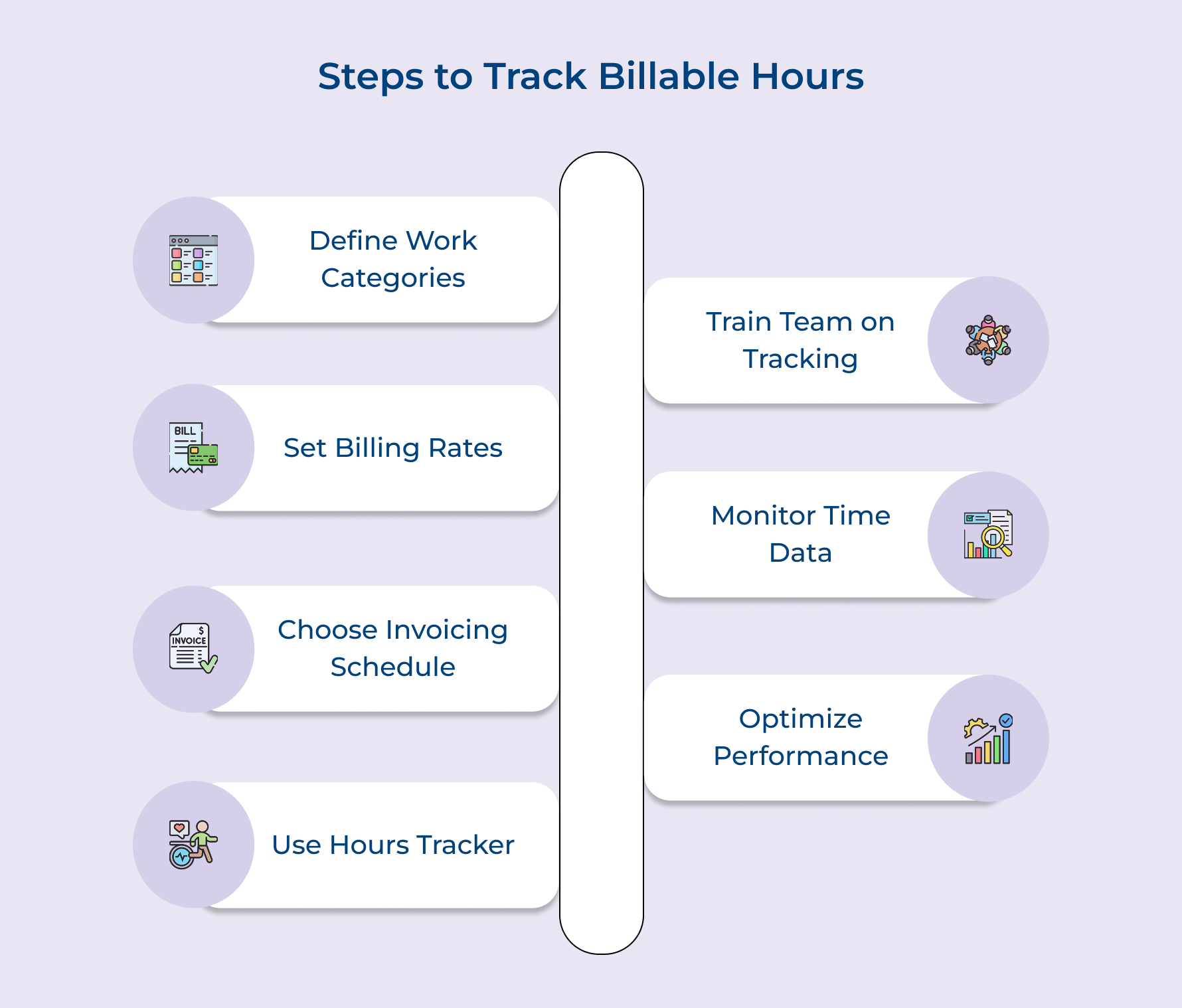
1. Define Your Billable Work Categories
Clearly defining billable work categories is the first step in tracking time accurately and building profitable project plans. It helps teams separate revenue-generating activities from internal operations, avoiding confusion and inconsistent logging.
Start by identifying what truly counts as billable. Ask questions like:
- Does this task directly support a client deliverable or milestone?
- Would the client expect to be charged for it based on our agreement?
- Does it advance the client’s goals or generate measurable value?
These checks help you decide what’s billable versus non-billable using objective criteria, not guesswork.
Once defined, it’s crucial to separate project work from admin tasks. Use techniques like:
- Time blocking to allocate focus
- Project code systems for organized billing
- Activity-based categories (e.g., strategy, execution)
- Client-specific task classification for transparency
Finally, create a standardized list of work types (like creative production, account management and technical implementation) so the entire team applies the same rules across all project plans.
2. Set Clear Billing Rates Structure
Setting a clear billing rate structure is one of the most important steps in tracking billable hours. Not having a clear structure, even the most accurate time tracking won’t help. You can’t calculate true project profitability or client value without knowing what your time is worth. Here’s a simple four-step approach to get it right:
- Start with market research: Understand what competitors charge to set a competitive baseline.
- Use value-based pricing: Charge based on the results you deliver, not just hours worked.
- Differentiate by skill level: Create tiered rates for junior, mid-level and senior team members.
- Add premiums for specialization: Charge more for niche skills or in-demand services.
For example, a digital marketing agency might bill junior analysts at $75/hour, while senior strategists charge $200/hour based on expertise and business impact.
3. Choose an Invoicing Schedule Framework
Choosing an invoicing schedule framework establishes predictable billing cycles that align with your cash flow needs while meeting client payment preferences and expectations. Select your optimal invoicing schedule from these five proven options:
- Weekly billing: Immediate cash flow with frequent client touchpoints for ongoing project work.
- Bi-weekly cycles: Balanced approach between cash flow and administrative efficiency for medium-term projects.
- Monthly invoicing: Standard practice that aligns with most client budgeting and approval processes.
- Project milestone billing: Payment tied to specific deliverable completion rather than time-based cycles.
- Retainer-based invoicing: Upfront payment for guaranteed service availability over specified time periods.
Beyond standard invoicing schedules, milestone-based billing for large projects offers significant advantages.
4. Use a Billable Hours Tracker
Using a billable hours tracker takes the guesswork out of time recording and turns it into a streamlined, automated process. Instead of relying on memory or manual logs, these tools track work in real time, offering a clear view of project profitability and team productivity.
Modern trackers are packed with smart features. For instance, automatic time capture runs in the background, monitoring app usage and website activity. This means time spent on emails, documents, or design tools gets logged without any effort.
Many tools also offer project integration, syncing directly with platforms like Kooper, Trello, or Monday.com. This allows your team to track time against specific tasks, ensuring every billable minute is accounted for.
Real-time dashboards give you immediate insights into budget usage and billable vs. non-billable ratios, so you can make quick adjustments if a project’s going off track. Plus, automated invoice generation converts tracked hours into client-ready invoices, complete with branded templates.
5. Train Your Team on Tracking
Training your team on billable hours tracking is key to building consistent, accurate time recording habits. Even the best tools won’t help if your team doesn’t use them properly. Here’s how to make training stick:
- Start with interactive workshops where team members practice tracking real project tasks. Follow up with one-on-one coaching to reinforce habits.
- Use a buddy system by pairing experienced team members with new ones. It’s a great way to transfer knowledge and build confidence.
- Run monthly refresher sessions to catch common mistakes and introduce new features. Support it with quick guides as well as video tutorials for easy access.
Make tracking feel like a natural part of daily work, not a disruption. When it blends into the workflow, it becomes second nature.
6. Monitor and Analyze Time Data
Monitoring and analyzing time data turns simple time logs into valuable insights. It helps transform raw tracking information into actionable business intelligence. This analysis reveals patterns in project profitability. It also highlights opportunities to improve team efficiency and resource use.
These four essential metrics provide comprehensive visibility into your billable hours tracking performance:
- Billable hours ratio
- project budget variance
- individual productivity rates
- client profitability analysis.
Once you have monitored data, analyzing it becomes crucial for business improvement. How do you turn numbers into meaningful insights? By comparing actual performance against established benchmarks and identifying trends that indicate successful practices or areas needing attention.
7. Optimize Based on Performance Insights
Optimization based on performance insights involves using tracked time data to make strategic improvements in project management and resource allocation decisions. This continuous improvement approach ensures that your tracking system evolves into a powerful tool for business growth and enhanced profitability.
Performance insights enable you to identify high-performing team members and successful project types while recognizing inefficient processes that drain profitability. These discoveries help shape future project estimates and pricing strategies that reflect real-world delivery requirements rather than theoretical assumptions.
Best practices:
- Implementing monthly performance reviews that translate data into specific action plans
- Creating feedback loops that allow team members to contribute insights from their daily tracking experiences.
Why should you Track Billable Hours?
Billable hours tracking transforms time into measurable business intelligence that drives profitability and operational excellence. This systematic approach provides the foundation for data-driven decision making across all service delivery functions.
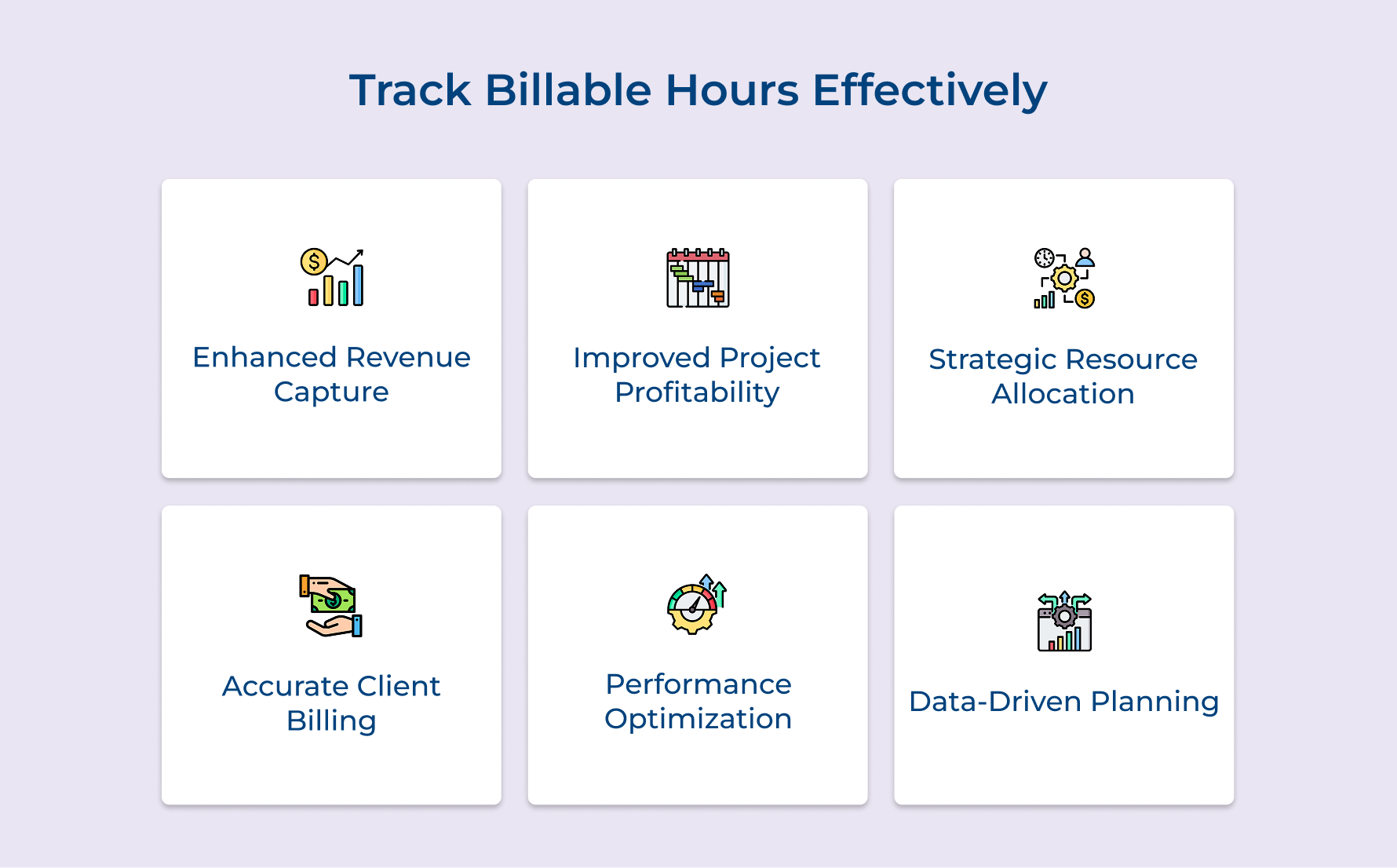
Enhanced Revenue Capture
When your team consistently tracks billable hours, you ensure that no effort goes unnoticed or unbilled. Small tasks as well as quick client check-ins add up over time—and without proper tracking, those hours can easily slip through the cracks. Accurate time logs help you capture all client-facing work, boosting revenue and eliminating lost income due to forgotten or underreported tasks.
Improved Project Profitability Analysis
Analyzing time data against your original project estimates reveals which engagements are profitable and which tend to overrun. This insight allows you to adjust future project plans and pricing. You’ll also be able to identify scope creep early, helping you renegotiate timelines or budgets before profitability takes a hit.
Strategic Resource Allocation
Time tracking shows exactly where your team’s time is going. It highlights who is stretched thin and who may have capacity for additional work. With this visibility, you can make better staffing decisions, balance workloads and prevent burnout, all while improving delivery speed as well as quality.
Accurate Client Billing Transparency
Clients appreciate clarity. Detailed time records make your invoices easier to understand and justify. Instead of vague billing summaries, you can show exactly what work was done, by whom and when. The transparency builds trust and helps avoid billing disputes.
Performance Measurement and Optimization
Consistent time tracking generates a rich dataset for evaluating team performance, improving project estimates and planning future work. Over time, you’ll be able to make smarter business decisions backed by trends. It’s a powerful way to scale profitably while staying efficient.
Data-Driven Business Planning
Historical time tracking data helps create accurate project estimates and pricing strategies. It enables firms to craft competitive proposals without compromising profit margins. By relying on actual past performance, businesses can plan more effectively, forecast resources with confidence and drive sustainable growth through data-backed decision-making.
5 Proven Best Practices for Accurate Billable Hours
Beyond the fundamental tracking steps, these additional best practices transform basic time recording into a sophisticated business intelligence system.
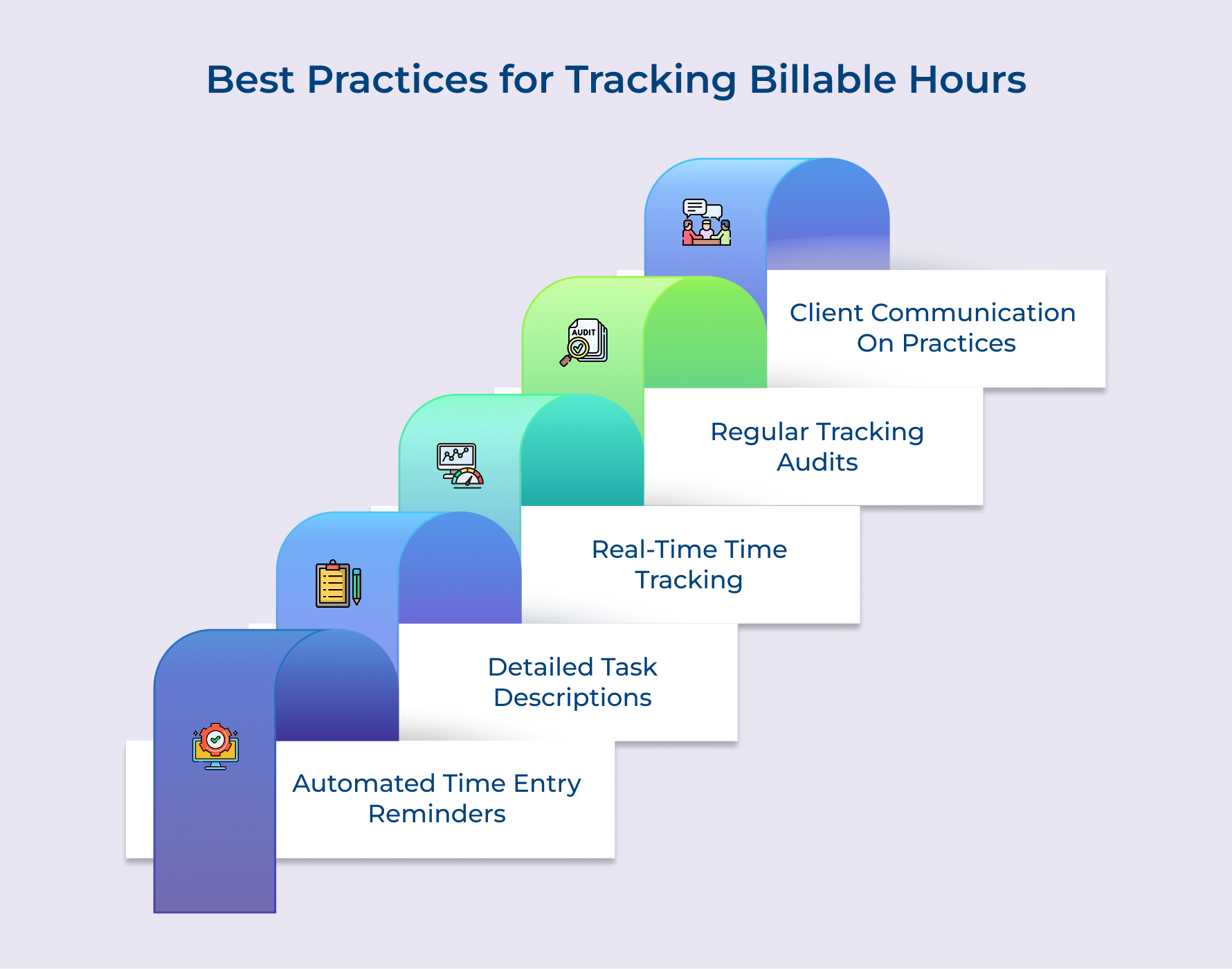
Implement Automated Time Entry Reminders
Automated reminders eliminate the common problem of forgotten time entries that lead to revenue loss and inaccurate project data. These reminders are just like a personal assistant who gently taps your shoulder every few hours to ensure no billable work goes unrecorded during busy project periods.
Write Detailed Task Descriptions and Notes
Comprehensive task descriptions provide context that proves invaluable months later when reviewing project patterns or responding to client questions about specific work. These detailed notes transform raw time entries into meaningful stories that demonstrate value delivery.
Track Time in Real-Time Rather Than Retrospectively
Real-time tracking captures work as it happens rather than relying on memory reconstruction at day’s end. The approach dramatically improves accuracy because our brains naturally forget small tasks and underestimate time spent on complex activities when we try to recreate our day hours later.
Conduct Regular Time Tracking Audits
Weekly time tracking audits help identify patterns of missed entries and ensure data quality before it impacts client billing. Consider these audits like regular health checkups that catch small problems before they become major issues affecting your revenue capture and client relationships.
Communicate Tracking Practices to Clients
Transparent communication about your tracking methods builds client confidence in your billing accuracy and professionalism. When clients understand how you capture and categorize work time, they develop greater trust in your invoices as well as appreciate the systematic approach you bring to their projects.
Comprehensive Solutions for Tracking Billable Hours
Selecting appropriate software transforms time tracking from a manual burden into an automated business intelligence system.
Kooper
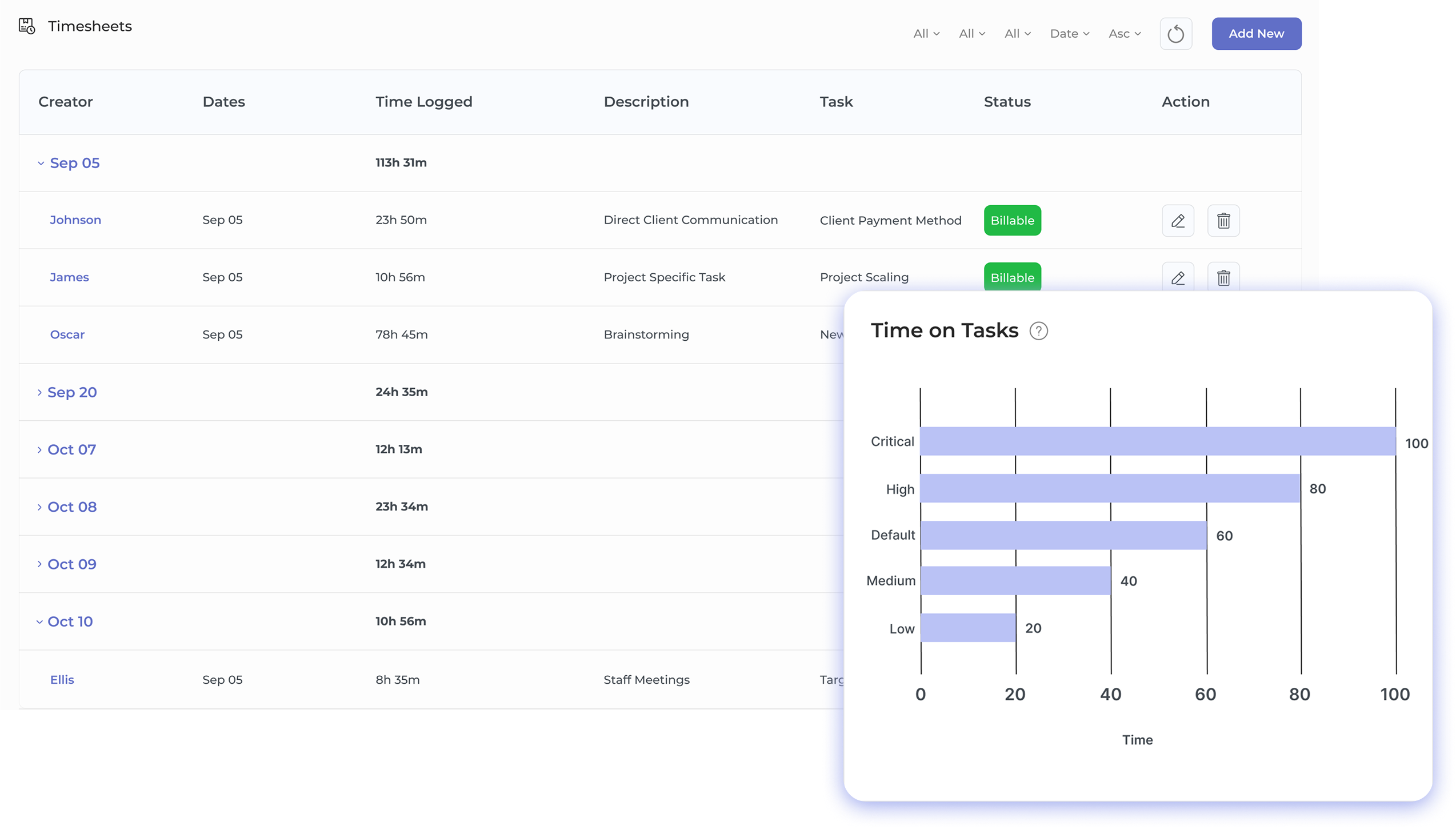
Kooper serves as an all-in-one agency management platform designed for professional services companies seeking comprehensive operational control beyond basic time tracking. This solution unifies scattered business processes while maintaining focus on financial management and project profitability.
Key features:
- Multiple time tracking methods: Kooper offers timer-based tracking, manual entry and automatic scheduling to accommodate different working preferences.
- Real-time profitability insights: It provides live visibility into costs, revenue and margins with instant budget analysis connecting logged hours to financial performance.
- Integrated invoicing and billing: The tool converts tracked time into professional invoices with QuickBooks and Xero integration support.
- Advanced project management: Kooper combines task management, resource planning and capacity forecasting for complete project lifecycle management.
Toggl Track
Toggl Track operates like a digital stopwatch designed specifically for professional services teams who need simple yet powerful time tracking capabilities. This platform excels at project-based tracking with intuitive interfaces that make starting and stopping timers feel natural rather than disruptive to creative workflow processes.
Harvest
Harvest functions as a comprehensive business management platform that combines time tracking with invoicing and expense management in one integrated solution. Think of Harvest like a Swiss Army knife for professional services firms because it handles multiple business functions while maintaining simplicity and user-friendly design throughout the experience.
Clockify
Clockify provides unlimited time tracking capabilities for teams of any size without subscription fees making it particularly attractive for growing agencies and consultancies. This platform demonstrates that powerful time tracking functionality does not require expensive investments while still delivering professional-grade reporting and project management integration capabilities.
How to Track Billable Hours: Your Ultimate Time-Tracking Solution.
Understanding how to track billable hours is a strategic move that transforms time into measurable business intelligence. When done right, this tracking helps prevent revenue leakage, ensures accurate client billing and provides transparency. It forms the foundation for smarter, data-driven decisions that give successful professional service firms a clear edge over their competitors.
Firms that master this, enable project managers to gain real-time visibility into time use, improve resource allocation and boost profitability. Meanwhile, you build client trust through transparent invoicing and driving long-term business growth through data-informed decisions.
Limit time — not creativity
Everything you need for customer support, marketing & sales.

Pooja Deshpande is a content contributor at Kooper, focused on creating insightful resources that help agencies and service providers scale efficiently. Passionate about SaaS trends, content strategy, and operational excellence, she delivers practical, easy-to-implement guidance for modern business leaders.