How to Build a Resource Calendar for Project Management
- What is a Resource Calendar in Project Management?
- What Components are Included in a Resource Calendar?
- Resource Calendar vs Project Calendar: 5 Key Differences
- How to Create a Resource Calendar in Project Management?
- Benefits of a Resource Calendar in Project Management
- Real Life Examples of a Resource Calendar
- Streamline Your Project Planning with a Resource Calendar
- FAQs about Resource Calendar
Key Highlights:
- A resource calendar gives you a verified, real-time view of who is available and at what capacity.
- Conflicts built into your plan during scheduling are exponentially cheaper to fix than mid-execution surprises affecting delivery.
- Sharing the resource calendar with stakeholders stops requests being made against capacity that simply doesn’t exist.
Projects don’t fall apart because of bad strategy, they fall apart because the right people weren’t available at the right time and nobody saw it coming until it was too late.
That’s exactly what happens when teams plan work without a resource calendar. Deadlines get built on assumed availability, conflicts surface mid-execution and the entire schedule starts unraveling in ways that were completely preventable from day one.
A resource calendar fixes this by giving you a verified, real-time view of who is available, when and at what capacity. In this guide we’ll walk through what this is all about, and the exact steps to build one that actually holds up under real project pressure.
What is a Resource Calendar in Project Management?
A resource calendar is a structured document that maps out when your team members, equipment and materials are available across the entire project timeline. It captures working hours, holidays as well as any other constraints that affect who can do what and when.
Purpose of a Resource Calendar in Project Management
You’re essentially scheduling work in the dark without a resource calendar. It gives project managers a clear picture of who can take on tasks on any given day, which directly prevents the classic mistake of over-committing people who are already stretched thin across multiple projects.
It also acts as your early warning system. When you can see three weeks ahead that your only database engineer is on vacation during a critical deployment window, you can reshuffle the timeline now.
Primary objectives:
- Availability tracking: Documents working hours, holidays and leaves for every resource on the project.
- Conflict prevention: Flags scheduling overlaps before they derail your sprint or milestone delivery.
- Capacity planning: Shows how much bandwidth each team member realistically has at any point in time.
- Budget alignment: Connects resource utilization directly to cost forecasting so billing stays predictable.
What Components are Included in a Resource Calendar?
A resource calendar is only as useful as the information you put into it. Here’s what every solid one should cover.
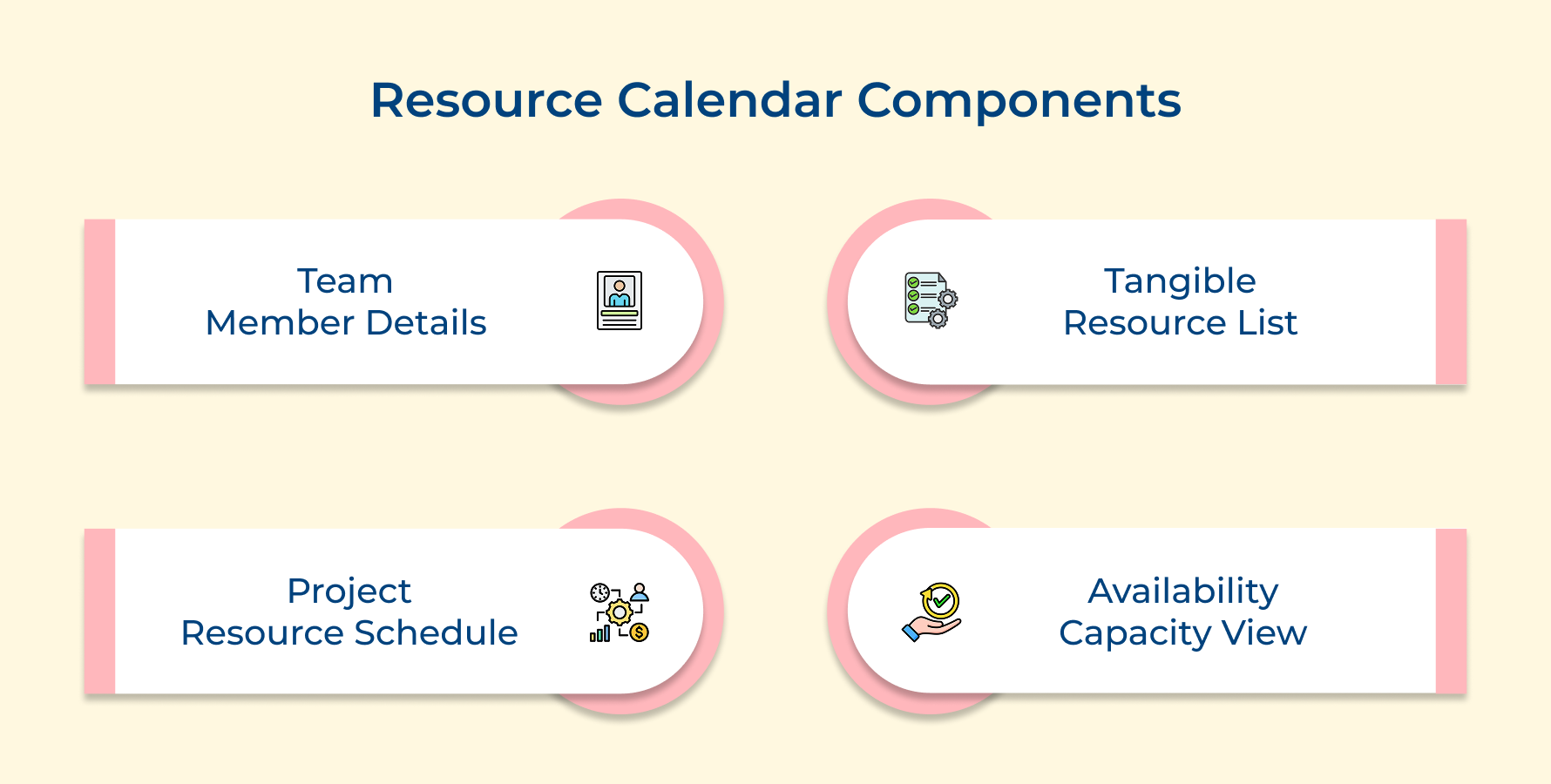
1. Team Members’ Information
Your resource calendar starts with your people. Every team member’s working hours, time zone and leave schedule needs to be logged so you’re assigning tasks to the right person at the right time.
Here’s what good team member documentation looks like in practice:
- Availability windows: Exact working hours including part-time schedules or shift patterns.
- Planned absences: Approved leaves, public holidays and any known personal commitments.
- Role and skill tags: What each person is actually qualified to handle on the project.
Assigning a critical task to someone already on leave is exactly the kind of gap that proper visibility prevents. You’ll discover that gap only when the deadline hits and there’s no time left to course correct.
2. Other Tangible Resources
People aren’t your only constraint – equipment, software licenses and shared tools all have availability limits that can quietly bottleneck your project. Tracking these alongside your team ensures nothing falls through the cracks during busy project phases.
When two teams compete for the same asset during overlapping phases, work stalls and that delay rarely stays contained to just one task. Logging every tangible resource upfront is what keeps those conflicts visible before they become blockers.
3. Project & Resource Schedule
This is where availability meets actual work, your project schedule maps deadlines while your resource schedule slots the right people into those windows. The two have to be built together or you’ll constantly be reacting to gaps instead of planning around them.
Here’s what this alignment should include in practice:
- Task-to-resource mapping: Which person or asset is assigned to each specific deliverable.
- Milestone dependencies: Where one task’s completion directly unlocks another team’s start date.
- Buffer periods: Realistic gaps built in for review cycles, handoffs, or unexpected delays.
Skipping this integration is one of the most common reasons projects slip, work gets planned in isolation from the people actually doing it. Bringing both schedules together gives you a timeline that’s actually executable and not just optimistic on paper.
4. Resource Availability and Capacity
Knowing someone is “available” isn’t enough, you need to know how much of their capacity you actually have. A team member split across three projects isn’t fully yours even when they’re not on leave.
Tracking real capacity lets you distribute workload without burning people out. It also gives you the data to push back when stakeholders want to pile more onto an already loaded team.
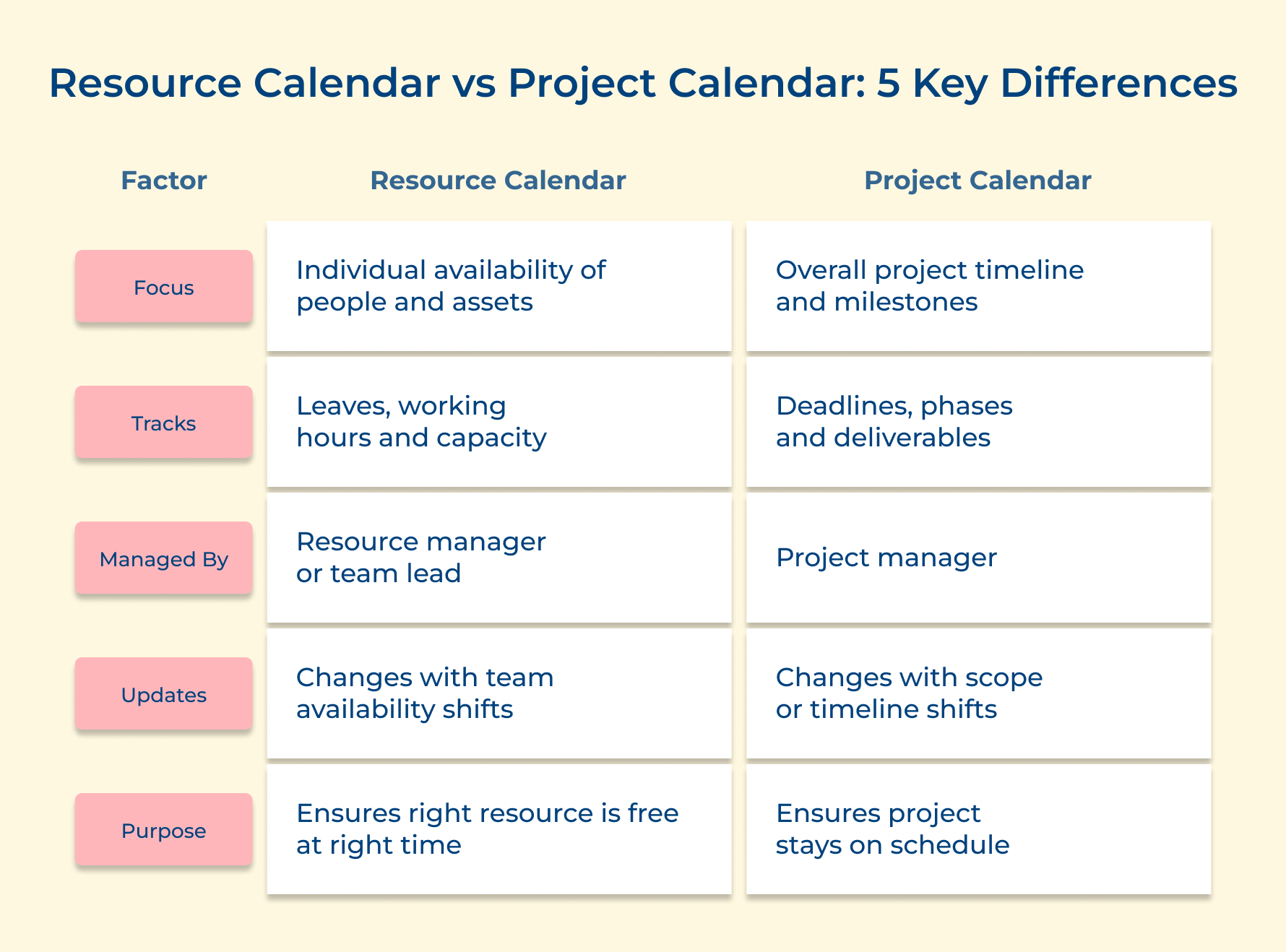
Resource Calendar vs Project Calendar: 5 Key Differences
Both calendars serve the same project but solve very different problems. Confusing one for the other is where scheduling mistakes quietly begin.
1. Focus
A resource calendar zooms into the individual – is this specific person or asset actually free right now? It captures the human and physical layer of your project so every task assignment reflects reality, not assumption.
A project calendar zooms out and tracks phases, project milestones as well as delivery windows across the entire lifecycle. It tells you what needs to happen and when, but says nothing about whether your human resources are actually available as well as capable of delivering it on time.
2. What Each Tracks
A resource calendar tracks leave, work hours, public holidays and team capacity limits for every person as well as assets tied to the project. Assigning a critical task to someone already on leave is exactly the kind of gap that proper visibility prevents.
A project calendar tracks task sequences, project dates and the dependencies connecting one phase to the next. Lose visibility here and a single delay in one workstream quietly pushes back every milestone that follows, often before anyone realizes it’s happened.
3. Who Manages It
A resource calendar is typically owned by a resource manager who understands individual workloads and how project resources are distributed across multiple projects simultaneously. They’re the ones who catch quiet over-allocation before it becomes a real delivery problem.
A project calendar sits with the project manager responsible for the overall timeline and stakeholder alignment. Every status update, sprint plan and client commitment is built on top of it – so accuracy here isn’t optional, it’s everything.
4. When It Gets Updated
A resource calendar updates the moment availability shifts – a new leave request, a change in work hours, or someone pulled onto a higher-priority project mid-sprint. Time management breaks down fast when these changes aren’t reflected immediately and tasks land on people who are no longer free.
A project calendar updates when scope changes, a milestone moves, or a dependency gets re-sequenced. Keeping it stale while the project evolves is one of the fastest ways to lose team alignment and miss commitments nobody even realized had shifted.
How to Create a Resource Calendar in Project Management?
In this article, we outline an 8-step process to help you craft a resource calendar that brings clarity, precision and success to your project management efforts.
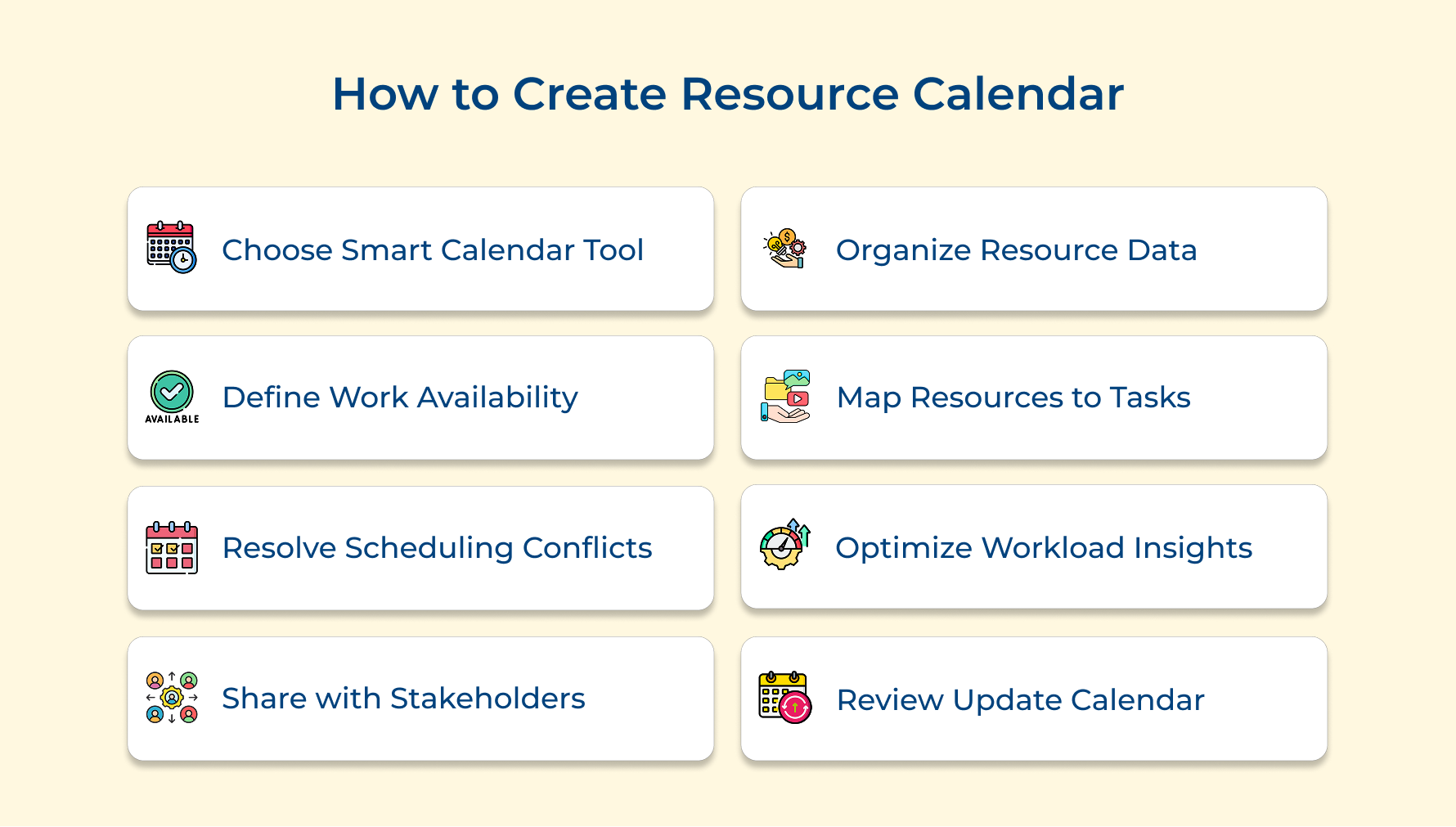
1. Choose a Smart Resource Calendar Tool
The tool you pick shapes every scheduling decision for the rest of the project. Default to the wrong one and avoidable conflicts become routine problems nobody questions anymore.
The real question isn’t which tool has the most features, it’s which one your team will actually use consistently when deadline pressure makes shortcuts tempting.
Four key factors to evaluate before choosing your tool:
- Integration compatibility: A tool disconnected from your HR system turns calendar maintenance into manual data entry where accuracy slowly deteriorates.
- Real-time visibility: Stale availability data is dangerous – changes must reflect immediately or you’re scheduling against a reality that no longer exists.
- Conflict detection: If the tool isn’t flagging double-bookings automatically you’re doing its job manually which completely defeats the purpose.
- Scalability: Evaluate it at twice your current team size – a tool that breaks at twenty will force a disruptive migration mid-project.
Most managers evaluate tools during calm planning phases and never stress-test them against real pressure. That’s exactly when tool limitations surface and good options disappear.
Four types of tools client-based firms rely on:
- Dedicated resource management tools: Purpose-built for utilization tracking, they surface capacity gaps that generic platforms consistently bury inside cluttered task views.
- Integrated project management platforms: Best when tasks and availability need to live together. Thus, eliminating the dangerous lag between schedule changes and resource updates.
- Visual scheduling and timeline tools: Color-coded availability views make over-allocation immediately obvious before it quietly becomes a delivery problem.
The right tool makes invisible problems visible before they become decisions you’re forced to make with no good options remaining.
2. Collect and Organize Resource Data
This is where most resource calendars get quietly compromised before the project starts. Incomplete data doesn’t surface immediately, it appears two weeks in when someone is over-committed and a deadline is already at risk.
Rushing this step under planning pressure is the most common and most expensive mistake project managers make repeatedly across projects.
Three ways to collect and organize resource data effectively:
- Centralized resource intake forms: Standardized data collection eliminates interpretation errors. Inconsistencies become visible immediately rather than surfacing mid-execution when fixing them is costly.
- One-on-one resource briefings: Specialists always have constraints they’d never think to include in a form – a direct conversation surfaces commitments that intake documents consistently miss.
A lead designer supporting a legacy client account for eight hours weekly will never volunteer that in a form. That hidden commitment silently corrupts every assignment built around their supposed availability.
So how do you keep resource data accurate once planning ends and execution begins? Assign a named owner with clear update triggers, not a one-time exercise that gets filed and never touched again.
3. Define Availability and Work Schedules
Most mid-project scheduling failures were created right here through assumed availability rather than verified availability. This single distinction separates calendars that hold under pressure from ones that generate conflicts at the worst possible moments.
Skipping straight to task assignment feels efficient under planning pressure. It’s actually what turns manageable projects into reactive firefighting exercises within the first few weeks.
Three direct benefits of defining availability upfront:
- Eliminates assumption-based scheduling: Every assignment sits on a verified availability window, not a manager’s optimistic read of who appears free this week.
- Reduces last-minute rescheduling: Leaves, part-time arrangements and capacity splits documented upfront get absorbed into the plan rather than breaking it.
- Improves deadline credibility: Dates built on real available hours are defensible, dates built on assumed full-time capacity get renegotiated under pressure.
So how do you capture availability in a way that reflects operational reality rather than a clean planning document version? Treat every resource as a unique scheduling entity, not an interchangeable full-time unit you can slot into any open window.
Four questions to answer for each resource before scheduling:
- What are their actual contracted hours and genuinely available working days each week?
- What exact percentage of their real capacity does this project own across all active commitments?
- What live collaboration hours genuinely overlap if the team is distributed across time zones?
These questions feel administrative but they separate timelines that execute from ones that only exist on paper. Three availability inputs that must be documented:
- Approved and anticipated leave windows: A resource with unused leave heading into Q4 is a predictable risk, flag it now while the plan can still absorb it.
- Part-time arrangement details: Exact working hours logged precisely prevents tasks landing on days a resource simply isn’t contracted to work.
- Capacity splits across projects: 60% committed elsewhere means 40% yours minus meetings, context-switching and escalations that always take priority.
4. Map Resources to Project Tasks and Milestones
This is where planning either pays off or exposes every gap glossed over in earlier steps. It’s a live stress test of whether your availability data and skill inventory are genuinely aligned enough to execute.
Align Tasks to Skill-Matched and Available Resources at the Right Time
Availability alone is never sufficient criteria for assignment. Assigning work to the nearest free person rather than the right skill match creates rework cycles that cost far more time than the original gap ever would have.
Identify Task Dependencies Before Assigning Downstream Work
Assigning downstream work without confirming upstream completion creates false timeline confidence that collapses at the first delay. Resources assigned to dependent tasks are on standby until preceding work closes and that standby time is invisible in most calendars.
Flag All Unowned Tasks Before Execution Starts
An unowned task is a project commitment with nobody accountable for it. They don’t get picked up organically, they surface at status meetings when a milestone is already behind and options are already limited.
5. Identify and Resolve Scheduling Conflicts
Scheduling conflicts build silently underneath an optimistic plan. They surface as missed deadlines, over-committed people and status meetings where everyone is explaining why things slipped.
A four-point conflict identification checklist before project kickoff:
- Cross-project availability check: Verify every resource’s commitment across all active projects before locking assignments, a resource appearing free may already be fully loaded elsewhere.
- Critical path priority scan: Conflicts on your critical path are direct threats to your delivery date, resolve these before touching anything else.
- Dependency overlap audit: Dependent tasks assigned to the same resource within a tight handoff window is the most consistently overlooked source of mid-project delays.
- Contractor and vendor alignment: External schedules operate outside your visibility, contractor availability assumptions are wrong far more often than project managers realize.
Running a capacity heat map before execution surfaces dangerous loading patterns while rebalancing options still exist. Waiting until execution starts removes most of your good choices entirely.
Pro tips:
- Resolving low-priority conflicts while a critical path resource stays double-booked is the wrong priority, the timeline will reflect that decision fast.
- Undocumented reassignments generate new conflicts downstream. Always log what changed and why so reasoning stays traceable.
6. Optimize Workload with Data-Driven Insights
Project managers who skip workload optimization see the consequences six weeks later through declining output and a team that has stopped flagging problems. By then the damage is already compounding across multiple workstreams.
Resources consistently above 80% produce more mistakes and miss more handoffs. Hence, costing the project more time than that extra utilization ever delivered.
Three effective methods for optimizing workload:
- Utilization rate monitoring: Track allocated hours against available capacity weekly. Anything consistently above 80% is an early warning sign of a delivery problem building beneath the surface.
- Workload redistribution mapping: Map every reassignment against skill match and capacity. Relocating the problem to a different resource is just a delayed version of the same crisis.
- Capacity forecasting across milestones: Identifying peaks two to three milestones ahead creates a proactive redistribution window, reactive reshuffling during a peak is exponentially more disruptive.
A professional services firm discovered their senior consultant at 110% across three accounts for six straight weeks. The client escalated and recovery cost in leadership time far exceeded any value the over-allocation had generated.
7. Share and Align the Calendar with Stakeholders
A resource calendar living only with the project manager is a single point of failure. Sharing it at the right detail level transforms it from a static document into a live accountability tool the whole team operates from.
Four things to establish when sharing the calendar:
- Who holds view access versus edit access? An uncontrolled edit can silently corrupt availability data every assignment depends on.
- Which stakeholders need full resource detail and which only need milestone-level visibility. Overloading stakeholders with detail causes disengagement.
- What does the escalation path look like when a stakeholder spots a conflict first? Define this before execution not after it materializes.
When stakeholders see availability directly they stop making requests against capacity that doesn’t exist. That single shift eliminates one of the most draining sources of mid-project disruption consistently.
Best practices:
- Resource owners need full visibility while sponsors need milestone-level access only. Identical access creates noise and risks calendar integrity.
- A stakeholder who approves the calendar owns the availability commitments within it. Making conflict resolution cleaner when disputes arise later.
8. Review and Update the Calendar Throughout the Project
A resource calendar built at kickoff and never updated is a record of original intentions. It bears less resemblance to reality with every week that passes without a deliberate update.
So how do you maintain accuracy without creating review fatigue? A weekly pulse check combined with a milestone-boundary review catches problems early while keeping the process lean enough that the team takes it seriously.
Four methods for reviewing the resource calendar:
- Weekly availability pulse check
- Milestone boundary resource audit
- Post-conflict retrospective review
- Sprint-end capacity reassessment
Each review only delivers value if it produces immediate calendar updates. A review that identifies over-allocation but generates no action has consumed team time while leaving the risk completely intact.
Updating based on review insights keeps scheduling decisions connected to how work is actually being executed.
Three ways to act on review insights immediately:
- Immediate availability corrections: Any confirmed schedule change must be reflected within 24 hours, even a short lag allows incorrect assignments to cascade and compound quickly.
- Proactive task reassignment: Acting on a capacity gap during a review produces far better outcomes than reactive reshuffling under deadline pressure with a team already stretched.
- Historical utilization logging: Recording actual versus planned utilization builds the dataset that separates project managers who repeat resourcing mistakes from those who forecast capacity accurately.
Benefits of a Resource Calendar in Project Management
A resource calendar does more than track availability, it actively protects your project from the scheduling failures that derail most teams. Here is what it delivers when used properly.
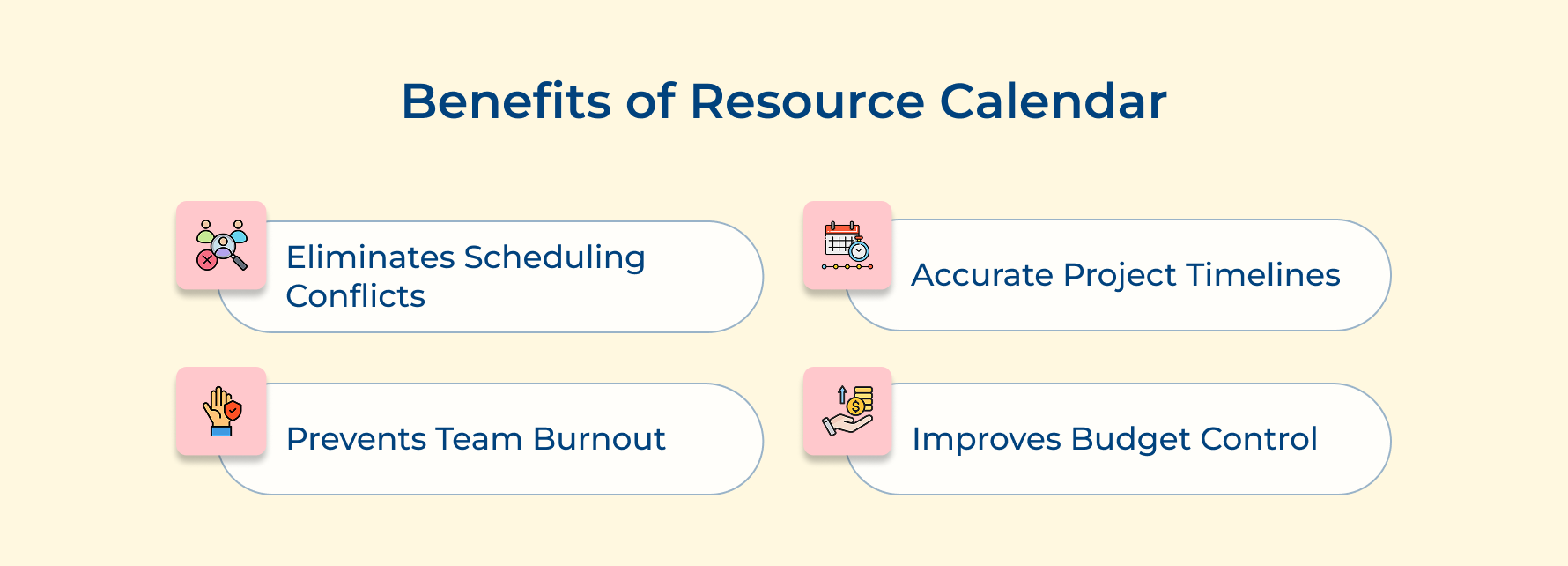
1. Eliminates Scheduling Conflicts Before They Surface
Resource planning software catches double-bookings and over-allocations before any task lands on the wrong person. You’re solving conflicts before they disrupt work, not scrambling to fix them after delivery has already taken a hit.
2. Gives You Accurate Project Timelines
Deadlines built without verified availability are just guesses. A resource calendar grounds every milestone in real working hours and confirmed capacity, giving you project duration estimates you can actually defend to stakeholders without second-guessing yourself.
3. Prevents Team Burnout Before It Becomes a Delivery Problem
Workload management gets easier when unsustainable resource workloads are visible early. Over-allocation rarely looks dangerous on paper until quality drops and handoffs start getting missed. A resource calendar surfaces the warning signs before your team hits a breaking point.
4. Improves Budget Forecasting and Cost Control
Unplanned overtime and last-minute contractor sourcing carry a real price tag. Keeping capacity aligned with demand throughout the project helps you schedule resources efficiently and reduce the reactive costs that quietly blow budgets before anyone notices the pattern.
Real Life Examples of a Resource Calendar
A resource calendar looks different depending on the industry, but the underlying problem it solves remains the same. Here is how it functions across four distinct professional environments.
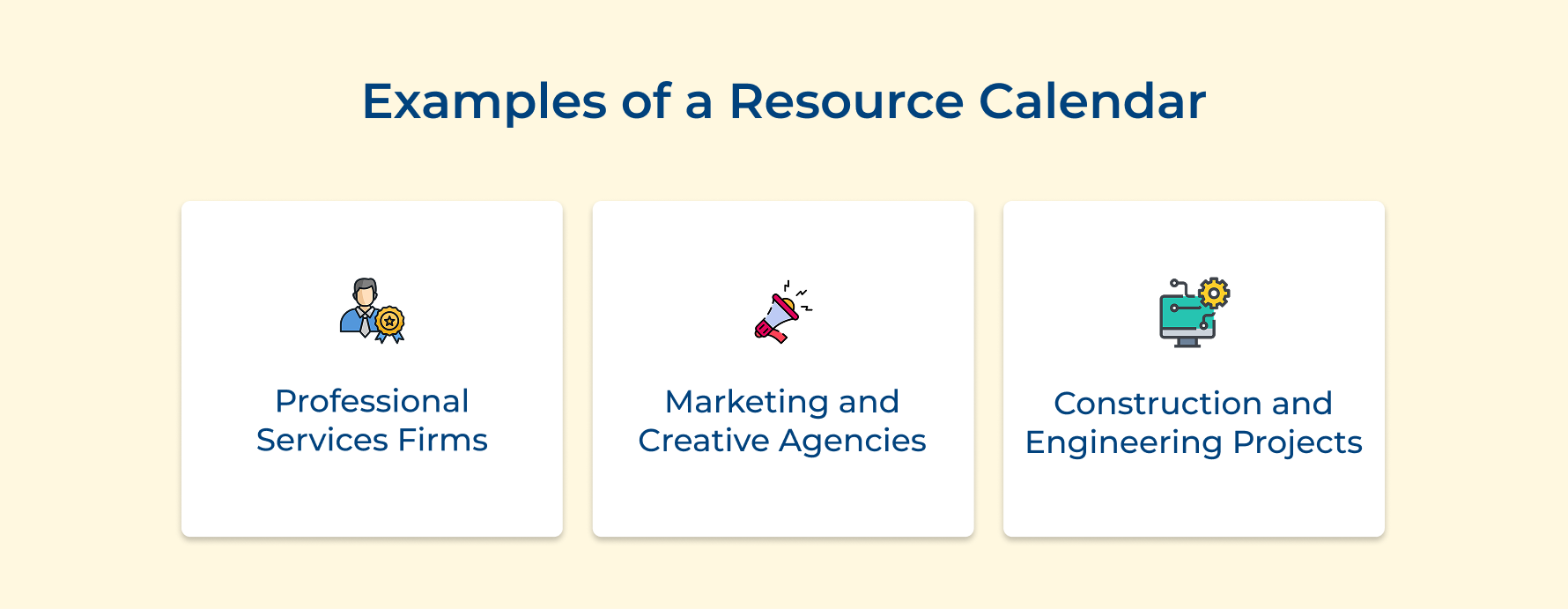
1. Professional Services Firms
In consulting or legal firms every billable hour is a revenue line and a resource calendar ensures senior practitioners aren’t double-booked across client engagements during critical delivery windows. Utilization reporting turns into guesswork and client commitments get made against capacity that simply isn’t there.
2. Marketing and Creative Agencies
Agencies run on overlapping project cycles where the same designer, copywriter, or strategist is pulled across three client campaigns simultaneously. A resource calendar makes those competing demands visible so creative leads can protect deep-work time and deliver quality output without quietly burning out their best people.
3. Construction and Engineering Projects
In construction, a scheduling conflict isn’t a calendar problem, it’s a site shutdown. Equipment, subcontractors and specialist trades all operate on fixed availability windows. A resource calendar ensures the crane, the crew and the materials are aligned before work is scheduled to begin.
Streamline Your Project Planning with a Resource Calendar
A resource calendar is the foundation that separates projects that execute cleanly from ones that constantly react to conflicts they never saw coming. Building one correctly means every assignment, deadline and stakeholder commitment is grounded in verified reality.
The teams that treat their resource calendar as a living management tool consistently outperform those that build it once and file it away. Start with accurate data, maintain it actively and it will quietly become the most reliable decision-making tool in your entire project management process.
Limit time — not creativity
Everything you need for customer support, marketing & sales.

Neeti Singh is a passionate content writer at Kooper, where he transforms complex concepts into clear, engaging and actionable content. With a keen eye for detail and a love for technology, Tushar Joshi crafts blog posts, guides and articles that help readers navigate the fast-evolving world of software solutions.