What Are Billable Hours? Increase Revenue with Better Tracking
- What Are Billable Hours?
- The Importance of Tracking Billable Hours
- Key Benefits of Tracking Billable Hours in Firms
- Differences Between Billable Hours vs Non-Billable Hours
- How to Track Billable Hours in 7 Quick Steps?
- 6 Effective Strategies to Increase Billable Hours
- Challenges of Tracking Billable Hours and Tips to Avoid Them
- Make Every Minute Count with Effective Billable Hours Tracking
- FAQs about Billable Hours

Key Highlights:
- Poor tracking of billable hours leads to lost revenue, inaccurate billing and reduced profitability for firms.
- Accurate time tracking improves invoicing transparency, strengthens client trust and reveals hidden productivity gaps across projects.
- Effective time tracking systems help firms capture missed work hours, reduce billing disputes and boost overall project profitability.
Your team works long hours yet your firm struggles to hit revenue targets each month. Hours disappear into administrative tasks and forgotten time entries. Profitability suffers despite everyone feeling exhausted and overworked constantly.
The problem isn’t effort but how you track and categorize the time your team actually spends on client work. Misunderstanding billable hours costs service firms thousands annually. Unclear policies create confusion about what counts as chargeable time.
This guide breaks down billable hours fundamentals and provides proven strategies to capture more revenue. You’ll learn tracking methods that work and discover how to eliminate the gaps draining your profits. Let’s transform your time into sustainable income.
What Are Billable Hours?
Billable hours represent the time professionals spend working directly on client projects or tasks that can be invoiced. These hours form the foundation of revenue generation in service-based businesses like law firms, consulting agencies and freelance work.
Formula for Calculating Billable Hours:

Formula for Revenue Calculation:

Every minute spent on client deliverables counts toward what you can charge. Non-billable hours include administrative tasks, internal meetings and professional development activities.
For Example of Billable Hours a consultant works 40 hours weekly. They spend 30 hours on client projects and 10 hours on proposals as well as emails. Their billable hours equal 30. If their rate is $100 per hour, they generate $3,000 in revenue that week.
Core objectives:
- Track actual working time spent on revenue-generating activities for accurate client billing.
- Maximize the ratio between billable and non-billable hours to increase profitability.
- Ensure fair compensation for professional services rendered to clients.
- Provide transparent documentation of work performed for client accountability.
- Enable data-driven decisions about resource allocation and project profitability.
The Importance of Tracking Billable Hours
Tracking billable hours isn’t just about getting paid. It’s about understanding your business health and making smarter decisions about where your time actually goes.
Latest statistics showcasing impact:
- Companies lose an average of $50,000 annually per employee due to untracked billable hours based on 2024 workforce analytics
- Law firms using automated time tracking capture 10-15% more billable hours than those relying on manual entry per 2024 legal industry reports.
- Many professional service providers admit to undercharging clients because they forget to log hours.
- Firms with robust time tracking systems experience 25% fewer billing disputes and faster payment collection based on 2024 financial studies
Accurate time tracking transforms how service businesses operate. It protects revenue, builds client trust and reveals where improvements matter most for sustainable growth.
Key Benefits of Tracking Billable Hours in Firms
When firms track billable hours properly, they unlock advantages that go beyond basic accounting. These benefits touch everything from profitability to team morale and client relationships.
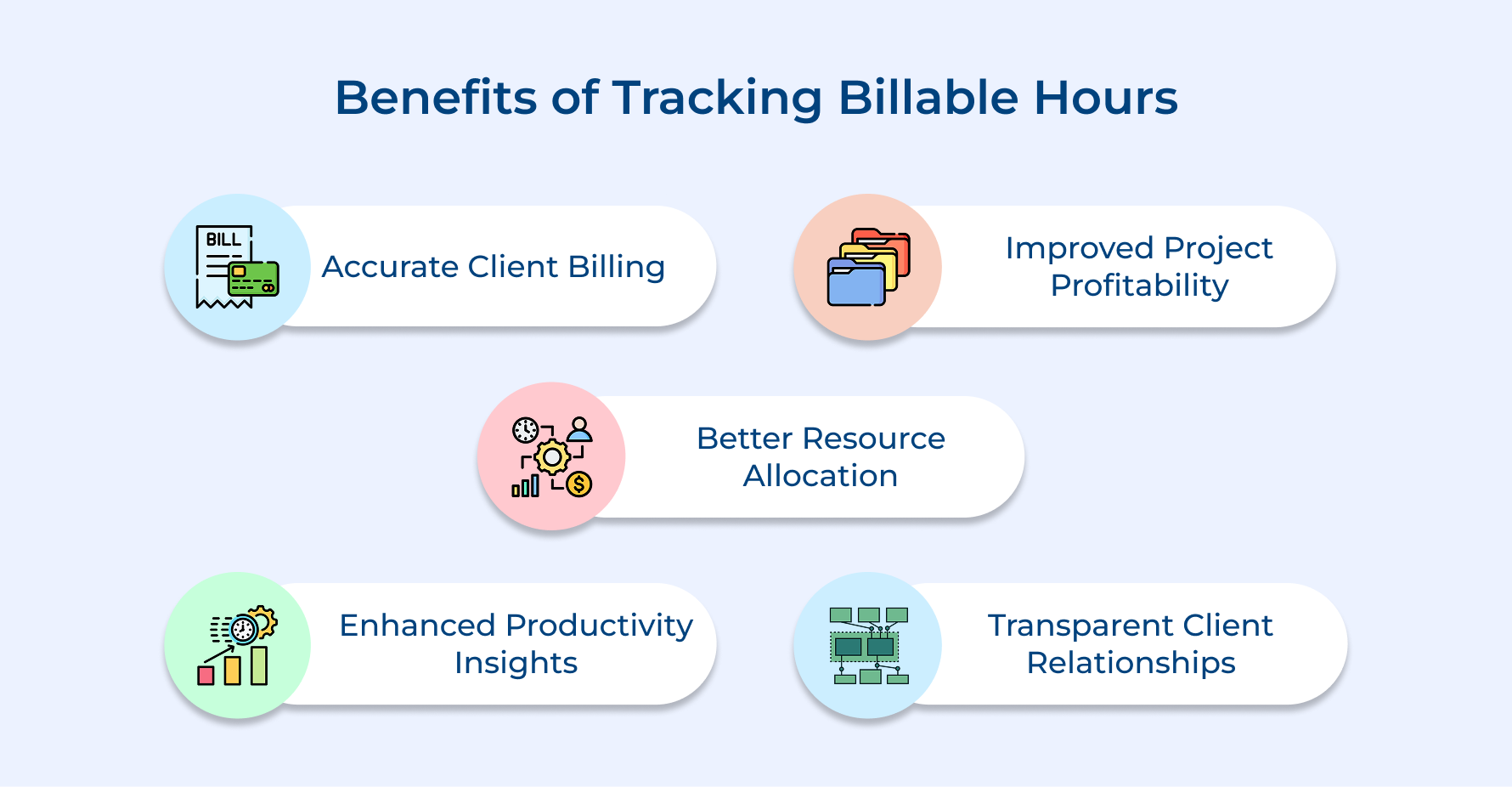
Accurate Client Billing
Time tracking takes the guesswork out of invoicing. Instead of relying on rough estimates, you’re charging clients for the actual work that got done. That kind of precision stops revenue from slipping through the cracks and makes sure every hour your team puts in is fairly compensated.
Improved Project Profitability
Once you start tracking, you’ll quickly see which projects are eating up resources and which ones are actually worth your while. You can rethink your pricing or spot where things are running inefficiently. Having that data in your corner makes it a lot easier to walk away from work that just doesn’t pay off.
Better Resource Allocation
When you have real visibility into utilization rates, you can see exactly where your team’s energy is going. That makes it easier to shift workloads around before anyone hits a wall and to make sure the right people are on the right projects at the right time.
Enhanced Productivity Insights
Good time data doesn’t just track hours, it tells a story about how work actually gets done. You can pinpoint the bottlenecks and time-draining habits that quietly chip away at employee productivity. And when your team knows where the busy work lives, they can put more focus on the stuff that actually moves the needle.
Transparent Client Relationships
Detailed time records build trust when clients question invoices. You provide concrete proof of work delivered rather than vague explanations. This transparency strengthens partnerships and reduces payment disputes significantly.
Differences Between Billable Hours vs Non-Billable Hours
This distinction determines which activities generate revenue and which ones support the business behind the scenes.
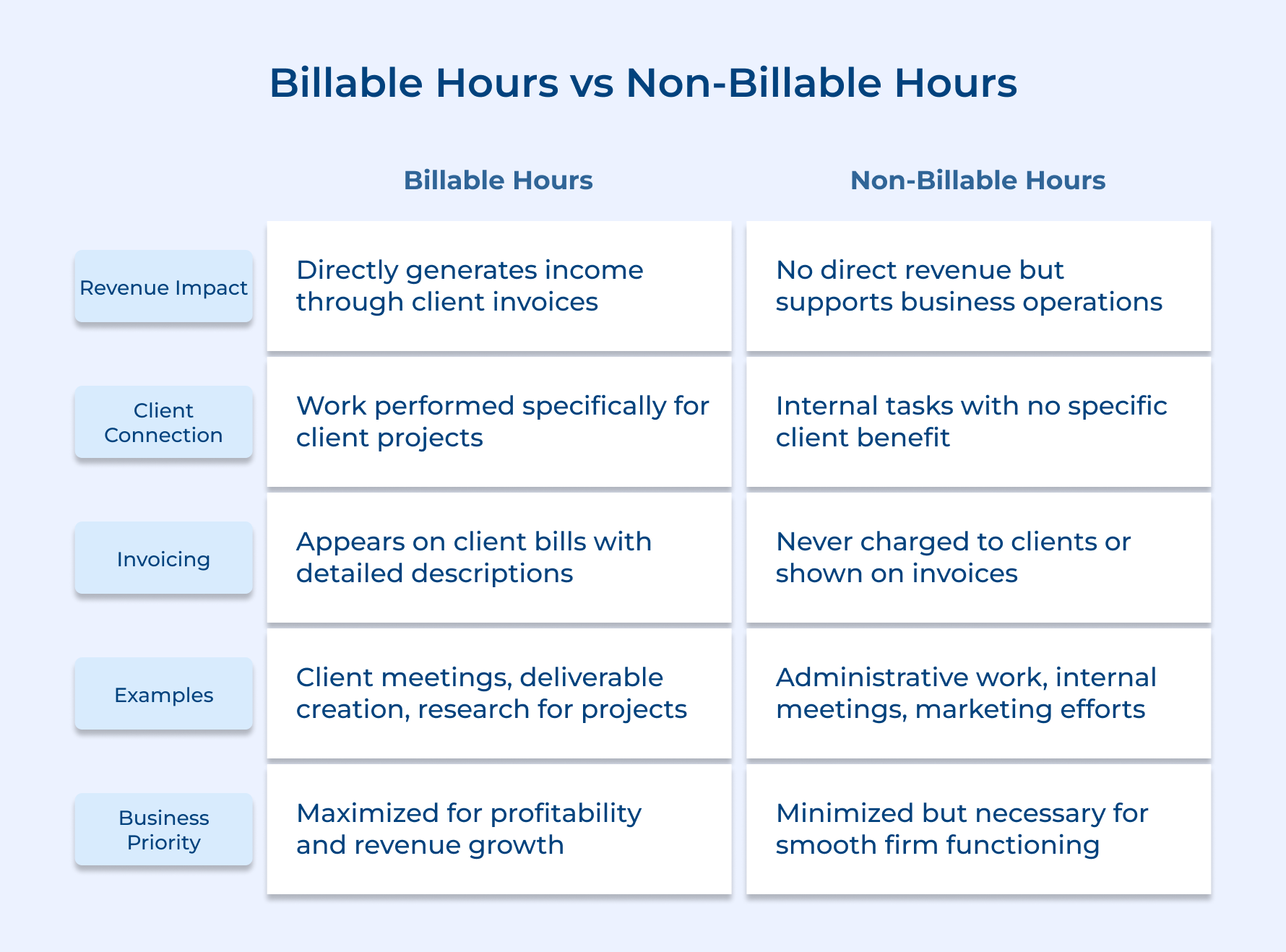
Billable hours translate directly into money flowing into your firm. When you complete client work, you invoice those hours at your set rate. Non-billable hours cost money since you’re paying staff without generating corresponding income from clients.
Billable activities solve specific client problems or advance their projects forward. Clients expect and accept charges for this work because they receive tangible value. Non-billable tasks benefit your firm’s internal processes but don’t create deliverables clients can use or see.
Successful firms maintain a healthy ratio between both hour types. Too many non-billable hours hurt profitability despite being necessary for operations. The goal is maximizing billable time while keeping essential non-billable activities efficient and streamlined.
How to Track Billable Hours in 7 Quick Steps?
Discover these seven essential steps to effectively track your billable hours and improve your efficiency.
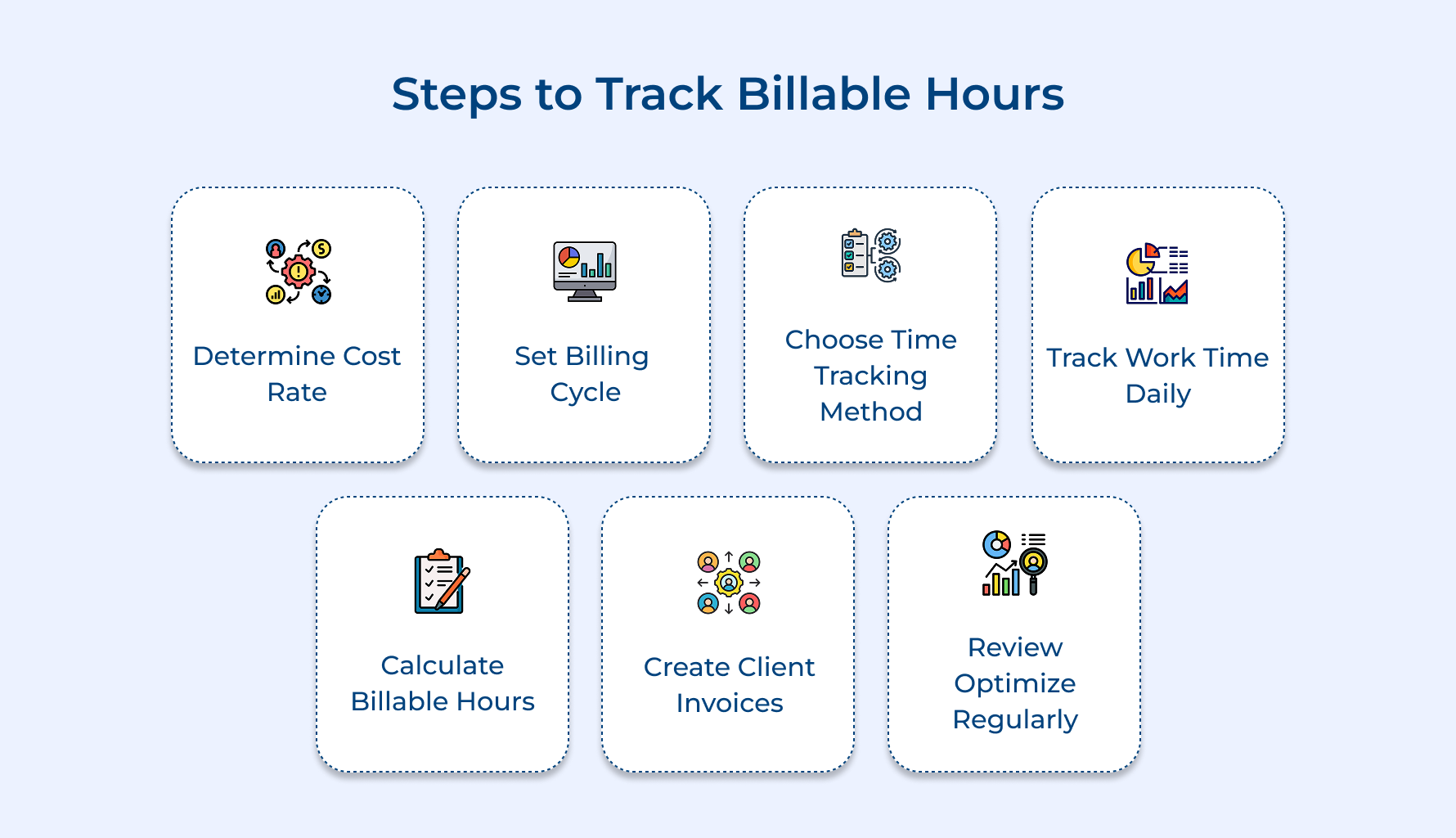
1. Determine Your Cost Rate
Your cost rate forms the foundation of profitable billing. You risk undercharging clients and losing money on every project completed, especially without knowing what it costs to deliver services.
Understanding your true costs prevents you from setting rates that look good but actually lose money. Every expense from rent to software subscriptions affects what you need to charge for sustainability.
Formula:
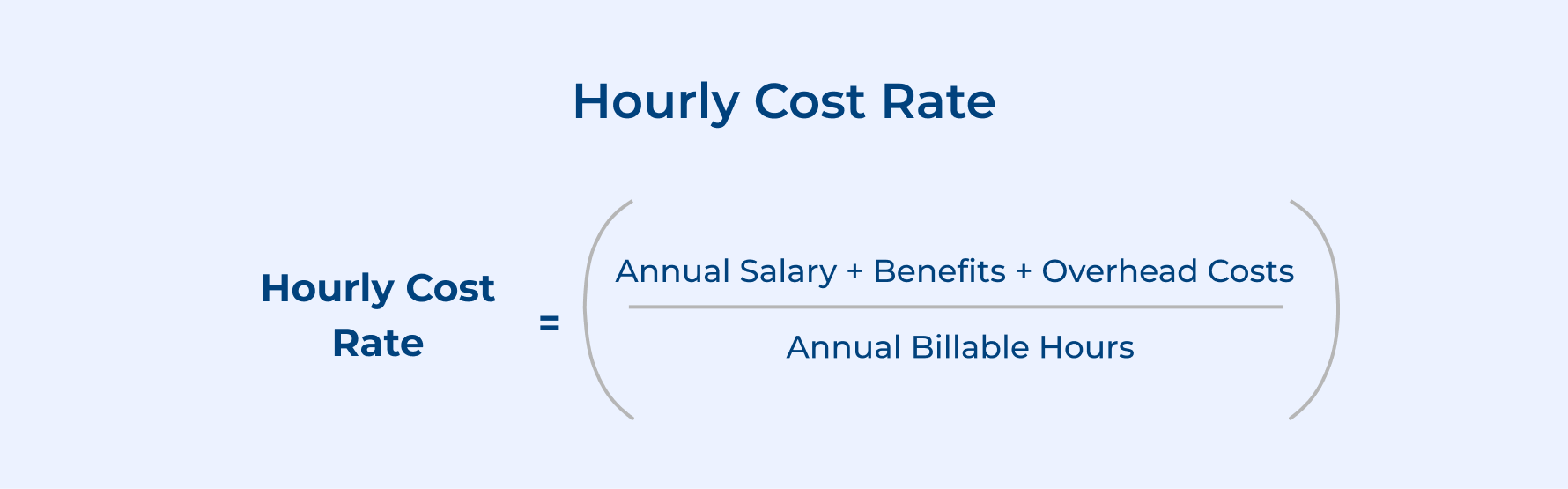
- Add up all fixed costs like office rent, utilities, insurance and equipment expenses
- Include variable costs such as software subscriptions, professional development and administrative support
- Calculate per-employee overhead by dividing total overhead by number of billable staff members
Once you understand your baseline costs, the next consideration is profit. Factoring in desired profit margins means adding a percentage above your cost rate to ensure business growth. This margin covers unexpected expenses and funds future investments in your firm.
Research industry standard billing rates
- Legal services typically range from $150-$500 per hour depending on specialization and experience level
- Management consultants generally charge between $200-$400 per hour based on firm size and expertise area
- Marketing agencies commonly bill $100-$250 per hour varying by service type and market positioning
2. Set Up Your Billing Cycle
Your billing cycle determines when and how often you invoice clients for completed work. A consistent cycle creates predictable cash flow and helps clients budget for your services without surprise invoices appearing randomly.
Establishing a regular billing rhythm improves payment speed and reduces administrative confusion for everyone involved. Clients appreciate knowing exactly when to expect invoices. Your team benefits from standardized processes that eliminate guesswork about timing.
Pro Tips:
- Align your billing cycle with client budget cycles to improve payment approval speed
- Send invoices on the same day each period so clients anticipate and prepare for payment
3. Choose Your Time Tracking Method
Selecting the right tracking method determines how accurately you capture billable hours across your team. The wrong system leads to lost revenue from forgotten hours and creates friction that discourages consistent tracking behavior.
What matters when choosing your tracking approach? Consider ease of use first since complicated systems get abandoned quickly. Your team needs something intuitive that fits naturally into their workflow. Balance automation benefits against the need for detailed context in time entries.
Four different methods help firms track billable hours effectively:
Manual spreadsheets: Simple Excel or Google Sheets tracking where employees log hours and descriptions manually
- Dedicated time tracking software: Specialized tools like Toggl or Harvest that offer timers and automated reporting features
- Project management platforms: Integrated systems like Asana or Monday.com that combine task management with built-in time tracking
- Legal-specific billing software: Industry tools like Clio or TimeSolv designed specifically for law firms with trust accounting
So which method works best for your situation? Start with your team’s technical comfort level and scale up as needed. Smaller firms often succeed with simple solutions while larger organizations benefit from automated integration across multiple systems.
4. Track Working Time Daily
Daily time tracking captures work as it happens instead of relying on fuzzy memory at week’s end. Recording hours in real-time prevents the revenue loss that occurs when you forget tasks or underestimate time spent on complex projects.
Record Hours Immediately After Completing Tasks
Logging time right after finishing work ensures accuracy before details fade from memory. Waiting even a few hours causes you to forget smaller tasks or underestimate duration. Real-time entry becomes a habit that protects your revenue.
Log Start and End Times Precisely
Precise timestamps reveal actual work patterns and help identify where time disappears during your day. Vague entries like “worked on project” provide no useful data for future estimates. Exact times enable you to analyze productivity trends accurately.
Capture Detailed Activity Descriptions Thoroughly
Detailed descriptions justify your invoice when clients question charges months later and refresh your memory during reviews. Generic entries frustrate clients and make invoice disputes harder to resolve. Specific notes like “revised marketing strategy deck based on client feedback” demonstrate clear value.
5. Calculate Total Billable Hours
Calculating total billable hours transforms raw time data into invoiceable amounts that generate actual revenue. This step separates work you can charge for from internal activities while ensuring you don’t leave money on the table.
Formula for Calculating Billable Hours:

Follow these four steps to calculate your billable hours accurately:
Step 1: Gather all time entries recorded during the billing period from your tracking system
Step 2: Categorize each entry as billable client work or non-billable internal activity based on project codes
Step 3: Sum all hours marked as billable and verify entries for completeness as well as accuracy
Step 4: Apply your firm’s rounding policy consistently to standardize time increments across all entries
Example Calculation:
Week’s Total Hours Worked: 40 hours
Internal meetings: 4 hours
Administrative tasks: 3 hours
Professional development: 2 hours
Proposal writing: 3 hours
Total Non-Billable Hours: 12 hours
Total Billable Hours: 40 – 12 = 28 hours
Revenue Generated: 28 hours × $150/hour = $4,200
6. Create Detailed Client Invoices
Detailed invoices provide transparency that builds trust and speeds up payment processing from clients. Missing this step properly leads to confused clients who delay payment or dispute charges because they don’t understand what they’re paying for.
Clear invoices show exactly what work happened and why it matters to the client’s project success. Breaking down hours by specific tasks helps clients see value received. Including rates and descriptions eliminates questions before they arise.
Best Practices:
- Group similar tasks together on invoices rather than listing every 15-minute increment separately for readability
- Send invoices within 24-48 hours of period end while work remains fresh in client’s mind
7. Review and Optimize Regularly
Regular review turns time tracking from a billing task into a strategic advantage for your firm. This step reveals patterns that help you price better and identifies inefficiencies that drain profitability over time.
Answer these five questions to spot improvement opportunities quickly.
- Are team members consistently tracking 100% of their client work without gaps?
- Does our billable utilization rate meet or exceed our target percentage?
- Which projects or clients show the highest and lowest profitability margins?
- Where do we lose the most time to non-billable activities?
- Are our current billing rates generating adequate profit after expenses?
These questions highlight exactly where your tracking process succeeds or breaks down in practice. Honest answers reveal whether your rates match reality and if your team follows procedures consistently.
Implement improvements by addressing one issue each month rather than overwhelming your team with changes. Pick the problem costing the most revenue and fix that first. Track whether adjustments actually improve your billable percentage before moving to the next issue.
6 Effective Strategies to Increase Billable Hours
Maximizing billable hours isn’t about working longer days. It’s about working smarter and eliminating the hidden time drains that quietly erode your profitability.
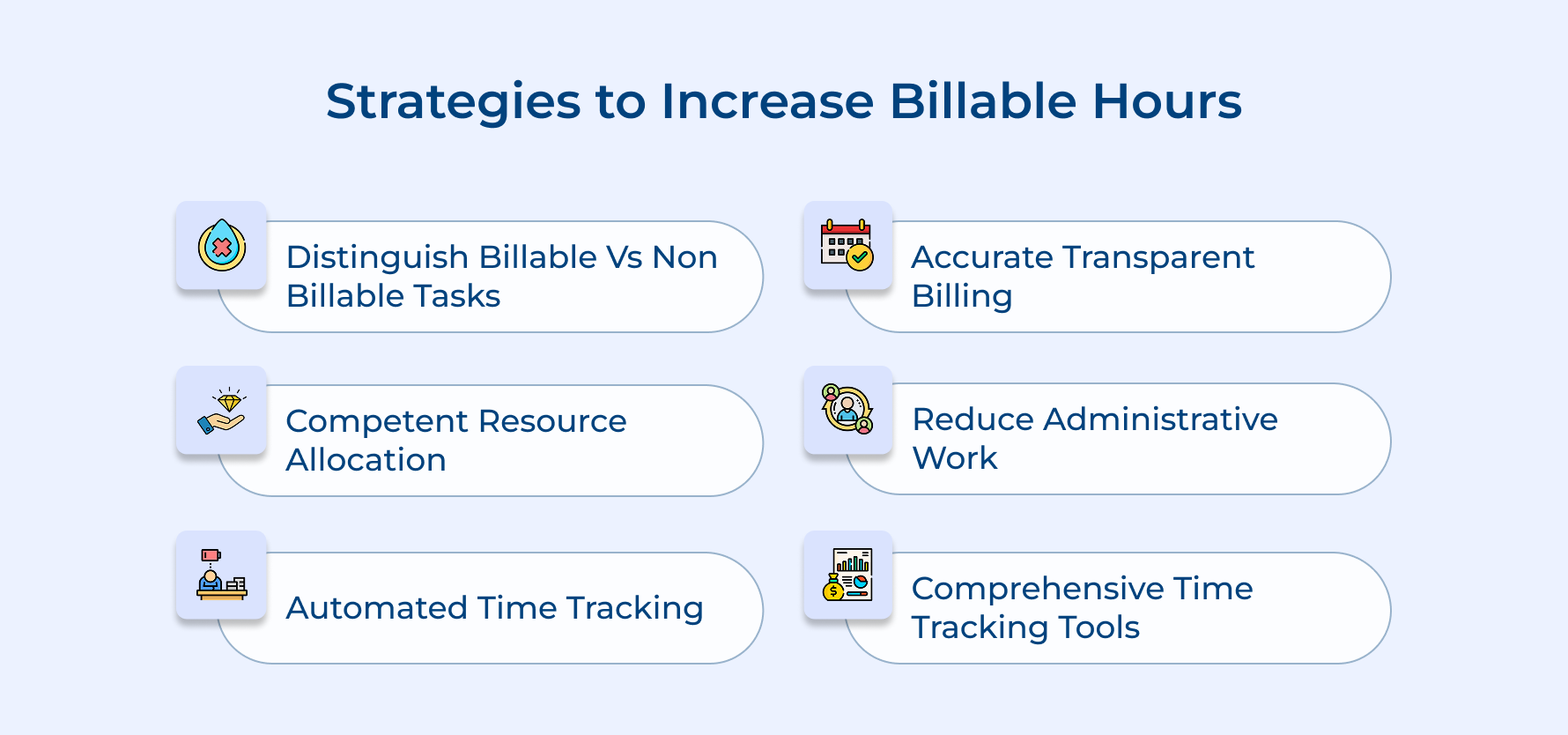
1. Clearly Distinguish Between Billable and Non-Billable Tasks
Confusion about what counts as billable costs firms thousands in lost revenue each month. When team members can’t quickly categorize work, they default to marking everything as non-billable out of caution.
Create clarity by defining billable work upfront for your team:
- Client-facing deliverables like reports, presentations and strategy documents always count as billable
- Direct communication such as client calls and emails discussing project specifics qualify for billing
- Research and preparation time spent specifically for client projects rather than general development
Clear guidelines eliminate guesswork and empower your team to track confidently. Training new hires on these distinctions prevents revenue leakage from day one.
2. Ensure Competent Resource Allocation Across All Projects
Assigning the wrong person to a project destroys billable efficiency faster than almost anything else. Junior staff taking twice as long on senior-level work means fewer billable hours while paying for more time.
Strategic staffing matches skill levels to project requirements so work gets completed efficiently. Senior team members handle complex strategy while junior staff manage execution tasks maximizing billable hours at appropriate rates.
3. Use Automated Time Tracking to Track Billable Time
Manual time tracking relies on memory and creates opportunities for hours to slip through cracks unrecorded. People forget tasks or underestimate duration when reconstructing their day hours later.
Automation captures work as it happens without extra effort:
- Background tracking software monitors which applications and projects receive attention throughout the workday
- Integration with project management tools logs time against specific tasks automatically
- Mobile apps enable field workers to clock billable hours instantly from any location
Automated systems increase captured billable hours by 10-15% on average. The software remembers everything while you focus on delivering great work.
4. Ensure Accurate and Transparent Billing
Vague invoices create suspicion that leads clients to scrutinize every charge and delay payment processing. When clients don’t understand what they’re paying for, they assume padding or unnecessary charges.
Transparency builds trust that speeds up payment cycles and reduces disputes. Detailed descriptions show exactly what value clients received. Breaking down complex projects into understandable task categories makes large invoices feel justified.
5. Minimize Time Spent on Administrative Tasks
Administrative work eats up hours that could generate revenue but never appears on client invoices. Every minute spent on internal processes is time you’re not billing.
Streamline operations to free up more revenue-generating time:
- Batch similar administrative tasks together rather than scattering them throughout your day
- Delegate routine activities to administrative staff who cost less per hour
- Automate repetitive processes like expense tracking and invoice generation with software
A 10% reduction in non-billable time can translate to thousands in additional monthly revenue. Look for tasks that feel necessary but don’t directly serve clients.
6. Utilize Comprehensive Time-Tracking Software
Basic tracking tools only scratch the surface of what modern software can do. Comprehensive platforms provide insights that help you identify patterns and make data-driven decisions.
Advanced features deliver strategic advantages beyond simple time logging:
- Analytics dashboards reveal which clients and projects generate the best profit margins
- Forecasting tools predict capacity constraints before they cause you to turn away work
- Integration ecosystems connect tracking with accounting and invoicing for seamless workflows
The right software transforms time tracking from a compliance chore into a competitive advantage. You spot trends that competitors miss because they lack visibility into operations.
Challenges of Tracking Billable Hours and Tips to Avoid Them
Even with the best intentions, tracking billable hours presents real obstacles that frustrate teams and leak revenue. Understanding these challenges helps you address them before they damage your bottom line.
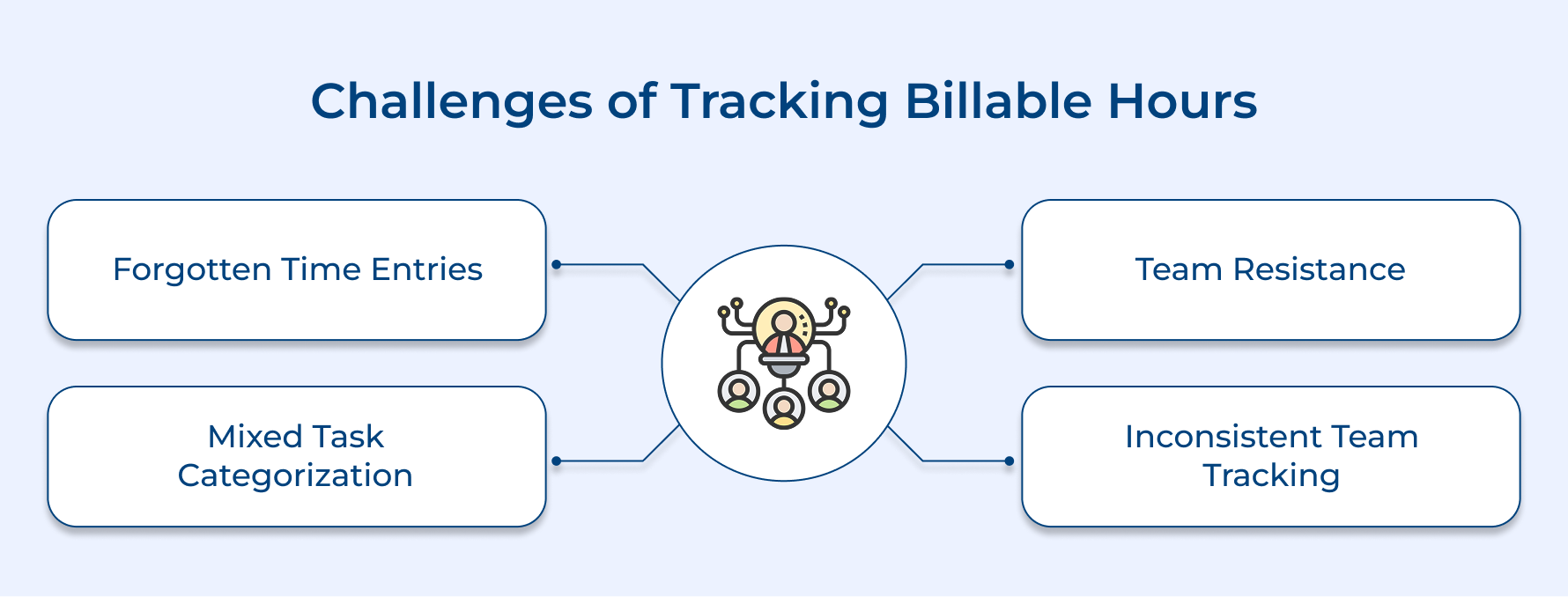
1. Forgetting to Log Time Entries
Team members get absorbed in deep work and forget to start timers or record hours immediately afterward. By day’s end, they struggle to recall exactly what they worked on or how long tasks actually took.
2. Difficulty Categorizing Mixed Tasks
Many activities blur the line between billable and non-billable work creating confusion about what to charge. A call that covers both client deliverables and general relationship building leaves employees uncertain how to split the time.
3. Resistance from Team Members
Employees view time tracking as micromanagement that signals distrust rather than understanding it as a business necessity. This perception leads to incomplete logging or intentional avoidance of the tracking system altogether.
4. Inconsistent Tracking Across Teams
Different departments or individuals apply different standards when logging their time causing data inconsistency. One person tracks in six-minute increments while another rounds to the nearest hour making aggregated reports unreliable.
These practical solutions address the root causes of tracking problems. Implementing them creates consistency and reduces friction that prevents accurate time capture.
- Implement automated tracking tools with reminders that prompt team members to log time at regular intervals
- Create clear written guidelines defining billable versus non-billable categories with real examples from your firm
- Communicate the business benefits showing how accurate tracking leads to better pricing and fair workload distribution
- Establish firm-wide standards for time increments and require regular audits to ensure consistent application across teams
Make Every Minute Count with Effective Billable Hours Tracking
Tracking billable hours changes how service firms operate and earn revenue for the long haul. Solid billing processes protect your income while building trust through transparent, accurate invoicing. Don’t wait for the perfect system, start making small improvements right away.
Consistency in billing clients compounds into serious revenue gains over time. When employee productivity is tracked properly, your team gets fairly compensated and your business actually profits from the work being delivered. The numbers don’t lie and neither should your invoices.
Limit time — not creativity
Everything you need for customer support, marketing & sales.

Neeti Singh is a passionate content writer at Kooper, where he transforms complex concepts into clear, engaging and actionable content. With a keen eye for detail and a love for technology, Tushar Joshi crafts blog posts, guides and articles that help readers navigate the fast-evolving world of software solutions.