What Is a Project Status Report and How to Create One?
- What is a Project Status Report?
- Key Elements of Project Status Reports
- Benefits of Effective Project Status Reporting
- How to Write a Project Status Report: 8 Effective Steps
- Common Types of Project Status Reports
- 5 Best Practices to Know When Presenting Project Status Reports
- Examples of Project Status Reports
- Project Status Reports – Clarity and Progress at Your Fingertips
- FAQs about Project Status Reports

Key Highlights:
- Project status reports provide a real-time snapshot of project health, comparing actual progress against the planned timeline and budget.
- It flags potential risks and roadblocks early, enabling proactive solutions before they become critical issues.
- Streamline stakeholder communication by replacing lengthy meetings with a single, authoritative source of truth.
Most project managers know the drill – put together a status report, send it off and hope someone reads it. But let’s be honest, many of these reports end up as cluttered data dumps that overwhelm rather than inform.
And when that happens, things go sideways fast. Misunderstandings grow, decisions get delayed and stakeholders start feeling left out. Before you know it, you’re dealing with shifting project scopes and frustrated clients wondering what went wrong.
Your project status reports can become your strongest communication tool with the right approach. Follow these eight practical steps to turn dull updates into powerful narratives that build trust, accelerate decisions and keep your projects running smoothly.
What is a Project Status Report?
A project status report is a structured document that captures the current health and progress of a project at a specific point in time. It serves as a communication bridge between project teams and stakeholders by presenting key metrics, accomplishments, challenges as well as upcoming milestones.
The report typically follows a standardized format that includes progress against timeline and budget alongside risk assessments as well as resource utilization. Project managers gather data from team members and various project tracking tools to create a snapshot that compares planned versus actual performance.
Objectives:
- Track progress: Monitor actual performance against planned milestones and deliverables to identify if the project is on track.
- Identify risks: Highlight potential issues and roadblocks before they become critical problems that could derail the project.
- Manage resources: Assess team capacity and budget utilization to ensure optimal allocation while preventing overruns.
- Facilitate communication: Keep all stakeholders informed with consistent and clear updates about project developments.
- Enable decision-making: Provide leadership with the data needed to make strategic adjustments and resource reallocation decisions.
Key Elements of Project Status Reports
A well-structured project status report contains six essential elements that work together to provide a comprehensive view of your project’s current state. Let’s explore them all.
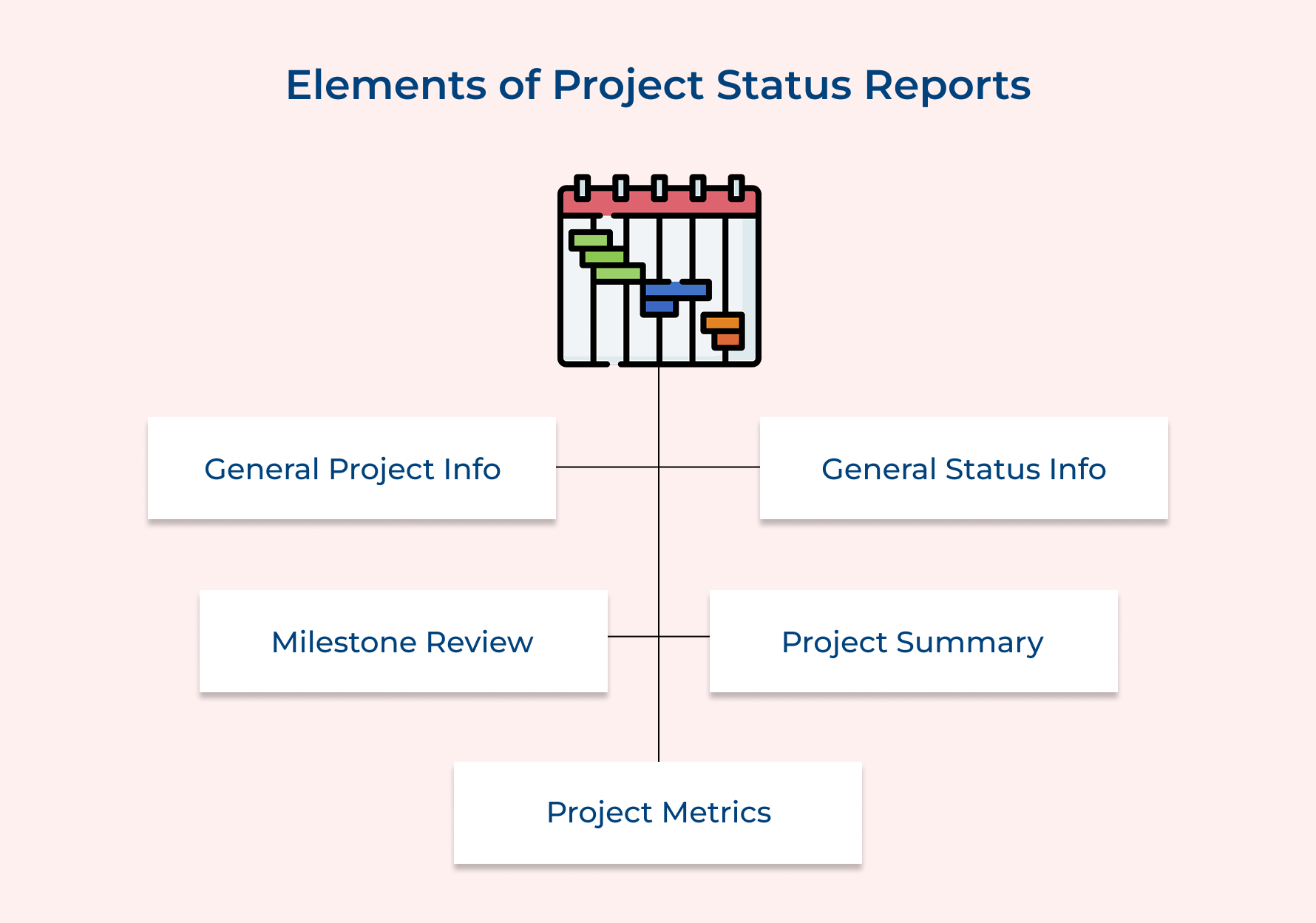
General Project Info
General project info includes the project name, client details, project manager and key dates – everything someone needs to know to quickly get oriented. This section sets the stage for the status meeting by making it clear who’s involved and what the project aims to deliver.
General Status Info
This is your project’s quick health check. Using color-coded indicators or phrases like “on track” or “at risk,” it gives stakeholders a snapshot of overall progress. It’s perfect for risk management conversations – quick, visual and focused on what needs attention now.
Milestone Review
Here’s where we track where we are on the roadmap. This section lays out what’s done, what’s happening and what’s next across each project phase. It keeps everyone aligned during status meetings and shows stakeholders the real progress behind the scenes.
Project Summary
This is the story behind the numbers. It highlights wins, current work and what’s coming up in plain language. The section keeps everyone, even non-technical stakeholders, in the loop and helps connect the dots for smarter risk management.
Project Metrics
Here, the data does the talking. Budget, timeline, team resources and quality all presented visually. These metrics drive informed decisions and are the go-to reference during status meetings when tough calls about priorities or risks need to be made.
Benefits of Effective Project Status Reporting
Organizations that use project management practices have a 92% success rate in meeting project objectives. Let’s examine how data-driven reporting creates measurable improvements across agencies and professional services.
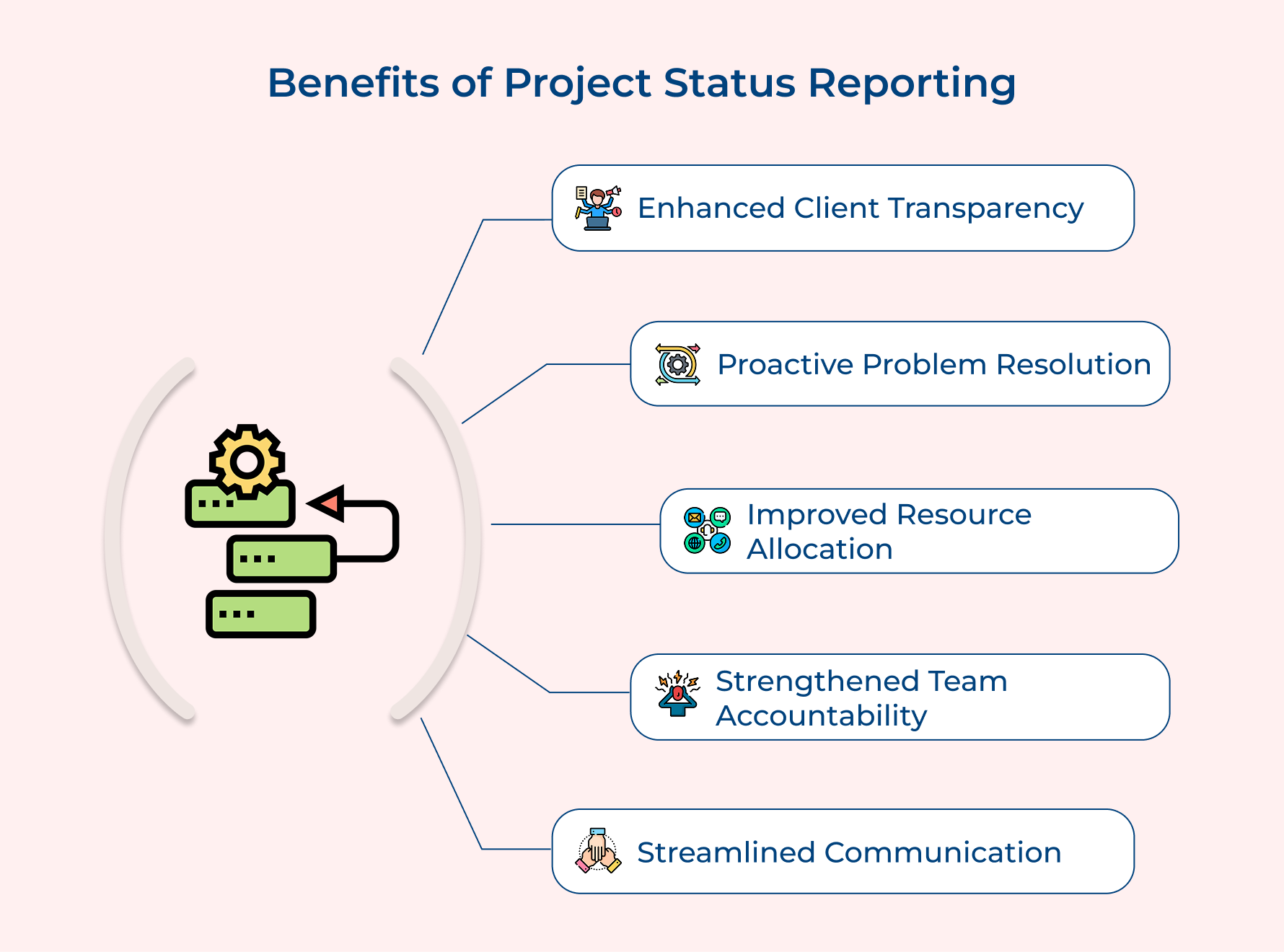
Enhanced Client Transparency
Consistent status updates build trust by keeping clients in the loop. When they see regular progress and hear about roadblocks early, they feel confident that the team’s in control and capable of delivering results, even when things don’t go exactly as planned.
Early Risk Detection and Proactive Problem Resolution
Routine reporting encourages project managers to pause and assess what’s really happening. This habit helps catch red flags early, so teams can tackle issues before they snowball into bigger problems. It’s a simple way to strengthen your risk management game.
Improved Resource Allocation
Status reports offer a real-time look at how time, budget and people are being used. That insight helps project leads shift resources where needed and make smarter staffing calls, avoiding overworked teams as well as runaway costs.
Strengthened Team Accountability
When people know their work is being tracked and shared, they naturally become more committed. Status reports drive a sense of ownership, making it easier for teams to stay aligned and deliver on their promises.
Streamlined Communication
A clear, well-structured status report cuts down on endless meetings and back-and-forth emails. It gives stakeholders what they need so the team can spend less time talking about the work and more time getting it done.
How to Write a Project Status Report: 8 Effective Steps
Let’s walk you through 8 essential step-by-step guides to master the art of writing an impactful project status report.
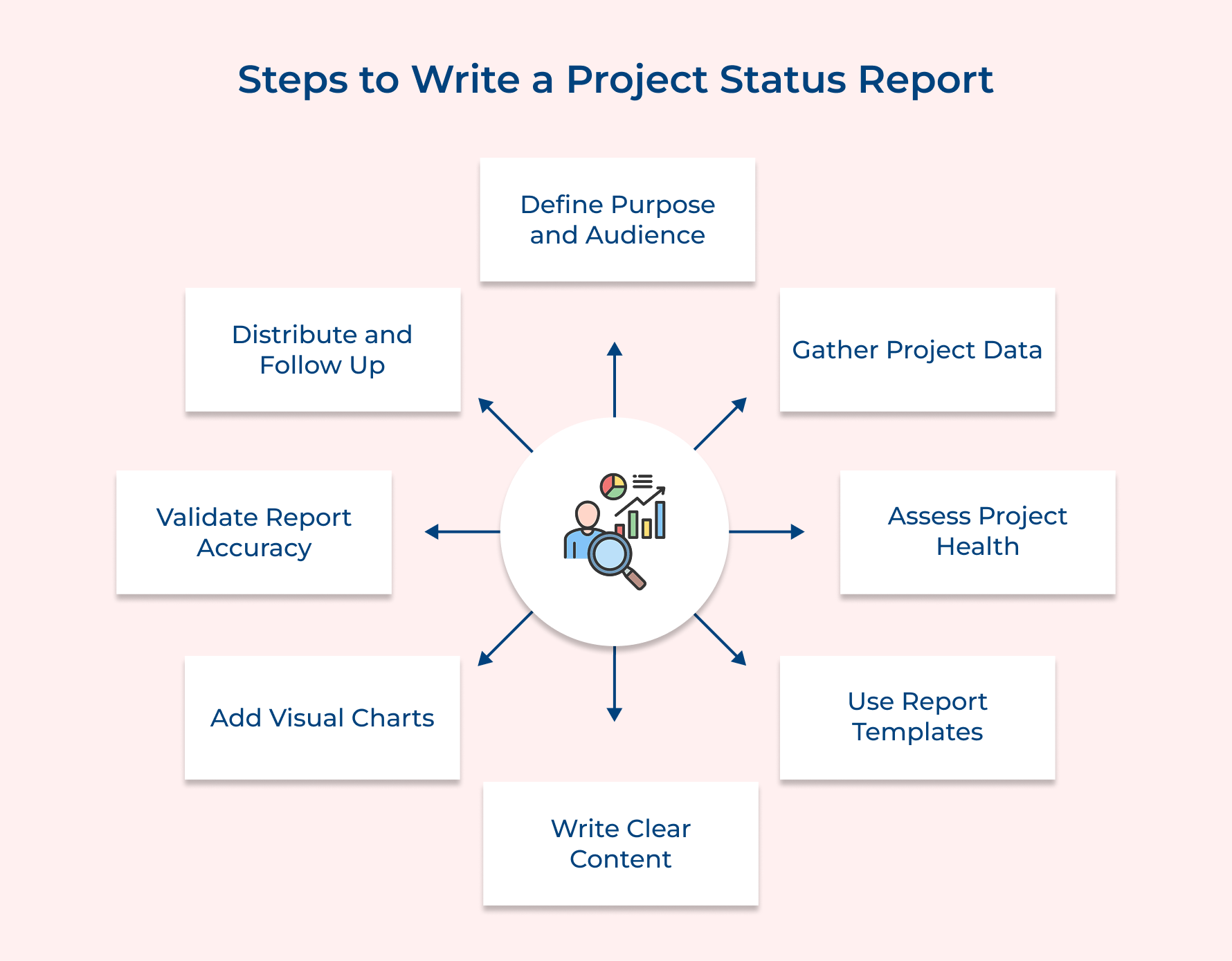
1. Define Report Purpose and Audience
Start with a simple question when it comes to writing a report that actually matters: who’s reading this and why? If it’s clients, executives, or internal teams, every stakeholder group has different needs. Some want high-level updates, while others look for the details behind the numbers.
Ask yourself:
- Who controls project scope and resources?
- Who needs regular updates to stay aligned with project goals?
- Who needs deep data vs. who prefers snapshots?
- Who can influence success or failure?
Once you identify your audience, tailor your content accordingly. A Gantt chart might be gold for one person and clutter for another. Then, define your report’s purpose—typically to show progress, flag issues and support informed decision-making. When you align purpose with audience needs, your reports become tools for action, not just documentation.
2. Gather Comprehensive Project Data
Great reports are built on solid data. To give your stakeholders confidence, gather both hard numbers and on-the-ground insights. Here’s how:
- Integrate systems: Connect your project management tool with billing, time tracking and scheduling apps. This gives you real-time views into productivity, cost and project schedule status.
- Interview your team: Brief weekly check-ins uncover challenges and opportunities you can’t see in the numbers alone.
- Use financial dashboards: Combine budget, invoices and expenses in one place. Visuals like Gantt charts or pie charts make patterns easier to spot.
Example: A web project might look fine on the schedule, but your developer flags scope creep. That balance of data and context ensures your report reflects real project health.
3. Assess Current Project Health
Once the data’s in, it’s time to analyze what it actually means. Assessing project health helps you answer: are we still on track to meet our project goals? Or are delays, budget overruns or scope creep creeping in?
Here’s what to review:
- Project schedule: Are milestones being hit as planned? Use Gantt charts to visualize slippage or acceleration.
- Budget performance: Compare actual spend vs. budget.
- Scope alignment: Are deliverables matching what was originally agreed?
Be honest but proactive. Don’t just flag issues, offer solutions. For example, if the budget’s tight, suggest reallocating resources or adjusting priorities. Stakeholders want real talk, not sugarcoated updates. Clear, honest reporting paired with smart action plans builds trust and keeps momentum going.
4. Structure Information Using Templates
Templates make life easier and your reports clearer. Instead of reinventing the wheel every time, use a format that keeps your report focused as well as stakeholder-friendly.
Here’s how to pick or design the right one:
- Match the template to your audience’s time and detail preferences.
- Align with the complexity of your project schedule and number of stakeholders.
- Follow any internal or client branding standards.
- Adjust based on how often you send reports – weekly, biweekly, etc.
A solid template walks readers through your update logically: high-level status, key metrics, Gantt chart views of progress, risks and next steps. With a consistent format, stakeholders know what to expect, where to look and how to act without digging through walls of text.
5. Write Clear and Concise Content
Your status report isn’t a data dump, it’s a communication tool. Writing clearly and concisely ensures stakeholders instantly understand what’s happening, why it matters and what needs attention. Focus on what supports your project goals, not every single task.
Here’s how to do it right:
- Lead with the most important update in each section.
- Use everyday language, skip the jargon unless your audience expects it.
- Use short paragraphs and bullet points for easy scanning.
- Avoid filler, every word should move the reader forward.
Write your executive summary last, once you’ve seen the full picture. Always read it aloud, this catches awkward phrasing and flow issues. Whether you’re discussing a delayed milestone or a budget update, clarity helps stakeholders respond quickly and keep your project schedule on track.
6. Include Visual Elements and Charts
Visuals turn complex updates into quick insights. When you’re dealing with timelines, budgets and deliverables, charts make it all easier to digest – especially during fast-paced status meetings.
Add these to your reports:
- Progress dashboards showing KPIs like budget usage, resource allocation, or timeline adherence.
- Gantt charts for a clear look at your project schedule as well as upcoming milestones. Use colors to show progress, delays and next steps.
- Risk matrices to highlight potential blockers based on severity and likelihood.
Charts make your report skimmable and support better decisions by showing trends at a glance. For visual learners (or busy execs), a clean graphic often communicates more than a paragraph ever could. Just make sure each visual connects back to your project goals.
7. Review and Validate Report Accuracy
A report’s only as good as the data behind it. Even the most well-written status update can fall apart if it’s based on inaccurate info. Before you hit send, take time to double-check everything, right from metrics to charts to your project schedule.
Here’s a quick checklist:
- Cross-check tools like project management platforms, time trackers and billing systems.
- Validate numbers across sources to catch mismatches.
- Review charts like Gantt charts and dashboards for alignment with actual progress.
- Confirm your summaries reflect the real situation.
Also, re-check calculations and trend interpretations. A misread budget variance or timeline slippage could lead to bad decisions. Accurate reporting protects your credibility while ensuring the team and stakeholders act on trusted information.
8. Distribute and Follow Up Effectively
Sending the report is just the start. Follow up to truly drive action. Don’t let your hard work disappear into inbox black holes. Make sure it’s seen, understood and discussed.
Tips for effective follow-through:
- Send the report at the same time each week to build routine.
- Include a short summary in your email like top 3 takeaways tied to project goals.
- Proactively schedule 15-minute check-ins with key stakeholders to answer questions or align on next steps.
- Use your report to guide project schedule adjustments or reprioritize milestones during discussions.
Think of the distribution as the beginning of a two-way conversation. You’re not just updating people, you’re giving them the tools to make informed decisions and keep the project moving forward.
Common Types of Project Status Reports
Different project reporting frequencies serve unique purposes and audiences in professional service environments. Understanding when and how to use each type maximizes communication effectiveness as well as stakeholder engagement across various project phases.
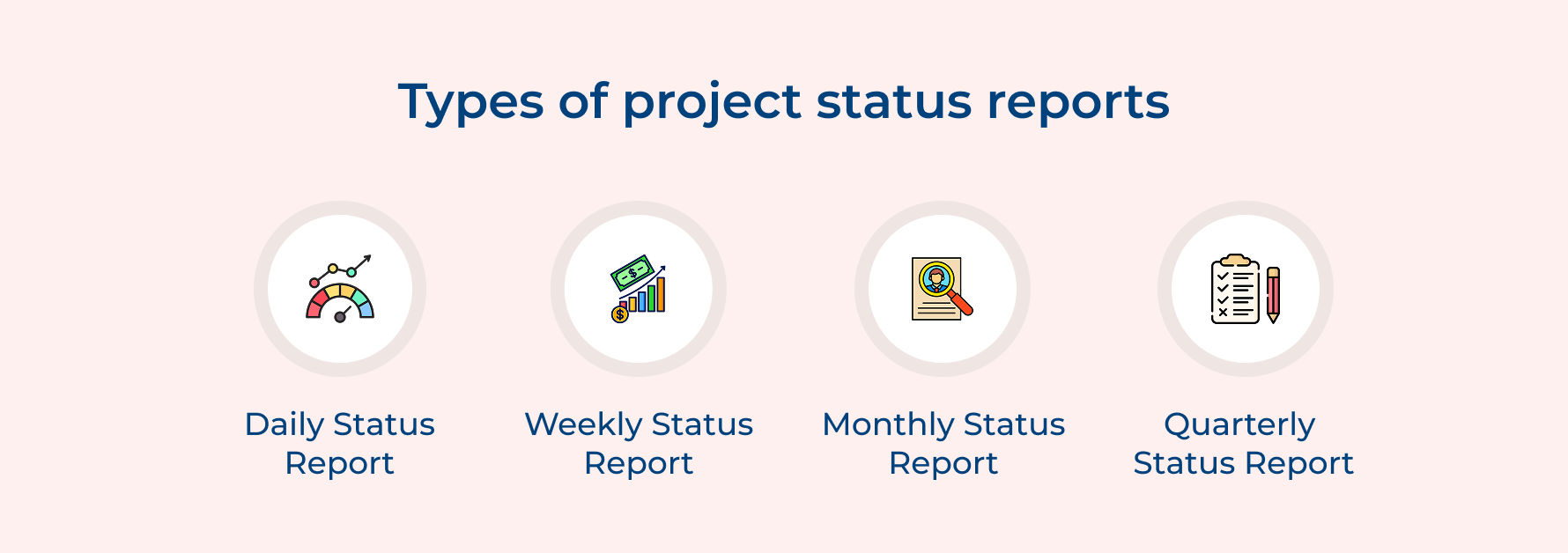
Daily Status Report
Daily status reports are quick check-ins that keep your finger on the project’s pulse. They’re short, sharp and packed with what the team needs to know right now. Perfect during high-pressure phases, these reports help teams pivot fast when something changes.
What’s usually included?
- What got done yesterday
- What’s planned for today
- Any blockers that need urgent fixes
- Team availability and workload updates
Daily reports shine in agile setups where priorities shift quickly. They create just enough structure to keep things moving without drowning the team in admin. Because everyone’s sharing updates regularly, small issues get caught early – before they become messy problems.
Weekly Status Report
Weekly reports hit the sweet spot between detail and clarity. They give stakeholders a full view of what’s going on without overwhelming them with daily fluctuations. For most professional service projects, this rhythm is just right.
A weekly cadence allows project managers to look back, spot trends and keep project goals on track. You can highlight progress and build in just enough time to act on feedback before the next cycle.
It’s also a reliable way to build trust. Clients as well as execs know when to expect updates and teams stay aligned without daily interruptions. If your project schedule needs a quick tune-up, this is the meeting where you’ll catch it in time.
Monthly Status Report
Monthly reports zoom out and show the big picture, how the project is stacking up against business goals as well as long-term plans. This is the type of update leaders love. It connects the dots between team-level work and overall company strategy.
Here’s what to include:
- How much progress you’ve made on the original project scope
- Financial performance like budget use and profitability
- Team metrics and how capacity is being managed
- Client satisfaction scores and relationship insights
This longer view helps identify patterns you might miss in weekly reports like scope drift, billing gaps or team overload. It’s also a great tool for surfacing big wins and reinforcing the project’s value across the organization.
Quarterly Status Report
Quarterly reports are all about the big decisions. These updates offer a strategic lens on your project – where it stands, what it’s delivering and how it fits into the larger business landscape.
By now, you’ve gathered enough data to evaluate performance against key milestones and project goals. These reports are often reviewed by senior leadership, so keep them high-level, clear and focused on impact.
Use this opportunity to discuss:
- Strategic alignment with market trends
- Whether to continue, adjust, or wrap up the project
- Resource needs or shifts based on recent performance
- Insights from Gantt charts or schedule changes over time
It’s less about the day-to-day and more about steering the ship in the right direction.
5 Best Practices to Know When Presenting Project Status Reports
Presenting a project status report isn’t just about sharing updates, it’s about making them count. These best practices help you deliver insights clearly, confidently and with impact.
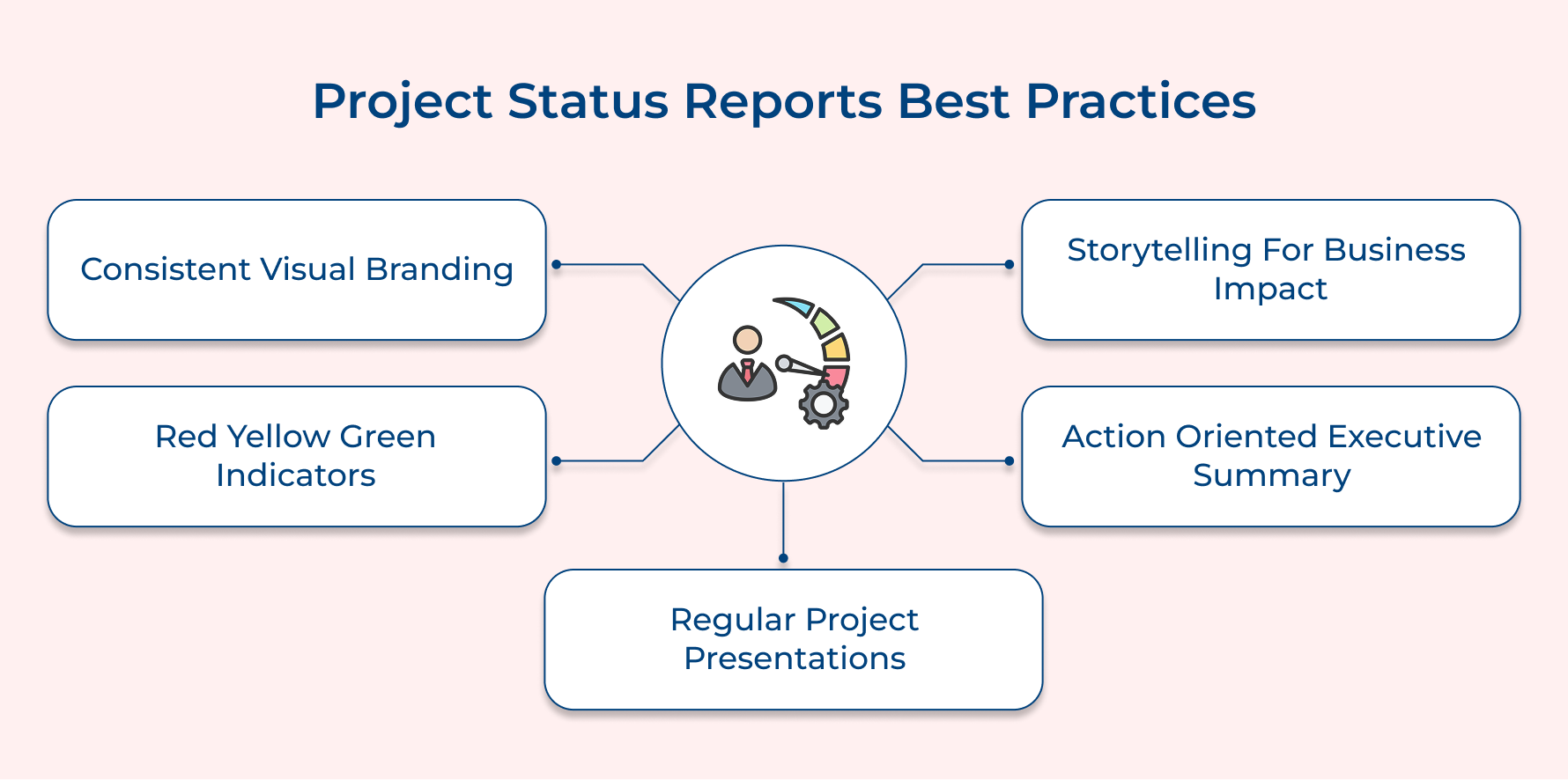
Establish Consistent Visual Branding and Professional Identity
Creating consistent visual identity across project reports builds professional credibility while helping stakeholders quickly recognize your communications. When you maintain the same color schemes and layout structures, readers focus on content rather than deciphering new formats.
Use Storytelling Techniques to Connect Data with Business Impact
Transform project metrics into compelling narratives that demonstrate how your work contributes to organizational goals and client success. Frame your project progress as chapters in a business success story, helping stakeholders see connections between daily activities and strategic objectives.
Implement Red-Yellow-Green Status Indicators for Quick Assessment
Develop standardized color-coding that allows stakeholders to instantly understand project health without reading detailed explanations. This traffic light system enables busy executives to scan multiple projects quickly while identifying situations needing their attention.
Create Executive Summary Sections with Action-Oriented Language
Design summaries that focus on decisions needed and actions required rather than recounting events. Your summary should answer three questions: what progress occurred, what decisions are needed and what support is required to maintain momentum.
Schedule Regular Presentation Sessions for Complex Projects
Supplement written reports with brief presentation sessions where stakeholders can ask questions and discuss implications. Live presentations allow you to gauge reactions, clarify confusing points immediately while building stronger relationships through interaction.
Examples of Project Status Reports
Project status report samples mentioned here demonstrate how theoretical reporting principles translate into real-world scenarios. Let’s examine a comprehensive weekly status report template that balances detail with clarity for stakeholder consumption.
Website Redesign Project Status Report
Project: Corporate Website Redesign for TechCorp Solutions
Reporting period: March 1-7, 2025
Project manager: Sarah Johnson
Status: Yellow (Caution)
Executive Summary
The website redesign project remains on schedule but faces potential delays due to client feedback integration. However, incorporating requested changes may impact our April 15 launch deadline. We need client approval on a revised timeline by March 12 to maintain project momentum.
Progress Against Milestones
Design phase: 100% complete (2 days early)
Content migration: 40% complete (delayed pending client input)
Testing phase: Not started (scheduled for March 20)
Budget Status
Current spend represents 58% of total budget with 60% of timeline elapsed. We remain within acceptable variance but monitoring closely due to potential scope adjustments.
Key Risks
Client feedback integration may require additional design iterations
Content approval delays could impact development schedule
Third-party integration testing depends on vendor availability
This example demonstrates how effective status reports balance comprehensive information with readability while highlighting critical decisions needed from stakeholders. The template structure guides readers through current status to required actions without overwhelming them with unnecessary details.
Project Status Reports – Clarity and Progress at Your Fingertips
Effective project status reporting transforms complex project data into clear communication tools that drive stakeholder confidence and enable informed decision-making. When implemented consistently, these reports become the backbone of successful project delivery in professional service environments.
Mastering status reporting techniques empowers project managers to build stronger client relationships while maintaining team accountability and organizational transparency. This strategic communication approach ultimately distinguishes exceptional agencies from those struggling with project coordination and stakeholder management challenges.
Limit time — not creativity
Everything you need for customer support, marketing & sales.

Pooja Deshpande is a content contributor at Kooper, focused on creating insightful resources that help agencies and service providers scale efficiently. Passionate about SaaS trends, content strategy, and operational excellence, she delivers practical, easy-to-implement guidance for modern business leaders.