Resource Management Automation: Use Cases and Benefits
- What is Automation in Resource Management?
- Benefits of Resource Management Automation
- 6 Powerful Use Cases for Automated Resource Management
- Challenges of Implementing Automation in Resource Management
- 5 Proven Best Practices for Successful Resource Management Automation
- Streamline Project Success with Resource Management Automation
- FAQs about Resource Management Automation

Key Highlights:
- Resource management automation matches employee skills and project needs, preventing burnout or overbooking for smoother project delivery.
- Automated resource management reduces manual scheduling and admin work, freeing project managers to focus on strategic decisions.
- Automation in resource management instantly detects resource conflicts, manages capacity and delivers real-time analytics for smarter adjustments.
Every project manager knows the drill – another day, another spreadsheet nightmare. Shifting tasks, chasing availability, fixing clashes. Meanwhile, your team’s either drowning or idle and the project clock keeps ticking. It’s not just messy; it’s risky.
Imagine a system that sees the gaps before you do. That quietly aligns skills to needs, balances the load and keeps everything moving without a fuss. That’s resource management automation on autopilot. Less firefighting. More flow. And finally, room to actually lead.
What is Automation in Resource Management?
Automated resource management transforms how project managers allocate and track their team members, equipment as well as budget throughout a project’s lifecycle. This technology eliminates the manual spreadsheet juggling and guesswork that often leads to overbooked team members or underutilized expensive equipment.
The system operates by connecting project schedules with resource availability data and automatically flagging conflicts before they become problems. When you assign tasks to team members, the automation checks their current workload and suggests optimal timing or alternative resources.
Key principles:
- Smart allocation: The system assigns resources based on skills, availability and project priorities rather than manual guesswork.
- Real-time visibility: Everyone sees current resource status and upcoming demands through live dashboards as well as reports.
- Predictive planning: Historical data helps forecast future resource needs and identifies potential bottlenecks before they occur.
- Dynamic rebalancing: Resources automatically shift between projects as priorities change or unexpected issues arise.
- Exception-based management: The system only alerts managers when human decisions are needed, reducing constant monitoring overhead.
Benefits of Resource Management Automation
Automation transforms resource management from reactive firefighting into proactive strategic planning that drives project success. 21% of project managers are using AI often or always in project management in 2023. Let’s explore some more benefits:
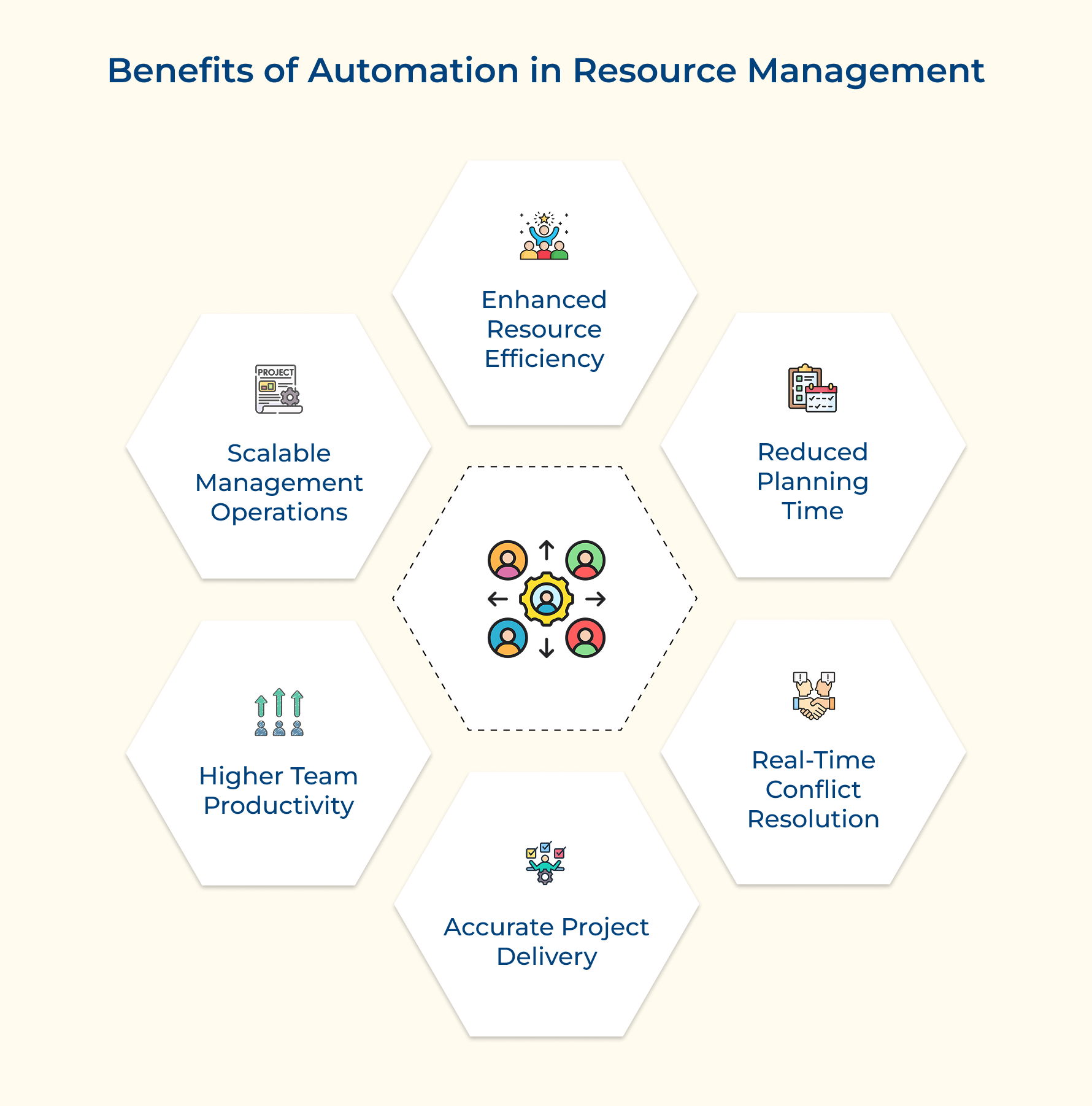
Enhanced Resource Utilization Efficiency
Automation keeps a constant pulse on your team’s availability and workload. It spots who’s underused, who’s at capacity and redistributes tasks accordingly. It’s like having a smart assistant that ensures every resource is being used exactly where they’re needed most.
Dramatic Reduction in Planning Time
Forget those endless hours spent updating spreadsheets. With automation, schedules as well as allocations are created instantly based on who’s available and what the project needs. That means less time on admin and more time making smart decisions that actually move things forward.
Real-Time Conflict Detection and Resolution
Double-booked team members or missing equipment? The system catches these issues the moment they pop up. It alerts you early and suggests fixes, so you’re solving problems before they can stall progress. No more last-minute surprises derailing delivery.
Improved Project Delivery Accuracy
Automation reduces the human errors that throw off schedules and budgets. It learns from past data to predict what resources you’ll need and how long things really take. Thus, helping you plan with more confidence and keep expectations grounded.
Enhanced Team Productivity and Satisfaction
When workloads are balanced, your team feels the difference. Nobody’s drowning, no one’s sidelined. Automation handles the repetitive stuff so you can focus on people like mentoring, problem-solving and creating a healthy, productive work environment.
Scalable Resource Management Operations
As your project count grows, automation keeps pace, no need to keep adding headcount just to manage resources. It handles the complex web of assignments, priorities and availability across projects so scaling feels smooth, not stressful.
6 Powerful Use Cases for Automated Resource Management
From scheduling, budgeting to performance tracking and beyond, here are seven pivotal use cases where automation can revolutionize the way you manage your resources
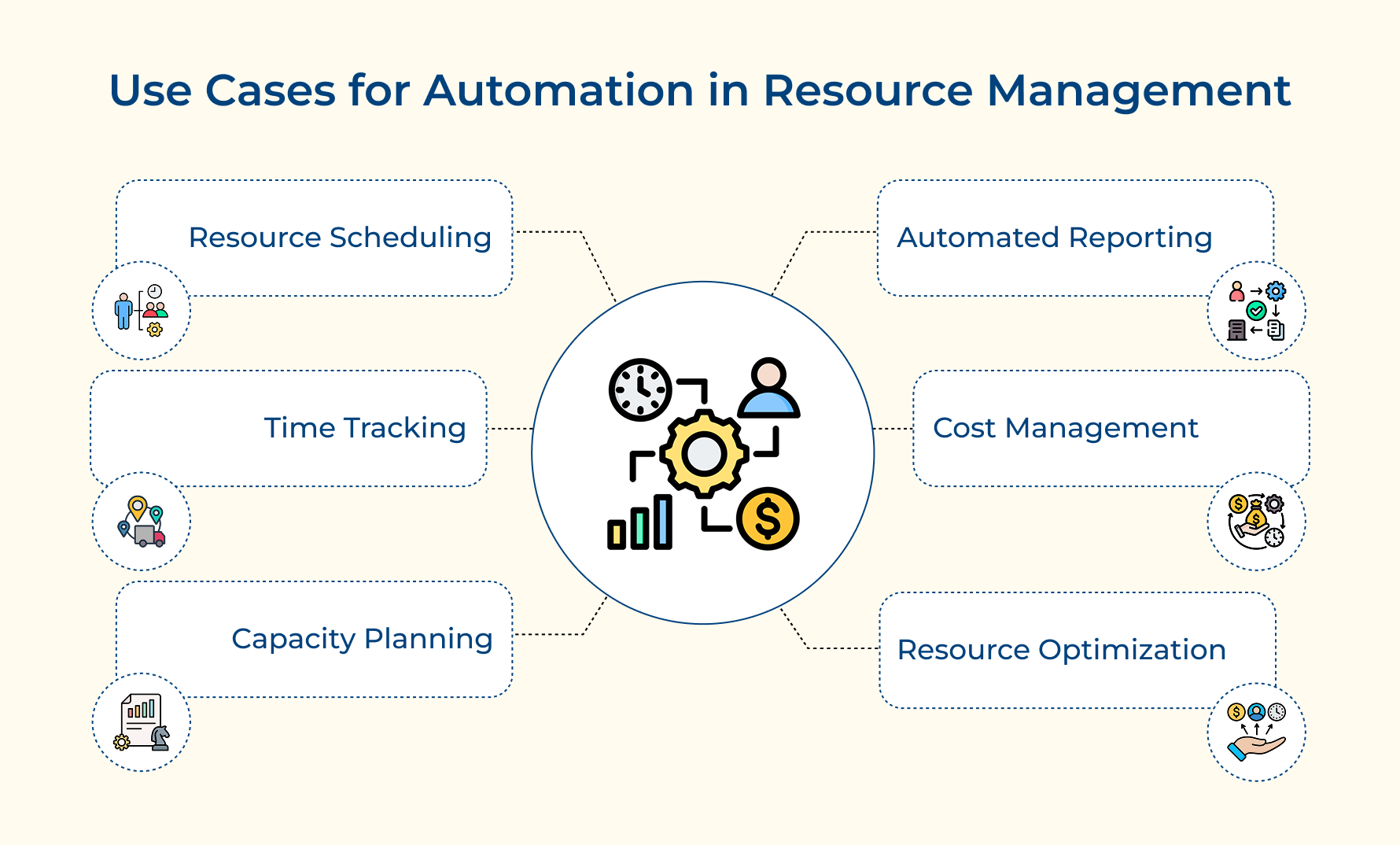
1. Resource Scheduling and Rescheduling
Trying to manage resource schedules across multiple projects using spreadsheets? That’s a recipe for chaos. Project managers end up chasing availability, matching skills manually and still risk double-booking or misaligning expertise.
Modern resource management platforms change the game. Picture a software firm running five projects. Automation steps in and assigns developers based on skills as well as availability.
Here’s how automation makes it work:
- Smart matching: Aligns team skills with project needs for precise assignments.
- Workload tracking: Prevents double-booking across projects.
- Automatic rescheduling: Adjusts timelines if project scopes shift or people become unavailable.
- Instant conflict resolution: Spots issues early and suggests fixes.
No more reactive scrambling, just proactive planning that keeps everything (and everyone) on track.
2. Time Tracking and Invoicing
For project-based businesses, time tracking is crucial for billing, resource planning and profitability – but manual timesheets? They’re full of holes. People forget to log hours or guesstimate later, which leads to lost revenue and awkward client conversations.
Automation steps in with seamless, accurate tracking and invoicing:
- Effortless capture: Logs hours directly from task completions, no manual input needed.
- Smart categorization: Assigns time to the right project and billing code automatically.
- Instant invoicing: Generates accurate client bills with correct rates and pricing terms.
- Live budget alerts: Flags when time limits are nearing, so you stay ahead of overages.
Time tracking just happens when you use automation. Billing stays accurate, teams stay focused and managers avoid frustrating budget surprises.
3. Capacity Planning and Demand Forecasting
Managing future capacity shouldn’t feel like gazing into a crystal ball. Yet, without automation, it often involves endless spreadsheets, guesswork and projections that are outdated before they’re finalized.
Automation changes that by analyzing real-time and historical data to deliver accurate, flexible capacity forecasts. Here’s how:
- Historical trends: Spots seasonal patterns and demand spikes automatically.
- Predictive modeling: Calculates future staffing needs based on pipeline and team output.
- Skill gap analysis: Compares your current skills vs. future needs, suggesting hiring where needed.
- Scenario planning: Adjusts forecasts quickly when priorities or opportunities shift.
It’s like getting a live forecast for your talent pipeline so you can plan hires, accept new work confidently and avoid overcommitting.
4. Automated Analytics and Reporting
Manual reporting eats time and often delivers insights too late to act on. You pull data from multiple tools, compile spreadsheets and still miss the big picture.
Automation streamlines analytics by handling everything from data collection to insight delivery:
- Real-time dashboards: Always-updated views of utilization, project health and capacity.
- Performance comparisons: Analyzes planned vs. actual performance to find gaps and improvement areas.
- Predictive analytics: Uses past patterns to forecast needs and optimize future planning.
Automation delivers the insights you need to allocate resources better and drive smarter, data-backed decisions.
5. Budget and Cost Management
Costs can quietly spiral out of control without real-time visibility. Traditional methods leave managers waiting for month-end reports, by which time overruns have already done damage. Automation flips that by tracking costs live and forecasting outcomes dynamically:
- Live cost tracking: Monitors hours and applies billing rates in real time.
- Predictive forecasting: Uses current resource use and timelines to estimate total cost.
- Learning algorithms: Adjust predictions based on historical patterns and live scope changes.
- Scope-aware budgeting: Instantly updates cost projections when team roles or timelines shift.
Imagine a marketing agency with multiple campaigns. The system tracks designer hours and forecasts whether they’ll stay within budget, helping shift resources before it’s too late.
6. Cross-Project Resource Optimization
Juggling resources across many projects? Manually balancing availability, deadlines as well as skill sets is exhausting and often ineffective. People get overbooked, others sit idle and deadlines suffer.
Automation brings harmony to cross-project chaos by optimizing resource sharing without burnout:
- Skill-sharing algorithms: Assign shared specialists based on timelines and workload alignment.
- Dynamic pools: Shift available people to high-priority tasks while protecting existing commitments.
- Priority-aware engines: Allocate resources based on project value, not just who shouts loudest.
When multiple teams need the same person, automation weighs deadlines, project value and scope to make the most strategic choice.
Challenges of Implementing Automation in Resource Management
While automation promises significant benefits, organizations face several hurdles when implementing these systems for project resource management.
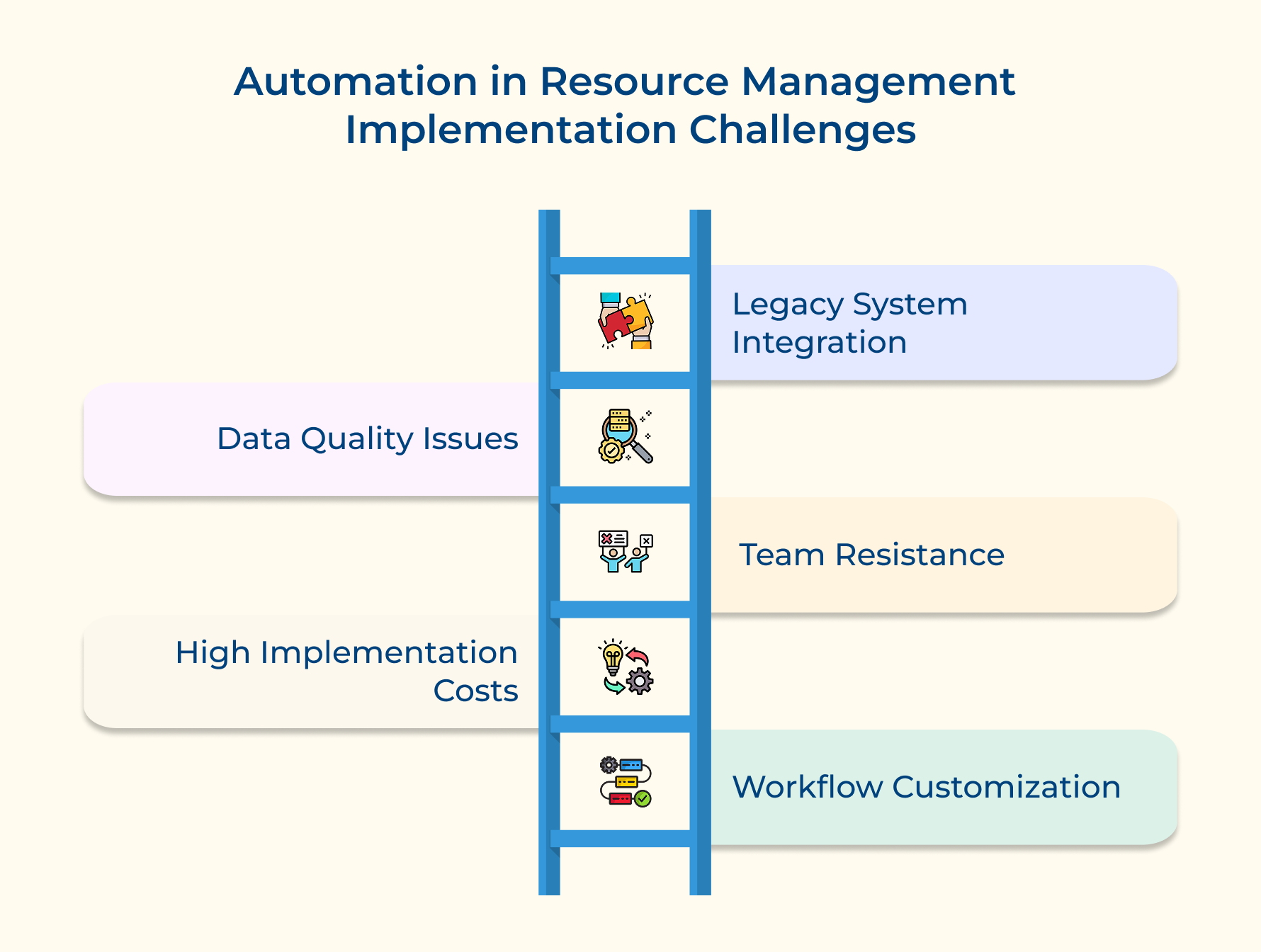
1. Legacy System Integration Complexity
Many companies still rely on outdated tools. Trying to connect new automation platforms with old systems can feel like forcing puzzle pieces that don’t fit, often disrupting daily workflows in the process.
2. Data Quality and Standardization Issues
Automation only works as well as the data it gets. When info is scattered across tools and filled with inconsistencies, it leads to bad recommendations while eroding trust in the entire system.
3. Team Resistance to Automated Decision-Making
People worry automation means losing control or worse, their jobs. That fear creates friction, making teams hesitant to trust or adopt systems that are actually designed to make their work easier.
4. Initial Investment and Implementation Costs
Automation isn’t cheap. Between software costs and training, it’s a big upfront spend. And when returns aren’t instant, it’s easy for leadership to hesitate, even if the long-term value is clear.
5. Customization for Unique Organizational Workflows
Every business runs differently. Off-the-shelf automation tools often miss those nuances, forcing teams into workarounds or costly customizations just to make things fit their real-world needs.
Successful automation implementation requires strategic planning and phased approaches that address these common obstacles while building organizational confidence.
- Phased integration approach allows organizations to gradually connect automation systems with existing tools while maintaining operational continuity and minimizing disruption.
- Data cleansing initiatives establish consistent information standards and consolidate fragmented data sources before implementing automation to ensure accurate system performance.
- Change management programs involve training sessions and clear communication about automation benefits to reduce resistance as well as build team confidence in new systems.
- Pilot project strategy demonstrates automation value through small-scale implementations that prove return on investment before requesting larger budget allocations.
5 Proven Best Practices for Successful Resource Management Automation
Implementing automation in resource management requires a strategic approach that balances technological capabilities with organizational needs. Here are the best practices you should consider:
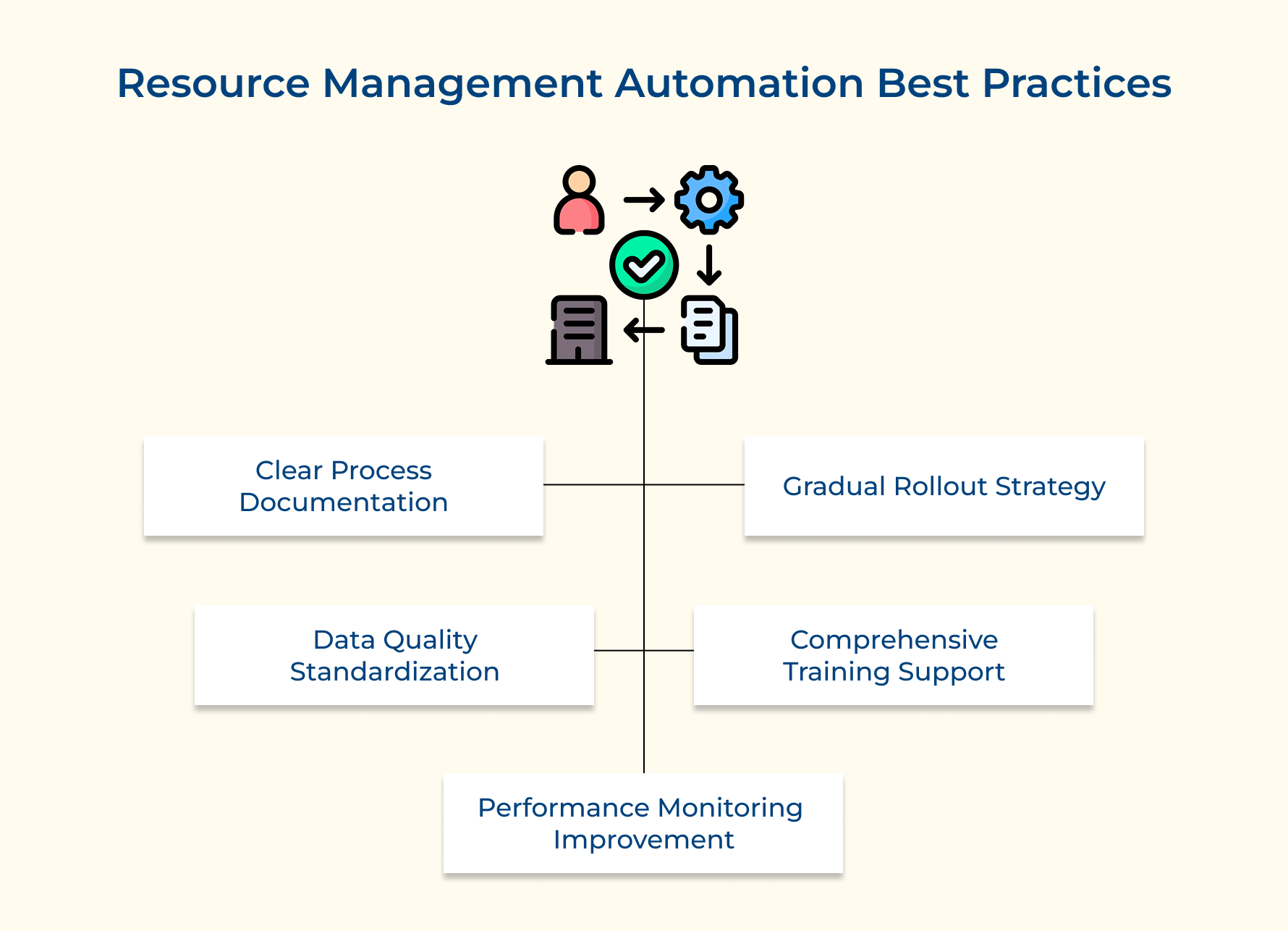
Start with Clear Process Documentation
Before implementing automation, organizations must document existing resource management processes to identify improvement opportunities. This prevents automation from digitizing inefficient workflows and ensures technology addresses real operational challenges.
These critical questions help guide effective documentation efforts:
- How do resources currently flow through your organization and where do bottlenecks occur during peak periods?
- What manual tasks consume the most time and could these be streamlined through automation?
- Which decisions require human judgment versus those that follow predictable patterns suitable for automation?
Understanding current processes helps recognize which tasks benefit from automation versus those requiring human creativity. Documentation reveals hidden dependencies that automation systems must account for to function effectively.
Implement Gradual Rollout Strategy
Successful automation follows a phased approach that allows teams to adapt gradually while maintaining operational stability. Starting with pilot projects helps organizations learn from early experiences before expanding to critical processes.
The incremental approach builds confidence and provides valuable feedback for system refinement without risking major disruptions. Organizations can adjust their strategy based on real-world performance data before committing to full-scale implementation.
Ensure Data Quality and Standardization
Clean data serves as the foundation for effective automation since systems make decisions based on available information. Organizations must establish quality standards as well as validation processes for accurate team member, project and resource availability data.
Consider these essential data quality elements:
- Standardized skill classifications ensure automation systems accurately match team members with appropriate project requirements across departments.
- Consistent time tracking formats allow automation to calculate resource utilization and costs accurately without manual cleanup.
- Regular data audits identify inconsistencies that could lead to poor automation decisions during critical project phases.
Poor data quality undermines automation effectiveness and creates trust issues that can derail implementation efforts. Investing in standardization ensures consistent and reliable system performance.
Provide Comprehensive Training and Support
Automation success depends on user adoption and proper system utilization by project managers as well as team members. Training programs must address both technical operation and strategic thinking required for interpreting automation recommendations.
Think about these fundamental training considerations:
- What specific skills do team members need to work effectively alongside automation systems?
- How can you help users understand when to trust automation versus when to apply human judgment?
- What ongoing support structures will ensure users continue developing automation skills as technology evolves?
Training should cover how to use features and when to override system suggestions based on contextual factors algorithms might miss. This balanced approach builds confidence while maintaining critical thinking skills.
Monitor Performance and Continuously Improve
Automation systems require ongoing monitoring and refinement to maintain effectiveness as organizational needs evolve. Regular performance reviews identify areas where automation delivers value and situations where human intervention might produce better outcomes.
Fundamental performance monitoring practices ensure automation continues delivering value:
- Metric tracking systems measure automation impact on key indicators like resource utilization rates and project delivery times.
- User feedback collection gathers insights about automation effectiveness and identifies areas for system improvement.
- Regular system audits evaluate automation decision quality and identify patterns where human judgment might produce better outcomes.
Continuous improvement processes should incorporate feedback from users and project outcomes to refine algorithms as well as decision-making criteria. This ensures systems adapt to changing business requirements and maintain relevance as organizations grow.
Streamline Project Success with Resource Management Automation
Resource management automation is now essential for modern project-based organizations. Manual processes slow things down, causing missed deadlines, budget overruns and unhappy teams. Without automation, project managers spend too much time on admin work instead of focusing on planning or client relationships.
Agencies as well as professional service firms can boost efficiency with automated resource allocation, real-time capacity planning and smart workload balancing. These tools help avoid burnout and make the best use of team members. When projects are delivered on time and within budget, clients are happier.
Limit time — not creativity
Everything you need for customer support, marketing & sales.

Pooja Deshpande is a content contributor at Kooper, focused on creating insightful resources that help agencies and service providers scale efficiently. Passionate about SaaS trends, content strategy, and operational excellence, she delivers practical, easy-to-implement guidance for modern business leaders.