Effective Workload Management for High-Performing Agencies
- What is Workload Management?
- Why is Workload Management Important for Agencies?
- Workload Management Vs Resource Management: Core Differences Explained
- 7 Efficient Steps to Managing Team Workload Effectively
- Challenges of Workload Management & Tips to Fix them
- Additional Tips for Workload Management Within Agencies
- Best Workload Management Software & Tools
- Streamline Success with Ultimate Workload Management Strategy
- FAQs about Workload Management

Key Highlights:
- Instantly see team availability and reassign tasks using Kooper’s drag-&-drop calendar for real-time workload balance.
- The right workload management predicts future resource bottlenecks and plans ahead using smart capacity tools tied to incoming work as well as current load.
- Link team utilization and billing to project budgets to make data-driven decisions that boost profit while also reducing burnout.
Agency teams often feel stretched thin – trying to meet rising client expectations with tight deadlines and limited resources. It’s a tough balancing act that can lead to burnout, mistakes, and missed opportunities for strategic thinking.
When teams are overwhelmed, quality slips, deadlines are missed, and client trust starts to erode. That’s where structured workload management comes in!
Tracking capacity and allocating resources more intentionally help agencies turn the chaos into a predictable workflow. It’s not just about getting the work done. It’s about doing it well, supporting your team and keeping clients happy for the long haul.
What is Workload Management?
Workload management within agencies refers to the systematic process of planning, allocating, and monitoring resources to handle client demands as well as day-to-day operations efficiently. It involves balancing staff capacity against incoming work while ensuring quality delivery and preventing burnout. This strategic approach helps agencies maintain productivity, manage client expectations, and optimize operational performance across teams.
How does Workload Management work?
Agencies first assess incoming work against available resources by evaluating project requirements and team capacity. They then prioritize tasks based on deadlines and importance before assigning work to appropriate team members. Regular check-ins allow for adjustments when workloads shift while performance tracking provides data for future planning and optimization.
Prime objectives:
- Maximize resource utilization by matching skills to tasks and preventing both under as well as overallocation.
- Ensure consistent quality delivery across all client work, regardless of team workload fluctuations.
- Prevent staff burnout by distributing work equitably while also maintaining sustainable workloads.
- Improve profitability by optimizing billable hours as well as reducing time spent on administrative tasks.
- Enhance client satisfaction through reliable delivery timelines along with responsive service levels.
Why is Workload Management Important for Agencies?
Heavy workload has always been inevitable for unprepared teams. Let’s explore the key advantages that proper workload distribution and resource allocation bring to an agency.
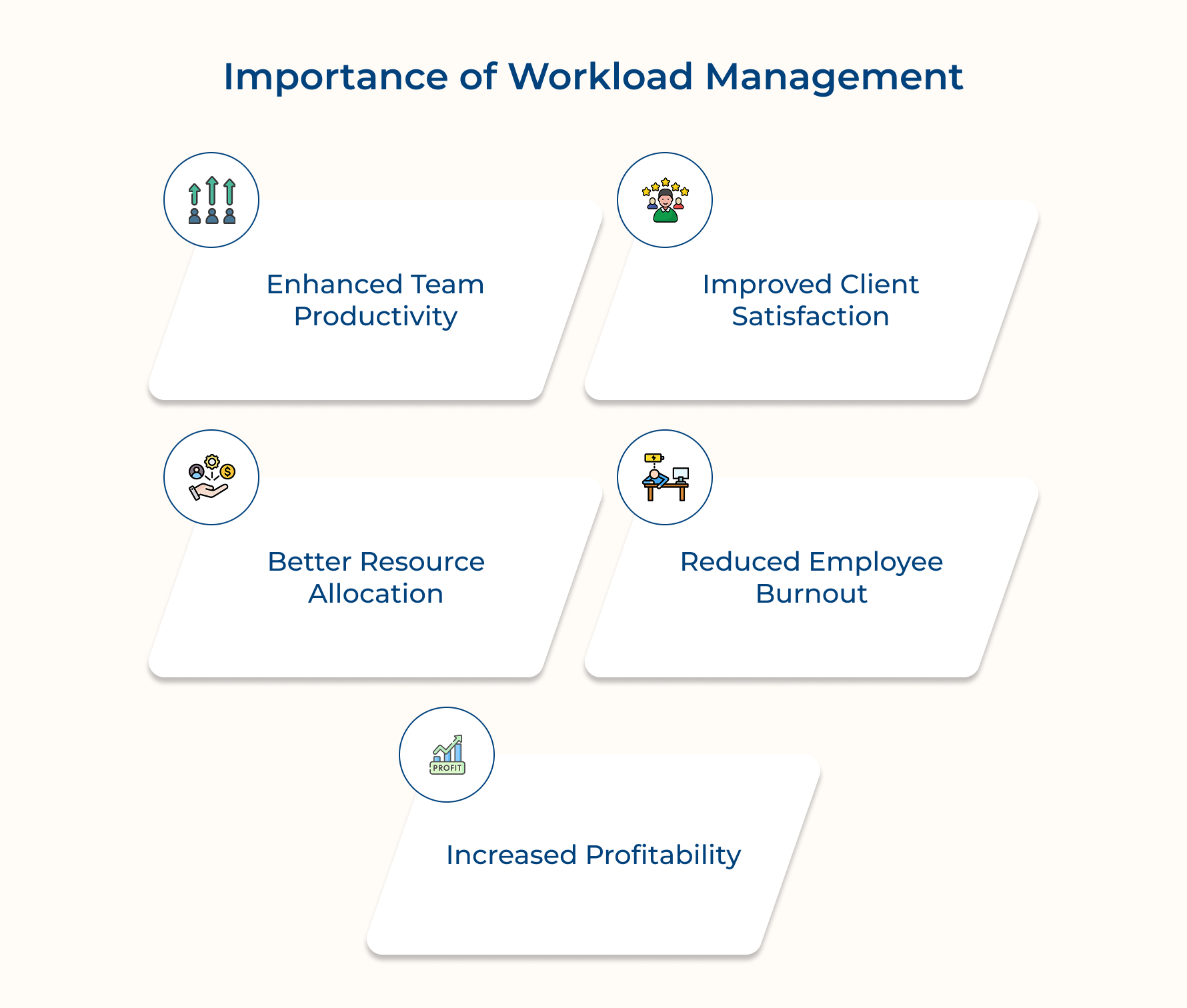
1. Enhanced Team Productivity
When work is well managed, people can focus on what they do best. They’re not constantly switching tasks or juggling too much at once. This helps them get into a rhythm, work faster, and deliver better results.
2. Improved Client Satisfaction
Clients notice when things run smoothly. With the right workload balance, projects stay on track as well as meet quality standards. That builds trust and turns clients into long-term partners.
3. Better Resource Allocation
When you know who’s working on what, it’s easier to plan. You can spot when someone’s overloaded or when a skill gap might slow things down—before it becomes a problem.
4. Reduced Employee Burnout
Too much work for too long wears people out. Managing workloads properly helps your team set boundaries, take breaks, and stay motivated over time.
5. Increased Profitability
Better planning means less wasted time and fewer last-minute fixes. Projects stay on budget, and teams spend more time on billable work, making the agency more profitable.
Workload Management Vs Resource Management: Core Differences Explained
While often mentioned together, understanding their differences helps create more effective operational strategies that optimize both people and projects.
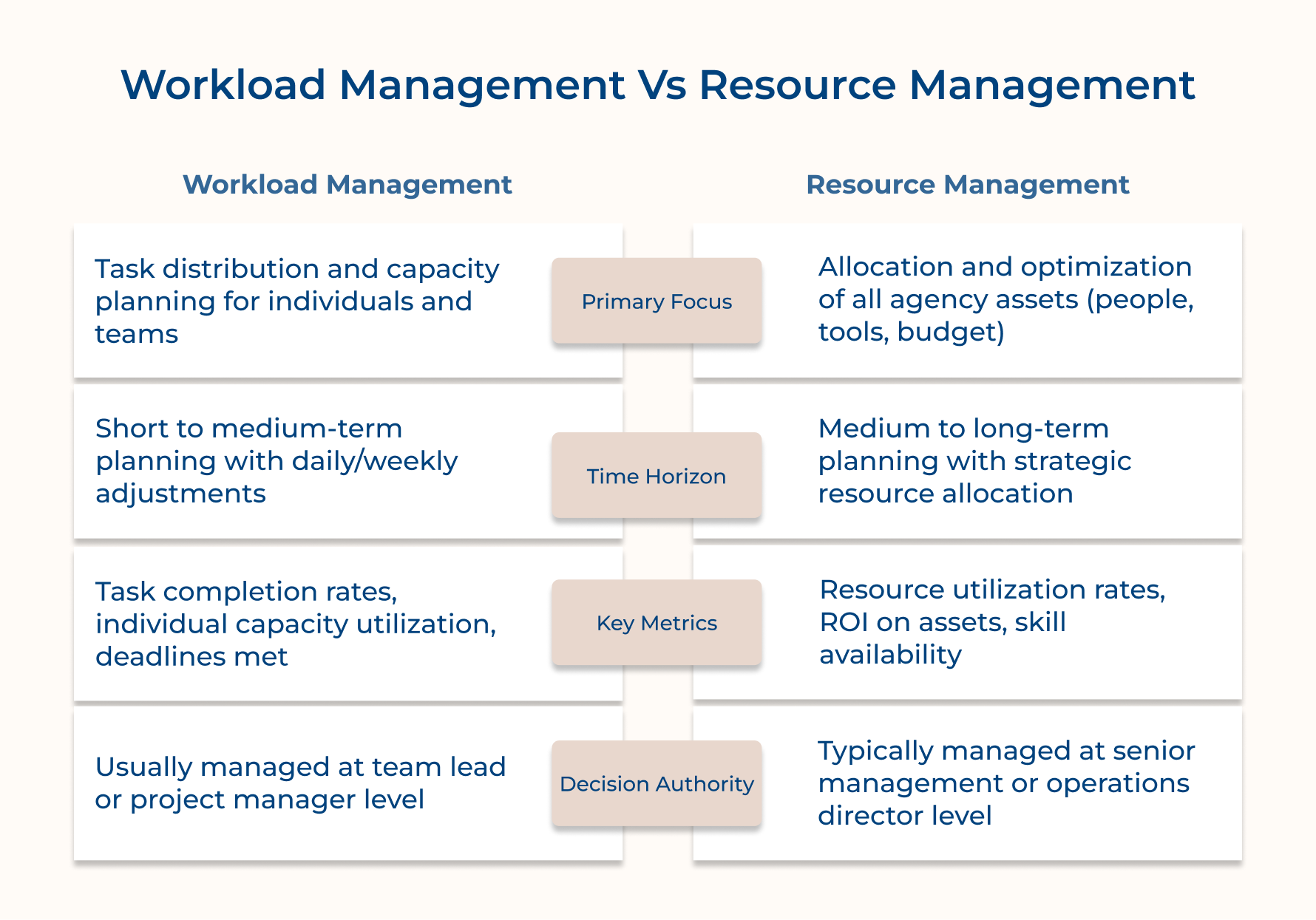
Scope and Focus
Workload management concentrates specifically on balancing tasks among team members to ensure the appropriate distribution of work. It examines individual capacity and matches it with project requirements to prevent overload or underutilization at the personal level.
Resource management takes a broader view by considering all agency assets including staff time, equipment, technology platforms, and financial resources. It addresses the strategic question of how to allocate these resources across the entire organization to meet business objectives.
Planning Horizon
Workload management typically operates within shorter timeframes with a focus on immediate and upcoming project needs. Managers adjust task assignments weekly or even daily based on current priorities and unexpected changes in project scope or timelines.
Resource management functions with a longer-term perspective by forecasting needs across quarters or fiscal years. It involves planning for future growth or contraction and making decisions about major investments in talent acquisition or technology infrastructure.
Measurement Approaches
Workload management metrics revolve around individual productivity including task completion rates and adherence to deadlines. These measurements help identify when team members are approaching capacity limits or when work distribution needs adjustment.
Resource management measures broader efficiency indicators such as overall utilization rates and return on investment for different resource categories. These metrics help leadership understand if the agency has the right mix of resources to sustain operations and growth.
Implementation Level
Workload management decisions typically happen at the operational level with project managers or team leads making daily adjustments. These professionals focus on the tactical aspects of getting work done efficiently within existing resource constraints.
Resource management occurs at a more strategic level with department heads or executive leadership making allocation decisions. These decisions shape the agency’s ability to take on new clients or enter new markets based on resource availability.
7 Efficient Steps to Managing Team Workload Effectively
These seven practical steps will guide you on how to manage your workload effectively, leaving you with more time for what truly matters.
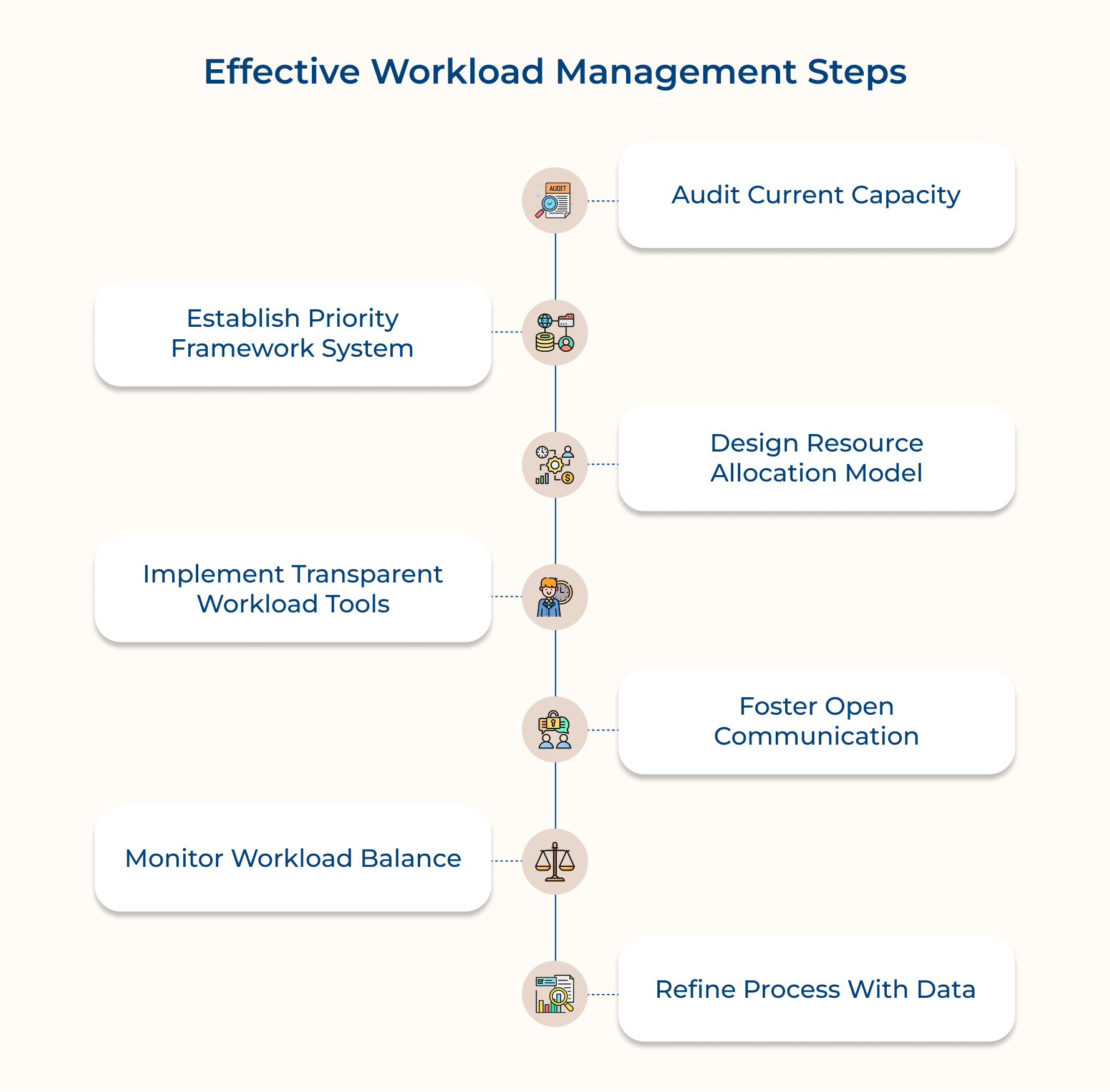
1. Audit Current Capacity and Demands
An audit gives you a clear picture of how your agency’s workload is really looking. It compares your current resources to your project needs so you can spot issues before they turn into bigger problems like burnout, missed deadlines, or underused talent.
Here’s what this step helps you see:
- Who on your team has extra capacity and who’s getting close to burnout?
- When projects tend to pile up and create crunch times?
- Where you might need new skills—either by hiring or training?
Get started by using a simple system to track capacity. Have team members log how their time is split between client work and internal tasks. For example, someone might be 80% on client work and 20% on internal projects. That helps you see how much new work your team can realistically take on.
2. Establish Clear Priority Framework System
A prioritization framework helps your agency make smarter, more consistent decisions when multiple projects compete for limited time and resources. Without it, teams often end up reacting to whoever shouts the loudest, even if that work isn’t the most important.
Ask yourself:
- Which clients are key to our long-term growth and financial health?
- How do we tell the difference between truly urgent work and just “important” tasks?
- What happens if leadership wants to change priorities—how do we handle that fairly?
A real-world example:
One digital marketing agency set up a three-tier system for clients. Premium clients got same-day responses and faster turnaround, while standard clients had a 48-hour buffer. It set clear expectations and made scheduling easier for everyone.
How to put this in place:
1. Create a Priority Matrix
Use a simple chart that maps urgency vs. importance. This helps you see which tasks need immediate attention and which can wait.
2. Set Up Client Tiers
Define different levels of service based on contract size or relationship value. Assign response times and resource availability to each tier.
3. Outline Escalation Paths
Make it clear who can override priorities, when they’re allowed to do it, and how that decision gets communicated to the team.
3. Design a Realistic Resource Allocation Model
A resource allocation model helps you match the right people to the right projects—without overloading anyone or leaving valuable time unused. It brings structure to your planning so your team can work efficiently and sustainably.
Here are some practical tips for building a solid model:
- Start with skills, not just availability.
Match team members to projects based on what they’re good at—not just who’s free. This leads to better results and less rework. - Cap billable work at 80%.
No one should be booked at 100%. Save room for meetings, admin tasks, and surprise client requests. It keeps schedules realistic and helps avoid burnout. - Set different expectations by role.
Creative team members may need more breathing room, while production-focused roles can handle tighter schedules. Build this into your model. - Block out buffer time.
Leave flexible time in the calendar for overflow work or last-minute requests so the team isn’t constantly playing catch-up after hours.
A good allocation model protects your team from burnout and keeps projects on track. It respects human limits, builds trust, and helps your agency deliver quality work without chaos.
4. Implement Transparent Workload Tracking Tools
Transparent workload tracking tools help everyone see who’s working on what and how much capacity is left without guessing. When used well, these tools prevent burnout, improve planning, while also making resource decisions more fair and efficient.
Here are a few things to keep in mind when setting one up:
- Keep it simple.
Choose a tool that gives helpful insights without requiring tons of data entry. If it feels like extra work, your team won’t use it. - Make it accessible.
Pick something that works across devices and integrates with your current project management tools. Team members should be able to update their status from anywhere, and managers should see the big picture without jumping between platforms. - Customize views by role.
Project managers need the details. Executives need a high-level view. A good tool lets everyone see what matters most to them. - Use real-time visual indicators.
Color-coded dashboards or percentage bars make it easy to spot when someone’s overloaded or when a project is falling behind—no meeting required.
The right tracking system brings clarity to your workflow and keeps things running smoothly before small issues turn into big problems.
5. Create Open Communication About Capacity
Open conversations about workload help build a healthy team culture. When people feel safe sharing their capacity, it’s easier to spot when someone’s overwhelmed—and to fix it before deadlines slip or burnout hits.
Instead of making workload planning a top-down process, turn it into a team effort. Set up regular check-ins, run quick anonymous surveys, or even create a dedicated Slack channel where people can flag concerns early. This kind of openness leads to better planning and smoother collaboration.
Pro tips:
- Set the tone: Leaders should talk openly about their own limits and show that setting boundaries is not just okay—it’s encouraged.
- Make it easier to talk: Use templates with specific prompts (like “Any blockers this week?” or “Do you have the bandwidth for new work next sprint?”) to guide the conversation and avoid vague complaints.
6. Monitor Workload Balance and Adjustments
Keeping an eye on workload balance means regularly checking how work is spread across your team and if projects are sticking to their original plans. It helps you catch issues early – before they lead to burnout, missed deadlines, or unhappy clients.
Here’s how to do it:
- Check for fair distribution.
Look at who’s doing what. If a few people are constantly overloaded (maybe because of unique skills or demanding clients) while others have room to help, it’s time to rebalance. Fair workloads keep morale high and quality steady.
- Watch for scope creep.
Track when projects start growing beyond what was originally agreed. Document what changed and why. This helps you spot patterns—like certain tasks being underestimated or clients who often ask for more without adjusting timelines or budgets.
- Compare estimates to actuals.
Look at how long things really take versus how long you thought they would. If some projects or team setups are always running over, you’ll know where to adjust in the future. Better estimates mean smoother planning and clearer expectations with clients.
7. Refine Process With Performance Data
Refining performance data helps turn past project experience into better planning for the future. Instead of guessing how well workload management is going, you use real feedback and numbers to guide smarter decisions. For instance, adjusting policies, improving estimates or making the right hires.
Here’s how to build that feedback loop:
- Run anonymous surveys every quarter.
Ask team members how workload management is affecting their wellbeing and productivity. Honest input can highlight what’s working and what’s not. - Include workload in retrospectives.
Don’t just review project outcomes. Make time to discuss whether people had enough time and the right support to get their work done. - Hold regular 1:1 check-ins.
Encourage open, focused conversations between team members and resource managers about how workload feels day to day, not just task status.
The challenge? Many agencies collect feedback inconsistently. Without clear metrics or shared reporting standards, insights get lost or stay siloed. That’s why it’s key to standardize how you track workload across teams, so you can spot patterns and make real improvements.
Challenges of Workload Management & Tips to Fix them
Agencies often face common challenges when it comes to managing team workloads. But, the good news is, they can all be fixed with the right systems and habits.
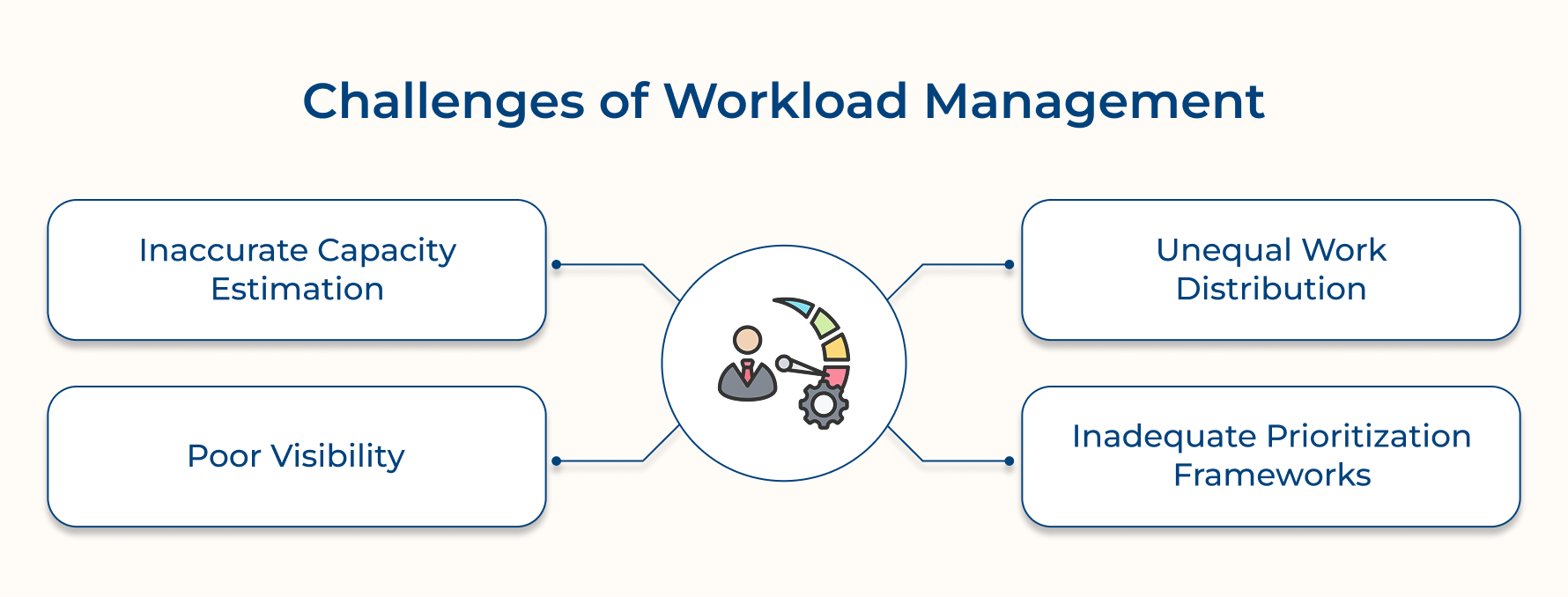
1. Overestimating Team Capacity
Many agencies assume their team can take on more work than they realistically can. Projects grow, but deadlines don’t. Teams end up stretched thin, trying to hit unrealistic timelines based on guesses (not actual data). It’s important to factor in admin work, client check-ins and everyday tasks when planning.
2. Uneven Workloads
Some team members get overloaded because they have niche skills or certain clients prefer them. Others end up underused. This imbalance leads to frustration—especially when everyone gets the same recognition, no matter their workload.
3. Lack of Visibility
Just because tasks are assigned in a project management tool doesn’t mean that’s the whole picture. People also handle surprise client requests, quick internal help, and admin tasks that don’t always get tracked. Without visibility into all of that, it’s hard to plan properly.
4. No Clear Prioritization
When everything feels urgent and priorities change daily, it’s hard to stay focused. Without a system to decide what truly matters, teams end up reacting to whoever’s the loudest—not what’s most important.
Here’s how to fix it:
- Cross-train your team so more than one person understands each client’s work.
- Use past project data to build realistic workload plans—including time for admin and client maintenance.
- Visualize workloads clearly so everyone can see who’s carrying what.
- Hold regular capacity check-ins so team members can speak up before they’re overwhelmed.
- Create a simple prioritization matrix that weighs both urgency and strategic value.
- Add buffer time into every project to handle surprises without derailing the plan.
Additional Tips for Workload Management Within Agencies
Let’s explore six additional tips that can help you master workload management and propel your agency to new heights.
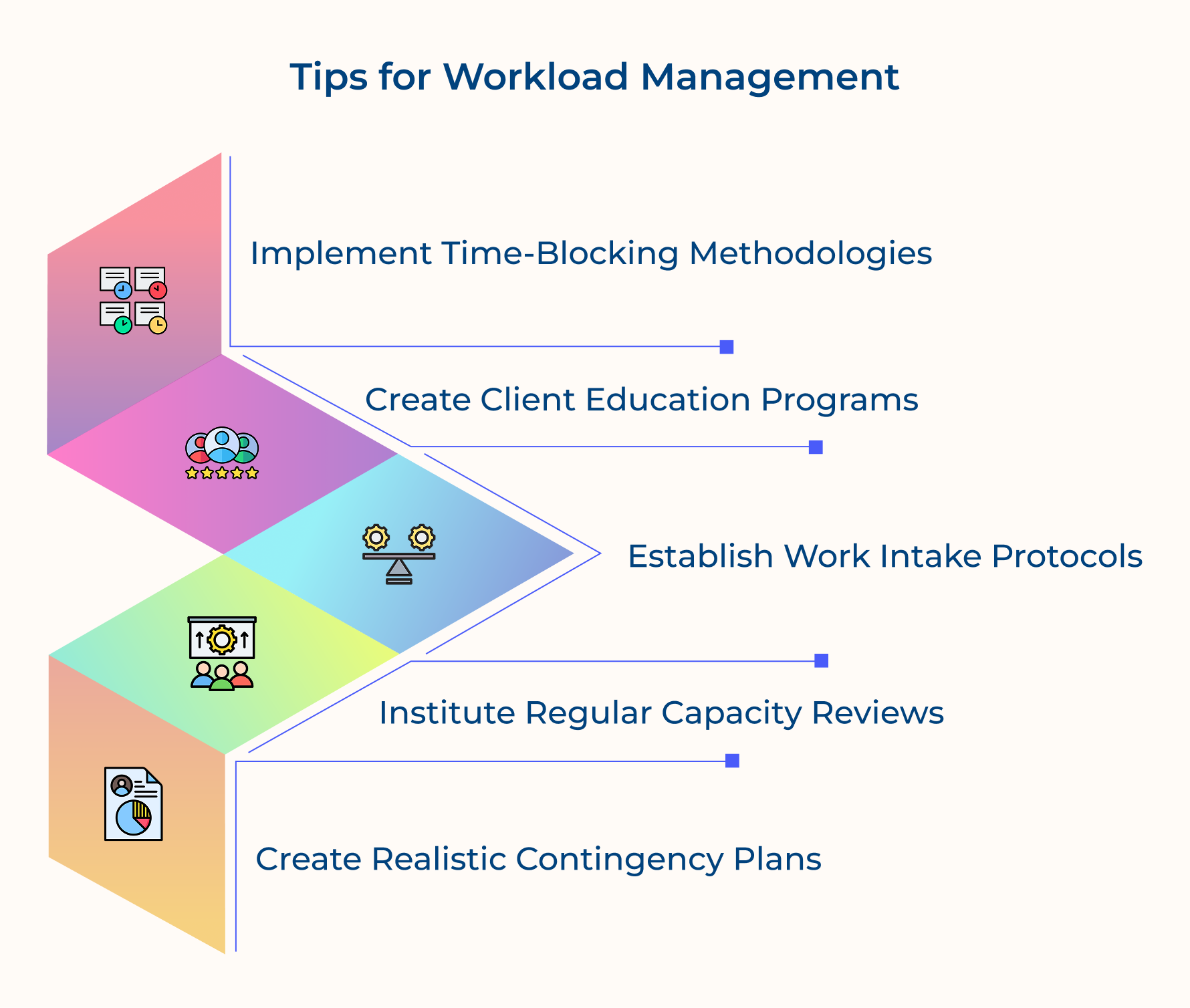
1. Use Time-Blocking
Time-blocking means setting aside specific times on the calendar to focus on one task or project at a time. This avoids constant task-switching, which can drain productivity and make work take longer. When everyone in the agency uses this technique, the quality of work improves.
2. Educate Clients
Create an onboarding process that helps clients understand your agency’s workflow and response times. When clients know how their requests fit into your system, they’re more likely to work with you instead of demanding quick fixes that disrupt everything.
3. Set Up Work Intake Protocols
Create a standard process for accepting new work that includes an evaluation period before you set deadlines. This pause helps you assess your team’s current workload and avoid overpromising on projects that could stretch the team too thin.
4. Do Regular Capacity Reviews
Hold regular check-ins, either quarterly or monthly, to review how workloads are spread across teams. These reviews give leadership the big picture and help spot any imbalances that might be missed day-to-day.
5. Have Contingency Plans Ready
Prepare for common disruptions, like losing a key staff member or a sudden spike in client needs. Having clear strategies in place means you can respond quickly and wisely during stressful times, avoiding decisions that could hurt long-term operations.
Best Workload Management Software & Tools
Here are four essential tools and software that can help you master workload management as well as boost your efficiency.
Kooper
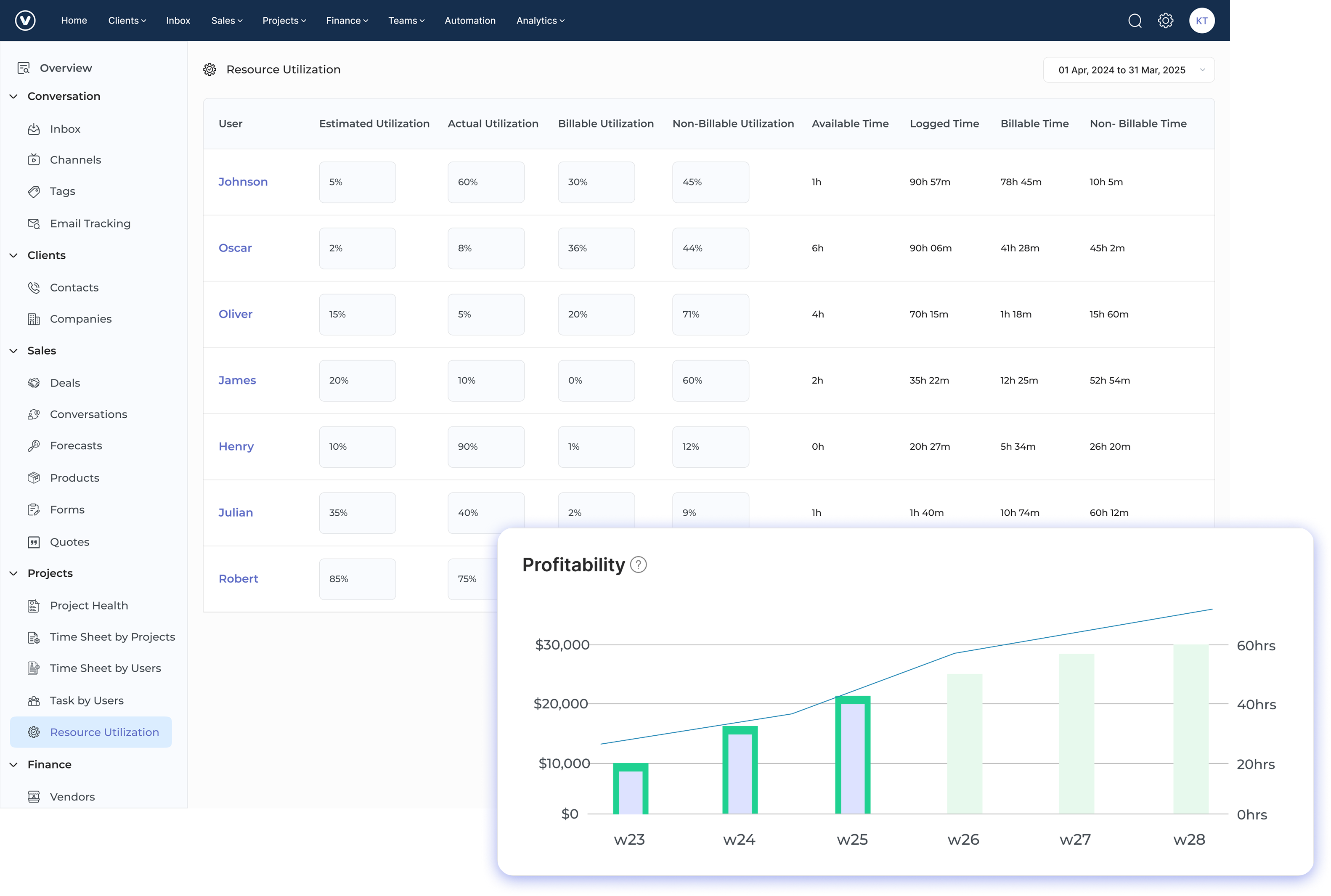
Kooper offers an all-in-one business management (PSA) platform that integrates project management, time tracking, workload management and resource planning in a unified interface. The system connects operational workflows with financial outcomes while providing real-time visibility into team capacity and project progress through intuitive dashboards designed specifically for service-based businesses.
Kooper helps agencies transform chaotic workload management into a structured process by connecting resource allocation directly to project profitability metrics. This integration allows agency leaders to make informed decisions about which projects to prioritize based on both team capacity and financial impact rather than just deadline pressure or client demands.
Key features:
- Visual resource planning: Kooper’s resource scheduling grid displays team member availability alongside project timelines in a color-coded calendar view that instantly reveals capacity issues or underutilization. The drag-and-drop interface allows managers to quickly reallocate resources when priorities shift without disrupting the entire schedule.
- Workload forecasting: The platform’s predictive capacity tools compare confirmed projects with potential incoming work to identify future resource bottlenecks before they happen. These forecasts help agency leaders make proactive staffing decisions and set realistic client expectations about project timelines based on actual team capacity.
- Profitability tracking: Kooper connects hourly utilization rates and resource allocation directly to project budgets and billing, showing real-time profitability impact of various staffing decisions. This financial visibility helps agencies optimize their workload distribution to maximize both team wellbeing and business performance instead of sacrificing one for the other.
- Client portal: Kooper includes client-facing interfaces that provide appropriate visibility into project status and resource allocation without exposing sensitive internal information. This transparency helps manage client expectations around timelines by showing how their projects fit within the agency’s overall workload without requiring constant status update meetings.
- Automated time tracking: The platform’s time tracking tools automatically connect hours worked to specific projects and tasks without requiring constant manual entry. This seamless tracking provides accurate data about how long different work types take, which improves future resource allocation estimates and reveals when scope expansion is affecting team capacity.
Monday.com
Monday.com provides a highly visual workload management system with customizable boards that show exactly who’s working on what and when. Its color-coded workload views instantly reveal team capacity issues while automation features handle routine task assignments and status updates. The platform’s strength lies in making complex resource allocation visually intuitive for both managers and team members without requiring extensive training.
Asana
Asana Workload transforms traditional task management into capacity-focused planning by visualizing team member bandwidth across projects and periods. The system allows managers to set individual capacity thresholds and receive automatic alerts when team members approach overallocation. Asana has the ability to recalculate capacity impact in real-time when tasks shift, giving instant feedback about how schedule changes affect team workloads.
Forecast
Forecast integrates project management with resource planning through AI-powered workload prediction and optimization suggestions. The system learns from your agency’s historical project data to recommend ideal resource allocations based on previous similar work. What makes Forecast particularly valuable for agencies is its ability to connect financial metrics directly to resource allocation decisions, showing the profitability impact of different workload distribution scenarios.
Streamline Success with Ultimate Workload Management Strategy
Effective workload management isn’t just a nice-to-have, it’s essential for any agency trying to balance multiple clients with limited resources. When everything feels urgent while team bandwidth keeps shifting, having a clear system in place helps you avoid chaos, burnout, and unhappy clients.
Placing solid workload management strategies in place enables agencies to completely change how they operate. Things like clear priorities, visible team capacity, and smart, data-based planning help you stay on track even when work gets busy. It means better client experiences, healthier teams, and stronger profits – no matter how much is on your plate.
Limit time — not creativity
Everything you need for customer support, marketing & sales.

Shivank Kasera is part of the marketing team at Kooper, where he focuses on building content that helps agencies and service providers grow. With a keen interest in SaaS, operations, and scalability, he translates practical insights into actionable resources for business leaders.