Best Time Tracking Guide to Boost Accuracy & Profitability in Services
Learn effective time tracking best practices to improve accuracy as well as increase profitability in professional service firms.
No credit card required | Cancel anytime
Learn effective time tracking best practices to improve accuracy as well as increase profitability in professional service firms.
No credit card required | Cancel anytime
Faster Project Delivery
Cost Reduction
Higher Sales Conversions
Explore how time tracking helps teams stay focused, managers plan better, and businesses make data-driven decisions for long-term growth.
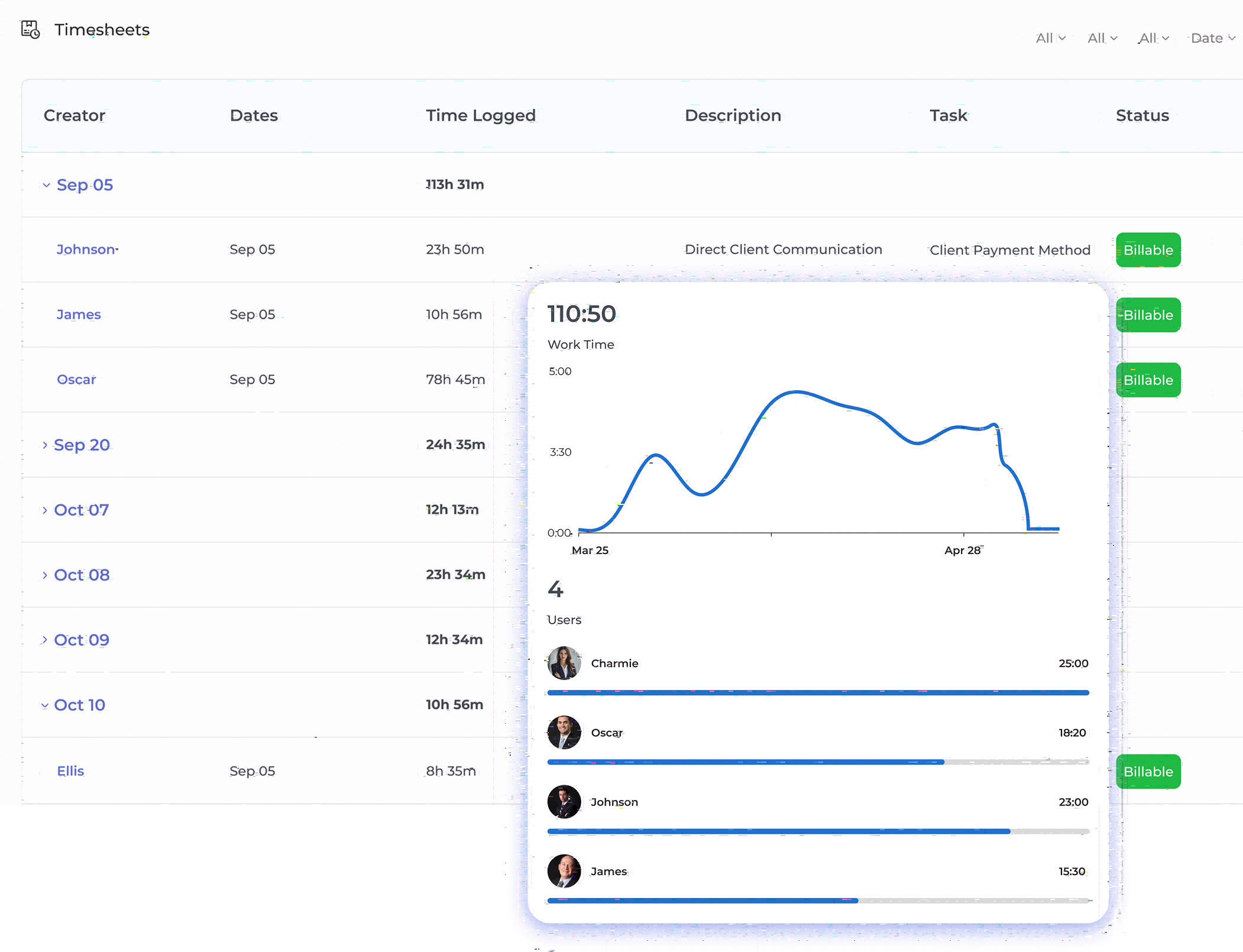
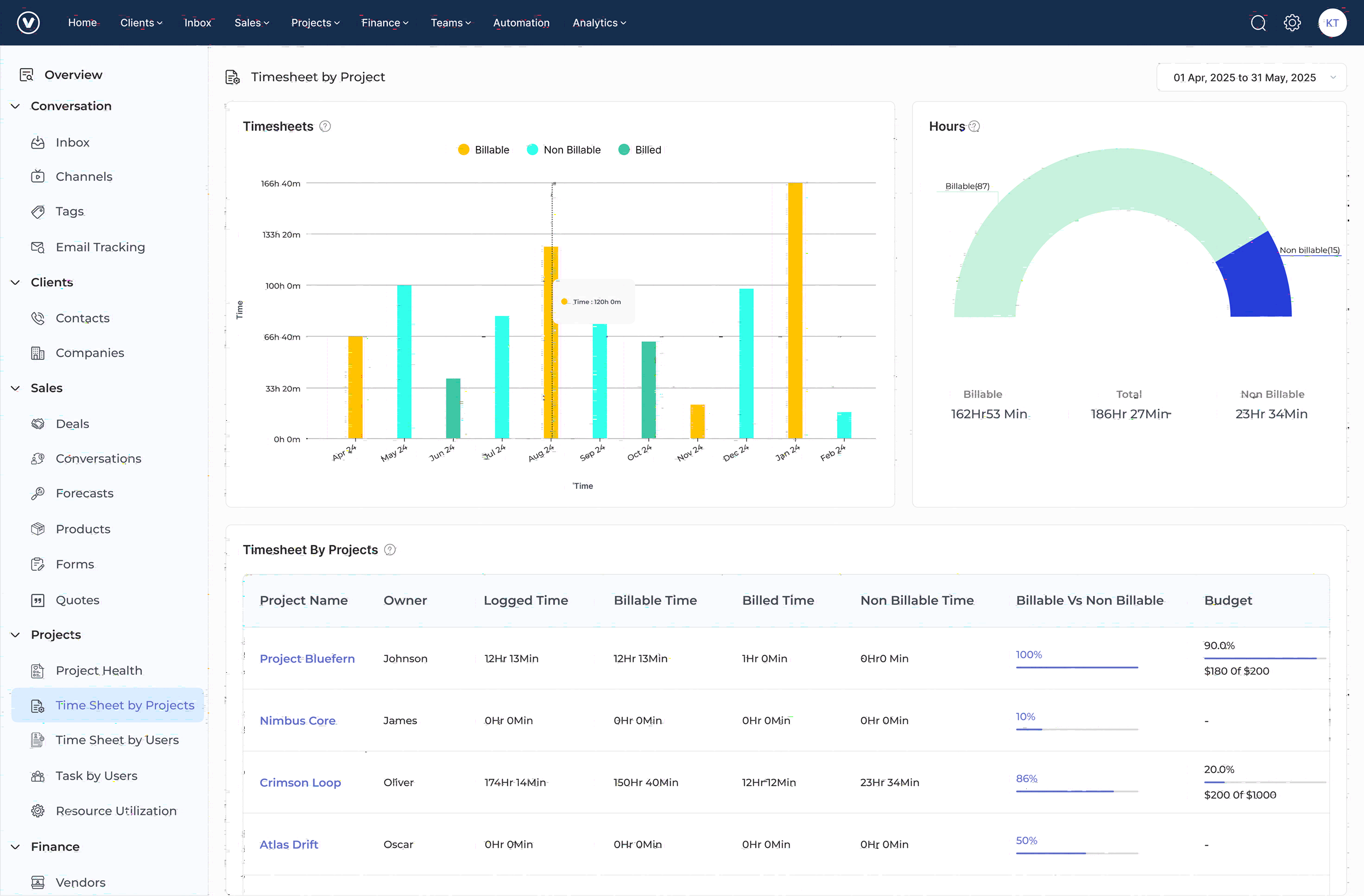
Kooper captures time automatically using calendar integration. It also logs user activity and gives smart time suggestions.
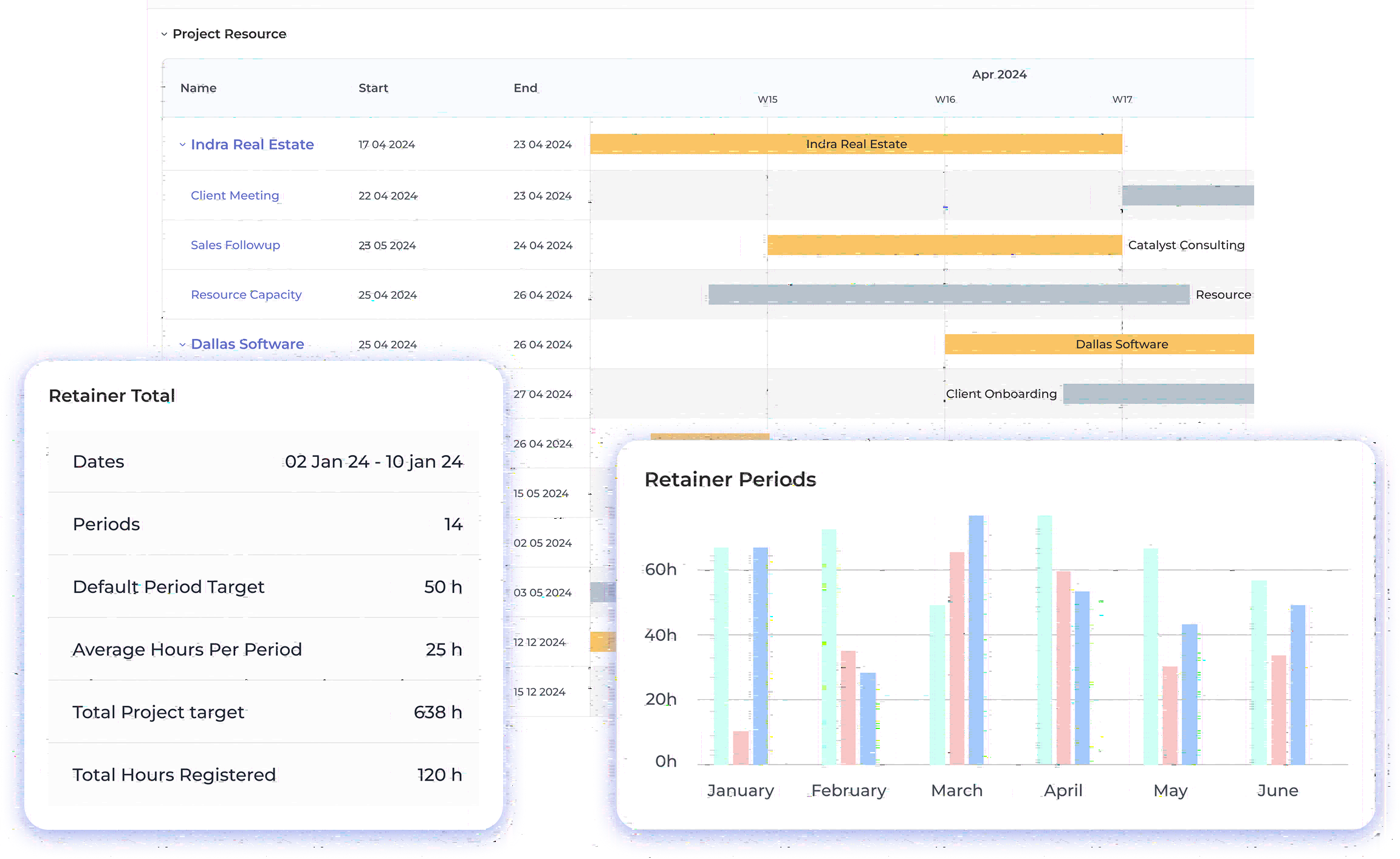
The tool helps manage client projects and retainers. It supports detailed planning and tracking for each engagement.
Kooper offers a client portal for updates and file sharing. It also includes tools for approvals and communication.
You can track team availability and plan workloads. The tool helps assign the right people to the right tasks.
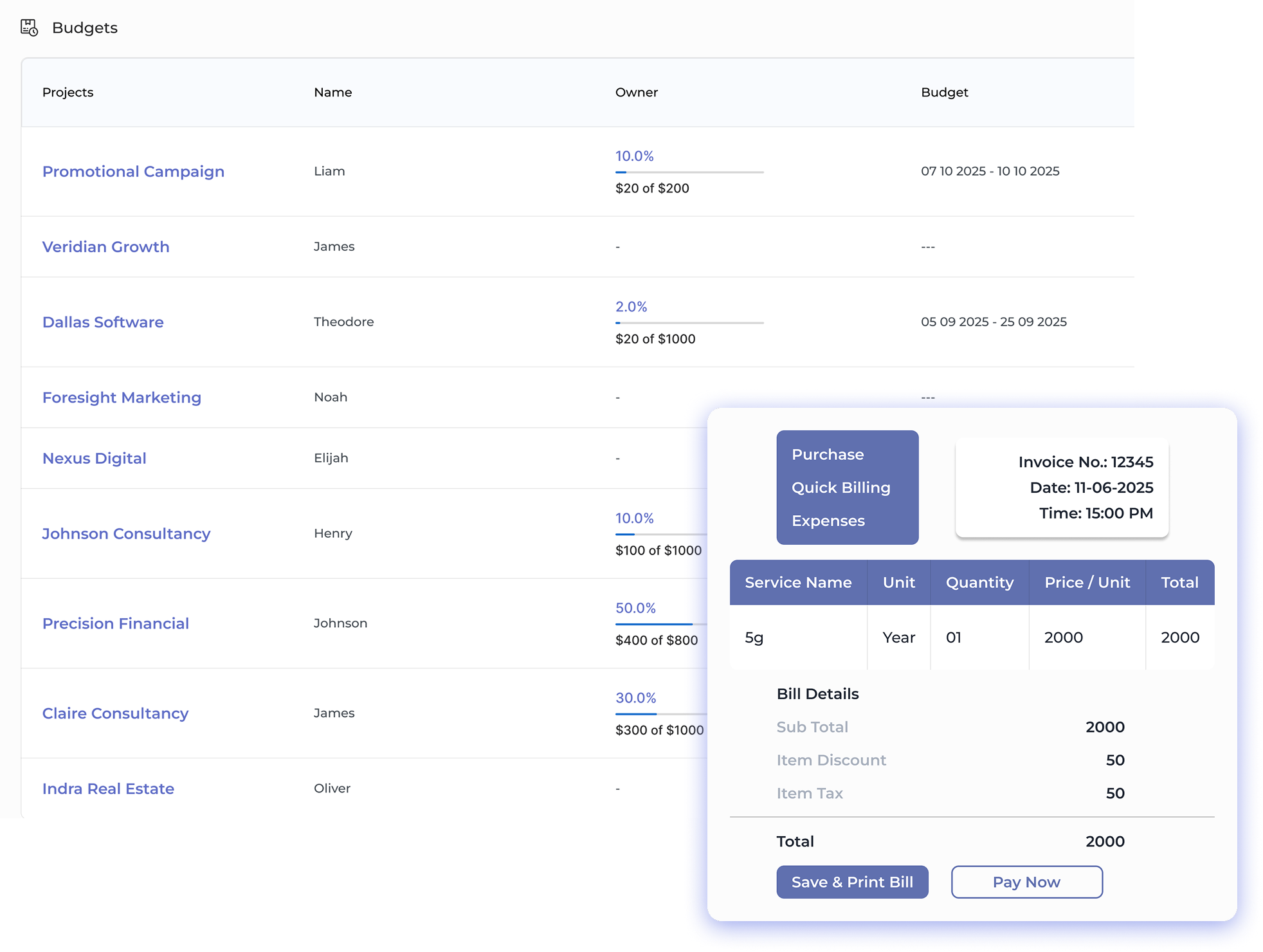
Kooper tracks time against budgets in real time. It also helps forecast project completion and avoid overruns.
The platform generates invoices from tracked time. It supports different billing types and client-specific rates.
Professional services firms and agencies struggle with revenue leakage, inaccurate project estimates as well as resource allocation challenges. Organizations lose profitability from missed billing opportunities and inefficient resource utilization without effective time tracking.
A comprehensive time tracking guide enables organizations to optimize resource allocation, improve project profitability, and enhance operational efficiency. Learn proven strategies, tool recommendations, and best practices that have helped leading firms achieve up to 25% improvement in resource utilization as well as billing accuracy.
Time tracking is a systematic process of recording, monitoring, and analyzing the time spent by employees on specific projects. It enables professional services firms to measure productivity, manage resources, ensure accurate client billing, and optimize project profitability.
Remote work environments have introduced new complexities in time tracking. Teams struggle with inconsistent tracking practices and a lack of real-time visibility into resource availability. Using time tracking software for agencies can help managers overcome challenges in monitoring productivity, ensuring accurate time allocation, and maintaining team accountability without micromanaging.
If you are a professional services firm, an agency, or a consultancy, time tracking helps to:
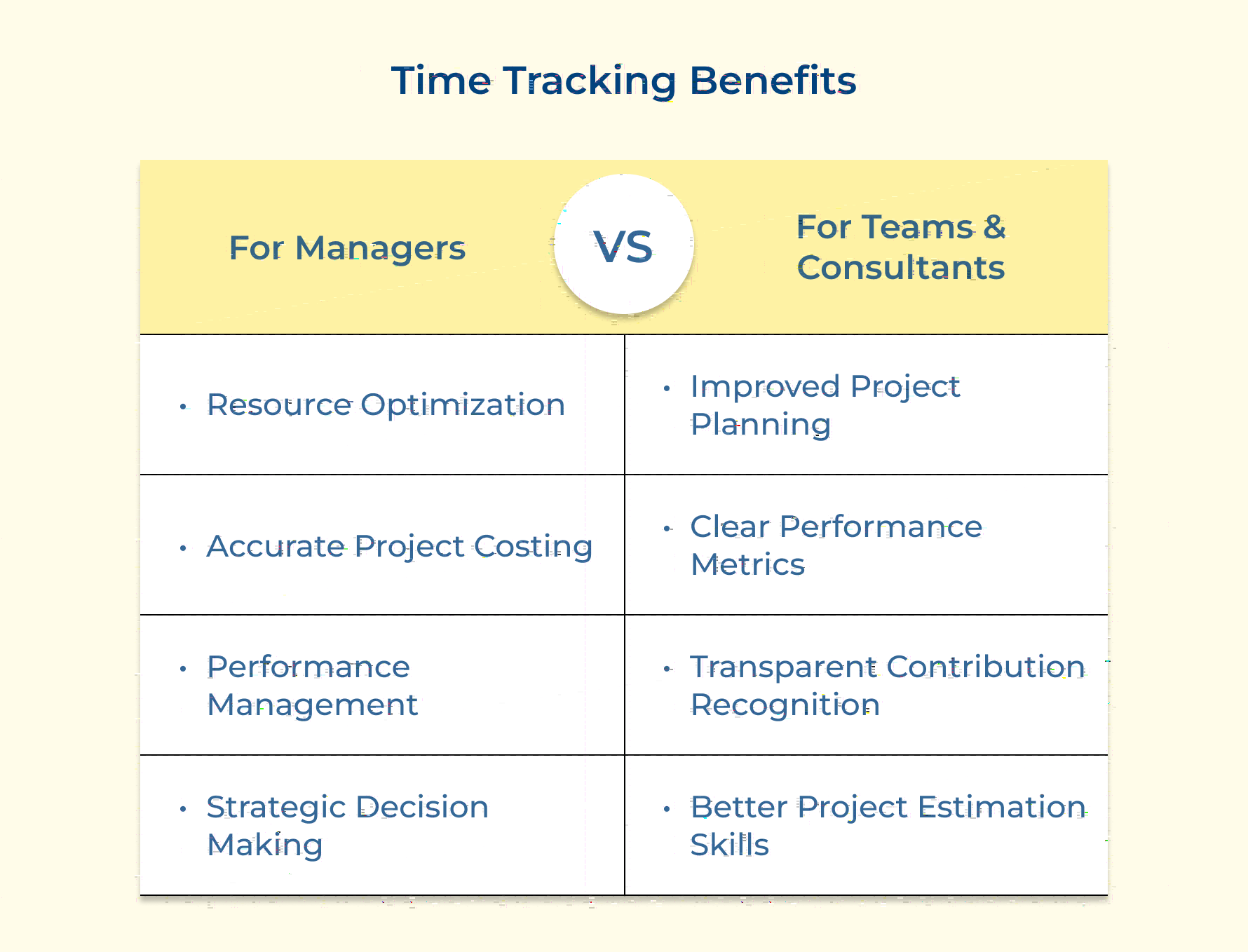
Time tracking empowers teams to work smarter by offering visibility into how time is spent. Let’s explore the benefits of time tracking and how it empowers organizations.
Resource optimization: Managers can analyze time allocation across projects and team members, identifying bottlenecks while optimizing resource distribution. This data enables better capacity planning and workload balancing.
Accurate project costing: Detailed time tracking enables precise project costing and profitability analysis. Managers can identify which projects or clients are most profitable and adjust pricing strategies accordingly.
Performance management: Time tracking data provides objective metrics for evaluating team performance. Integrating employee time sheet software helps managers monitor employee hours effectively and identify areas for improvement.
Strategic decision making: Historical time data supports strategic decisions about hiring, training, and resource allocation. Managers can make data-driven decisions about team expansion, skill development, and project acceptance by leveraging time tracking apps.
Managers can use time tracking data to:
Improved project planning: Accurate time data helps teams estimate future project timelines more accurately. Historical time-tracking data provides insights into similar tasks, enabling more realistic project planning and deadline setting.
Clear performance metrics: Time tracking provides objective data for performance evaluations and accomplishment tracking. Teams can showcase their productivity and efficiency through concrete metrics rather than subjective assessments.
Transparent contribution recognition: Time tracking provides concrete evidence of individual contributions to projects, making it easier to recognize and reward high performers. With the support of time tracking software for consultants, promotions and compensation discussions are backed by tangible data.
Better project estimation skills: Reviewing historical time data helps team members to develop better estimation skills for future tasks and projects. This leads to more accurate project planning and reduced stress from unrealistic deadlines.
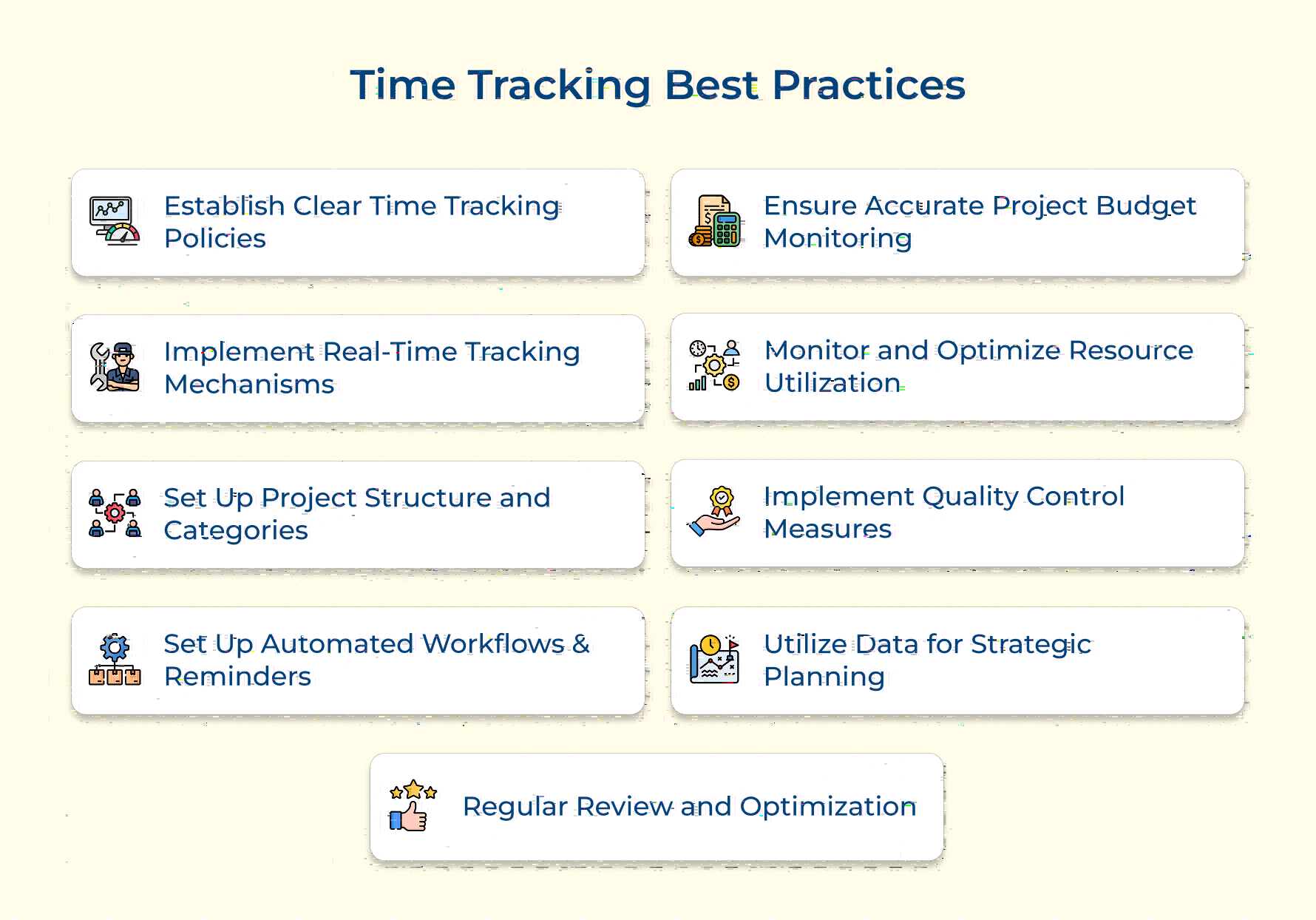
Effective time trackers are crucial for professional services to stay profitable and deliver value. Following best practices ensures accuracy and smarter resource allocation.
Clear time tracking policies supported by the best time tracking tools help improve data accuracy, ensure team consistency, and set clear expectations. This foundation is crucial for reliable project costing, accurate client billing, and effective resource management. The integration of time tracking software for law firms helps legal professionals track time efficiently, optimize resource allocation and ensure proper billing for clients.
Implement standardized policies through documented guidelines, training materials, and automated workflows. Use these policies to maintain data quality, ensure compliance, as well as facilitate accurate reporting for decision-making.
Best practices for implementation:
Real-time tracking reduces error rates, improves data accuracy, and prevents revenue leakage from forgotten time entries. It provides immediate visibility into project progress and resource utilization.
Employ user-friendly time tracking tools that integrate with existing project management systems. Enable mobile access and automated tracking features to capture time accurately across all work scenarios.
Best practices for implementation:
A well-organized project structure ensures time entries are properly categorized and allocated. Essentially, it creates accurate client billing, project profitability analysis along with resource utilization tracking across different engagements.
Create standardized project codes, task categories, and activity types. Develop a clear hierarchy that reflects your organization’s work breakdown structure. Train teams on proper categorization and regularly review for consistency.
Best practices for implementation:
Automation ensures timely time entry completion and reduces administrative overhead. They help maintain data accuracy and completeness while minimizing manual follow-up efforts.
Configure automated notifications for time entry deadlines, missing entries, and approval requirements. Use workflows to streamline the review and approval process.
Best practices for implementation:
Regular budget monitoring prevents cost overruns, enables proactive project management, and maintains profitability. It provides early warning signs for potential issues as well as supports client communications.
Best practices for implementation:
Understanding resource utilization helps optimize staff allocation, prevent burnout, and maintain project profitability. It provides insights into capacity planning, hiring needs, and workload distribution across teams.
Set up utilization targets for different roles and monitor regularly. Use dashboards to track real-time utilization rates. Implement alerts for over/under-utilization and develop action plans for addressing imbalances.
Best practices for implementation:
7. Implement Quality Control Measures
Quality control ensures data accuracy, maintains compliance, and supports reliable decision-making. It helps identify and correct issues before they impact billing or reporting. Conduct regular audits of time entries, validate data accuracy, and review compliance with policies.
Best practices for implementation:
Strategic use of time tracking data, especially when using time tracking software for small businesses, enables better resource planning, improves project profitability, and supports business growth decisions.
Best practices for implementation:
Continuous improvement of time tracking processes ensures they remain effective and efficient. Regular reviews help address issues while maintaining system effectiveness.
Conduct periodic reviews of time tracking procedures, gather feedback from users, and implement improvements.
Best practices for implementation:
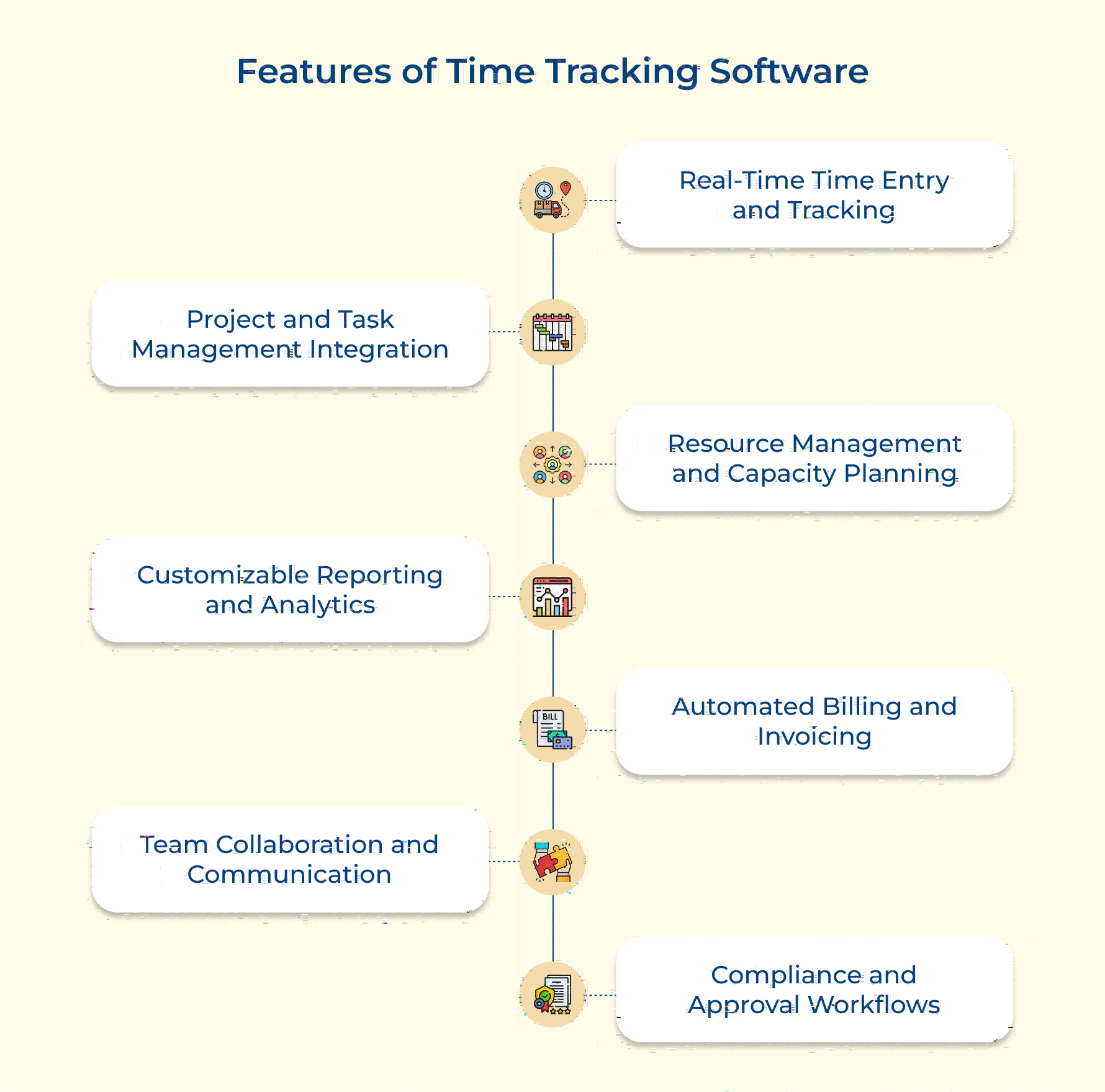
Time trackers offer powerful tools to monitor, manage, and optimize time spent on tasks. These features help teams stay organized, efficient, and bill accurately.
The system offers automatic time tracking, timers, offline access, and syncs across devices. Users can enter time manually or automatically, depending on their needs. Teams can log hours using web, mobile, or desktop apps, and for professionals in accounting, the same features make it one of the best time tracking software for accountants.
The software connects with project management tools, linking tasks and time entries directly. It supports project hierarchies, task dependencies, and updates timelines based on time logged.
Dashboards show team availability along with future capacity. A comprehensive resource schedule process ensures work is assigned based on skills, leave is tracked, and resource needs are predicted for upcoming projects.
The tool offers dashboards and real-time analytics that can be customized. You can create standard or custom reports like burndown charts, utilization rates, and profitability summaries.
Invoices are created automatically based on tracked time, billing rates, and project terms. This makes it one of the best time tracking and billing software for consultants, supporting different billing types, custom templates, and multiple currencies.
Built-in tools help teams share updates, comment on entries, and stay in sync. The system includes notifications, activity feeds, and connects with platforms like Slack or Microsoft Teams.
Time entries and project milestones go through approval processes with custom workflows. The system tracks all changes, sends alerts, and helps with compliance through detailed records.
Choosing the right time tracking tool is key to managing projects, billing accurately, while boosting productivity. Here are the top solutions tailored for professional services and agencies.
Kooper is an all-in-one professional services automation (PSA) platform that integrates time tracking with client management, project management, and billing functionalities. The platform provides end-to-end visibility into service operations, helping organizations streamline their workflows, improve resource utilization, and enhance project profitability.
Kooper is particularly well-suited for firms that manage multiple client engagements simultaneously and need to track time across various projects, retainers, service types, etc. The platform is especially valuable for mid-sized organizations with 10-200 employees who require sophisticated project tracking and client management capabilities while maintaining operational efficiency.
Key features:
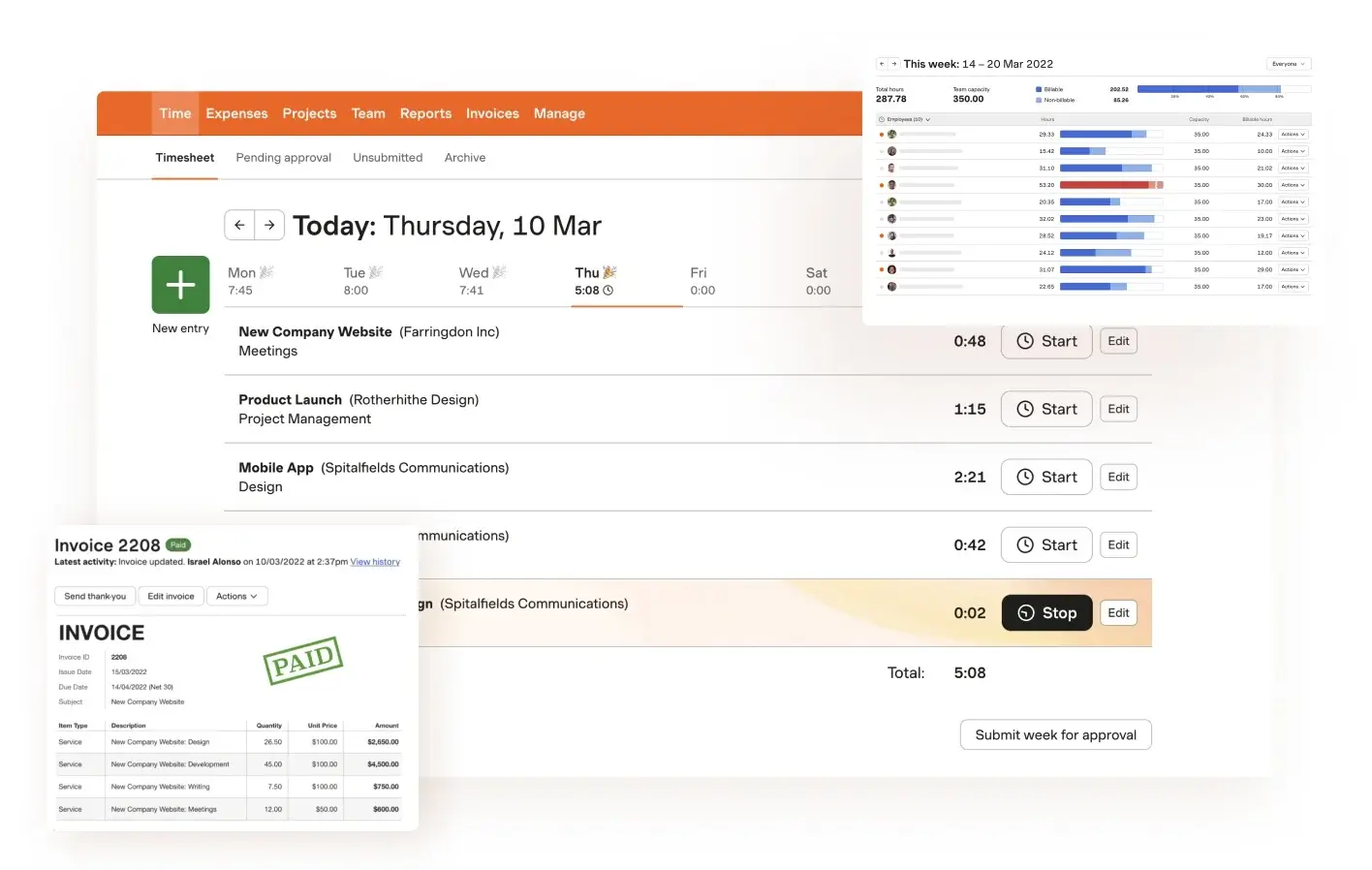
Harvest is a comprehensive time tracking and invoicing platform designed specifically for professional services firms. The platform’s user-friendly interface and extensive integration capabilities make it a popular choice for agencies as well as consultancies.
Key features: Harvest offers automatic time tracking, expense management, project budgeting, and customizable reporting. It also features powerful analytics for project profitability, extensive third-party integrations, and mobile apps for on-the-go time tracking.
ClickTime specializes in professional services time tracking with a focus on improving billable utilization and project profitability. It offers comprehensive workforce planning and resource management capabilities, making it particularly valuable for larger organizations managing multiple teams as well as projects.
Key features: The tool includes advanced budget tracking, resource planning, capacity management, and approval workflows. It also provides customizable dashboards, detailed analytics, expense tracking, and comprehensive API integration options.
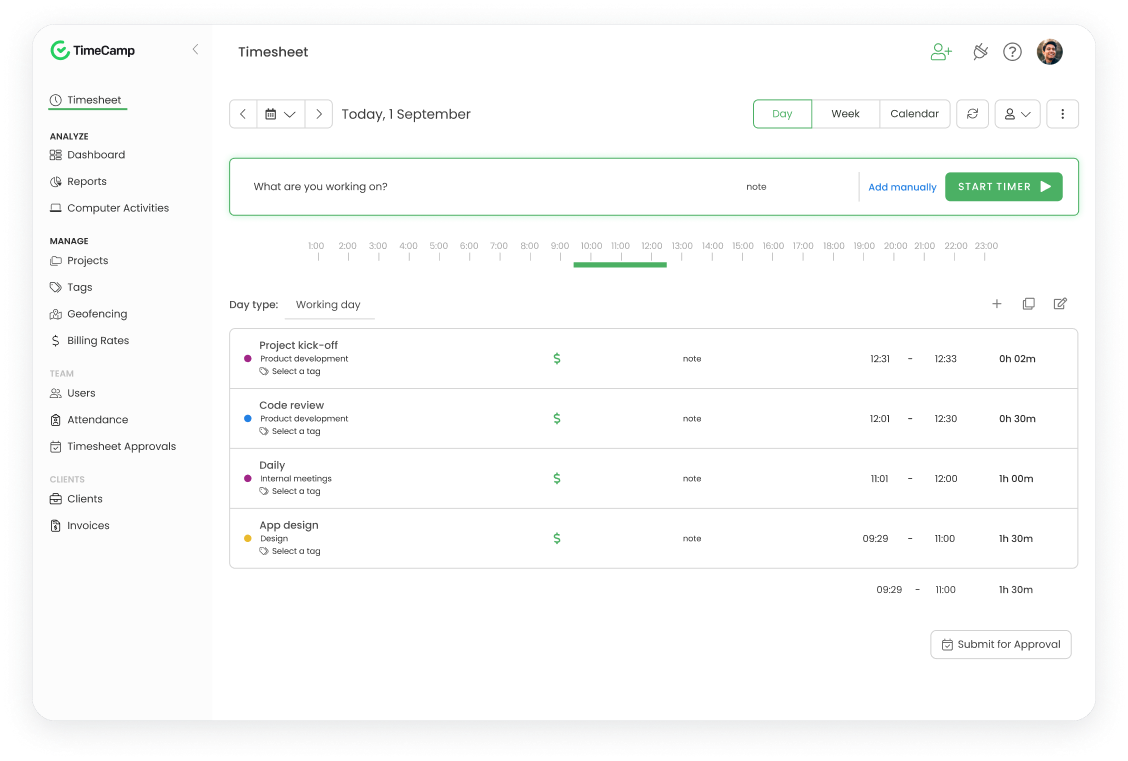
TimeCamp combines automated time tracking with productivity monitoring features, making it ideal for organizations seeking detailed insights into team productivity and project profitability. It offers strong integration capabilities and automated workflows to minimize manual time entry.
Key features: Timecamp provides automatic time tracking, productivity monitoring, project budgeting, and billing automation. It includes attendance tracking, timesheet approvals, custom reporting, and extensive integration options.
Time tracking presents significant challenges for professional services firms. However, many organizations struggle with implementing and maintaining effective time tracking practices.
Key Challenges:
1. Inconsistent time entry: Teams often delay logging their hours, leading to inaccurate records and memory-based entries. This results in revenue leakage and incorrect project cost calculations.
2. Complex project structures: Multiple projects, tasks, and clients create confusion in time allocation as well as categorization. Teams struggle to accurately split their time across various activities and projects.
3. Remote work challenges: Distributed teams face additional complications in tracking time across different time zones and work patterns. This can lead to gaps in tracking and delayed approvals.
4. Data quality issues: Inaccurate or incomplete time entries result in flawed project reporting and billing discrepancies. Poor data quality affects decision-making and resource planning.
5. Integration complications: Lack of integration between time tracking as well as other business systems creates manual work and data inconsistencies. This leads to inefficient workflows and reduced productivity.
Addressing these challenges proactively is crucial as they directly impact revenue, profitability, and client relationships. Poor time tracking can lead to undercharging, resource misallocation, and strategic planning failures.
Prevention Strategies:
Choose intuitive time tracking solutions that integrate with existing workflows. Ensure the system supports multiple entry methods and provides mobile access. Regular training and support help maintain user adoption.
Develop comprehensive time tracking guidelines that clearly define expectations and processes. Create standardized project codes and categories for consistent time allocation. Regular reviews and updates keep policies relevant as well as effective.
Implement regular timesheet reviews and provide prompt feedback on entries. Set up automated reminders as well as validation rules to ensure timely and accurate submissions. Create a support system for addressing questions and concerns.
Build a culture that emphasizes the importance of accurate time tracking. Communicate the benefits to both individuals and the organization. Recognize and reward consistent compliance with time tracking practices.
Regularly analyze time tracking data to identify patterns and areas for improvement. Use insights to optimize processes and resource allocation. Share relevant metrics with teams to demonstrate the value of accurate time tracking.
Time tracking success is crucial for professional services organizations to ensure optimal resource utilization, maintain project profitability, and drive operational efficiency.
Time Entry Compliance Rate
The percentage of timesheets submitted accurately and on time indicates system adoption as well as data reliability. High compliance rates (95%+) suggest effective time tracking processes and strong team engagement. Organizations should track both submission timeliness and entry accuracy, as both factors impact billing accuracy as well as project management effectiveness.
Billable Utilization Rate
Measuring the proportion of total working hours spent on billable work reveals revenue-generating efficiency. A healthy billable utilization rate (typically 65-75% for professional services) indicates optimal resource allocation and project management.
Project Budget Variance
Comparing actual hours tracked against budgeted hours highlights project estimation accuracy and delivery efficiency. Monitoring budget variance helps identify scope creep, improve future estimates, and maintain project profitability. Organizations should aim for variance rates below 10% to ensure healthy project economics.
Revenue Leakage Rate
Tracking unbilled or under-billed hours compared to actual work performed reveals potential revenue loss. Minimizing revenue leakage (target <5%) ensures proper compensation for work delivered and maintains healthy profit margins.
Resource Utilization Efficiency
Measuring how effectively resources are allocated across projects versus bench time or non-billable work indicates operational efficiency. Optimal resource utilization (target 80-85% overall) balances productive work with necessary administrative tasks and professional development.
Time tracking serves as a fundamental pillar for professional services organizations, directly impacting project success and profitability. Beyond simple hour logging, it provides crucial insights into resource utilization and financial performance. Hence, enabling data-driven decision-making across operations.
Time tracking and resource planning are inherently interconnected, as accurate time data directly influences resource allocation decisions as well as profitability outcomes. A comprehensive Professional Services Automation (PSA) tool like Kooper integrates time tracking with project delivery, sales management, and client operations. Thus, offering a unified view of organizational performance.
Time tracking is crucial for accurate client billing, project profitability analysis, and resource optimization. It provides visibility into how time is spent across projects, enables data-driven decision-making, and helps maintain healthy profit margins. For professional services firms, time is the primary billable resource, making accurate tracking fundamental to business success.
Non-billable time should be tracked with the same rigor as billable hours. Create specific categories for administrative tasks, internal meetings, training, and business development. This data helps understand true project costs, improve operational efficiency, and make strategic decisions about resource allocation.