Best Work Management Software and Tools to Boost Productivity & Streamline Tasks

Compare top work management tools and platforms to improve team productivity, track progress as well as manage projects efficiently.

No credit card required | Cancel anytime

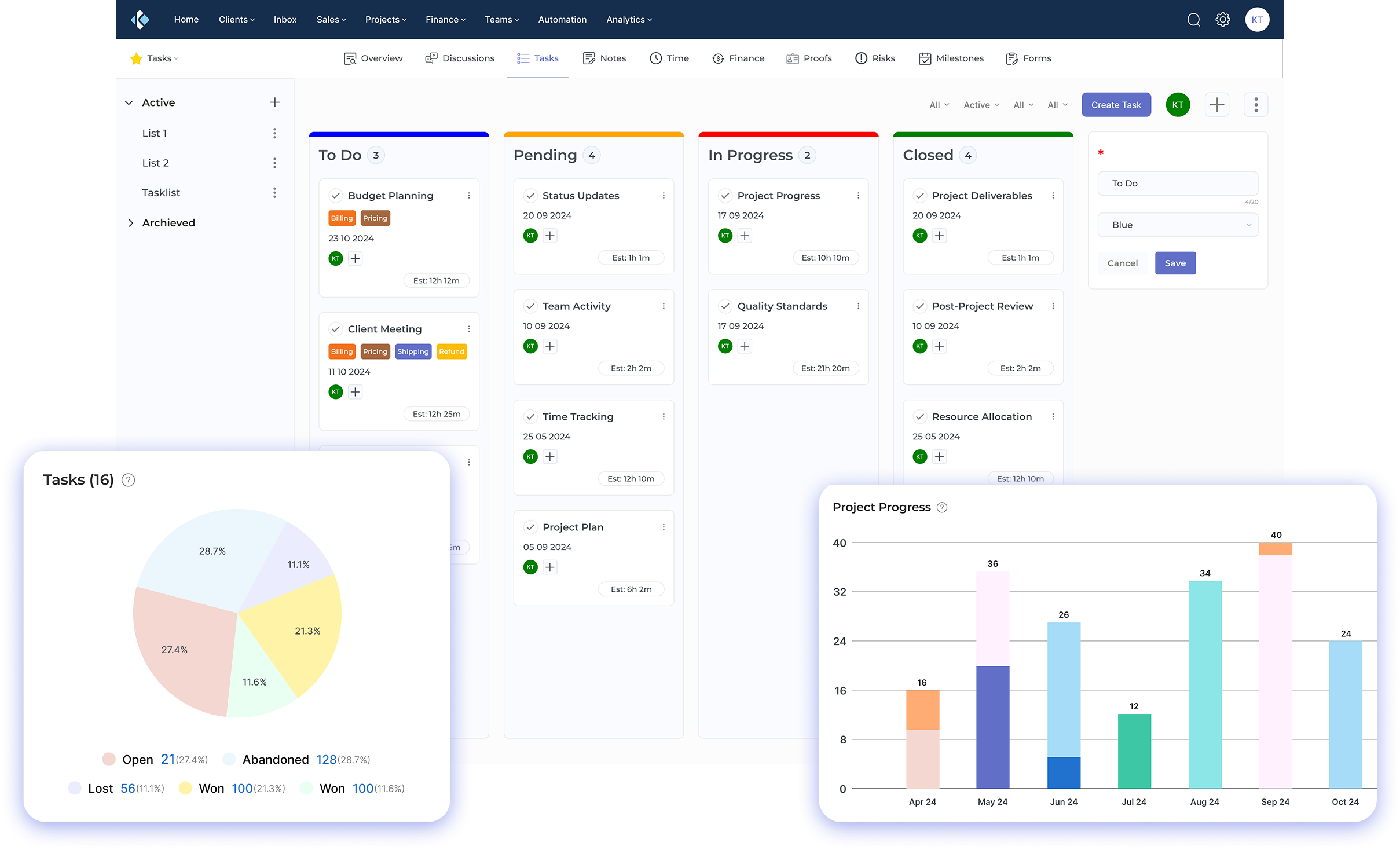
work management software_ tools_ platform_ system Dashboard 1

Trusted by Professional Services Businesses Globally

 
37
35
33
31
29
25%+

Faster Project Delivery

20%+

Cost Reduction

30%

Higher Sales Conversions

Top Work Management Systems for Teams and Projects

Discover the best work management systems for modern teams. Centralize tasks, boost accountability and achieve real-time project visibility.

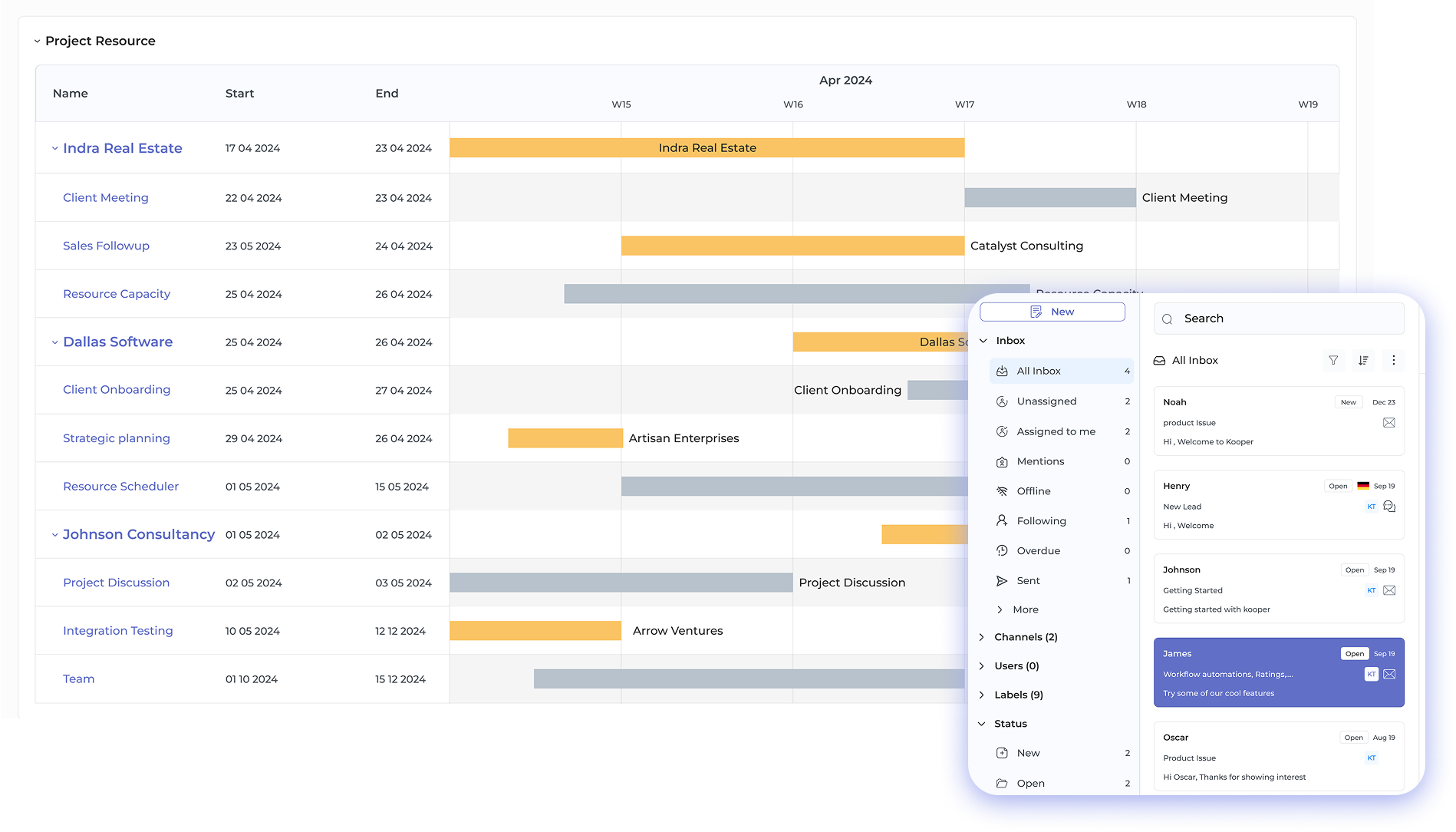
work management software_ tools_ platform_ system Dashboard 2

Enhanced Productivity

Work management software streamlines workflows and automates repetitive tasks to help teams focus on meaningful work.

Real-Time Visibility

Gain instant insight into project status, resource allocation and team progress with centralized dashboards as well as reporting.

Improved Collaboration

Centralize team communication and task updates in one platform, enabling faster, more transparent teamwork across locations.

Smarter Resource Planning

Track workloads and team capacity, ensuring optimal assignment while reducing bottlenecks before they impact delivery.

Robust Customization

Adapt workflows, automations and dashboards to match business needs without sacrificing platform flexibility or governance.

Seamless Integrations

Connect existing tools and automate information flow to unify your project management ecosystem while enhancing functionality.

Teams often struggle when project details are scattered across emails, spreadsheets and different tools. It becomes hard to track progress and unclear priorities soon become the norm.

That’s where work management software comes in. It brings all your tasks, timelines and team communication together in one easy-to-access platform. With the right tool, your messy workflows turn into smooth, coordinated processes.
In this guide, we’ll explore nine of the best work management platforms. You’ll learn what each one offers, how they improve productivity and which tool fits your team’s specific workflow as well as operational needs.

What is Work Management Software?

Work management software is a digital platform that helps teams organize tasks and coordinate projects across their organization. It provides centralized visibility into who is working on what and when deliverables are due. These systems enable better resource allocation as well as streamline collaboration among team members.

Small agencies and professional services firms gain significant advantages from work management software through improved client project tracking as well as team coordination. These tools help prevent work from falling through the cracks while enabling better capacity planning. The software creates transparency that allows leaders to spot bottlenecks before they impact client deliverables.

Key objectives:

  • Centralize task assignment and project information so team members know their priorities as well as deadlines without constant status meetings.
  • Improve resource allocation by providing visibility into team capacity and workload distribution across projects.
  • Enable real-time collaboration through shared workspaces where teams can communicate and update progress together.
  • Track project timelines and milestones to ensure deliverables stay on schedule as well as clients receive work when promised.
  • Generate reporting and insights that help leadership make informed decisions about project profitability and team performance.

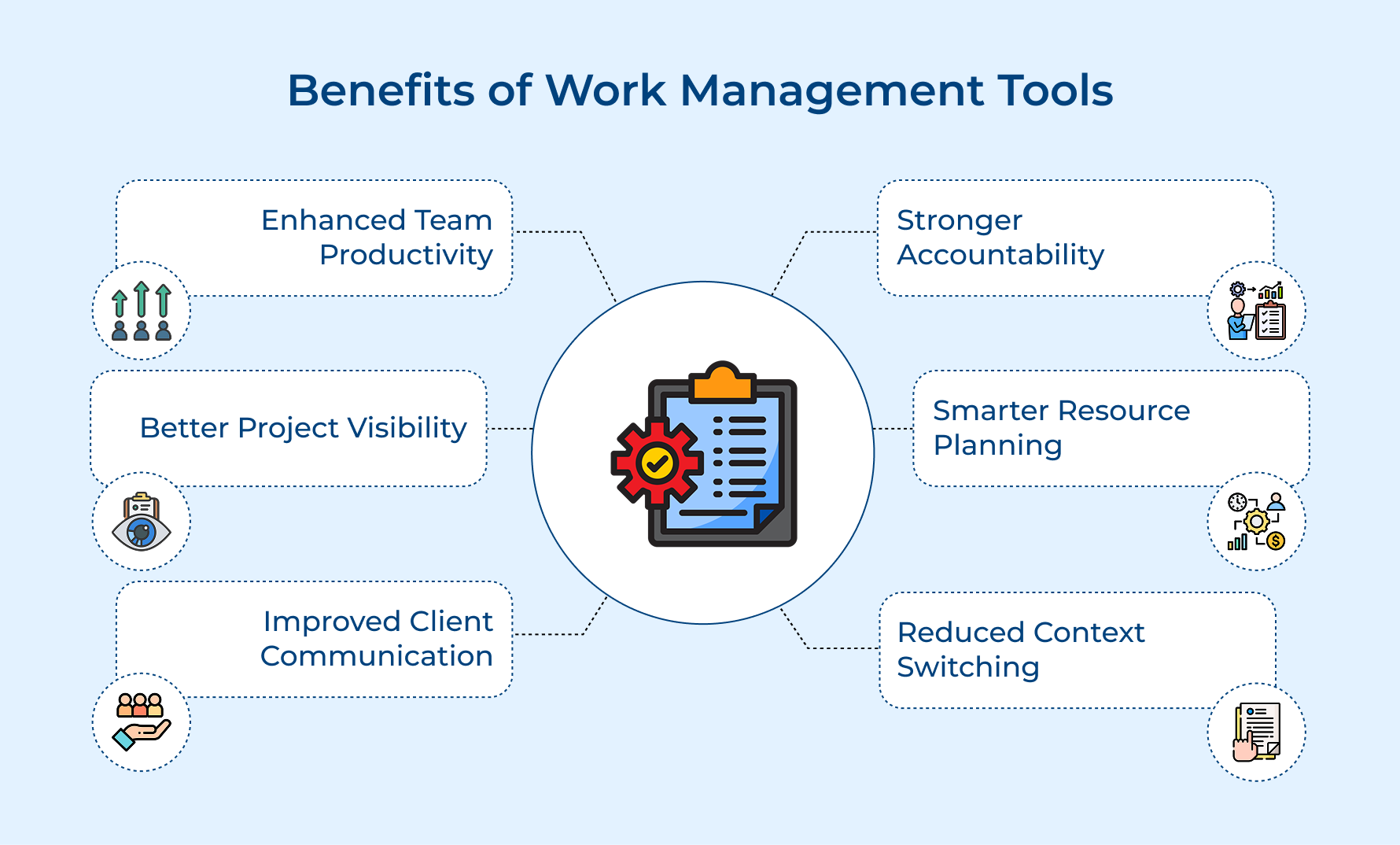
Benefits of Work Management Tools

Work management tools deliver measurable improvements across how teams plan and execute their work. These benefits compound over time as teams develop better habits and workflows.

Benefits of Work Management Tools

1. Enhanced Team Productivity
Work management tools save teams from hunting through emails or spreadsheets. With everything in one place, people spend more time doing actual work and less on admin tasks. Clear workflows also cut down on duplicated efforts.

2. Better Project Visibility
Managers get a full picture of project progress without endless update meetings. Teams can see how tasks depend on each other and how their work fits into bigger goals. This transparency helps catch small issues before they turn into bigger problems.

3. Improved Client Communication
Teams can quickly share accurate updates with clients. Showing real progress builds client trust and cuts down on repeated status questions. It also makes it easier to bring new client stakeholders up to speed mid-project.

4. Stronger Accountability
When roles and deadlines are clear, team members take ownership of their work. Visibility naturally encourages accountability, people see how delays affect others without needing constant supervision.

5. Smarter Resource Planning
Managers can spot who’s free for new work and who’s overloaded before assigning tasks. It helps prevent burnout and ensures projects get the attention they need. Better planning also means timelines and commitments are more realistic.

6. Reduced Context Switching
Keeping all project info and communication in one place helps teams stay focused. Fewer tools to juggle means fewer distractions and more mental energy for meaningful work.

Comparison Chart of Best Work Management Software

Explore a side-by-side comparison of the top work management software. This chart highlights key features to help you find the best fit for your team’s workflow.

Software Name Key Features Starting Price (per user/month)
Kooper
  • Project planning
  • Time tracking
  • Resource management
  • Invoicing
  • Client portal
Contact for pricing
Nimble
  • Contact management
  • Pipeline tracking
  • Team collaboration
$24.90
Asana
  • Task management
  • Project timelines
  • Workflow automation
  • Reporting
Free – $24.99
Monday.com
  • Visual dashboards
  • Automation builder
  • Multiple project views
  • Time tracking
$9 – $19
Trello
  • Automation builder
  • Card attachments
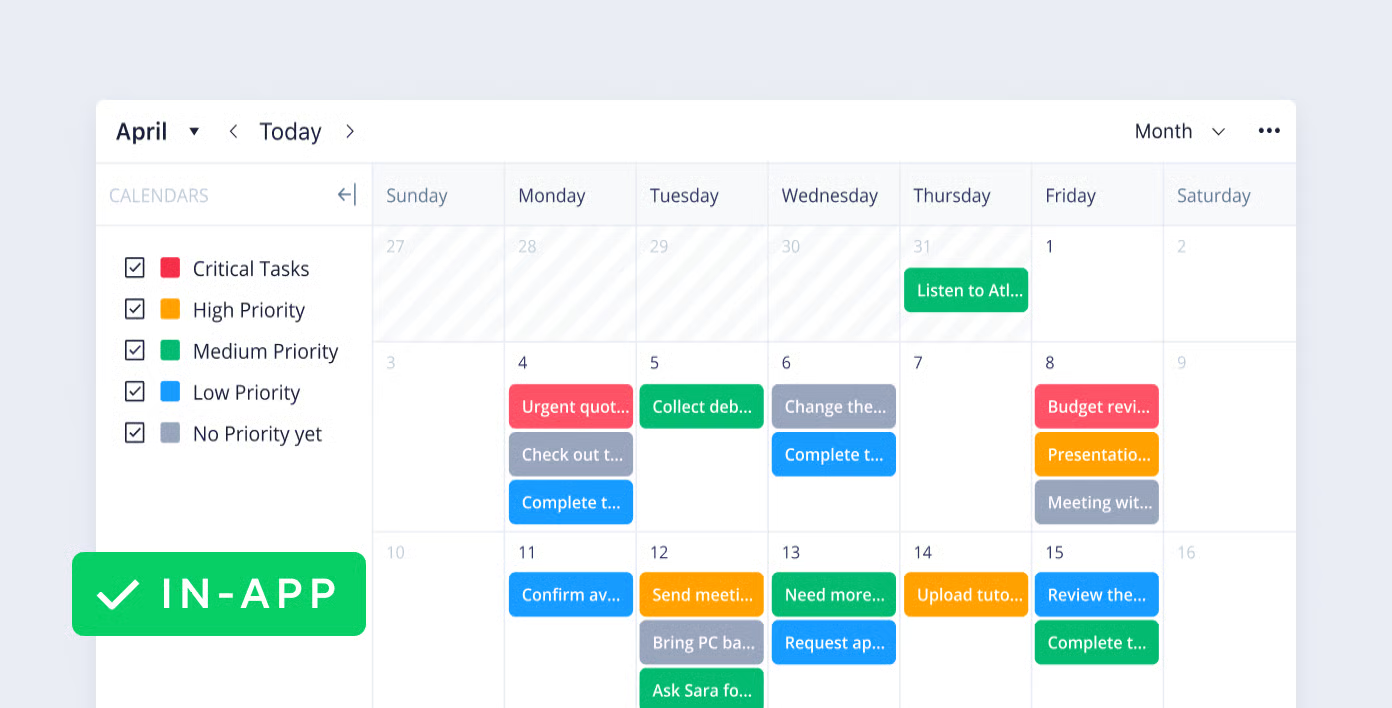
  • Calendar view
Free – $12.50
Wrike
  • Gantt charts
  • Resource management
  • Custom workflows
Free – $24.80
ClickUp
  • Multiple views
  • Goal tracking
  • Document collaboration
  • Workload management
Free – $19
Scoro
  • Project accounting
  • Quote generation
  • Billing automation
  • Pipeline management
$26 – $37
GanttPro
  • Task dependencies
  • Resource allocation
  • Progress tracking
$8.90 – $15

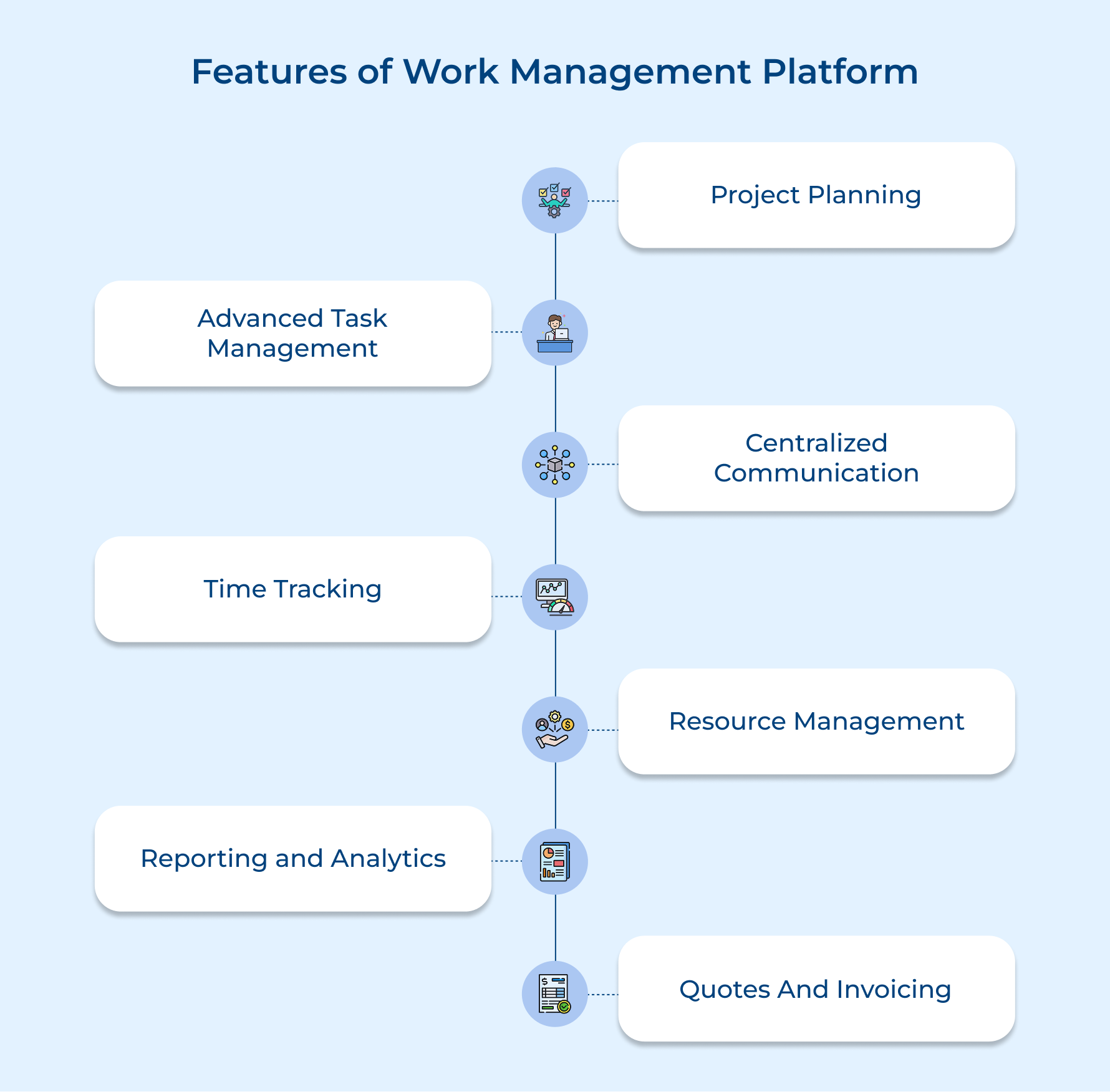
Features of Work Management Platform

Work management platforms combine multiple capabilities that traditionally required separate tools into one integrated system. Understanding these core features helps teams evaluate which platform best fits their operational needs.

Features of Work Management Platform

Project Planning

Project planning tools let teams map out projects from start to finish with clear milestones and dependencies. You can create timelines that show how tasks connect and spot scheduling conflicts before work even begins.

Advanced Task Management

These tools go beyond basic to-do lists. Teams can break tasks into subtasks, set priorities, assign multiple owners, attach files and use templates for repeatable workflows. Everyone can see task history to understand what changed and why.

Centralized Communication

Keep all project discussions linked to tasks instead of lost in emails. Team members can tag colleagues, share updates and answer questions where decisions happen. New members can also catch up quickly by reviewing past conversations.

Time Tracking

Team members can log hours on tasks for accurate billing and capacity planning. It shows which work takes the most time and where estimates miss the mark. Many tools even include timers that track effort automatically.

Resource Management

These features give managers a clear view of team availability and workload. You can prevent over-commitment, redistribute tasks and balance work based on skills as well as current responsibilities.

Reporting and Analytics

Turn project data into insights about performance, profitability and efficiency. Custom dashboards let stakeholders see relevant metrics without digging through spreadsheets. Reports also help teams improve planning and estimation over time.

Quotes and Invoicing

Connect project work to finances by generating quotes and invoices from tracked time. Teams can create accurate proposals based on past projects, reduce billing errors and speed up payments.
9 Best Work Management Software and Tools Reviewed

To help you make the best decision, we’ve meticulously reviewed and compiled a list of the top nine work management tools that stand out in performance, usability and innovation

1. Kooper

Best work management software for agencies and service businesses

Kooper work management software_ tools_ platform_ system

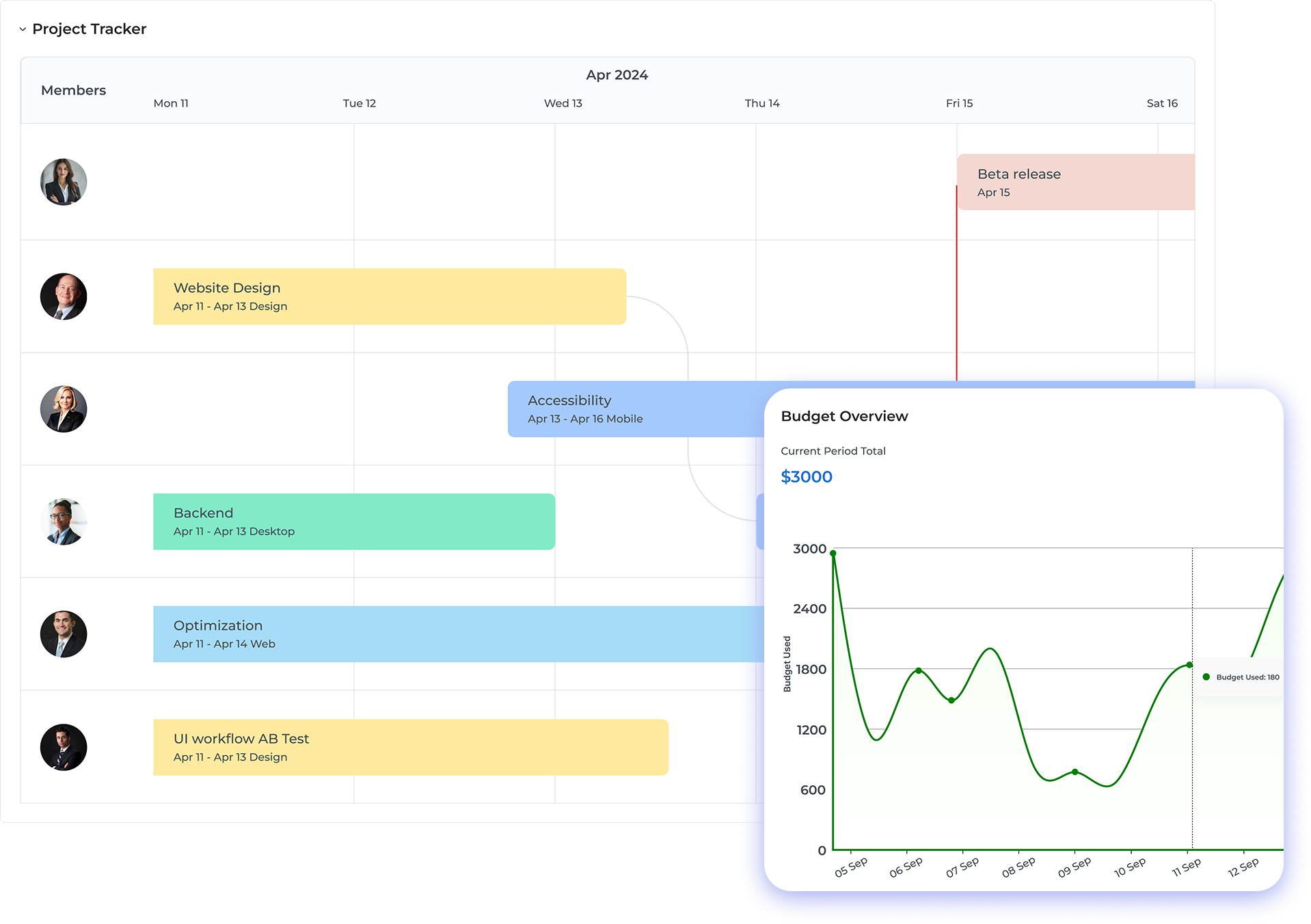
Kooper is a work management software that combines with financial operations for agencies and service businesses. The software integrates project planning, resource scheduling and profitability analysis into a unified system.

Kooper solves the challenge of disconnected tools by linking operational workflows directly to financial outcomes and business intelligence. The platform shows real-time project profitability alongside task completion so teams understand commercial impact and prevent scope creep.

Key features:

  • Project planning and scheduling: The platform provides visual project timelines where managers can map out phases and task sequences with clear dependencies. Teams can adjust schedules dynamically while the system flags conflicts that could derail delivery.
  • Resource management and capacity planning: Kooper displays team availability across all active projects with indicators showing who is overallocated or has capacity. Managers can assign people based on skills and workload to ensure balanced distribution.
  • Time tracking and budget monitoring: The integrated time tracking captures hours against specific tasks while comparing actual effort to budgeted estimates in real time. This visibility allows project managers to spot budget overruns early and make corrections.
  • Task management and collaboration: Teams can break down projects into granular tasks with assignments and due dates that keep everyone aligned. The discussion threads attached to each task consolidate communication so context remains accessible.
  • Financial integration and profitability analytics: The platform connects project delivery directly to invoicing so firms understand which projects drive actual profitability. These insights help agencies refine pricing models based on financial performance.

2. Nimble

Top work management tool with effective contact management

Nimble Work Management Software

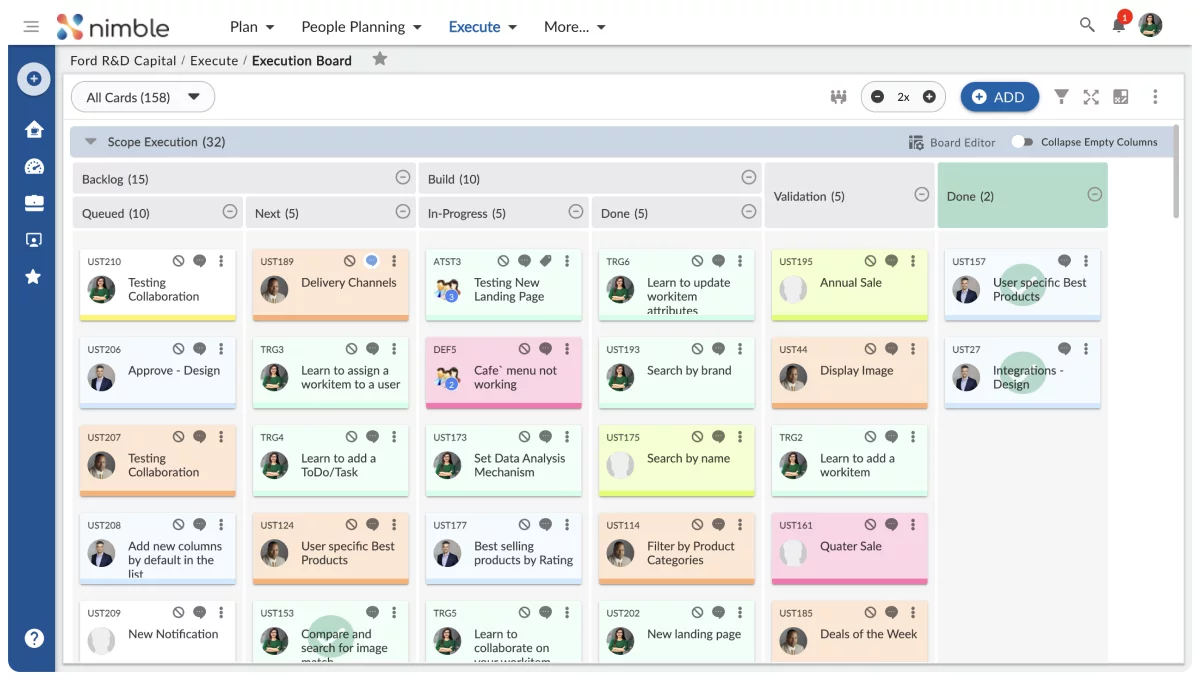
Nimble functions primarily as a relationship-focused work management tool that combines contact management with basic project coordination capabilities. The platform excels at helping service-based businesses track client interactions and manage communication history across multiple channels.

Key features:

  • Social media integration automatically pulls contact information and interactions from platforms like LinkedIn as well as Twitter into centralized profiles.
  • Pipeline management tools help teams visualize where prospects and clients sit in the sales or project delivery process.
  • Team collaboration features enable shared access to contact records so multiple team members can coordinate client communications.
  • Activity tracking records every email and interaction with clients to provide complete relationship history.

Pricing:
Nimble charges a flat rate of $24.90 per user monthly with annual billing commitments available at reduced rates. The platform does not offer a free tier but provides a trial period for teams to evaluate fit. All features are included in the single pricing tier.

3. Asana

Intuitive project management platform for workflow automation

Asana Work Management Software

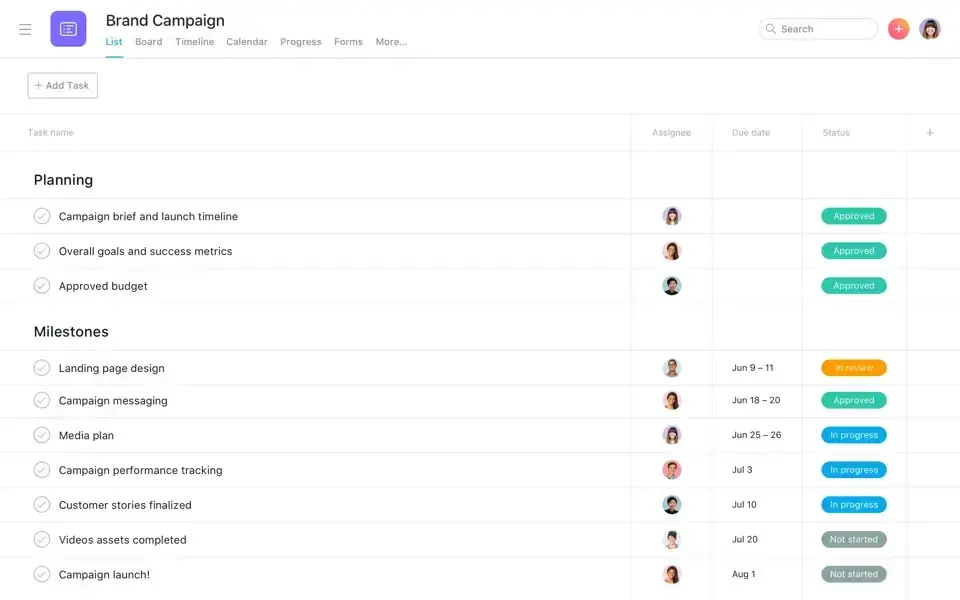
Asana provides comprehensive project and task management capabilities designed for teams coordinating complex work across multiple initiatives simultaneously. The platform offers flexibility through different project views including lists, boards, timelines and calendars to match various workflow preferences.

Key features:

  • Workflow automation rules trigger actions automatically when tasks reach certain stages or meet defined conditions to reduce manual updates.
  • Custom fields allow teams to add specific data points to tasks like priority levels, effort estimates or client names for better filtering.
  • Project templates enable teams to standardize repeatable processes and launch new initiatives faster with pre-built structures.

Advanced reporting creates visual dashboards that track progress across multiple projects and reveal team capacity trends.

Pricing:

Asana offers a free basic plan for small teams with limited features and up to 15 users maximum. Paid plans start at $10.99 per user monthly for Premium features and increase to $24.99 monthly for Business tier capabilities. Enterprise pricing requires direct contact with their sales team for custom arrangements.

4. Monday.com

Comprehensive work management platform with easy-to-use interface

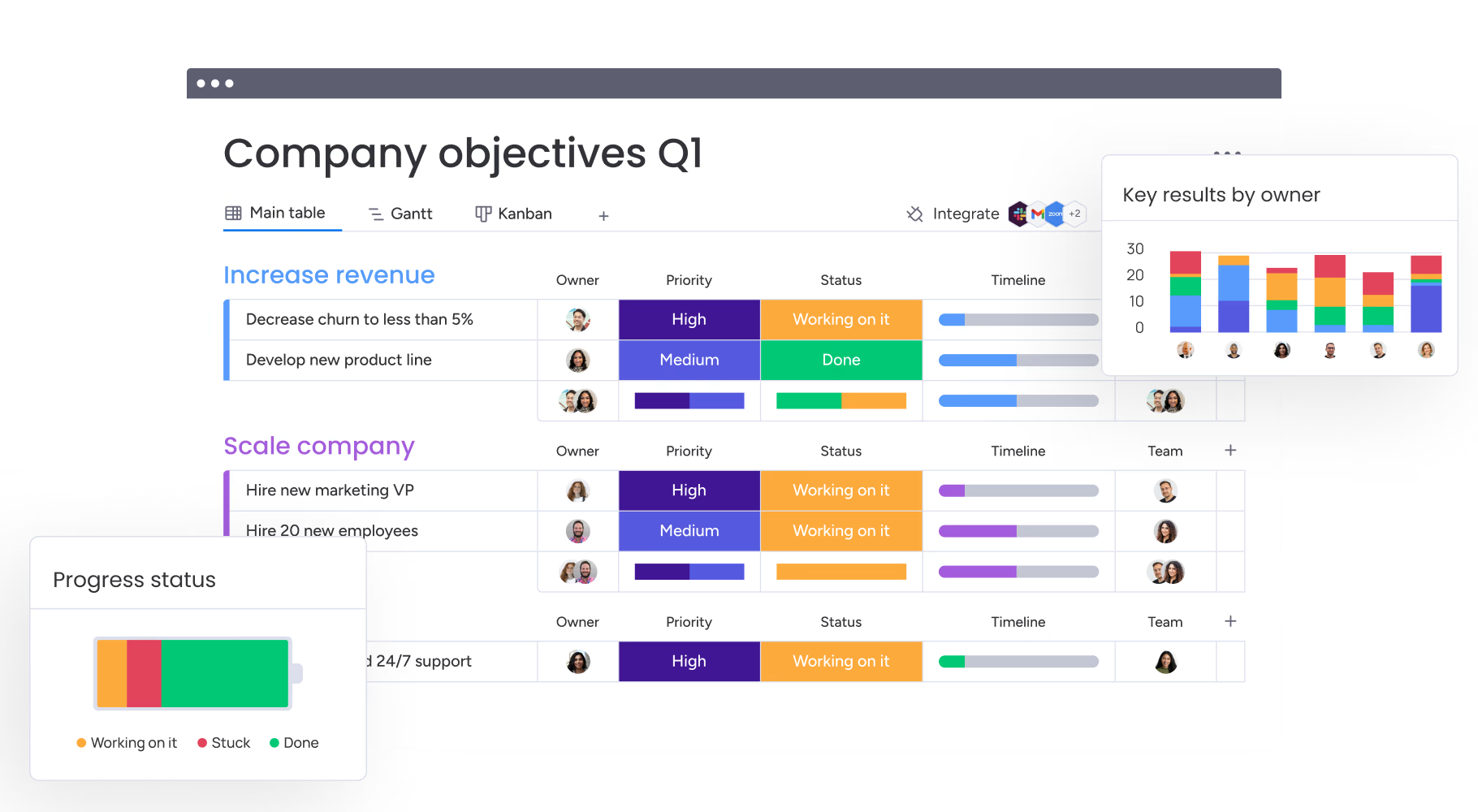
Monday.com Work Management Software

Monday.com delivers a highly visual work management platform built around customizable boards that teams can adapt to virtually any workflow type. The interface uses color coding and visual status indicators to make project health immediately apparent without requiring detailed reading. The platform gained popularity for making complex project data accessible to non-technical team members.

Key features:

Multiple view options let users switch between kanban boards, Gantt timelines, calendars and other formats without changing underlying data.

Automation builder creates custom workflows that move tasks between stages and notify team members based on triggers as well as conditions.

Integration center connects Monday.com with hundreds of external tools to centralize work management without abandoning existing systems.

Dashboard widgets compile data from multiple boards into executive-level overviews that highlight key metrics and potential issues.

Pricing:

Monday.com pricing starts at $9 per user monthly for the Basic plan with core features suitable for small teams. The Standard plan costs $12 monthly and adds timeline views plus additional automation actions. Pro plans run $19 monthly per user with advanced features like time tracking and formula columns.

5. Trello

Ultimate task management tool with kanban style board

Trello Work Management Software

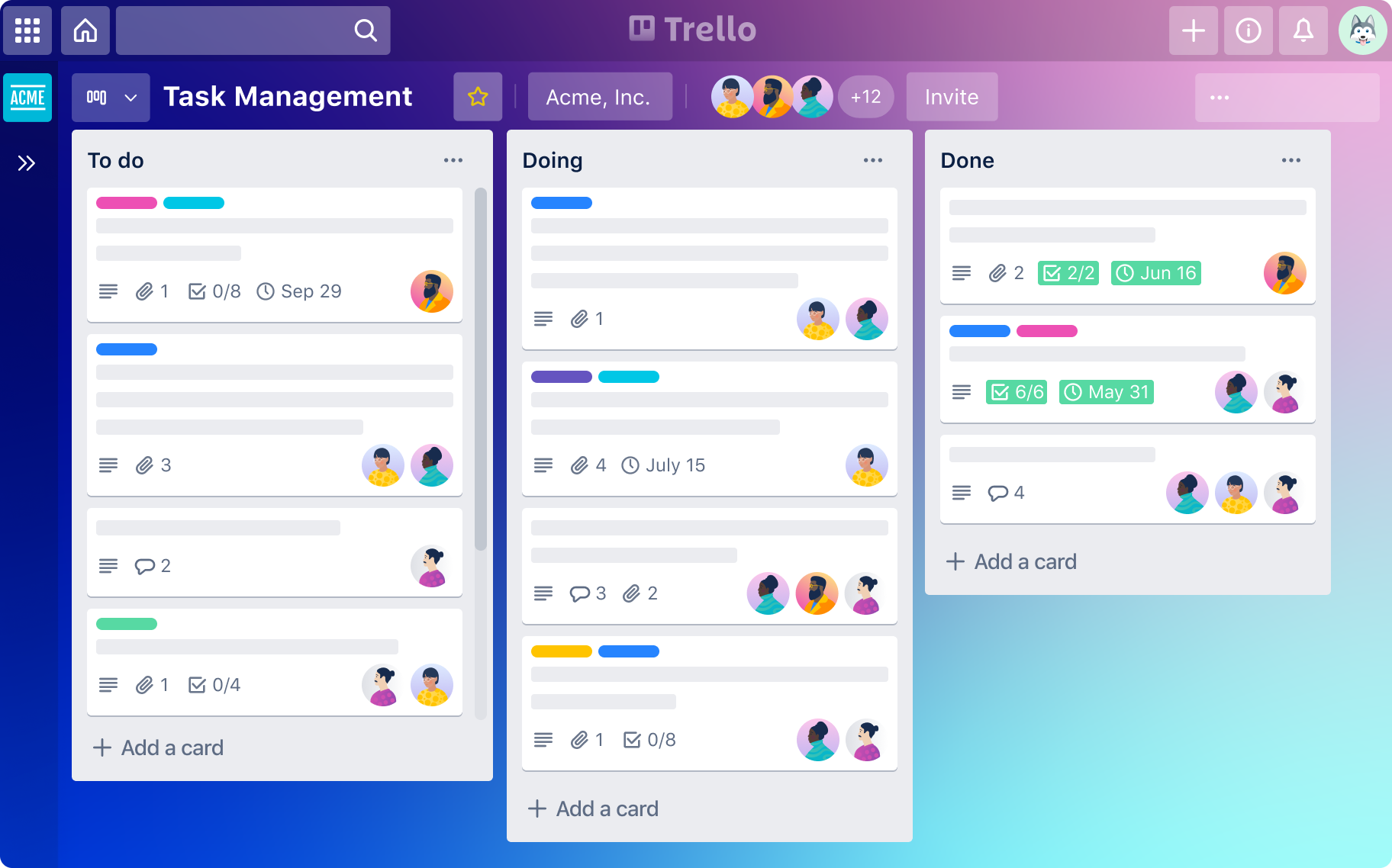
Trello pioneered the kanban-style board interface that many other platforms later adopted for visual task management across teams. The platform maintains simplicity as its core advantage by providing intuitive drag-and-drop functionality that requires minimal training time. Trello works best for teams managing straightforward workflows without extensive dependencies between tasks.

Key features:

  • The card system organizes individual tasks with descriptions, attachments, checklists and comments that keep relevant context together in one place.
  • Board templates provide pre-built structures for common workflows like content calendars or sprint planning that teams can customize.
  • Power-ups extend functionality by adding integrations with tools like Slack, Google Drive or custom fields without cluttering the base interface.
  • Butler automation handles repetitive actions like moving cards between lists or assigning due dates based on rules users define.

Pricing:

Trello provides a free tier that supports unlimited cards and boards with limitations on automation runs as well as attachment sizes. The Standard plan costs $5 monthly per user and increases Power-ups plus automation limits significantly. Premium tier pricing reaches $10 monthly per user with advanced administrative controls and additional views beyond basic boards.

6. Wrike

Best project management platform for large businesses

Wrike Work Management Software

Wrike targets organizations needing robust project management capabilities with strong approval workflows and resource planning functionality built in. The platform handles complex project structures with multiple dependencies and cross-functional team coordination requirements effectively. Marketing and creative teams particularly value the proofing as well as approval features for managing review cycles.

Key features:

  • Gantt chart timelines visualize project schedules with dependency links between tasks to show how delays cascade through the project.
  • Request forms standardize how work enters the system by collecting necessary information upfront before creating tasks or projects.
  • Proofing tools allow reviewers to annotate files directly and consolidate feedback rather than tracking comments across email threads.
  • Custom workflows define stages that tasks move through with automated notifications and required fields at each transition point.

Pricing:

Wrike offers a free plan limited to basic task management for very small teams without advanced features. Professional plans start at $9.80 per user monthly with Gantt charts and custom fields included as standard. Business tier pricing increases to $24.80 monthly per user adding advanced reporting and request forms.

7. ClickUp

Best productivity tool with extensive customization options

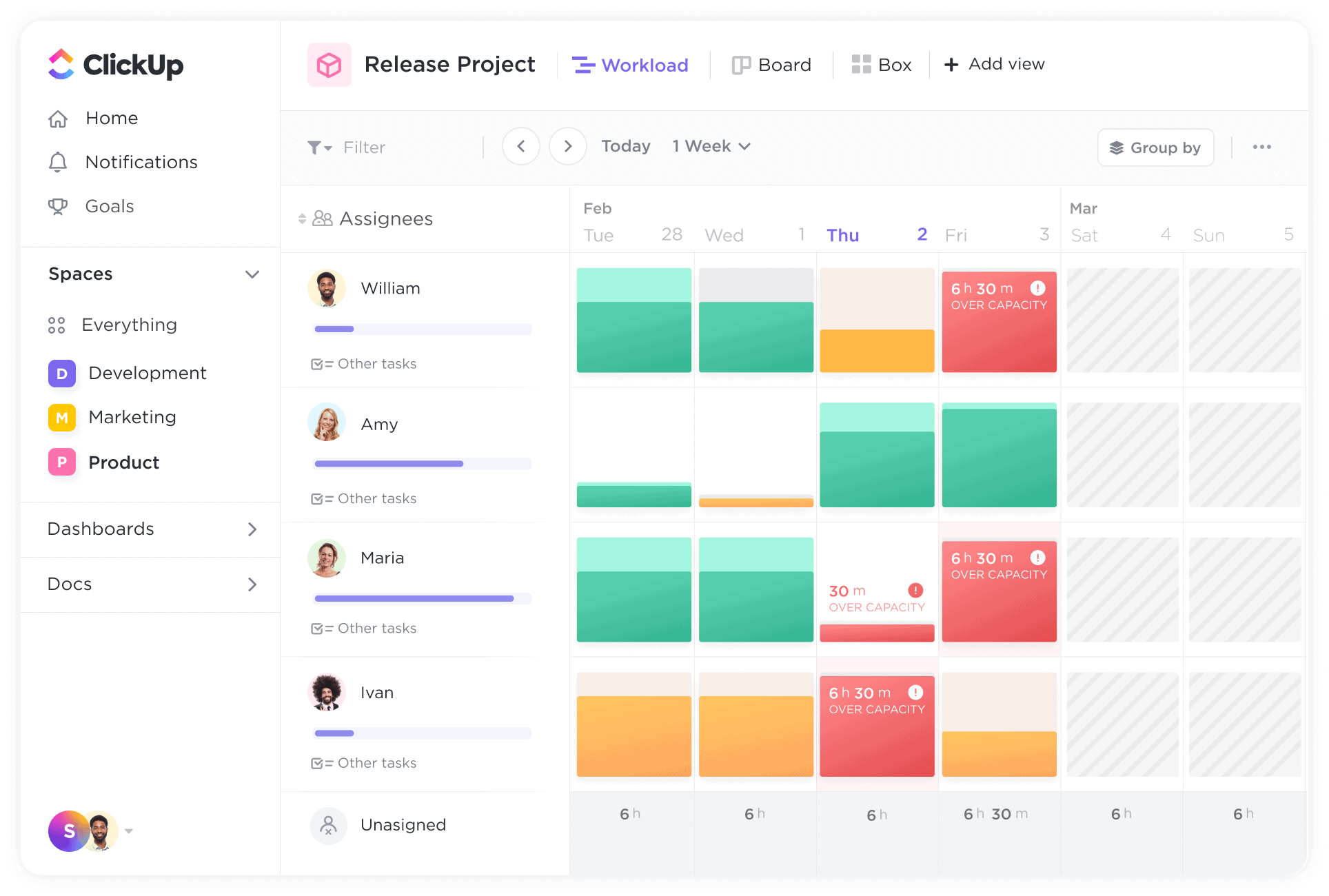
ClickUp Work Management Software

ClickUp positions itself as an all-in-one replacement for multiple productivity tools by combining tasks, documents, goals and communication features. The platform provides extensive customization options that let teams configure nearly every aspect of their workspace to match preferences. This flexibility appeals to teams frustrated by rigid structures in other platforms.

Key features:

  • Multiple view types include lists, boards, calendars, Gantt charts, workload views and more so different team members access information their preferred way.
  • Goal tracking connects high-level objectives to specific tasks and automatically calculates progress as teams complete related work items.
  • Document collaboration lets teams create wikis and knowledge bases alongside their project work rather than maintaining separate documentation tools.
  • Workload management displays team capacity across projects to prevent over-allocation and identify who has bandwidth for new assignments.

Pricing:

ClickUp provides a generous free forever plan with unlimited tasks and members but limited storage and features. The Unlimited plan costs $7 monthly per user with expanded storage plus unlimited integrations and dashboards. Business tier pricing reaches $12 monthly adding advanced automation and more granular permissions controls.

8. Scoro

Top work management software with end-to-end business management

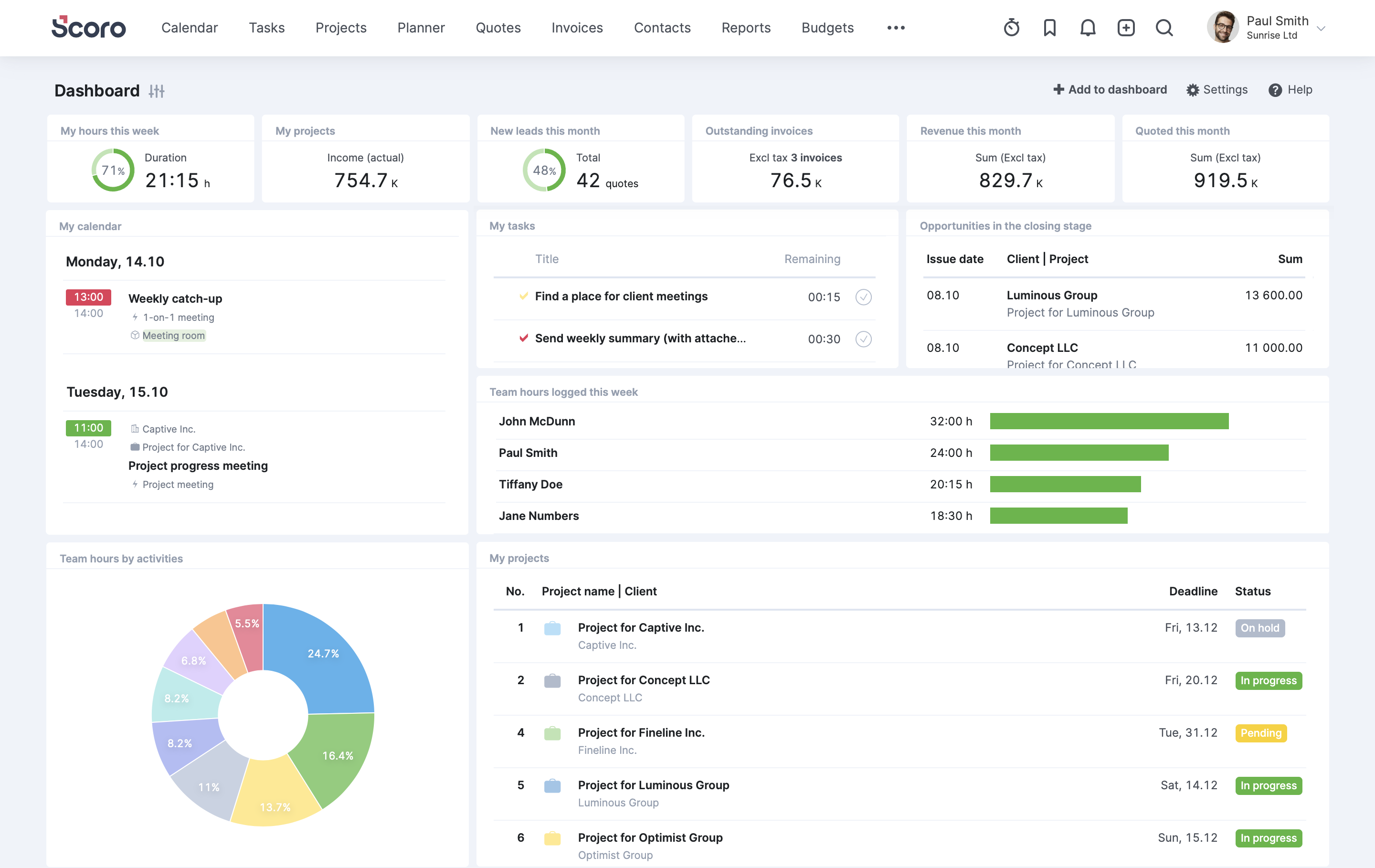
Scoro Work Management Software

Scoro serves professional services firms with end-to-end business management capabilities that connect project work directly to financial operations. The platform handles everything from initial quotes through project delivery and final invoicing in one integrated system. This comprehensive approach eliminates data transfer between separate project management and accounting tools.

Key features:

  • Quote generation creates professional proposals that convert directly into projects with budgets and timelines already established from estimation.
  • Billing automation generates invoices based on tracked time and completed milestones without requiring manual data entry or reconciliation.
  • Project accounting tracks profitability in real time by comparing actual costs and time against budgeted amounts throughout delivery.
  • KPI dashboards provide executives with financial and operational metrics that reveal business health beyond just project completion rates.

Pricing:

Scoro pricing starts at $26 per user monthly for the Essential plan covering basic project management and time tracking. Standard plans cost $37 monthly per user adding quotes, invoicing and more advanced reporting capabilities. Professional tier pricing requires contacting sales for organizations needing full financial management integration.

9. GanttPro

Ultimate work management tool for dependency mapping

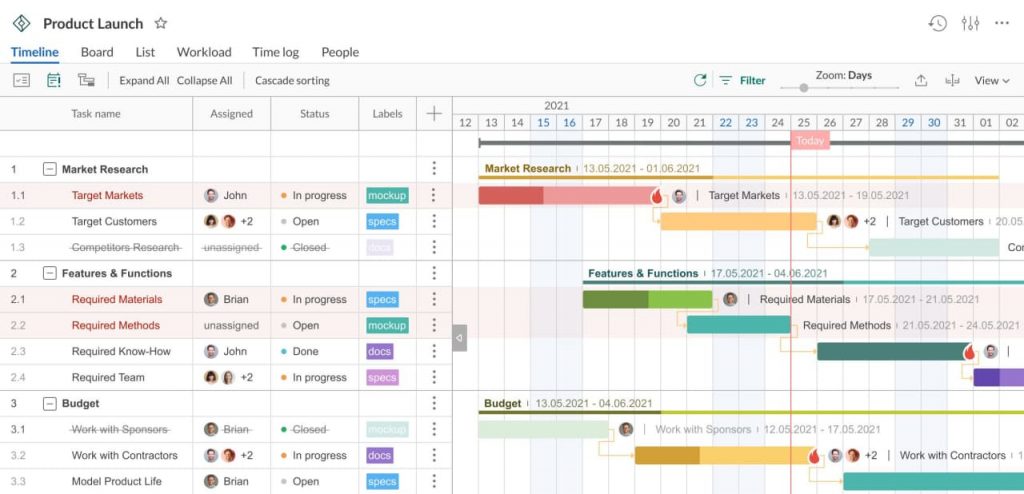
GanttPro Work Management Software

GanttPro specializes in Gantt chart-based project planning for teams that rely heavily on timeline visualization and dependency mapping. The platform keeps its feature set focused rather than attempting to cover every possible project management need. This specialization makes GanttPro straightforward to adopt for teams specifically seeking strong scheduling capabilities.

Key features:

  • Gantt chart builder creates visual timelines where users define task durations and dependencies through intuitive drag-&-drop interactions.
  • Resource allocation shows team member assignments across projects to identify conflicts where people are scheduled on multiple tasks simultaneously.
  • Progress tracking updates task completion percentages and automatically adjusts timeline forecasts based on actual progress versus planned schedules.
  • Export options generate PDF reports and share project timelines with stakeholders who don’t need full platform access.

Pricing:

GanttPro charges $8.90 per user monthly for individual plans with basic features suitable for small project teams. Team plans increase to $15 monthly per user and add collaboration features plus advanced resource management. Volume discounts apply for larger organizations purchasing multiple licenses together.

How to Choose the Best Work Management Solution

Selecting the right work management solution requires careful evaluation of your team’s specific needs and operational context. The following considerations help ensure you choose a platform that supports rather than complicates your workflows.

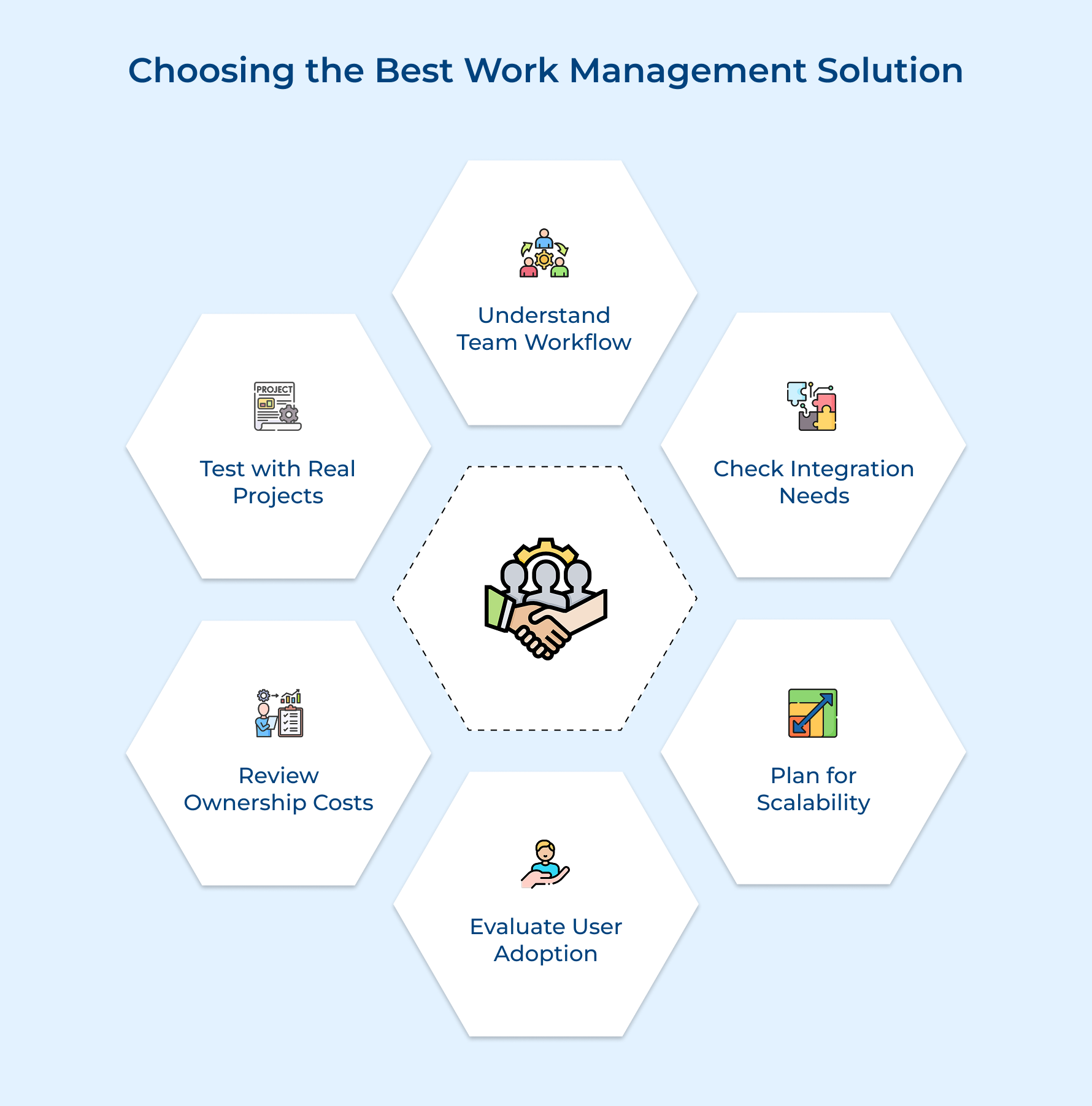
Choosing the Best Work Management Solution

1. Assess Your Team’s Workflow Complexity
Start by looking at your projects. Are they simple tasks or complex projects with many dependencies and team members coordinating at once? Knowing this helps you pick a tool that fits your workflow without paying for unused features.

2. Evaluate Integration Requirements
Check which tools your team uses daily and whether the platform connects seamlessly with them. Poor integration means managing information in multiple places, which defeats the goal of real-time visibility.

3. Consider Scalability and Growth Plans
Think ahead to where your team will be in a couple of years. Pick software that grows with you, so you avoid migrating to new tools as your projects expand.

4. Review User Adoption and Learning Curve
Consider how much training your team will need. Look for platforms with intuitive design, natural language input and features that support agile project management to make adoption faster as well as smoother.

5. Analyze Total Cost of Ownership
Go beyond the monthly fee. Include setup, integrations and training costs to get a real picture of expenses. This helps you compare platforms fairly and avoid budget surprises.

6. Test with Real Projects During Trials
During trials, run actual client projects through the platform instead of just exploring features. Involve the team who will use it daily to spot adoption challenges and ensure the platform delivers real-time visibility into work progress.

Elevate Your Team Productivity with Seamless Work Management Solution

Work management software transforms how teams plan, execute and deliver projects by centralizing communication while eliminating information silos. The right platform reduces administrative overhead while providing visibility that helps leaders make informed decisions about resource allocation and priorities.

Choosing a solution requires evaluating your workflow complexity, integration needs and growth trajectory to ensure long-term fit. Investing time in proper selection and implementation pays dividends through improved team coordination, stronger client relationships and ultimately more profitable project delivery.

FAQs about Work Management system

Work management software centralizes project information so team members access the same updated data without searching through email threads. Task assignments and discussions remain attached to relevant work items where everyone can contribute feedback. This shared visibility reduces miscommunication as well as ensures alignment across the team.

Remote teams benefit from transparency into who is working on what regardless of physical location or time zone. The platforms create digital workspaces where async communication happens alongside task updates so distributed team members stay connected. This visibility replaces the informal coordination that happens naturally in traditional office environments.

Teams often fail by implementing too many features at once which overwhelms users and creates resistance to adoption. Poor data hygiene where outdated tasks clutter the system makes it unreliable for decision making. Lack of clear processes for how teams should use the tool leads to inconsistent adoption and fragmented workflows.

Advanced tools measure productivity through time tracking data that shows how long tasks actually take compared to initial estimates. The platforms identify bottlenecks where work consistently stalls or requires more resources than planned. Dashboard metrics reveal team velocity trends that help managers understand capacity and optimize resource allocation.

Professional services firms like marketing agencies benefit significantly because they manage multiple client projects with varying scopes simultaneously. Creative industries including design studios rely on these tools to coordinate review cycles and approval workflows. Technology companies use work management platforms to track sprints and coordinate complex product development initiatives.

Integrations connect work management platforms with communication tools and file storage to eliminate duplicate data entry across applications. These connections enable automated workflows where actions in one system trigger updates in another without manual intervention. The result is a unified ecosystem where information flows seamlessly rather than requiring constant switching between tools.